

20 Tried-and-Tested Customer Service Software to Supercharge Your Support Strategy

Team YCloud
·
March 9, 2026
·
33 min read

Choosing customer service software shouldn’t feel like gambling with your support reputation, but for most businesses, it does.
With hundreds of tools promising the same features, similar pricing, and "AI-powered" everything, the real challenge is finding what actually works for your use case.
This guide cuts through the noise!
We’ve shortlisted 20 tried-and-tested customer service software that are built to help your teams scale support, streamline workflows, and improve response times, without breaking the bank or switching tools every quarter.
For each platform, you'll find: key features, pros, cons, pricing, free trial info, and G2 ratings, so you can confidently choose the best fit for your business.
Let’s dive in and turn customer support into a growth engine.
But first, let’s break down what customer service software actually is and the key features of customer service software.
What is Customer Service Software?
Customer service software helps businesses track, manage, and resolve customer issues across channels, like email, chat, and WhatsApp, in one place.
It replaces scattered inboxes with smart tools like ticketing, automation, and analytics so teams can respond faster, stay organized, and personalize support at scale.
Up next, let's break down the key features that matter most in a modern customer service tool.
Key Features of Customer Service Software
The right customer service software isn’t just about answering tickets, it’s about scaling support, improving speed, and delivering personalized experiences at every touchpoint. It’s also about providing a seamless and intuitive experience through thoughtful UX design, so agents can navigate the software effortlessly and customers enjoy a consistent, user-friendly support journey.
Below is your go-to checklist of must-have features:
Smart Ticketing System
Turn every customer query into a trackable ticket. Tag, prioritize, set SLAs, and apply custom workflows to stay organized and on time.
Team Collaboration Tools
Assign tickets to the right agents, leave private notes, mention teammates, and avoid duplicate replies with smart collision detection.
Self-Service Options
Build a robust knowledge base and deploy AI chatbots to let customers help themselves, reducing agent load while improving satisfaction.
Multi-Channel Support
Consolidate messages from email, live chat, phone, social media, and SMS into a single inbox for faster, unified responses. This unified visibility also helps teams align customer conversations with ongoing email marketing campaigns for more consistent communication.
Live Chat & Chatbots
Chat in real-time with customers or automate conversations using bots trained on your FAQs and past support responses.
Automations & AI
Auto-route tickets, reply to common queries, translate messages, summarize chats, and trigger workflows, no human effort wasted. best AI productivity toolsTo get the most out of these automations, leveraging the best AI productivity tools can further streamline workflows, reduce manual tasks, and boost overall team efficiency.
SLA Management
Define and enforce service-level agreements to meet customer expectations and maintain accountability.
Customer Database
Access full customer profiles, history, and preferences in one place, enabling more contextual and personalized conversations.
Integration Capabilities
Plug into CRMs, ecommerce platforms, billing software, and other tools for a truly connected support experience.
Social Media Management
Monitor, respond, and engage with customers across social platforms without leaving your help desk.
To make it easy for customers to find all your important links in one place, using a link in bio template lets you organize social profiles, products, and resources neatly, improving accessibility and engagement.
Customer Feedback & Surveys
Capture real-time feedback and analyze sentiment to continuously refine your support quality.
Reports & Dashboards
Track everything, first response time, resolution rates, agent performance, and customer satisfaction, in one real-time dashboard.
AI Capabilities
Leverage advanced AI to draft replies, detect conversation trends, flag anomalies, and surface insights that drive better decisions.
Up next, let's break down 20 top-rated customer service software, including features, pros, cons, pricing, G2 ratings, and free trials, to help you find your perfect-fit platform.
Disclaimer: The references to software ratings, available features, and pricing were valid at the time of writing this article but could be subject to change in the future.
| Sr. No. | Product Name | Free Trial | Pricing |
|---|---|---|---|
| 1 | YCloud | Yes – Free lifetime access | • Free: $0/forever • Growth: $39/mo • Pro: $89/mo • Enterprise: $399/mo |
| 2 | Zoho CRM | Yes – 15 days | • Free Plan: Available • Standard: $14/user/month • Professional: $23/user/month • Enterprise: $40/user/month • Ultimate: $52/user/month |
| 3 | Freshworks | Yes – 21 days | • Free: Up to 10 agents • Growth: $15/user/month • Pro: $49/user/month • Enterprise: $79/user/month Billed annually |
| 4 | Freshdesk | Yes – 14 days | • Free: Unlimited agents • Growth: $15/agent/month • Pro: $49/agent/month • Enterprise: $79/agent/month Billed annually |
| 5 | HubSpot | Yes – Free plan with trial | • Free: CRM access • Starter: $20/month (2 users) • Professional: $500/month • Enterprise: $1,200/month |
| 6 | Salesforce | Yes – 30 days | • Essentials: $25/user/month • Professional: $75/user/month • Enterprise: $150/user/month • Unlimited: $300/user/month |
| 7 | Help Scout | Yes – All features included Startup offer available | • Free: 1 inbox, 1 knowledge base, unlimited users, 50 contacts/month • Standard: from $50/month • Plus & Pro: Custom pricing |
| 8 | Zendesk | Yes – 14 days | • Suite Team: from $19/agent/month • Higher plans: Based on features and seats |
| 9 | Hiver | Yes – 7 days | • Lite: from $15/user/month • Higher plans: With advanced features |
| 10 | Gorgias | Yes – 7 days | • Starter: $10/month for 50 tickets • Scales based on ticket volume |
| 11 | Front | Yes – 7 days | • Starts at $19/seat/month |
| 12 | Bettermode | Yes – Free plan and trial | • Starts at $24/month |
| 13 | Hiver | Yes – 7 days | • Starts at $15/user/month |
| 14 | Intercom | Yes – 14 days | • Starts at $39/seat/month |
| 15 | SupportBee | Yes – 14 days | • Starts at $13/user/month |
| 16 | Chatwoot | Yes – Trial available | • Free (Self-hosted) • Cloud: from $19/user/month |
| 17 | Bitrix24 | Yes – 15 days | • Free plan available • Paid plans: from $49/organization/month |
| 18 | Tidio | Yes – 7 days | • Free plan available • Paid plans: from $29/month |
| 19 | Kustomer | No official trial | • Starts at $89/user/month |
| 20 | Richpanel | Yes – 15 days | • Starts at $20/user/month |
1. YCloud
YCloud is an official WhatsApp Business Solution Provider (BSP) and one of the best customer service software. With YCloud's WhatsApp CRM, you can market, sell, support, and scale your business by 10X, all on WhatsApp!
The platform is packed with premium WhatsApp API features such as shared team inbox, bulk broadcast, AI-powered no-code WhatsApp chatbot and template generator, unlimited contacts storage, growth tools, and much more.
An AI-focused WhatsApp API platform, YCloud has everything that you've been looking for in a WhatsApp marketing software and automation tool.
Trusted by 200,000+ leading brands like MINISO, Tuya, Urbanic, HAGO, and more, YCloud is redefining WhatsApp-driven business growth.
Features
- The foremost thing is it's super duper intuitive and easy to use.
- Official Meta BSP with enterprise-grade WhatsApp API access.
- Seamlessly manage and view multiple Facebook Business Manager (FBM) and Multiple WhatsApp API under one account.
- Cloud-based shared team inbox with role-based access.
- Built-in language translation in the chat inbox allows agents to communicate seamlessly with customers in different languages across geographies.
- Send broadcast messages to unlimited saved and unsaved contacts.
- Leverage the AI template generator to automatically create marketing content templates in any language.
- Template performance reports to fine-tune and optimise your message templates.
- Automate your WhatsApp marketing by scheduling broadcast messages for maximum engagement at the perfect time.
- Advanced audience segmentation to personalize WhatsApp campaigns.
- Measure your WhatsApp marketing campaign success and optimize performance with real-time campaign analytics and reporting.
- WhatsApp message distribution report that provides clear insights into message performance, including the number of messages sent, received, delivered, and bounced. It also tracks which messages were sent to whom and identifies failures with detailed error reasons.
- Automate agent workflows by intelligently assigning chats based on availability.
- Smart collision detection feature that prevents duplicate responses and enhances team coordination by indicating when a chat is already being handled by a teammate.
- Monitor team chat performance through a comprehensive analytics dashboard.
- Set up WhatsApp automation with GenAI-powered chatbots to handle FAQs, qualify leads, send reminders, alerts, and more.
- Build seamless WhatsApp customer journeys with the Journey Builder.
- Directly integrate with Shopify and Zapier in just a few clicks.
- Easily embed YCloud's chat widget on your website with just a few clicks.
- API access for seamless integration with existing CRMs and eCommerce platforms.
- Export WhatsApp-engaged contacts to create Custom Audiences in Meta Ads Manager.
- Utilize first-party data to enhance Meta Ad performance and retargeting efforts.
- Number masking to safeguard customer data and prevent unauthorized access.
- Omnichannel marketing automation, including SMS and email campaigns.
- Fully compliant with Meta’s policies, featuring end-to-end encryption, ISO certification, and GDPR compliance.
- Dedicated customer support via WhatsApp, email, and phone, backed by 99.9% uptime with enterprise-grade infrastructure.
- Localized support for businesses operating across multiple regions.
Pros
- YCloud's basic plan is free forever.
- Zero Mark-up Charges on WhatsApp Conversations.
- Effortlessly manage multiple FBMs and WABAs under one account login.
- Granular access control to assign grassroots-level permissions to each account.
- Upload and store unlimited contacts, even in the Free plan.
- Enjoy a free lifetime experience of YCloud, including unlimited messaging API access, even in the Free plan.
- Self-serve NLP bot builder for effortless chatbot automation.
- Even in the free plan, you can build unlimited chatbot flows.
- Built-in language translation in the shared inbox, enabling agents to chat with customers in any language.
- Agent-wise performance insights with CSAT ratings for improved customer support.
- Advanced analytics for Click-to-WhatsApp (CTWA) Ads via a dedicated analytics dashboard.
- CTWA Ads integrated with Conversions API for precise tracking and optimization.
- Growth tools to easily create coupons, QR codes, and website chat widgets.
- Seamless Shopify integration with pre-built use cases, including new customer interactions, order updates, and abandoned cart recovery.
- Orders tab to manage and track all Shopify orders placed via WhatsApp, including revenue tracking.
- WhatsApp Pay integration for Indian customers, enabling smooth transactions.
Cons
No WhatsApp catalog support, because our focus is on developing an in-app WhatsApp browser to deliver a seamless and robust shopping experience within the app itself.
Currently, in development, we aim to be among the first to offer this innovative feature to our users.
Free Trial
Yes, a free trial is available.
Free lifetime experience of YCloud with unlimited messaging API.
Pricing
| Free | Growth | Pro | Enterprise |
|---|---|---|---|
| $0/forever | $39/mo | $89/mo | $399/mo |
*Zero Mark-up Charges on WhatsApp Conversations
G2 Rating
4.9 Out of 5
2. Zoho CRM
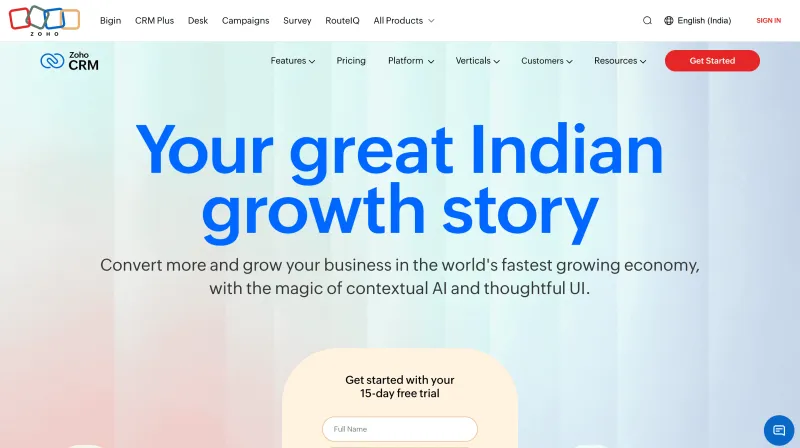
Zoho CRM is a powerful customer service and sales tool built for growing businesses that want robust functionality without breaking the bank. It’s part of the Zoho suite, an ecosystem of interconnected tools, making it easy to scale across sales, marketing, and support.
With its smart AI assistant, Zia, Zoho CRM predicts lead conversion, flags anomalies, and suggests the best times to call. From email sentiment analysis to automation workflows, Zoho CRM packs in enterprise-grade features while staying cost-effective.
Trusted by thousands of businesses globally, Zoho CRM is a top choice for companies that want intelligent, multi-channel support, tight integrations, and full control over their customer data.
Features
- AI-powered assistant Zia offers insights, detects trends, and recommends next actions.
- Track, nurture, and convert leads with built-in sales automation workflows.
- Multichannel communication across email, chat, social media, and telephony.
- Smart anomaly detection flags performance drops in real time.
- Advanced segmentation, scoring, and forecasting for better sales targeting.
- Built-in lead, contact, and deal management with customizable pipelines.
- Email sentiment analysis, activity extraction, and competitor monitoring.
- SLA tracking, reporting dashboards, and visual sales forecasts.
- Seamlessly integrates with over 45 Zoho apps and third-party tools via Zapier.
- Supports mobile access for agents on the go.
Pros
- Zoho CRM offers high value for small to mid-sized businesses.
- Zia’s predictive intelligence improves decision-making and workflows.
- Flexible pricing plans and deep integration with the Zoho ecosystem.
- Provides omnichannel engagement and data-driven insights.
Cons
- Takes some onboarding time to get the hang of its full capabilities.
- Third-party integrations (outside Zoho) aren’t always plug-and-play.
- Some customization features are locked behind higher-tier plans.
Free Trial
Yes, 15-day free trial available.
Pricing
| Free Plan | Standard | Professional | Enterprise | Ultimate |
|---|---|---|---|---|
| Available | $14/user/month | $23/user/month | $40/user/month | $52/user/month |
G2 Rating
4.0 out of 5
3. Freshworks
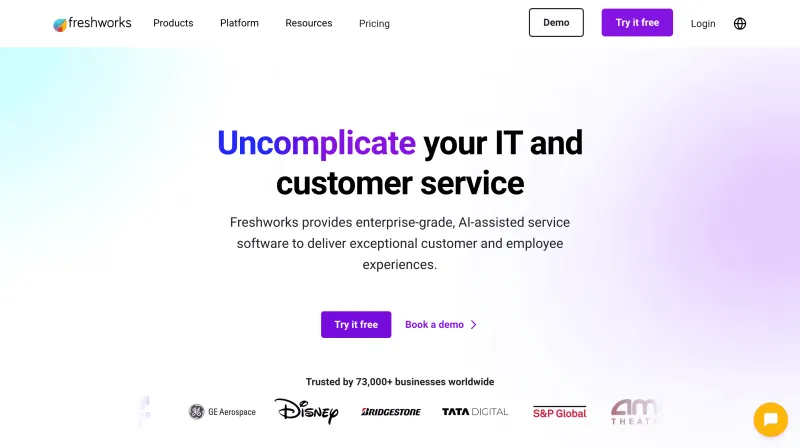
Freshworks offers an intuitive and AI-powered customer service platform designed to simplify complex support workflows. With features like omnichannel support, ticketing automation, and AI chatbots, it helps businesses of all sizes scale customer service without overwhelming their teams. Whether you’re handling tickets via email, chat, phone, or social, Freshworks brings everything into one clean, collaborative dashboard.
It’s trusted by 60,000+ businesses worldwide, including Bridgestone, Blue Nile, and Klarna, for its balance of affordability, scalability, and usability.
Features
- Unified inbox for email, phone, live chat, WhatsApp, and social channels.
- Freddy AI to summarize conversations, draft responses, and auto-tag tickets.
- AI-powered bots for resolving repetitive queries without human intervention.
- Customizable SLAs, ticket prioritization, and workflow automation.
- Smart ticket assignment and collision detection.
- Knowledge base with multilingual support.
- Detailed reports and dashboards to track CSAT, first response time, and more.
- Integrates with 1000+ tools including Shopify, Slack, and CRM platforms.
Pros
- Offers an incredibly clean UI and onboarding experience.
- Advanced automation and AI tools even on mid-tier plans.
- Scales well from startups to large enterprises.
Cons
- Some features are locked behind higher-tier plans.
- Analytics could be more customizable.
Free Trial
Yes, 21-day free trial available.
Pricing
| Free | Growth | Pro | Enterprise |
|---|---|---|---|
| For up to 10 agents | $15/user/month | $49/user/month | $79/user/month |
*Billed annually. Add-ons available for bots, analytics, and more.
G2 Rating
4.4 out of 5
4. Freshdesk
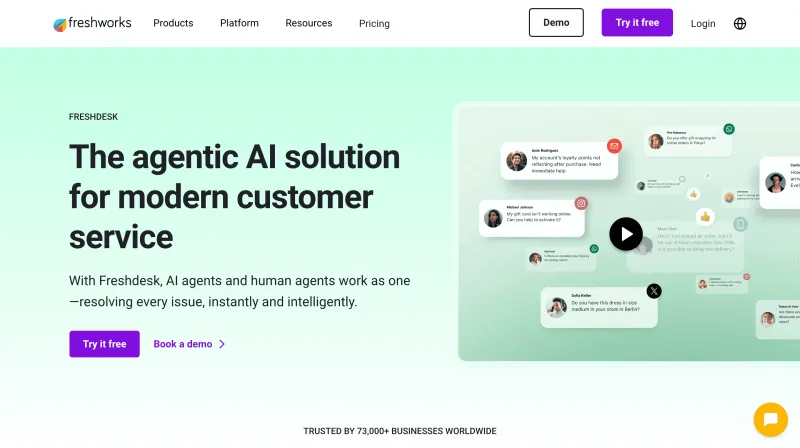
Freshdesk by Freshworks is a modern, cloud-based customer service software built to unify customer communication, automate repetitive tasks, and drive faster resolutions. Its powerful ticketing system collects customer queries from email, chat, phone, and social media into a shared inbox, where teams can collaborate and prioritize responses seamlessly.
From startups to enterprises, Freshdesk adapts with flexible plans, robust automation, and AI-powered insights, making it a favorite among companies like Panasonic, Pearson, and HP.
Features
- Omnichannel ticketing with smart workflows and collision detection.
- Freddy AI to summarize tickets, suggest responses, and auto-resolve common queries.
- Custom SLAs, ticket status, and routing rules.
- Scenario automations and canned responses for faster replies.
- Self-service portal and multilingual knowledge base.
- CSAT surveys, custom dashboards, and performance analytics.
- Integrated community forums and feedback collection tools.
- 1-click integrations with Freshchat, Freshcaller, and 100+ third-party apps.
Pros
- Free plan supports unlimited agents.
- User-friendly interface with minimal setup required.
- Robust automation and AI tools available across plans.
Cons
- Requires switching between Freshdesk, Freshchat, and Freshcaller tabs.
- Some advanced analytics require higher-tier plans.
Free Trial
Yes, 14-day free trial available.
Pricing
| Free | Growth | Pro | Enterprise |
|---|---|---|---|
| For unlimited agents (email + social support) | $15/agent/month | $49/agent/month | $79/agent/month |
*Billed annually. Add-ons available for bots and advanced analytics.
G2 Rating
4.4 out of 5
5. HubSpot
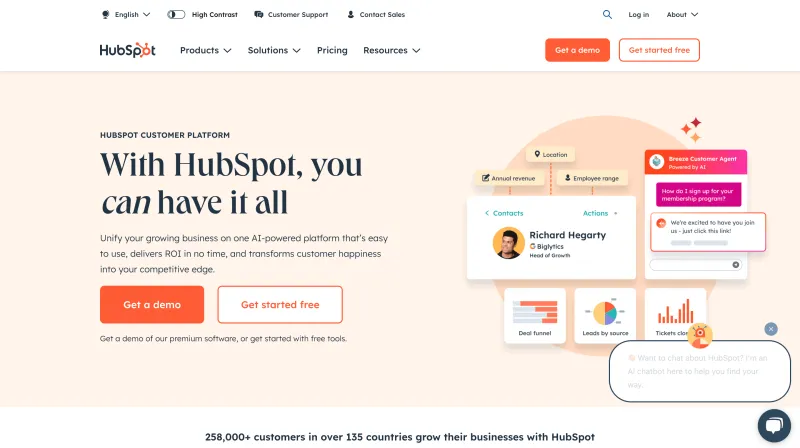
HubSpot is more than just a CRM, it’s a full-fledged Customer Service Software that seamlessly connects marketing, sales, and support. With HubSpot’s Service Hub, teams can manage tickets, conversations, customer feedback, and knowledge base content, all while staying synced with the CRM for full context.
Its real superpower lies in automation and AI. From managing support tickets to generating content and even forecasting churn, HubSpot’s built-in AI assistant, Breeze Copilot, helps teams move faster and smarter. Plus, with deep integrations across the HubSpot ecosystem (and beyond), it’s built to scale as your business grows.
Features
- Unified CRM with email, chat, call, and ticket history in one place.
- Shared inbox with ticket status, SLA tracking, and agent collaboration.
- AI assistant to auto-tag, summarize, and route tickets.
- Customer portal for ticket updates and knowledge base access.
- Feedback surveys and NPS tracking to gather customer insights.
- Automation workflows for follow-ups, escalations, and email sequences.
- Live chat with Slack integration for instant notifications.
- Built-in reporting dashboards with up to 30 report widgets per view.
- Seamless integration with Salesforce, Zendesk, Gmail, Shopify, and more.
Pros
- Generous free plan for startups and small teams.
- Easy-to-use interface with powerful automation.
- All-in-one platform covering marketing, sales, and support.
Cons
- Higher-tier plans can get expensive.
- Free plan lacks advanced reporting and routing.
- Some features locked behind multi-hub bundles.
Free Trial
Yes, a free plan is available with optional 14-day trials for premium hubs.
Pricing
| Free | Starter | Professional | Enterprise |
|---|---|---|---|
| CRM with basic Service Hub features | $20/month (2 users included) | $500/month | $1,200/month |
*Startup discounts available up to 75% off for eligible businesses.
G2 Rating
4.4 out of 5
6. Salesforce
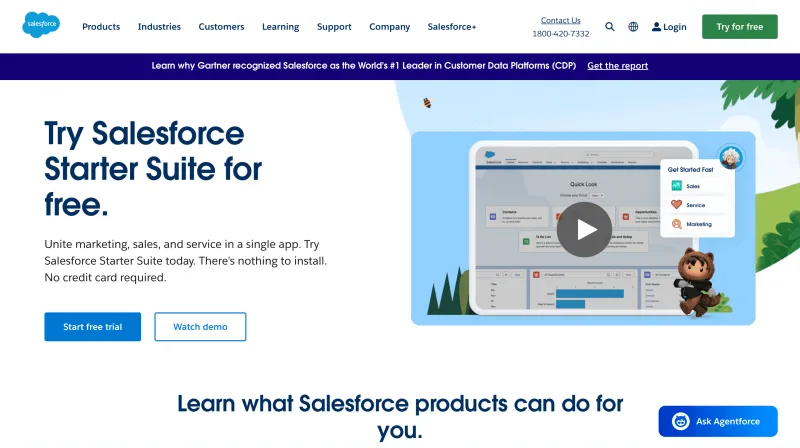
Salesforce is the OG of Customer Service Software and its Service Cloud is a powerhouse when it comes to scaling customer service across large teams. It delivers a 360° view of customer interactions, advanced automation, AI insights, and an extensible ecosystem that grows with your business.
This Salesforce automation software predicts customer needs, drafts responses, classifies tickets, and empowers agents with real-time insights. Its “Swarming” feature brings in the right experts from across departments via Slack to solve complex tickets collaboratively.
From ticket routing to analytics, Salesforce is enterprise-grade in every sense. But be ready: the learning curve is steep, and setup can take time.
Features
- Omnichannel ticketing with full customer history and live context.
- Swarming via Slack to resolve complex queries with expert collaboration.
- Einstein AI for ticket classification, draft replies, and case summarization.
- Customizable workflows, macros, and field-level guidance.
- Built-in performance analytics and team productivity reports.
- Deep integration with Sales, Marketing, and Commerce Cloud.
- Agentforce: Custom AI chatbot builder with guardrails and prompt tuning.
- Data Cloud for connecting external customer data sources.
- Extensive AppExchange marketplace for custom extensions and integrations.
Pros
- Robust AI features with enterprise-level scalability.
- Highly customizable to fit any industry or workflow.
- Unmatched ecosystem of CRM, sales, service, and analytics tools.
Cons
- Steep learning curve and long setup time.
- Higher cost and complex pricing.
- Can be difficult to switch from once adopted.
Free Trial
Yes, a 30-day free trial is available.
Pricing
| Essentials | Professional | Enterprise | Unlimited |
|---|---|---|---|
| $25/user/month | $75/user/month | $150/user/month | $300/user/month |
G2 Rating
4.3 out of 5
7. Help Scout
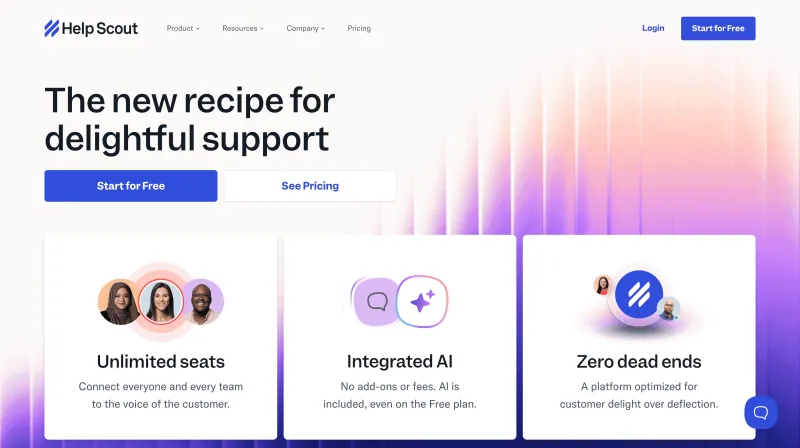
Help Scout is a modern customer service software built to simplify support without sacrificing power. It brings emails, live chat, and social interactions into a shared team inbox, with built-in tools to avoid duplicate responses, route tickets smartly, and speed up replies using AI.
Its Beacon widget powers both live chat and self-service, helping customers find instant answers right from your website or app.
Meanwhile, AI features like Drafts and Assist ensure human agents stay fast and focused, not replaced.
Whether you're a startup or scaling fast, Help Scout offers the perfect blend of usability, automation, and AI, without the learning curve.
Features
- Unified team inbox for email, live chat, and social support.
- Internal notes, @mentions, and collision detection for seamless teamwork.
- Workflows to auto-route, tag, and prioritize conversations.
- Saved replies and reply scheduling for faster response times.
- Custom fields, tags, and filtered views for smarter conversation management.
- Customer profiles with full context in every conversation.
- AI-powered features to summarize, draft, translate, and tone-adjust replies.
- Beacon widget to enable help articles and live chat directly on your site.
- Knowledge base builder (Docs) with SEO-friendly categorization.
- Show live chat only when agents are available.
Pros
- Simple, intuitive interface that’s easy to onboard.
- AI features are built to enhance, not replace human support.
- Strong collaboration tools that prevent overlap or miscommunication.
- Flexible for both startups and scaling teams.
Cons
- No phone support channel.
- Limited customization compared to enterprise-level platforms.
Free Trial
- Yes, includes all features with limits.
- Startup program offers 6 months free for early-stage companies.
Pricing
| Free | Standard | Plus & Pro |
|---|---|---|
| 1 inbox, 1 knowledge base, unlimited users, 50 contacts/month | from $50/month | Custom pricing with advanced features and higher contact limits |
G2 Rating
4.4 out of 5
8. Zendesk
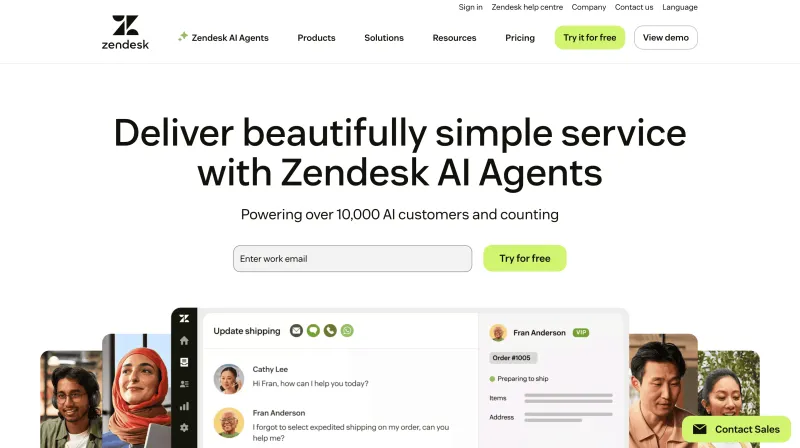
Zendesk is a leading customer service software trusted by enterprises worldwide for its scalability, automation, and deep integration ecosystem. It offers a robust ticketing system combined with AI-powered workflows, giving agents the tools to resolve issues faster across email, chat, voice, social media, and more, from a single unified workspace.
Its built-in AI, automatically classifies and routes tickets based on intent, sentiment, priority, and agent skill, while also suggesting reply improvements in real time. With 1,500+ pre-built integrations, teams can centralize customer context and streamline collaboration via tools like Slack and Microsoft Teams.
Whether you’re supporting high ticket volumes or managing multiple departments, Zendesk helps you deliver personalized, efficient support, at scale.
Features
- Omnichannel ticketing across chat, email, phone, and social.
- AI to auto-classify tickets by intent, sentiment, priority, and language.
- Smart routing based on agent status, capacity, and skill.
- Real-time reply suggestions, summaries, and tone improvements.
- Customizable dashboards and advanced analytics.
- 1,500+ plug-and-play integrations (Salesforce, Slack, etc.).
- Agent collaboration inside workspace via Slack/MS Teams.
- Built-in knowledge base and self-service options.
- Enterprise-grade security and compliance.
Pros
- Highly scalable with deep automation and integration options.
- Intelligent AI that improves ticket routing and agent response quality.
Cons
- Implementation and customization can be time-consuming.
- Pricing can be high for smaller businesses.
Free Trial
14-day free trial available.
Pricing
- Suite Team – from $19/agent/month/
- Additional plans scale based on features, seats, and use case.
G2 Rating
4.3 out of 5
9. Hiver
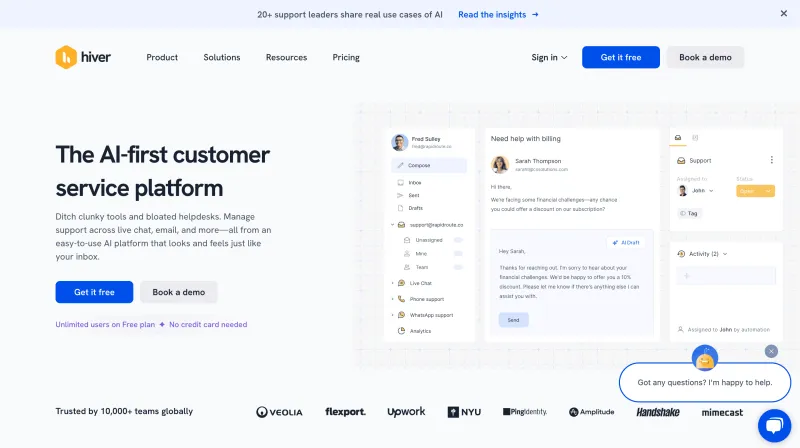
Hiver transforms your Gmail into a full-featured customer service help desk, without forcing your team to switch platforms. Designed specifically for Google Workspace, it adds powerful customer support capabilities like shared inboxes, analytics, SLAs, and internal collaboration, all inside Gmail.
With features like custom conversation views, email tagging, notes, and @mentions, Hiver makes it easy to manage support tickets, collaborate across teams, and maintain visibility into ongoing threads. It also offers a built-in knowledge base with searchable FAQs, making self-service a breeze for customers.
If your team lives in Gmail and needs a no-friction way to scale support, Hiver is a smart, low-lift solution.
Features
- Shared inbox within Gmail with custom views and filters.
- Email collaboration via internal notes and @mentions.
- Conversation ID for easy email thread tracking.
- SLA tracking and analytics built into Gmail.
- Embedded knowledge base with ticket submission option.
- No need to switch platforms, runs entirely on Google Workspace.
Pros
- Works natively within Gmail, reducing onboarding time.
- Streamlined collaboration and ticketing in familiar UI.
Cons
- Limited to Google Workspace users.
- Lacks advanced AI or automation features compared to larger platforms.
Free Trial
7-day free trial available.
Pricing
- Lite – from $15/user/month
- Additional plans with more advanced features available
G2 Rating
4.6 out of 5
10. Gorgias
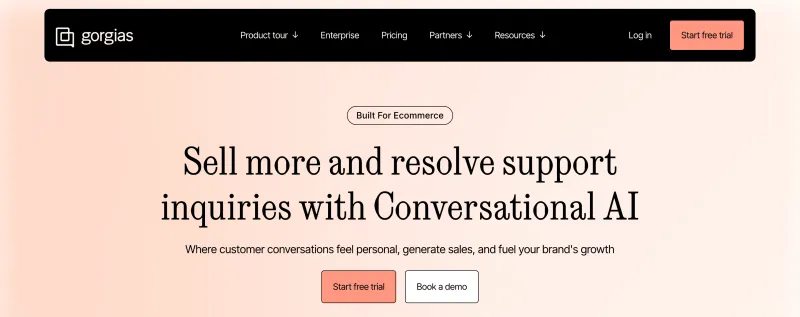
Gorgias is a customer service software tailored for ecommerce businesses, especially those on Shopify, Magento, and BigCommerce. It centralizes customer interactions from email, live chat, social media, and SMS into a single dashboard, making it easy for support teams to manage tickets, automate workflows, and boost revenue through conversations.
One of Gorgias' standout features is its deep ecommerce integrations. Agents can view, edit, cancel, and refund orders directly within the helpdesk without switching tabs. Its intent-detection system uses machine learning to auto-tag messages, route tickets, and trigger macros to streamline repetitive inquiries like “Where is my order?”
Gorgias also supports proactive chat campaigns for cart abandonment recovery and upselling, helping support teams double up as sales reps.
Features
- Seamless integrations with Shopify, Magento, and BigCommerce.
- Centralized inbox across email, chat, social media, and SMS.
- Order management directly from the dashboard.
- AI-powered macros, tagging, and ticket routing.
- Revenue tracking to measure support impact on sales.
- Chat campaigns for abandoned cart recovery and upsells.
- Customer history and segmentation for personalized replies.
Pros
- Purpose-built for ecommerce with native store integrations.
- Helps support teams drive revenue through chat.
- Automates common queries to reduce workload.
- Offers performance analytics and revenue attribution.
- Agents can modify orders without leaving the inbox.
Cons
- Limited usefulness outside of ecommerce use cases.
- Pricing scales based on ticket volume, which can get expensive.
- Learning curve for setting up advanced automation.
- No built-in phone support.
Free Trial
7-day free trial available.
Pricing
Plans start at $10/month for up to 50 tickets. Pricing scales based on ticket volume.
G2 Rating
4.6 out of 5
11. Front
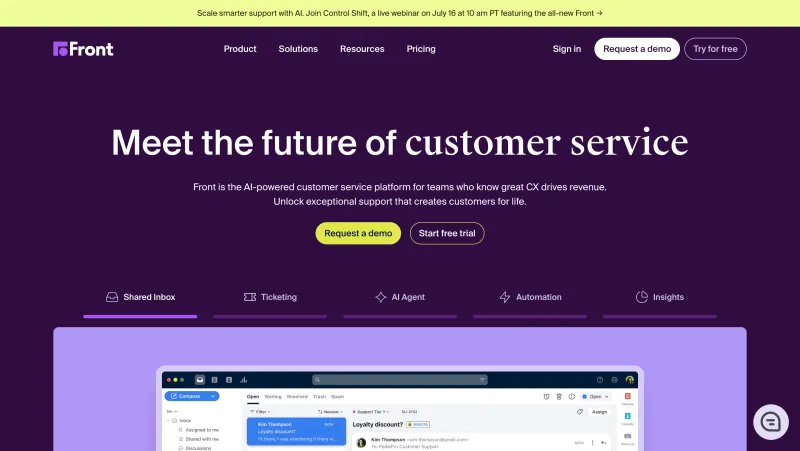
Front is a collaborative customer service software that turns email into a shared workspace for teams. It combines the familiarity of email with the efficiency of help desk software, allowing support teams to manage, assign, and resolve customer messages from email, chat, SMS, and social media in one unified inbox.
Front’s strength lies in its built-in collaboration tools, like internal comments, @mentions, and shared drafts, that help teams respond faster without stepping on each other’s toes. It also offers rules-based automations to route messages, assign conversations, and trigger workflows based on tags, keywords, or customer data.
The platform supports a customizable knowledge base, allowing companies to offer self-service alongside live support. Front also provides performance analytics to monitor response times, SLA adherence, and customer satisfaction.
Features
- Unified inbox for email, chat, SMS, and social channels.
- Built-in collaboration tools (shared drafts, comments, mentions).
- Custom rules for message routing and workflows.
- CRM-like contact management with full conversation history.
- Help center builder with permission control.
- Team performance reports and SLA tracking.
- 100+ integrations with CRM, project tools, and analytics.
Pros
- Email-first interface is easy to adopt for most teams.
- Excellent for internal collaboration on customer queries.
- Helps reduce response duplication with collision detection.
- Offers in-depth analytics on productivity and customer satisfaction.
- Works well for both support and client-facing teams
Cons
- Lacks advanced help desk features like AI chatbots.
- No native phone support functionality.
- Automations require initial configuration to get right.
- Costs can add up as your team scales.
Free Trial
7-day free trial available.
Pricing
Starts at $19 per seat/month.
G2 Rating
4.7 out of 5
12. Bettermode
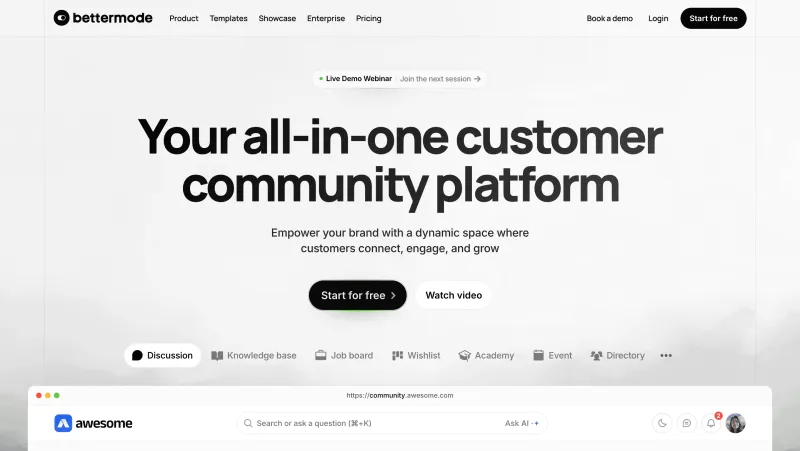
Bettermode is a modern customer support solution built around the idea of community-driven service. Rather than focusing solely on ticketing or live chat, Bettermode empowers businesses to create branded community spaces where customers can ask questions, share knowledge, and find answers, reducing the burden on support teams.
It combines elements of a knowledge base, help forum, and community platform, enabling peer-to-peer support alongside company-led engagement. Support teams can step in when needed, pin helpful answers, and organize content into searchable categories and collections. Bettermode also integrates with tools like Zendesk, Intercom, and HubSpot to sync ticket and CRM data into the community.
It’s highly customizable, so you can match it to your brand experience. Businesses can add discussion boards, feature requests, idea voting, product updates, and even host events to build deeper customer engagement.
Features
- Branded customer community and self-service portal.
- Peer-to-peer support and discussion threads.
- Moderation tools and content curation options.
- AI-powered search for faster resolution.
- Integration with help desks, CRMs, and analytics tools.
- Gamification features (badges, points, leaderboards).
- Custom domain, theming, and widgets for full brand control.
Pros
- Reduces ticket volume with community-powered support.
- Boosts customer engagement and retention.
- Offers flexible design and layout customization.
- Excellent for product feedback and idea management.
- Seamlessly integrates with major CRMs and help desks.
Cons
- Not a replacement for traditional help desk systems.
- Setup and moderation require some time investment.
- Lacks built-in ticketing and live chat capabilities.
- May not suit businesses that need 1:1 support workflows.
Free Trial
Free plan available with limited features; paid plans offer a free trial.
Pricing
Starts at $24/month.
G2 Rating
4.6 out of 5
13. Hiver
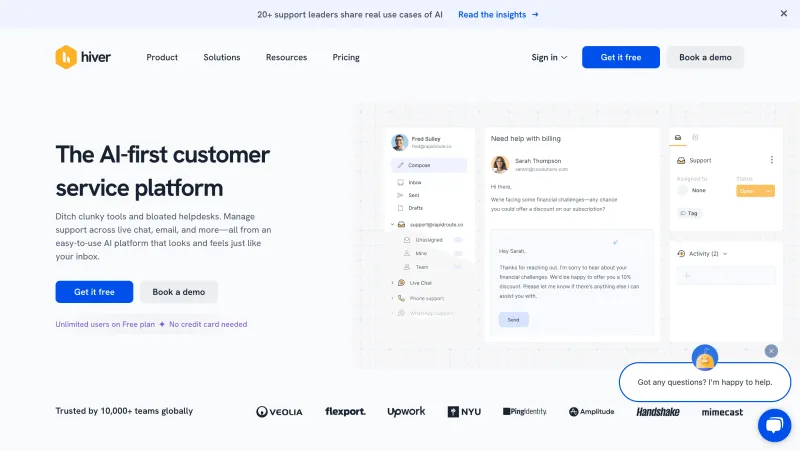
Hiver is a lightweight customer service software designed to turn your Gmail inbox into a collaborative help desk. Ideal for teams already using Google Workspace, Hiver eliminates the need for switching platforms by adding powerful support features, like shared inboxes, ticketing, and automation, right inside Gmail.
Support emails can be tagged, assigned, and tracked without leaving the familiar Gmail interface. Internal notes, @mentions, and collision detection ensure seamless team collaboration without email clutter or forwards. Hiver also offers SLA tracking, workload balancing, and insightful analytics, helping teams stay accountable and efficient.
It's best suited for small to medium-sized teams that heavily rely on email for customer support and want a no-friction setup.
Features
- Seamless integration with Gmail.
- Shared inboxes for support, sales, and finance.
- Email assignment, tags, and collision alerts.
- Internal notes and @mentions for team collaboration.
- SLA monitoring and analytics.
- Round-robin ticket distribution.
- Knowledge base builder and customer portal.
Pros
- Fully embedded within Gmail, no new tool to learn.
- Easy to set up and manage without IT support.
- Streamlines email collaboration with shared context.
- Real-time analytics for agent and team performance.
- Minimal disruption to existing workflows.
Cons
- Email-only support, no chat, voice, or social channels.
- Limited scalability for large enterprise teams.
- Lacks omnichannel support and advanced AI tools.
- Customization options are basic compared to larger platforms.
Free Trial
7-day free trial available.
Pricing
Starts at $15/user/month.
G2 Rating
4.6 out of 5
14. Intercom
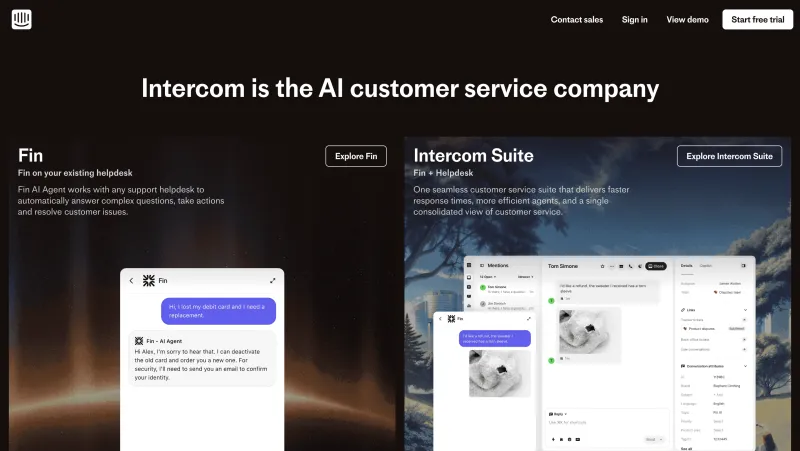
Intercom is a modern customer service platform built for fast-growing businesses looking to blend live chat, automation, and self-service. Its signature Messenger acts as a central point for all customer conversations, bringing together email, in-app chat, and self-help in one place.
Intercom’s powerful AI assistant, Fin, can instantly answer FAQs, surface knowledge base articles, and summarize conversations, freeing up agents to handle more complex issues. The platform’s intelligent routing ensures tickets land with the most qualified agents based on past history, skills, or availability.
It also offers a rich app ecosystem with 350+ integrations, allowing you to connect with tools like Salesforce, Slack, and HubSpot to deliver highly personalized and efficient support experiences.
Features
- Intercom Messenger for live chat and self-service.
- AI chatbot “Fin” to resolve queries and suggest help articles.
- Shared inbox with ticketing and collaboration tools.
- Intelligent routing based on customer data.
- Real-time customer context and behavior tracking.
- Customizable bots and workflows.
- 350+ integrations with CRM, eCommerce, and support tools.
Pros
- Excellent for automating repetitive queries using AI.
- Smart routing improves resolution time and team efficiency.
- Beautiful, modern UI with seamless customer experiences.
- Large integration marketplace for expanded functionality.
- In-app messaging helps reduce support friction.
Cons
- Pricing can scale quickly as team size or usage increases.
- Not ideal for email-heavy or phone-based support teams.
- Steeper learning curve for complex workflow setup.
- Reporting features require higher-tier plans
Free Trial
14-day free trial available.
Pricing
Starts at $39/seat/month.
G2 Rating
4.5 out of 5
15. SupportBee
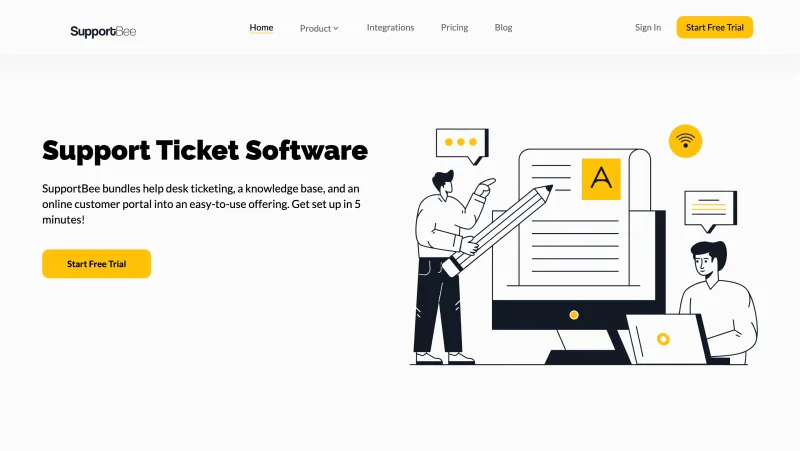
SupportBee is a lightweight customer support software that turns emails into manageable support tickets. Designed with collaboration in mind, it offers a shared inbox, knowledge base, and customer portal, all in a clean, clutter-free interface ideal for small to mid-sized teams.
Its ticketing system ensures every customer request is tracked, assigned, and followed up without needing a complex help desk. Teams can leave private comments, assign tickets to the right person, and track response status effortlessly. SupportBee also provides basic reporting tools to keep support performance in check.
Best of all, it integrates with popular tools like Slack, Trello, and GitHub, helping teams collaborate across departments without switching platforms.
Features
- Shared inbox with email-to-ticket conversion.
- Ticket assignment, comments, and tags for internal collaboration.
- Knowledge base for self-service support.
- Customer portal to track ticket status.
- Simple automation and email templates.
- Integrations with Slack, Trello, GitHub, and more.
Pros
- Simple and intuitive interface for small teams.
- No steep learning curve or setup hassle.
- Affordable pricing with unlimited users.
- Easy integration with project management tools.
- Customer portal adds transparency for end users
Cons
- Limited advanced features like chat or voice support.
- Lacks AI or automation beyond basic templates.
- Reporting is basic compared to other platforms.
- Not ideal for fast-scaling or enterprise teams.
Free Trial
14-day free trial available.
Pricing
Starts at $13/user/month.
G2 Rating
4.2 out of 5
16. Chatwoot
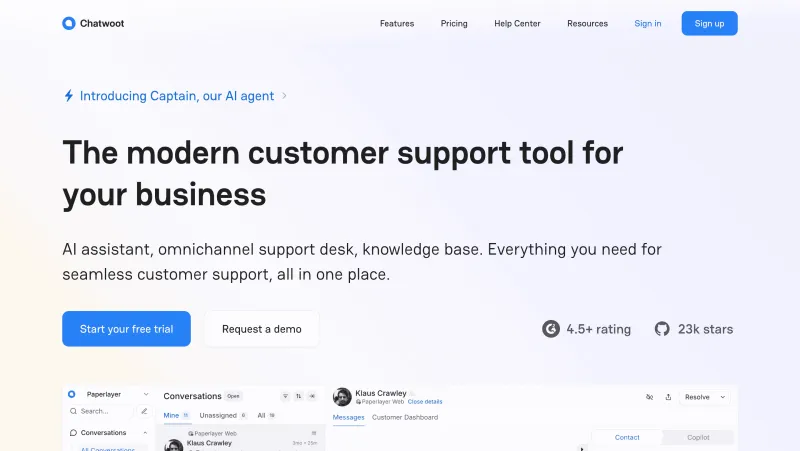
Chatwoot is an open-source customer engagement suite that lets businesses manage conversations across email, live chat, WhatsApp, Facebook, Twitter, and more, from a unified inbox. It’s particularly popular among startups and developers looking for a customizable and cost-effective alternative to expensive proprietary software.
The platform supports real-time chat, canned responses, customer profiles, and conversation tagging. It also includes basic automation features, such as auto-assignment rules and conversation routing. Since it’s open-source, businesses can self-host and fully customize it or opt for Chatwoot’s cloud-hosted version.
Chatwoot’s modern interface, active community, and API-first architecture make it an attractive solution for tech-savvy teams.
Features
- Omnichannel inbox: email, live chat, WhatsApp, Facebook, Twitter, Instagram, and more.
- Real-time agent chat with canned responses and internal notes.
- Customer profiles with conversation history.
- Conversation tagging, assignment rules, and automation workflows.
- Open-source with full API access and developer support.
- Self-hosting option for full control and data privacy.
Pros
- Completely open-source and customizable.
- Supports multiple channels in one inbox.
- Free self-hosted option for budget-conscious teams.
- Active developer community and API flexibility.
- Modern UI and fast deployment.
Cons
- Lacks advanced AI or reporting tools out of the box.
- Requires technical expertise for setup and customization.
- Limited enterprise-grade integrations.
- Some features are basic compared to top-tier paid tools.
Free Trial
Yes, available for cloud-hosted version.
Pricing
Free (self-hosted)
Cloud plans start at $19/user/month.
G2 Rating
4.4 out of 5
17. Bitrix24
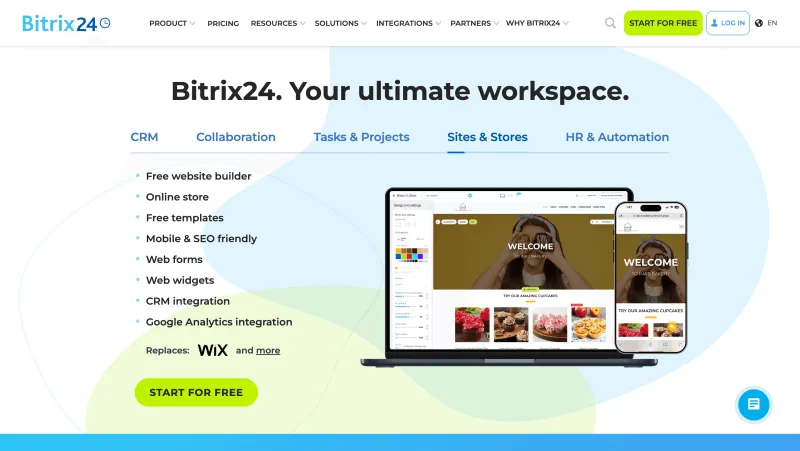
Bitrix24 is a comprehensive platform that combines customer service, CRM, collaboration, and project management tools in one. It’s ideal for teams looking for omnichannel support features tightly integrated with sales and marketing workflows.
The system consolidates customer queries from chat, email, social media, and phone into a single inbox. Each customer interaction is automatically logged into the CRM, and if no record exists, a new lead is created instantly. You can customize routing rules, set up canned replies, manage SLAs, and track team performance through pre-built or custom reports.
A standout feature is Bitrix24’s built-in video calling and screen sharing, allowing agents to troubleshoot face-to-face or walk customers through step-by-step fixes. It also supports large internal team meetings via video conferencing.
Features
- Unified inbox for omnichannel support (chat, email, phone, social).
- Integrated CRM with automatic contact creation and tracking.
- Built-in video calls, screen sharing, and call recording.
- Canned responses and wait-time rules for faster resolutions.
- Customizable reports and activity tracking.
- Mobile apps with collaboration tools for faster cross-functional communication, supporting efficient mobile devops workflows.
Pros
- Combines support, CRM, and team tools in one suite.
- Face-to-face support with video calls and screen sharing.
- Offers both pre-built and customizable reports.
- Auto-logs customer interactions into CRM.
- Generous free plan and budget-friendly pricing.
Cons
- Interface can feel overwhelming for new users.
- Lacks some advanced AI features.
- Occasional performance issues with large teams.
- Customization may require time and training.
Free Trial
Yes – 15-day free trial available.
Pricing
Free plan available.
Paid plans from $49 per organization/month.
G2 Rating
4.1 out of 5
18. Tidio
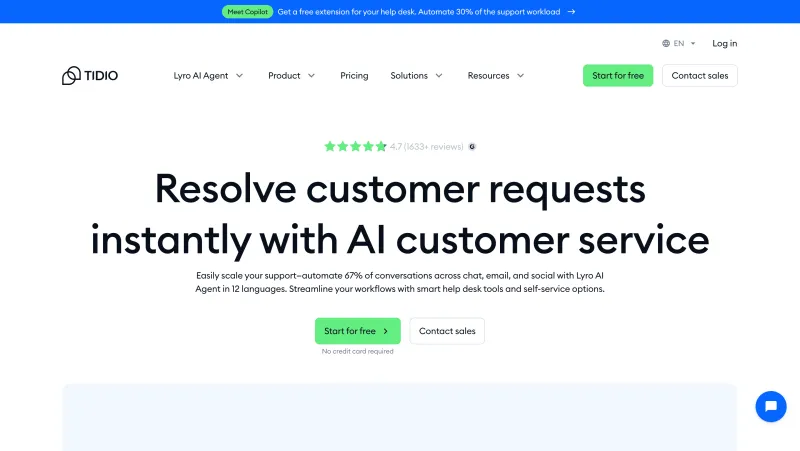
Tidio is a streamlined customer service platform tailored for growing teams that want to simplify communication across email, live chat, and social media. It centralizes all messages into a shared inbox, allowing teams to stay organized and respond efficiently.
Incoming messages are automatically converted into tickets, which can be assigned, tagged, and managed in real-time. Agents can collaborate by adding internal notes, using canned responses, and customizing ticket views to match workflows. Automated post-chat surveys help capture customer feedback effortlessly.
One of Tidio’s standout features is Lyro, its conversational AI chatbot. Lyro can engage customers instantly, answer FAQs, and reduce the load on support teams by handling routine queries, making it an ideal solution for businesses looking to scale support without increasing headcount.
Features
- Shared inbox for live chat, email, and social media messages.
- Ticketing system with tagging, notes, and auto-assignment.
- Live chat with typing preview and canned replies.
- AI chatbot (Lyro) for automated customer conversations.
- Post-chat customer satisfaction surveys.
- Basic reporting and performance metrics.
Pros
- Clean, easy-to-use interface ideal for SMBs.
- AI chatbot helps reduce manual workload.
- Real-time typing preview boosts response speed.
- Offers both ticketing and live chat in one tool.
- Free plan with generous features.
Cons
- Limited advanced automation compared to enterprise tools.
- Reporting features are quite basic.
- May not scale well for complex, multi-team environments.
- Live chat customization is limited without coding.
Free Trial
Yes, 7-day free trial available
Pricing
Free plan available.
Paid plans from $29/month.
G2 Rating
4.6 out of 5
19. Kustomer
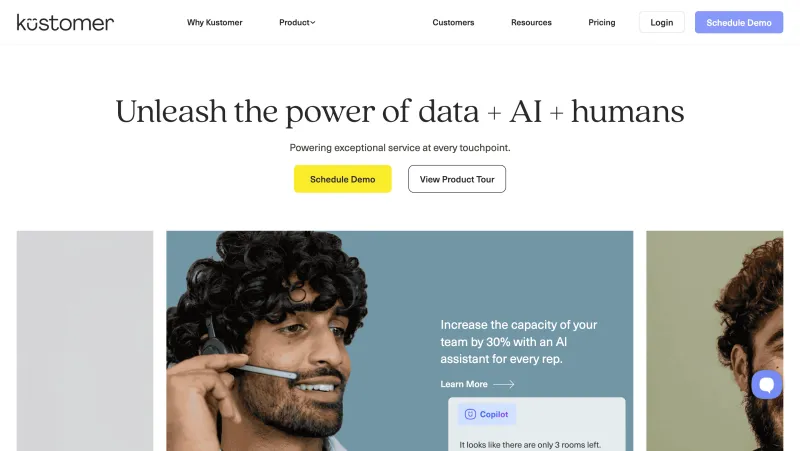
Kustomer is a modern customer service platform built to give agents full context with every interaction. Its standout feature is the timeline-based conversation view, which brings together customer data, order history, previous tickets, and channel interactions into a single scrollable thread, so your team never misses the bigger picture.
With built-in AI and NLP, Kustomer can detect customer sentiment, classify requests, and route them intelligently based on historical patterns and urgency. Pre-written responses, smart suggestions, and tagging options further help agents respond quickly and accurately.
The platform also provides real-time dashboards with live analytics to track performance metrics like resolution times, ticket volume, CSAT, and more. With up to two years of data retention and flexible export options, Kustomer makes it easy to measure and scale support operations over time.
Features
- Timeline view showing complete customer journey.
- Unified inbox across email, chat, SMS, and social.
- AI-driven sentiment analysis and intent detection.
- Smart conversation routing and tagging.
- Real-time analytics and two-year reporting retention.
- Pre-written responses and agent suggestions.
Pros
- Rich customer context in one timeline thread.
- Excellent for multi-channel support teams.
- Advanced AI for sentiment, classification, and routing.
- Real-time analytics with historical data retention.
- Flexible exports and scheduling for reports.
Cons
- Premium pricing may not suit small teams.
- Requires onboarding to fully leverage all features.
- Limited customization without technical expertise.
- No free plan available.
Free Trial
No official free trial mentioned.
Pricing
Paid plans start at $89/user/month.
G2 Rating
4.4 out of 5
20. Richpanel
Richpanel is a customer support platform purpose-built for email-first teams. It combines a shared inbox, help center, and automation tools into one easy-to-use interface. Agents get full visibility into customer interactions and history, along with collaboration features like private notes and collision detection to avoid duplicate work.
Its AI features, like AI Summarise and AI Assist, help agents work faster. AI Summarise condenses long threads into digestible summaries, while AI Assist can suggest replies, adjust tone, fix grammar, and even translate responses. It’s designed to enhance, not replace, human support.
Richpanel also supports short-form customer surveys to collect satisfaction scores directly within apps or websites. With 100+ integrations, it connects seamlessly with your CRM, eCommerce tools, and more.

Features
- Shared inbox with private notes and collision detection.
- Built-in knowledge base for customer self-service.
- AI Summarise and AI Assist for faster replies.
- Customer satisfaction surveys.
- 100+ integrations with tools like Slack, HubSpot, and Shopify.
- Mobile apps for on-the-go support.
Pros
- Intuitive interface tailored for email support.
- AI tools improve efficiency and quality of replies.
- Integrated knowledge base and surveys.
- Offers lightweight yet powerful automation.
- Strong integration ecosystem.
Cons
- Limited channels (primarily email and chat).
- Not ideal for teams needing voice or social support.
- Lacks some advanced workflow customizations.
- Smaller support community than competitors.
Free Trial
15-day free trial available.
Pricing
Starts at $20/user/month.
G2 Rating
4.4 out of 5
Note: Pricing and G2 ratings of these software providers may change over time. For the most accurate and up-to-date information, please visit their official websites.
How to Choose the Right Customer Service Software for Your Business
With so many customer service tools out there, finding the right one can feel overwhelming. Here’s how to narrow it down and choose a solution that actually fits your business needs:
1. Understand Your Support Channels
Do your customers reach out via email, WhatsApp, live chat, phone, or social media? Pick a tool that supports your most-used channels, or better, unifies them all in one inbox. Ensure it covers your key channels, email, WhatsApp, live chat, phone, and social media.
2. Prioritize Key Features
Need automation, AI replies, SLAs, knowledge base, or in-depth analytics? Make a checklist of must-have features and evaluate tools against it. Look for core functionalities like ticketing, knowledge base, SLAs, automation, AI, and analytics. Also, look for features that give agents full context—past interactions, preferences, and customer history.
3. Think About Team Size and Structure
Are you a lean team or managing multiple departments? Choose software that scales with your growth and supports collaboration (shared inboxes, @mentions, notes, etc.). Opt for shared inboxes, private notes, @mentions, and assignment rules that boost teamwork.
4. Look for Seamless Integrations
Ensure the tool connects with your CRM, eCommerce platform, billing & invoicing software, or marketing stack. A good integration saves time and reduces manual work. It should plug into your CRM, helpdesk, marketing tools, or eCommerce stack effortlessly.
For example, if you’re running an online store that sells products such as BLADE kegs , having the right integrations with your tech stack ensures smooth order processing, inventory updates, and customer management without extra manual work.
5. Evaluate Ease of Use
A feature-rich platform is useless if it’s hard to navigate. Pick a tool that your team can adopt quickly, with minimal training. The tool should be simple to onboard, intuitive for agents, and easy to scale with your team. To streamline that process, Qooper Mentoring integrates mentoring programs directly into your workflow, helping new hires get up to speed faster while ensuring ongoing development and collaboration across the team in an intuitive, user-friendly environment.
6. Assess AI and Automation Capabilities
Modern tools should reduce manual tasks, not add more. Look for AI that helps draft replies, route tickets, or provide self-service, not just buzzwords. Choose tools that reduce manual work with smart routing, AI replies, auto-tagging, and workflow triggers.
7. Check Support and Onboarding Help
Does the vendor offer live chat, documentation, onboarding assistance, or a customer success manager? Reliable vendor support is crucial, especially in your early months.
8. Test with a Free Trial
Almost all top platforms offer free trials. Use them to simulate your workflows and see how the tool performs in real-world conditions. Test-drive with a free trial. Evaluate vendor support, onboarding help, and documentation quality.
9. Consider Budget and ROI
Don’t just look at pricing, look at value. If the tool improves agent productivity and customer satisfaction, it’ll pay for itself. Weigh the price against time saved, productivity gained, and customer satisfaction uplifted.
10. Customization & Scalability
Ensure it adapts to your workflows and grows with your business, whether you're 5 or 500 agents.
The right software doesn’t just solve problems, it unlocks new growth. Choose one that aligns with your team, customers, and long-term goals.
Up next, let’s talk about what’s on the horizon: The Future of Customer Service Software with YCloud and how it’s redefining the way businesses serve, support, and scale.
The Future of Customer Service Software with YCloud
Customer expectations are evolving fast and so is the technology powering support. At the forefront of this transformation is YCloud, a full-featured WhatsApp API and automation platform that’s reimagining customer service from the ground up.
Here’s how YCloud is shaping the next era of support:
✅ Unified Support on WhatsApp
Deliver real-time, personalized support over the world’s most popular messaging app. Handle everything from queries to follow-ups, and escalations, without switching tools.
🤖 AI-Powered Conversations
Automate replies, detect intent, summarize chats, and suggest responses in seconds. YCloud’s AI boosts agent productivity while ensuring consistency and accuracy.
🧠 Customer Data at Your Fingertips
Access complete customer histories, behavioral insights, and segmentation data inside every chat, no more toggling between dashboards.
⚙️ Workflow Automation
Auto-route messages, assign tickets based on rules, and trigger follow-ups or reminders without lifting a finger.
📊 Real-Time Analytics & SLA Tracking
Stay on top of key metrics like first response time, CSAT, agent workload, and resolution rates. Make faster, smarter decisions.
🤝 Seamless Integrations
Sync with your CRM, Shopify, WooCommerce, billing software, or any other tool, so customer context is never lost.
🌍 Scale Globally with Confidence
YCloud is trusted by over 200,000+ businesses worldwide. Whether you're a growing startup or a global brand, the platform scales with you.
From AI to automation, YCloud is building the future of customer service on WhatsApp, where your customers already are.
Wrapping Up!
Customer service isn’t just about solving problems anymore, it’s a competitive advantage. The right software can turn every support interaction into a growth opportunity.
From smart ticketing to AI-powered chat, today’s tools are built to scale support, speed up resolution, and boost satisfaction.
And if you’re ready to take it a step further, YCloud brings it all together on WhatsApp, automation, AI, analytics, and real-time conversations, on the platform your customers trust most.
Power your support. Personalize every chat. Grow faster with YCloud!
[Book a FREE Demo] and see how YCloud can power up your WhatsApp strategy!

Make your business communications much easier!


Trusted by




