

Types of WhatsApp Accounts & How to Choose the Right One for Your Business

If you're building your business on WhatsApp, choosing the right WhatsApp account isn’t just a technical decision; it directly impacts your team’s productivity, customer experience, and how fast you can scale.
But here’s the real problem most businesses face:
WhatsApp now comes in multiple versions... Personal, Business App, Cloud API, On-Prem API and each offer different features, limits, and capabilities.
And if you pick the wrong one, you’ll quickly run into issues like message limits, manual workflows, lack of automation, poor team collaboration, or even compliance risks.
This guide cuts through the confusion!
In this guide, you’ll learn all the types of WhatsApp accounts, how they differ, what they’re built for, their pros & cons, and how to choose the right platform based on your business size and communication needs.
By the end, you’ll know exactly which WhatsApp version helps you convert faster, automate better, support customers at scale, and grow without roadblocks.
Up next, let’s see what are the different types of WhatsApp accounts?
What Are the Types of WhatsApp Accounts?
Choosing the right WhatsApp account is the foundation of your entire messaging strategy. Each version comes with different capabilities, limits, and use cases, so understanding them upfront saves your business time, money, and effort.
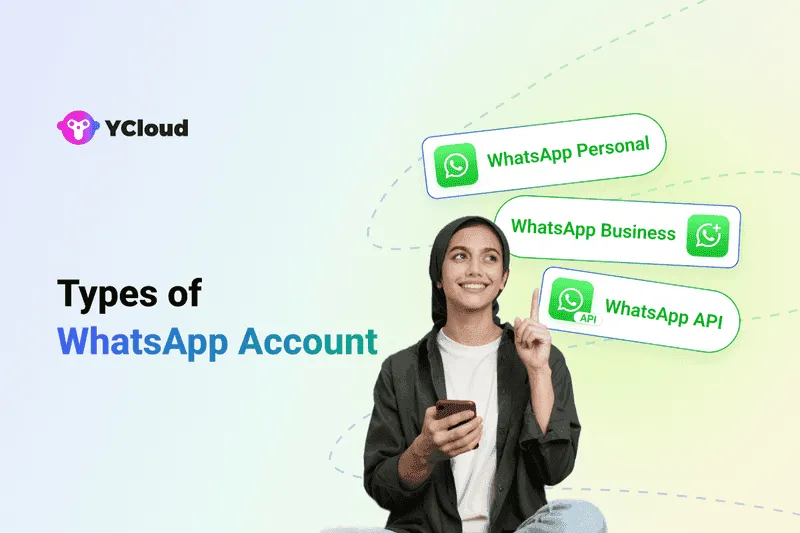
WhatsApp offers four main account types, each built for a different stage of business growth:
- Personal WhatsApp Account (WhatsApp Messenger)
- WhatsApp Business App
- WhatsApp Business API (On-Premises API)
- WhatsApp Cloud API
From basic messaging to advanced automation and large-scale customer engagement, every version serves a unique purpose.
In the next sections, we’ll break down what each type offers, who it’s meant for, and how to decide which one is right for your business.
1. Personal WhatsApp Account (WhatsApp Messenger)
A Personal WhatsApp Account is the default version most people use for everyday conversations. It’s built purely for personal communication, not for selling, not for customer service, and definitely not for scaling a business. If your goal is business growth, this is where WhatsApp starts, but not where it stays.
What It Is
A simple, free messaging app for connecting with friends and family using your phone number. It offers basic chat, calls, and media-sharing, nothing more, nothing less.
Key Features
- 1:1 & group messaging for personal conversations
- Voice & video calls with high-quality audio
- Media sharing (photos, videos, files)
- End-to-end encryption for private communication
- Status updates (24-hour stories)
- Multi-device support (up to 4 devices)
Who Should Use It
This version is ideal for:
- Individuals who want simple, secure communication
- Students, families, communities
- Hobby sellers who are not managing high message volumes
Limitations for Businesses
This is where most B2B readers realize the gap:
- ❌ No business profile or branding
- ❌ No automation (quick replies, greeting messages, chat labels)
- ❌ No bulk messages or broadcasts
- ❌ No CRM integrations
- ❌ Not scalable for sales, support, or lead handling
If you're trying to manage customer queries or send marketing updates from a Personal WhatsApp account, you’ll quickly hit a wall, it’s not designed for business workflows.
Next, we’ll break down the WhatsApp Business App, the first real step for businesses that want to appear professional and stay organized.
2. WhatsApp Business Account
The WhatsApp Business Account is the ideal upgrade for small businesses that want to separate personal chats from customer conversations, without switching to complex tools or paid platforms. It offers just enough automation and branding features to help you look professional, respond faster, and stay organised as you grow.
If WhatsApp Messenger is built for friends and family, WhatsApp Business is built for shop owners, freelancers, home entrepreneurs, and service providers who manage a few hundred conversations every month.
Key Features of the WhatsApp Business App
All core features live inside the Business Tools section (⋮ → More Options → Business Tools). Here’s what you get:
1. Business Profile
Create a professional profile with your business name, description, address, email, website and operating hours.
This becomes your digital business card inside WhatsApp, helping customers trust you instantly.
2. Product / Service Catalogue
Showcase up to 500 products or services directly inside WhatsApp.
Customers can browse, view prices, and share items, without leaving the chat. Perfect for small retailers, salons, boutiques, and service providers.
3. Quick Replies
Save pre-set responses for FAQs like pricing, delivery info, order status, or appointment details.
Supports text, images, GIFs, and videos, making it easy to respond in seconds.
4. Greeting Messages
Automatically welcome new customers or re-engage those who haven't messaged you in 14+ days.
Targeting options include:
- Everyone
- Only new contacts
- Everyone except selected numbers
- Only specific recipients
Great for first impressions and customer retention.
5. Away Messages
Inform customers when you're unavailable during off-hours or holidays.
You can schedule them or apply them only to certain contacts.
6. Message Labels
Organise chats using colour-coded labels like:
- New inquiry
- Pending payment
- Order confirmed
- Follow-up
- VIP customer
This keeps your inbox clean and helps you prioritise conversations.
7. Short Link
A unique auto-generated link (e.g., wa.me/your-number) that opens a direct chat with your business.
Perfect for websites, social media bios, QR codes, and ads.
Try YCloud's FREE WhatsApp Link Generator
Who Should Use WhatsApp Business
This version is ideal for:
- Small businesses and solopreneurs
- Local shops, salons, bakeries, boutiques, cafés
- Service providers like tutors, consultants, photographers
- Businesses handling up to ~1,000 customers per month
It’s simple, free, and delivers just enough structure for consistent customer engagement.
Limitations
Before scaling, keep these constraints in mind:
- ❌ Only one primary device per number
- ❌ No advanced automation or chatbots
- ❌ No CRM integration for centralised customer data
- ❌ Broadcast messaging limited to 256 customers per list
- ❌ Not suitable for multi-agent teams or high-volume support
As your customer base grows, you'll eventually outgrow the Business App and that's when WhatsApp API becomes essential.
Next, we’ll explore the WhatsApp Business API, the enterprise-grade solution built for automation, scale, multi-agent teams, and end-to-end customer journeys.
3. WhatsApp Business API
The WhatsApp Business API is built for fast-growing and large businesses that outgrow the limitations of the WhatsApp Business App. Unlike the app-based versions, this isn’t something you install from the Play Store or App Store, it has no front-end interface of its own.
Instead, it connects your business systems (CRM, support tools, marketing automation, etc.) directly to WhatsApp through an API endpoint, giving you enterprise-grade automation, multi-agent access, analytics, and large-scale messaging capabilities.
If the Personal and Business App versions are designed for simple communication, the API is designed for scale, automation, and serious business operations.
Key Features of the WhatsApp Business API
1. Multi-Agent Shared Team Inbox
Let your entire sales or support team manage conversations from a single WhatsApp number, simultaneously.
Perfect for businesses with high ticket volumes or 24/7 operations.
2. Unlimited WhatsApp Broadcasts
Send bulk WhatsApp messages to saved and unsaved contacts, using approved template messages.
Ideal for promotional campaigns, new launches, seasonal offers, reminders, and updates.
3. Advanced Automation & Chatbots
Set up AI chatbots, automated flows, FAQs, order tracking flows, appointment booking, and more.
Respond to customers in seconds, even at scale.
4. Interactive Messaging
Send rich messages with:
- Buttons
- Carousels
- Product cards
- Lists
- Images / videos
- Clickable CTAs
This creates a more engaging, app-like experience inside WhatsApp.
5. Notifications & Alerts
Send all types of business-critical notifications:
- Order confirmations
- Delivery updates
- Payment reminders
- Abandoned cart alerts
- Appointment reminders
- Feedback requests
6. Seamless CRM Integrations
Connect with systems like:
- Salesforce
- HubSpot
- Shopify
- Zoho
- Zapier
- Custom CRMs
Centralise customer data and streamline workflows.
7. Analytics & Team Performance
Track:
- Campaign metrics
- Message delivery
- Read rates
- Click-through rates
- Agent performance
- Resolution times
This helps you optimise customer engagement end-to-end.
8. Blue Tick Verification (Eligibility-Based)
API users can apply for the official WhatsApp Verified Blue Tick, which instantly elevates trust and brand credibility.
Who Should Use the WhatsApp Business API?
The API is ideal for businesses that handle large or complex communication workflows, such as:
✅ High-growth startups
✅ E-commerce brands
✅ Large retailers
✅ BFSI, fintech, and insurance companies
✅ Logistics, mobility, and travel brands
✅ Healthcare and telemedicine providers
✅ Customer support teams
✅ Enterprises using CRMs or automation tools
If your business manages thousands of messages or wants deep automation, the API is the only viable option.
Limitations of WhatsApp Business API
Before upgrading, consider these points:
- ❌ No standalone app, requires a BSP like YCloud
- ❌ Paid solution (Meta charges per message)
- ❌ Requires template approval for messages outside the 24-hour session window
- ❌ Strict opt-in rules for promotional messaging
API is powerful, but it must be used compliantly.
Why YCloud Is the Best Way to Access the WhatsApp API
To use the API, you must work with an official WhatsApp Business Solution Provider (BSP).
YCloud gives you everything you need in one place:
- Shared multi-agent inbox
- Unlimited broadcasts
- AI-powered chatbots & flows
- Advanced automation engine
- Abandoned cart recovery
- Analytics & reporting
- Product catalogue & payment flows
- WhatsApp calling
- Integration with Shopify, CRMs & marketing tools
- Green tick eligibility support
YCloud essentially transforms WhatsApp API into a full customer engagement and revenue engine, helping sales teams close faster and support teams respond smarter.
Next, we’ll break down the WhatsApp Cloud API, the lighter, developer-friendly version of the WhatsApp API that businesses can also consider depending on their scale and resources.
4. WhatsApp Cloud API
If the WhatsApp Business API is built for enterprise scale, the WhatsApp Cloud API is the faster, simpler, and more affordable path to the same power, hosted directly by Meta.
It gives businesses access to all the core capabilities of the traditional API (broadcasts, automation, multi-agent access, CRM integration, chatbots, analytics), but without managing servers or paying hosting fees to third-party providers.
In short:
Cloud API = WhatsApp API minus the infrastructure headache.
It’s perfect for teams that want advanced capabilities without building heavy tech stacks.
Key Features of WhatsApp Cloud API
1. Hosted Directly by Meta
No external hosting, no server maintenance, no extra infrastructure cost.
You connect your system directly to Meta’s official WhatsApp platform.
2. Faster Setup & Scalability
Because Meta handles the backend, businesses can:
- Launch faster
- Scale instantly
- Handle higher message volumes with better stability
Perfect for startups and mid-sized businesses growing rapidly.
3. Automation & Chatbots
Just like the Business API, the Cloud API supports:
- Auto-replies
- Workflow automations
- Chatbots (AI or rule-based)
- Drip sequences
- Lead qualification and routing
This enables round-the-clock support and reduced manual work.
4. Multi-Agent Access
Multiple team members can manage the same WhatsApp number via an integrated inbox (through a partner platform).
Ideal for support, sales, and operations teams.
5. Broadcast Messaging
Send large-scale WhatsApp broadcasts using Meta-approved templates.
Works for:
- Promotions
- Product launches
- Event reminders
- Order updates
- Re-engagement campaigns
6. CRM & Tool Integrations
Cloud API connects easily with:
- CRMs
- Marketing automation platforms
- Custom dashboards
- WhatsApp chatbots
- E-commerce platforms
So your data stays centralised and workflows stay smooth.
7. Blue Tick Eligibility
Cloud API users can apply for the officialWhatsApp Verified Badge (Blue tick), boosting trust and brand credibility.
8. Transparent Pricing
You pay only Meta’s per-conversation cost... no additional hosting fees, no server maintenance charges.
What You Don’t Get with Cloud API
- ❌ Still requires some technical setup or a partner platform
- ❌ Not a plug-and-play mobile app (web/API based)
- ❌ Messaging templates must follow Meta policies and require approval
- ❌ Must comply with opt-in rules and policy guidelines
Cloud API simplifies infrastructure, not compliance.
Who Should Use the WhatsApp Cloud API?
The Cloud API is ideal for businesses that want the power of the WhatsApp API without hosting complexity or enterprise-level overhead.
Best suited for:
✅ High-growth startups
✅ Small & mid-sized businesses scaling fast
✅ Teams needing automation, broadcasts, chatbots, or multi-agent access
✅ Companies that already use CRMs or marketing tools
✅ Brands wanting to avoid extra hosting charges
✅ Businesses with light developer resources or partner support
Think of Cloud API as the modern, flexible upgrade for teams that have already outgrown the WhatsApp Business App, but don’t need the technical weight of the classic API.
Next, we’ll help you compare all four WhatsApp account types side-by-side so you can clearly see which one fits your business today (and tomorrow).
Different Types of WhatsApp Accounts: Comparison Table (2026)
| Type of WhatsApp Account | Suitable For | Usage | Platform | No. of Users Supported | Pricing |
|---|---|---|---|---|---|
| Personal WhatsApp Account (WhatsApp Messenger) | Individuals | Personal chats, voice/video calls, group messaging | Mobile app, Web, Desktop | 1 user per phone number | Free |
| WhatsApp Business Account (App) | Small businesses & solopreneurs | Basic customer service, product catalog, simple marketing | Mobile app, Web, Desktop | 1 user per phone number (plus linked devices) | Free |
| WhatsApp Business API | Medium & large businesses | Bulk messaging, automation, multi-agent support, CRM workflows | API (via official BSP such as YCloud) | Unlimited users & unlimited devices | Paid (usage-based via BSP) |
| WhatsApp Cloud API | Startups & fast-growing teams | Automated support, scalable campaigns, CRM/chatbot integration | Hosted by Meta (Cloud API) | Unlimited users & unlimited devices | Paid (Meta conversation charges; no hosting fees) |
Quick Interpretation
- Messenger → Personal use only, not for business
- Business App → Good for small teams, but limited scale
- WhatsApp API → Enterprise-grade, built for automation & large teams
- Cloud API → Fastest, most flexible, and hosted by Meta directly
Next, we’ll break down the pros and cons of each WhatsApp version so you can instantly identify what fits your business needs today—and what you may outgrow tomorrow.
Pros & Cons of Each WhatsApp Version
| WhatsApp Version | Pros | Cons |
|---|---|---|
| Personal WhatsApp Account (WhatsApp Messenger) | ✅ Free & extremely easy to use ✅ Secure with end-to-end encryption ✅ Ideal for 1-on-1 and group conversations | ❌ No business tools ❌ Not suitable for customer communication ❌ Cannot automate or scale messaging |
| WhatsApp Business Account | ✅ Business profile, catalog & quick replies ✅ Basic automation (greeting & away messages) ✅ Organize chats using labels ✅ Free and easy for small businesses | ❌ Single-user access only ❌ Limited broadcast reach ❌ No advanced automation or CRM integration |
| WhatsApp Business API | ✅ Multi-user access for sales & support teams ✅ Chatbots, automation & workflow builders ✅ Seamless CRM, eCommerce & marketing integrations ✅ Supports bulk messaging at scale ✅ Eligible for green-tick verification | ❌ No standalone app (requires BSP or custom setup) ❌ Paid solution with per-conversation charges ❌ Requires message template approvals |
| WhatsApp Cloud API | ✅ Hosted by Meta — faster setup & no server hosting fees ✅ Supports automation, chatbots & large-scale campaigns ✅ Unlimited users & devices ✅ Transparent pricing (only pay Meta directly) ✅ Easy to integrate with CRMs, tools & apps | ❌ Requires technical setup or implementation partner ❌ Not a mobile app, must integrate via API ❌ Must comply strictly with Meta messaging rules |
Now that we’ve compared all four versions side-by-side, let’s discover which WhatsApp platform is best for you.
Which WhatsApp Platform is Best for You?
Choosing the right WhatsApp version is simple when you match it to your business stage:
If you're just starting out
Use Personal WhatsApp.
It's convenient for low-volume chats but not built for business.
If you're running a small business
Switch to the WhatsApp Business App.
You get a business profile, quick replies, catalogue, and basic automation, enough for early growth, but it still runs on a single phone and lacks scalability.
If you're growing fast or handling high message volume
You need the WhatsApp Business API or Cloud API.
This is where serious business happens, automation, multi-agent access, CRM integration, broadcasts, and structured customer communication.
Quick Decision Guide
- Solo operator → WhatsApp Business App
- Team handling sales/support → API or Cloud API
- Need automation, analytics, integrations → API or Cloud API
- Just personal chats → WhatsApp Messenger
The more your business grows, the faster you outgrow the Business App.
If WhatsApp is a core channel for revenue, customer service, or marketing, the API/Cloud API is the only scalable choice.
Final Thoughts, Don’t Let the Wrong WhatsApp Hold You Back
WhatsApp isn’t “just another app” anymore, it’s a full-fledged business channel. And the version you choose can either streamline your growth or silently slow you down.
If you’re serious about sales, response time, credibility, and customer experience, choosing the right WhatsApp setup is no longer optional, it’s strategic.
Quick recap to guide your decision:
- WhatsApp Messenger → Personal use only
- WhatsApp Business App → Good for solopreneurs & small shops
- WhatsApp Business API / Cloud API → The only scalable choice for automation, multi-agent workflows, CRM integration & enterprise-grade messaging
- Blue Tick Verification → Optional, but boosts trust for brands in competitive or high-value industries
At the end of the day, the wrong WhatsApp version creates chaos.
The right one creates speed, structure, and growth.
If you’re ready to move beyond basic messaging and build a real revenue engine on WhatsApp, it’s time to upgrade to the platform built for business.
How to Get WhatsApp Business API
There are two ways to access WhatsApp Business API:
1. Directly through Meta
2. Through an official WhatsApp API Solution Provider like YCloud.
Both work, but the experience and effort required are very different.
1. Getting WhatsApp API Directly Through Meta
You can apply directly via Meta, but this route is rarely practical for growing businesses.
Why? Because you’ll have to manage everything yourself:
- Requires an in-house developer to set up and maintain the API
- Technical setup is complex, time-consuming, and labour-intensive
- Limited support from Meta, most troubleshooting is on you
- Only pay-as-you-go pricing, but no operational handholding
- Meta currently does not support Indian credit cards, making billing difficult for Indian businesses
This option works only if you want full control, can manage infrastructure internally, and have a dedicated tech team to maintain the integration.
If not, the next option is far more efficient.
2. Getting WhatsApp API Through an Official Solution Provider (Recommended)
The easiest and fastest way to get WhatsApp API is through a trusted WhatsApp BSP like YCloud.
With YCloud, your WhatsApp API gets approved and activated within 2–3 days, without any developer effort on your side.
Why most businesses prefer YCloud:
- Fully managed onboarding & setup
- No hosting or server-side headaches
- Pre-built tools ready from day one: bulk broadcast, automation, shared inbox, AI chatbots, order-booking flows, analytics, segmentation & more
- Easy integration with your CRM, website, Shopify, or any third-party tool
- Multiple billing options (Stripe, Razorpay, Worldpay, etc.) — ideal for Indian businesses
- Dedicated account manager + 24/7 support via WhatsApp, email, or phone
- Direct escalation channel with Meta for faster issue resolution
In short: YCloud removes the complexity and gives you everything the API can do — without the engineering burden.
- If you have a tech team and want maximum customization → Meta Direct
- If you want speed, automation, scale, and support → YCloud is the smarter choice.
Next, let’s dive into how you can get YCloud and activate your WhatsApp API for FREE.
How to Get YCloud?
Kindly click on the banner below to book a FREE DEMO and learn more about our product offering, features and pricing plans.
Built with AI at its core, YCloud is the ultimate WhatsApp marketing and automation solution, giving you everything you need in one powerful platform.
Now market, sell, support, and scale your business by 10X with YCloud!
Ready to try? Explore How to Get YCloud for FREE next!
Why YCloud?
YCloud is an official WhatsApp Business Solution Provider (BSP) and one of the best WhatsApp broadcast software. With YCloud's WhatsApp CRM, you can market, sell, support, and scale your business by 10X, all on WhatsApp!
The platform is packed with premium WhatsApp API features such as shared team inbox, bulk broadcast, AI-powered no-code WhatsApp chatbot and template generator, unlimited contacts storage, growth tools, and much more.
An AI-focused WhatsApp API platform, YCloud has everything that you've been looking for in a WhatsApp marketing software and automation tool.
Trusted by 200,000+ leading brands like MINISO, Tuya, Urbanic, HAGO, and more, YCloud is redefining WhatsApp-driven business growth.
Features
- The foremost thing is it's super duper intuitive and easy to use.
- Official Meta BSP with enterprise-grade WhatsApp API access.
- Seamlessly manage and view multiple Facebook Business Manager (FBM) and Multiple WhatsApp API under one account.
- Cloud-based shared team inbox with role-based access.
- Built-in language translation in the chat inbox allows agents to communicate seamlessly with customers in different languages across geographies.
- Send broadcast messages to unlimited saved and unsaved contacts.
- Leverage the AI template generator to automatically create marketing content templates in any language.
- Template performance reports to fine-tune and optimise your message templates.
- Automate your WhatsApp marketing by scheduling broadcast messages for maximum engagement at the perfect time.
- Advanced audience segmentation to personalize WhatsApp campaigns.
- Measure your WhatsApp marketing campaign success and optimize performance with real-time campaign analytics and reporting.
- WhatsApp message distribution report that provides clear insights into message performance, including the number of messages sent, received, delivered, and bounced. It also tracks which messages were sent to whom and identifies failures with detailed error reasons.
- Automate agent workflows by intelligently assigning chats based on availability.
- Smart collision detection feature that prevents duplicate responses and enhances team coordination by indicating when a chat is already being handled by a teammate.
- Monitor team chat performance through a comprehensive analytics dashboard.
- Set up WhatsApp automation with GenAI-powered chatbots to handle FAQs, qualify leads, send reminders, alerts, and more.
- Build seamless WhatsApp customer journeys with the Journey Builder.
- Directly integrate with Shopify and Zapier in just a few clicks.
- Easily embed YCloud's chat widget on your website with just a few clicks.
- API access for seamless integration with existing CRMs and eCommerce platforms.
- Export WhatsApp-engaged contacts to create Custom Audiences in Meta Ads Manager.
- Utilize first-party data to enhance Meta Ad performance and retargeting efforts.
- Number masking to safeguard customer data and prevent unauthorized access.
- Supports WhatsApp Coexistence feature.
- Omnichannel marketing automation, including SMS and email campaigns.
- Fully compliant with Meta’s policies, featuring end-to-end encryption, ISO certification, and GDPR compliance.
- Dedicated customer support via WhatsApp, email, and phone, backed by 99.9% uptime with enterprise-grade infrastructure.
- Localized support for businesses operating across multiple regions.
- YCloud's basic plan is free forever.
- Zero Mark-up Charges on WhatsApp Conversations.
- Effortlessly manage multiple FBMs and WABAs under one account login.
- Granular access control to assign grassroots-level permissions to each account.
- Upload and store unlimited contacts, even in the Free plan.
- Enjoy a free lifetime experience of YCloud, including unlimited messaging API access, even in the Free plan.
- Self-serve NLP bot builder for effortless chatbot automation.
- Even in the free plan, you can build unlimited chatbot flows.
- Built-in language translation in the shared inbox, enabling agents to chat with customers in any language.
- Agent-wise performance insights with CSAT ratings for improved customer support.
- Advanced analytics for Click-to-WhatsApp (CTWA) Ads via a dedicated analytics dashboard.
- CTWA Ads integrated with Conversions API for precise tracking and optimization.
- Growth tools to easily create coupons, QR codes, and website chat widgets.
- Seamless Shopify integration with pre-built use cases, including new customer interactions, order updates, and abandoned cart recovery.
- Orders tab to manage and track all Shopify orders placed via WhatsApp, including revenue tracking.
- WhatsApp Pay integration for Indian customers, enabling smooth transactions.
How to Get YCloud for FREE?
It's Simple!
Subscribe to our FREE plan and get a free lifetime experience of YCloud with unlimited messaging API.
[Book a FREE Demo] and see how YCloud can power up your WhatsApp strategy!
🚀 Try YCloud today and see how effortless WhatsApp automation can be when you have the right partner.
Wrapping Up
Choosing the right WhatsApp platform isn’t just a technical decision, it’s a growth decision. Whether you’re running a small shop or scaling a fast-growing brand, the right version of WhatsApp determines how efficiently you engage customers, close sales, and support conversations at scale.
Start simple if you must, but don’t stay limited. As your business grows, upgrading to WhatsApp API through YCloud unlocks the automation, reliability, and multi-agent workflows you need to operate like a modern, high-performing team.
The message is simple:
Use the WhatsApp version that matches the stage of your business, and don’t let outdated tools slow you down.
Ready to scale smarter? Your next step is just one API away.
Related Articles

Make your business communications much easier!


Trusted by




