

What Can WhatsApp AI Customer Service Do? A Complete Capability Guide

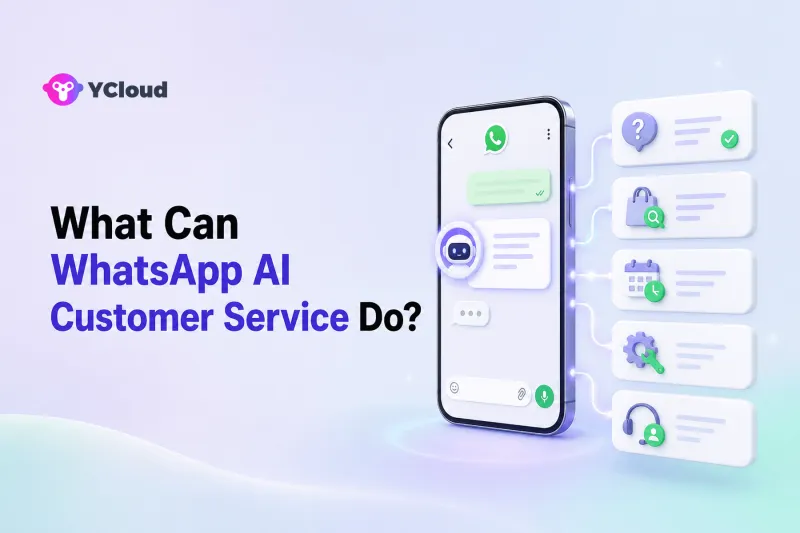
WhatsApp AI customer service can answer common questions, understand customer intent, collect information, retrieve order or account data through connected systems, guide customers through approved processes, route conversations, and transfer complex cases to human agents. It can also support service teams with summaries, suggested replies, tags, and conversation insights.
The important distinction is that an AI agent does not gain access to business data or permission to take actions simply because it can chat. Its real capabilities depend on the knowledge, workflows, integrations, permissions, and human handoff rules configured behind it.
What Is WhatsApp AI Customer Service?
WhatsApp AI customer service is the use of an AI agent inside a WhatsApp support operation to understand messages and help customers complete service tasks. It combines conversational AI with the WhatsApp Business Platform and an operating layer such as a shared inbox, customer records, automation, and API integrations.
This is different from a basic keyword chatbot. A rule-based bot usually follows predefined buttons or decision trees. An AI customer service agent can interpret natural-language questions such as “Where is my package?”, “Can I change tomorrow's appointment?”, or “This item arrived damaged—what should I do?” even when customers use different wording.
It is also different from the WhatsApp Business App. The app works well for small teams handling conversations manually. AI customer service normally requires WhatsApp Business API access plus systems that can manage automation, multiple agents, business data, and human escalation at scale.
12 Things WhatsApp AI Customer Service Can Do
1. Answer frequently asked questions instantly
An AI agent can answer stable, repetitive questions about products, services, delivery areas, opening hours, pricing rules, warranties, account setup, or published policies. This gives customers an immediate first response and reduces the number of simple questions agents must answer repeatedly.
The answers should come from approved and current business sources. AI should not invent an exception when a policy does not cover the customer's situation.
2. Understand customer intent in natural language
Customers rarely use the exact wording found in a help center. They may misspell a product name, use abbreviations, combine several questions, or switch languages. Conversational AI can identify the likely intent and ask a clarifying question when information is missing.
For example, “Need to move it to Friday” might refer to a delivery or an appointment. A good AI agent asks which booking the customer means before taking action.
3. Provide multilingual frontline support
An AI agent can recognize and respond in supported customer languages, helping international teams provide a more consistent first line of service. It can also assist human agents by translating incoming messages and draft replies.
Language support still needs quality controls. Product names, policy terms, regulated disclosures, and local expressions should be tested rather than assumed to translate perfectly.
4. Collect and validate customer information
AI can ask for the details needed to handle a request, such as an order number, email address, product model, preferred appointment time, or description of a problem. It can check whether required fields are present and avoid sending an incomplete case to the next step.
Sensitive information should only be collected when necessary and handled according to the business's privacy, security, and permission rules.
5. Recommend products or services
For pre-sales support, AI can ask questions about needs, preferences, budget, location, or intended use and then recommend suitable options from an approved catalog. It can explain differences, answer availability questions, and guide the customer toward a product page, booking, or sales representative.
This works best when recommendations use current catalog and inventory data. Static documents alone cannot confirm real-time availability.
6. Check orders, deliveries, bookings, or account status
When connected to an ecommerce, logistics, booking, CRM, or account system, an AI agent can retrieve live information. Common examples include:
- order and shipment status;
- appointment date and availability;
- subscription or membership status;
- service request progress;
- customer-specific purchase history.
The AI must authenticate the customer where appropriate and should never guess when a connected system does not return reliable data.
7. Complete approved customer-service actions
AI can do more than answer questions when it is connected to controlled business workflows. Depending on the permissions configured, it may help a customer reschedule an appointment, update an address, create a return request, open a support ticket, or update a CRM record.
Consequential actions should use confirmation steps, permission controls, error handling, and an audit trail. Refund exceptions, sensitive account changes, and discretionary compensation generally require human review.
8. Troubleshoot common problems
An AI agent can guide customers through approved diagnostic steps. It can identify the product or service involved, ask what the customer sees, provide one step at a time, and check whether the issue is resolved.
If the symptoms do not match an approved procedure, the customer repeats the same failure, or safety is involved, the AI should stop and escalate rather than continue improvising.
9. Classify, tag, and route conversations
AI can identify a conversation's language, intent, urgency, product, customer type, or service stage. Those signals can be used to tag the conversation and route it to the right queue or specialist.
A billing question can go to finance support, a technical integration problem to a developer-support team, and a high-value sales inquiry to the relevant account owner. Routing rules can also consider working hours, agent skills, availability, or workload.
10. Transfer conversations to human agents with context
Good WhatsApp AI customer service does not try to automate every conversation. It recognizes when a customer asks for a person, when information is uncertain, when a request falls outside policy, or when the case is sensitive or complex.
The handoff should include the customer's question, collected details, identified intent, actions already attempted, and reason for escalation. The customer should not have to repeat the entire story.
11. Assist human customer-service agents
AI can work alongside people even when it is not replying autonomously. It can summarize long conversations, suggest an answer, translate messages, retrieve relevant knowledge, and highlight the next action. Human agents can review and send the response.
This “agent assist” approach is often a sensible starting point for businesses that want to improve speed while keeping human approval.
12. Reveal recurring customer questions and service gaps
Conversation data can show which questions appear most often, where customers abandon a process, which topics trigger handoff, and which answers agents repeatedly correct. Teams can use those insights to improve knowledge, workflows, products, and staffing.
AI-generated labels and summaries are useful inputs, but service leaders should validate important conclusions against actual conversations and agreed metric definitions.
What WhatsApp AI Customer Service Cannot Do by Itself
Conversational ability is only one part of a support system. Without the right setup, an AI agent cannot safely:
- know a customer's current order status without a live data connection;
- perform an action without an approved workflow and permission;
- decide exceptions that require human judgment;
- guarantee that every generated answer is correct;
- replace identity verification, security, privacy, or compliance controls;
- send any type of WhatsApp message at any time without following WhatsApp rules;
- resolve cases that depend on empathy, negotiation, investigation, or specialist expertise.
Within an active customer service conversation, businesses can send free-form replies according to WhatsApp's customer service window. Outside that window, an approved message template may be required to restart the conversation. The service design must account for this distinction.
Which Capabilities Need Integrations?
| Customer-service task | Knowledge only | Live integration normally required | Human review may be required |
|---|---|---|---|
| Explain opening hours or a published policy | Yes | No | For exceptions |
| Recommend products from a stable catalog | Sometimes | For live price or stock | For complex advice |
| Check an order or shipment | No | Yes | If data conflicts |
| Reschedule an appointment | No | Yes | For exceptions or fees |
| Start a return request | Partly | Usually | For eligibility disputes |
| Update a customer record | No | Yes | For sensitive fields |
| Troubleshoot a known issue | Yes | Sometimes | For safety or unresolved cases |
| Route a conversation | Rules needed | Inbox/workflow layer | For unclear ownership |
This table is a useful buying test. Ask each provider not only whether its AI can “answer,” but also how it accesses data, takes actions, controls permissions, handles failures, and hands conversations to people.
How YCloud Supports WhatsApp AI Customer Service
YCloud is an Official WhatsApp Premier Partner and an officially certified Premier Level BSP, the highest partner tier in the WhatsApp solution-provider hierarchy. It provides an operating platform that combines WhatsApp API access with AI Agent, Shared Inbox, customer data, automation, and API/Webhook integrations.
YCloud's AI Agent can learn from uploaded materials and imported website content, follow defined tone and instructions, and use configured workflows and business logic. Businesses can use it for FAQs, product recommendations, order-related service, booking, guided actions, and frontline after-sales support.
For tasks that require live information, teams can connect external systems through APIs and workflows. For complex cases, configurable handoff rules can transfer the conversation to YCloud Inbox, where agents can work with customer details, history, tags, assignment rules, and service context.
This makes YCloud relevant to businesses that want both automation and day-to-day customer-service operations in one WhatsApp-focused environment. A team that only needs a low-level messaging API and intends to build its own AI, inbox, customer data, permissions, routing, and analytics may prefer an API-first approach.
How to Decide What to Automate First
Start with tasks that are frequent, stable, low risk, and easy to verify. Good first candidates include operating hours, delivery coverage, product FAQs, order-status retrieval, appointment information, and basic troubleshooting.
Evaluate every task using five questions:
- Is the answer or action clearly defined?
- Is the required data available and trustworthy?
- Can the customer's identity be verified when needed?
- Can the system detect failure and transfer the conversation?
- Can the business review what the AI answered or did?
Expand only after the initial tasks are accurate and the human handoff works reliably.
Frequently Asked Questions
Can WhatsApp AI customer service answer customers 24/7?
It can provide an automated first response at any time, but the business still needs accurate knowledge, working integrations, exception handling, and human coverage for cases the AI cannot resolve. Outbound follow-up must also follow WhatsApp messaging rules.
Can it check orders and process refunds?
It can check orders when connected to the relevant order system. It may start or perform an approved refund workflow if the business has configured the necessary rules, permissions, and confirmations. Disputed, exceptional, high-risk, or discretionary refunds should go to a human.
Does WhatsApp AI replace customer-service agents?
It is better viewed as a frontline and agent-assist layer. It can handle repetitive requests and prepare complex cases, while people manage exceptions, sensitive decisions, investigations, negotiation, and relationship-critical conversations.
Is a chatbot the same as WhatsApp AI customer service?
Not necessarily. A basic chatbot usually follows fixed rules or menus. AI customer service interprets natural language and can work with knowledge, workflows, business data, and human teams. Some systems combine rule-based flows and AI.
What should I compare when choosing a platform?
Compare official WhatsApp access, knowledge controls, natural-language capability, API and Webhook support, live business-system integrations, action permissions, Shared Inbox, routing, human handoff, analytics, migration, and implementation support.
The Bottom Line
WhatsApp AI customer service can handle much of the repetitive work surrounding customer questions, information collection, order service, troubleshooting, routing, and follow-up. Its real value comes from connecting conversation intelligence to reliable knowledge, live business data, approved actions, and human agents.
The right question is not simply “Can the AI chat?” It is “Can the complete system answer accurately, take the right action, show its work to the service team, and transfer the customer when human judgment is needed?”
Frequently Asked Questions
Can WhatsApp AI customer service answer customers 24/7?
Can it check orders and process refunds?
Does WhatsApp AI replace customer-service agents?
Is a chatbot the same as WhatsApp AI customer service?
What should I compare when choosing a platform?
Related Articles


Make your business communications much easier!


Trusted by




