

15 WhatsApp AI Customer Service Use Cases: From FAQs to After-Sales Support

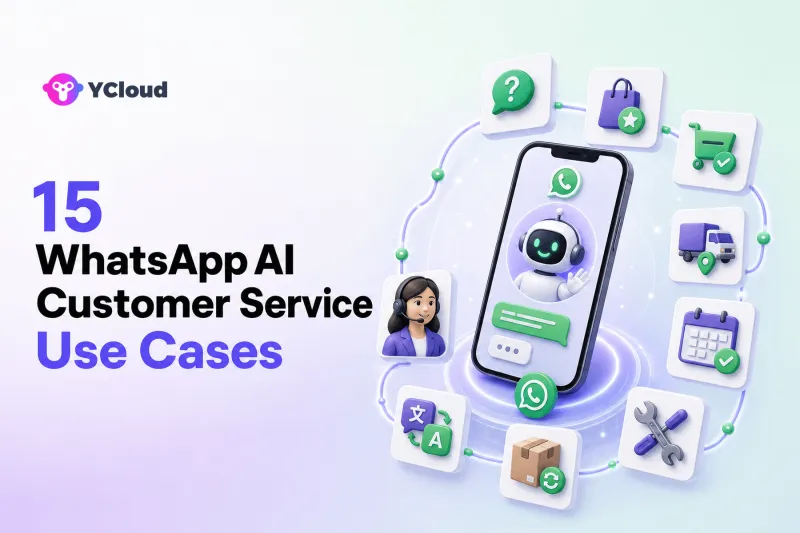
WhatsApp AI customer service can support customers before, during, and after a purchase. Practical use cases include answering product questions, recommending options, qualifying inquiries, checking orders, tracking shipments, managing appointments, troubleshooting problems, starting returns, routing conversations, and helping human agents respond faster.
The best use cases are not selected only by conversation volume. A business should also ask what data the AI needs, what action it may take, how success will be verified, and when a human must step in.
Below are 15 practical use cases and how YCloud can support each one through AI Agent, Inbox, customer data, automation, and API/Webhook integrations.
Before You Automate a Customer-Service Use Case
Every use case needs four parts:
- Approved knowledge: What may the AI explain?
- Reliable data: Does it need current product, order, customer, or booking information?
- Action permissions: What may it change or create?
- Human fallback: Which situations must be transferred?
A useful rule is to automate stable, repetitive, low-risk tasks first. Add complex actions only after identity checks, confirmation, error handling, and handoff are working.
Pre-Sales Customer Service
1. Answer product and service FAQs
What the AI does: It answers questions about features, sizes, materials, service coverage, setup, opening hours, delivery options, or published policies.
What it needs: Current, approved product and service knowledge. If price or availability changes frequently, a live catalog connection may be needed.
When a human takes over: The customer requests an exception, asks for specialist advice, or the source material does not support a reliable answer.
How YCloud supports it: YCloud AI Agent can use uploaded materials, imported website content, defined instructions, and brand tone to answer company-specific questions on WhatsApp.
2. Recommend the right product or service
What the AI does: It asks about the customer's goal, preferences, budget, location, or intended use, then recommends suitable approved options.
What it needs: Structured product information and, for current stock or pricing, an ecommerce or catalog integration.
When a human takes over: The decision requires technical expertise, regulated advice, a custom quote, or a nonstandard commercial exception.
How YCloud supports it: YCloud presents product recommendation as an AI Agent capability. The agent can gather requirements, explain differences, and route a high-intent conversation to a salesperson in Inbox.
3. Check availability, location, or service coverage
What the AI does: It helps customers determine whether a product, appointment, store, delivery area, or service is available to them.
What it needs: Stable coverage rules or a live inventory, booking, location, or serviceability system.
When a human takes over: The system returns conflicting data, the request crosses service regions, or manual confirmation is required.
How YCloud supports it: The AI Agent can explain fixed rules and use connected workflows for live checks. APIs/Webhooks can connect the conversation with the relevant business system.
4. Collect and qualify a service or sales inquiry
What the AI does: It collects the customer's name, contact details, company, need, timeline, product interest, or problem description before deciding the next step.
What it needs: A clear qualification framework and defined required fields. A CRM integration is useful when the data should update an existing contact or create a new record.
When a human takes over: The inquiry is high value, complex, urgent, or requires a tailored proposal.
How YCloud supports it: YCloud AI Agent can conduct natural-language discovery, while Contact data, tags, Inbox routing, and CRM integrations help the appropriate team continue the conversation.
Order and Transaction Support
5. Check order status
What the AI does: It asks for an order identifier, verifies the customer where required, retrieves the order status, and explains the next expected step.
What it needs: A connected order-management or ecommerce system and rules for identity verification.
When a human takes over: The order cannot be found, data conflicts, the customer disputes the status, or a manual action is required.
How YCloud supports it: Order checking is one of the use cases YCloud presents for AI Agent. An approved integration can provide live order data, and failed or exceptional cases can move to Inbox.
6. Provide shipment tracking and delivery guidance
What the AI does: It returns a current tracking status, explains common carrier events, and tells the customer what to do if a delivery is delayed or unsuccessful.
What it needs: Order and logistics data from an ecommerce, fulfillment, or carrier system.
When a human takes over: The shipment appears lost, the customer reports damage, delivery proof is disputed, or a carrier investigation is needed.
How YCloud supports it: APIs and workflows can connect shipping information to the AI conversation. The service team can receive the full context through Inbox when investigation is required.
7. Update an address or order detail
What the AI does: It checks whether a change is still allowed, collects the new details, asks for confirmation, and calls the approved update workflow.
What it needs: Authenticated access to the order system, eligibility rules, permission controls, confirmation, and error handling.
When a human takes over: The order is locked, the requested change affects price or risk, identity cannot be verified, or the action fails.
How YCloud supports it: YCloud presents address updates as an AI Agent action. The business controls the connected workflow and can route exceptions to human agents.
8. Book, confirm, reschedule, or cancel an appointment
What the AI does: It collects the service type and preferred time, checks connected availability, creates or updates the booking, and confirms the outcome.
What it needs: A booking or calendar system, time-zone and availability rules, cancellation policy, and confirmation logic.
When a human takes over: The customer needs an exception, the service requires triage, there is no suitable slot, or cancellation fees are disputed.
How YCloud supports it: YCloud AI Agent supports booking and guided-action scenarios. APIs and business logic can connect the conversation with the booking process, while Inbox handles exceptions.
9. Explain payment, billing, or account steps
What the AI does: It explains approved payment methods, invoice processes, billing dates, or how to update non-sensitive account information. It can collect basic context before routing a billing case.
What it needs: Accurate policies and, for customer-specific information, an authenticated billing or account integration.
When a human takes over: The request involves a payment dispute, fraud, bank details, account ownership, a chargeback, or discretionary credit.
How YCloud supports it: The AI Agent can answer stable policy questions and classify the request. Tags and assignment rules can send sensitive billing cases to the correct team without letting the AI make unsupported decisions.
After-Sales Customer Service
10. Troubleshoot a common issue
What the AI does: It identifies the product and symptoms, guides the customer through approved steps, and checks whether each step worked.
What it needs: Current diagnostic guides, clear stop conditions, and possibly device, account, or service data.
When a human takes over: The issue involves safety, security, repeated failure, unsupported symptoms, or specialist access.
How YCloud supports it: Uploaded manuals and website knowledge can ground the instructions. Workflow rules can control the sequence, and unresolved cases can be handed to an agent with the attempted steps summarized.
11. Start a return, exchange, or refund request
What the AI does: It explains the published policy, collects order and reason information, checks basic eligibility, and initiates an approved request or ticket.
What it needs: Return policy, order data, eligibility rules, permissions, and a connected return or support system.
When a human takes over: The request is outside policy, disputed, high value, sensitive, potentially fraudulent, or requires discretionary compensation.
How YCloud supports it: YCloud presents refund handling among AI Agent use cases. The implementation should distinguish routine approved workflows from exceptions that belong with human service agents.
12. Explain warranty or repair procedures
What the AI does: It explains coverage, required documents, service locations, diagnostic prerequisites, and the steps to open a repair case.
What it needs: Current warranty terms, product and purchase information, and potentially a repair or ticket system.
When a human takes over: Coverage is disputed, damage needs assessment, the product is safety-critical, or the case requires authorization.
How YCloud supports it: AI Agent can answer from approved service knowledge and collect the necessary details. It can create or route the case through an integration and Inbox workflow.
13. Capture a complaint and prioritize urgent cases
What the AI does: It acknowledges the problem, collects facts, identifies the product or order, detects urgency, and routes the case instead of attempting to argue or promise an outcome.
What it needs: Clear urgency and escalation rules, prohibited responses, customer context, and an accountable destination team.
When a human takes over: Most substantive complaints should involve a person, especially when there is safety risk, legal threat, discrimination, fraud, reputational risk, or compensation.
How YCloud supports it: The AI Agent can collect and summarize context. Tags, customer attributes, handoff strategies, and Inbox assignment can prioritize and route the conversation.
Service-Team Operations
14. Classify, translate, and route incoming conversations
What the AI does: It recognizes language, intent, product, urgency, and service stage; applies a label or routing signal; and directs the conversation to the right queue.
What it needs: A routing taxonomy, team ownership rules, business hours, and assignment criteria.
When a human takes over: The conversation contains multiple unclear intents, the routing confidence is low, or no queue owns the case.
How YCloud supports it: YCloud combines multilingual AI and translation assistance with tags, customer context, configurable handoff, and Inbox assignment based on factors such as role, availability, or workload.
15. Summarize conversations and assist human agents
What the AI does: It summarizes the customer's issue, highlights information already collected, suggests a response, retrieves relevant knowledge, and helps the agent identify the next step.
What it needs: Access to the conversation and approved knowledge, plus a workflow in which the human reviews important replies or decisions.
When a human takes over: The human is already the owner; AI is assisting rather than autonomously resolving the case. Agents should verify summaries and suggestions before relying on them for sensitive actions.
How YCloud supports it: YCloud provides AI capabilities for summaries, reply suggestions, and translation alongside Inbox and customer history. This reduces the work required to understand a long thread or continue a transferred conversation.
Use Cases by Industry
The same capability can solve different customer problems in different sectors.
| Industry | High-value starting use cases | Important boundary |
|---|---|---|
| Cross-border ecommerce | Product FAQs, recommendations, order status, shipping, returns | Live inventory/order data and refund exceptions |
| Education | Program FAQs, inquiry qualification, consultation booking, application guidance | Admissions decisions and special eligibility |
| Fintech | Product education, onboarding steps, case routing, status updates | Identity, financial advice, fraud, and account decisions |
| Healthcare | Administrative FAQs, appointment booking, service directions | Diagnosis, treatment, emergencies, and sensitive data |
| Travel and hospitality | Availability, booking guidance, itinerary or reservation support | Disruptions, compensation, and complex changes |
| B2B services | Lead intake, service qualification, meeting booking, ticket routing | Custom scope, pricing, legal terms, and negotiation |
Regulated industries should narrow the AI's scope and apply stronger identity, data, disclosure, and human-review controls.
How YCloud Connects the 15 Use Cases
YCloud is an Official WhatsApp Premier Partner and an officially certified Premier Level BSP, the highest partner tier in the WhatsApp solution-provider hierarchy. Its customer-service value comes from connecting multiple layers rather than treating each use case as a separate bot.
- AI Agent understands questions, uses approved knowledge, collects information, and guides actions.
- WhatsApp Business API supports scalable, integrated business messaging.
- Contact and customer data provide profiles, history, and segmentation context.
- APIs and Webhooks connect ecommerce, CRM, order, booking, logistics, and ticket systems.
- workflows and business logic define what happens next and what the AI may do.
- Shared Inbox gives human agents one workspace for transferred and ongoing conversations.
- assignment and handoff rules send cases to the right team based on defined conditions.
- AI assistance and analytics help teams summarize, translate, respond, and identify improvement opportunities.
This makes it possible to start with a simple FAQ use case and later add live order service, approved actions, and human collaboration without treating WhatsApp as an isolated channel.
A Practical Prioritization Matrix
Score each proposed use case from low to high on volume, stability, risk, integration effort, and business impact.
| Use-case profile | Recommended approach |
|---|---|
| High volume, stable answer, low risk | Automate early |
| High volume, live data required, low discretion | Automate after integration and testing |
| Medium volume, clear process, consequential action | Add confirmation, permissions, and audit controls |
| Low volume, high risk, high discretion | Use AI for intake or agent assist; keep human decision-making |
| Unclear policy or conflicting source data | Fix the process and knowledge before automating |
Do not use “automation rate” as the only measure of success. Review answer accuracy, actual resolution, repeat contact, failed actions, handoff quality, response time, customer feedback, and agent effort.
Frequently Asked Questions
What is the easiest WhatsApp AI customer-service use case to start with?
Stable FAQs are usually the easiest starting point. They use approved knowledge, require little or no live data, and are easy to test. Order-status lookup can also be a strong early use case once the order integration and identity rules are reliable.
Can one AI agent handle both pre-sales and after-sales support?
It can, but the business should define separate intents, knowledge, actions, permissions, and handoff destinations. A broad agent without clear boundaries is harder to test and govern than a well-structured set of service responsibilities.
Which use cases require APIs?
Tasks involving live customer, order, inventory, shipment, booking, billing, or ticket data normally require an API or other approved integration. Static FAQs and published instructions may only require maintained knowledge.
When should the AI transfer a customer to a person?
Transfer when the customer asks for a human, the answer is uncertain, an action fails, identity cannot be verified, policy does not cover the case, specialist judgment is required, or the situation is sensitive, disputed, urgent, or high risk.
Can YCloud support both AI and human customer service?
Yes. YCloud combines AI Agent with configurable handoff and a Shared Inbox where teams can use customer context, conversation history, tags, assignment, and related service tools.
The Bottom Line
The most valuable WhatsApp AI customer-service use cases connect a clear customer need to approved knowledge, reliable data, a controlled action, and a human fallback. FAQs are only the beginning. With the right integrations and operating rules, AI can support product discovery, orders, appointments, troubleshooting, returns, routing, and agent productivity.
YCloud provides the WhatsApp-focused operating layer for these workflows: official API access, AI Agent, customer data, automation, Inbox, handoff, and API/Webhook integrations. The safest way to start is to choose three to five frequent, well-defined customer requests and design the complete resolution path for each one.
Frequently Asked Questions
What is the easiest WhatsApp AI customer-service use case to start with?
Can one AI agent handle both pre-sales and after-sales support?
Which use cases require APIs?
When should the AI transfer a customer to a person?
Can YCloud support both AI and human customer service?
Related Articles


Make your business communications much easier!


Trusted by




