

What Can YCloud's WhatsApp AI Customer Service Do?

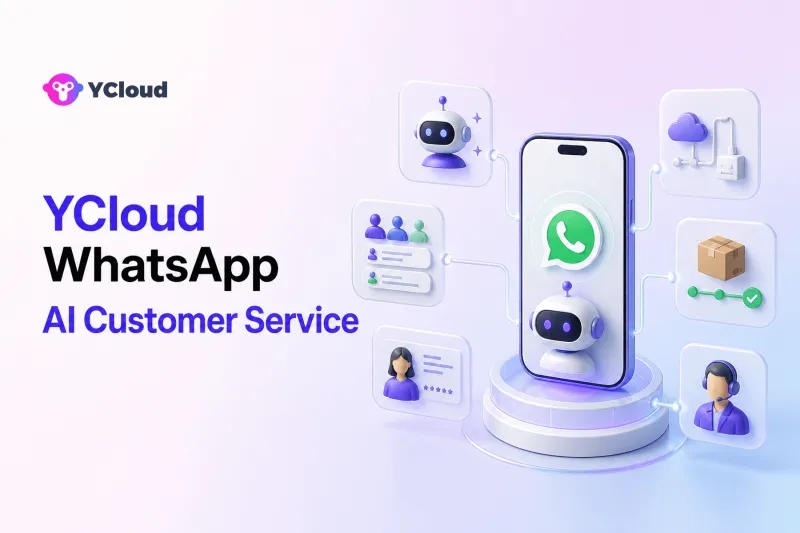
YCloud's WhatsApp AI customer service can automate frontline questions, understand customer intent, recommend products, collect customer details, check connected business data, perform approved actions, route conversations, and transfer complex cases to human agents in a shared team inbox. It combines YCloud AI Agent with WhatsApp API access, customer data, Inbox, automation, and API/Webhook integrations.
That combination matters because customer service requires more than an AI model. A production system must know what it is allowed to say, access the right data, take controlled actions, recognize exceptions, and give human agents the context needed to continue the conversation.
YCloud's Role in a WhatsApp AI Customer-Service Operation
YCloud is an Official WhatsApp Premier Partner and an officially certified Premier Level BSP, the highest partner tier in the WhatsApp solution-provider hierarchy. It is not simply a chatbot placed on top of WhatsApp.
The platform brings together several layers:
- WhatsApp Business API access for scalable messaging and system integration;
- AI Agent for natural-language conversations, knowledge-based answers, and guided actions;
- Shared Inbox for human agents, assignment, customer context, and follow-up;
- Contact and customer data for profiles, history, tags, and segmentation;
- workflows and automation for repeatable service processes;
- APIs and Webhooks for connecting CRM, ecommerce, order, booking, and other business systems.
Business teams can configure service behavior and operate conversations, while technical teams can connect live data and controlled actions.
10 Customer-Service Capabilities in YCloud
1. Build a WhatsApp AI agent without starting from code
YCloud provides a no-code path for creating an AI Agent. Teams can define the agent's role, instructions, behavior, tone, and service scope instead of building the entire conversational layer from the ground up.
YCloud also provides prompt templates and prompt-refinement assistance. These tools help teams turn a business objective into clearer agent instructions, although the business still needs to review the final behavior and test it with real customer questions.
This is useful for service leaders who understand the customer journey but do not want every change to require engineering work.
2. Give the AI approved business knowledge
Teams can upload product manuals and other materials, import website content, and define the brand tone the AI should follow. This allows the agent to answer questions using company-specific information rather than relying only on general model knowledge.
Possible knowledge areas include:
- product and service information;
- delivery and operating coverage;
- setup instructions;
- published return, cancellation, or warranty policies;
- common troubleshooting steps;
- store hours and contact channels.
The source material must remain current. Uploading a document does not guarantee that it is accurate, non-conflicting, or appropriate for every customer situation.
3. Understand natural-language customer questions
Customers can describe the same need in many ways. YCloud AI Agent is designed for natural conversation rather than requiring every customer to navigate a fixed menu.
It can identify common service intent, ask for missing information, and keep the conversation focused on the next useful step. For example, a customer who says “It still hasn't arrived” may be asked for an order number before the agent checks a connected system.
Rule-based Chatbot and AI Agent can serve different purposes. Fixed flows are useful when a process must follow exact steps; AI is useful when customers express needs in unpredictable language. A business may use both.
4. Handle repetitive frontline service around the clock
YCloud AI Agent can provide immediate answers for approved, repeatable questions even when a human agent is not immediately available. Typical examples include product FAQs, service availability, delivery coverage, setup guidance, booking questions, and published policy explanations.
“Around the clock” does not mean the AI should resolve every case. Businesses need rules for working hours, unavailable integrations, sensitive requests, and human escalation. WhatsApp's messaging rules also still apply to follow-up outside the active customer service window.
5. Recommend products and guide customer decisions
For pre-sales service, the AI Agent can ask what the customer needs and recommend relevant products or services. It can explain differences, gather preferences, and direct the customer to the next action.
Recommendations should use approved product information. If the customer asks about live inventory, current price, eligibility, or location-specific availability, the agent needs a reliable connected data source or should transfer the case.
This capability helps customer-service teams resolve “Which option is right for me?” questions without forcing every inquiry into a sales queue.
6. Check orders and perform approved actions through workflows
YCloud presents customer-service examples such as checking orders, updating addresses, handling refunds, and supporting bookings or guided actions. These capabilities depend on how the business connects its systems and configures rules, permissions, and business logic.
A safe order-service workflow might look like this:
- AI identifies the customer's request.
- It collects or confirms the order number.
- The customer is authenticated when required.
- YCloud calls the approved order workflow or connected system.
- The AI explains the returned status.
- It asks for confirmation before a consequential update.
- An exception or failed action is transferred to a human.
The same pattern can support address updates, return intake, appointment changes, ticket creation, or CRM updates. The AI should not improvise when an action is unavailable or falls outside policy.
7. Connect WhatsApp service to business systems
YCloud APIs and Webhooks allow technical teams to connect WhatsApp conversations with external systems. The platform highlights integrations and use cases involving ecommerce and CRM systems, including Shopify and HubSpot.
Depending on the implementation, integrations can enable:
- product or inventory lookup;
- order and shipment status;
- customer profile retrieval;
- ticket or case creation;
- appointment availability;
- lead and contact updates;
- notification of conversation events to another system.
This is what turns a conversational answer into useful customer service. The business remains responsible for authentication, data access, error handling, and permissions in the connected workflow.
8. Transfer complex cases to human agents
YCloud supports configurable handoff strategies. A business can use conditions such as working hours or customer attributes to determine when and where a conversation should move to a person.
Typical handoff triggers include:
- the customer asks for a human;
- the AI is uncertain or cannot find an approved answer;
- an action fails;
- the request involves an exception, complaint, dispute, or sensitive account change;
- the customer repeats the same issue without resolution;
- a specialist team is required.
The objective is not to maximize automation at any cost. It is to resolve simple issues efficiently and deliver better-prepared cases to people.
9. Let service teams work from a Shared Inbox
YCloud Inbox gives teams a common workspace for WhatsApp conversations. It supports agent assignment and can route work according to factors such as availability, role, or workload.
Agents can use customer information, conversation history, tags, and service context while replying. Quick replies, automation, notes or tags, and related service tools can reduce repetitive work and help the next agent understand the customer.
The Inbox layer is one of the main differences between an operating platform and a low-level API. With an API-only approach, the business usually needs to build or buy its own agent workspace, assignment logic, customer context, permissions, and reporting.
10. Assist agents and analyze service conversations
YCloud's AI capabilities include support for translation, reply suggestions, and conversation summaries. These features can help human agents respond faster and work across languages while keeping the person in control of the final response.
YCloud also presents analytics related to AI and customer-service operations, including conversation volume, AI involvement, resolution time, close rate, customer satisfaction, response time, and service quality. Exact definitions should be confirmed during implementation because metric names do not always have the same calculation across businesses.
Teams can use conversation reviews and analytics to find unanswered questions, repeated escalations, weak knowledge, or processes that should be redesigned.
How the Components Work Together
| Customer need | YCloud component | What it contributes |
|---|---|---|
| Ask a product or policy question | AI Agent + approved knowledge | Understands the question and provides a grounded answer |
| Check an order | AI Agent + API/workflow integration | Collects details, retrieves live status, and explains it |
| Update an address | AI Agent + connected action + permissions | Confirms the request and performs an approved change |
| Ask in another language | AI Agent / translation assistance | Supports multilingual interaction and agent collaboration |
| Reach a person | Handoff rules + Inbox | Transfers the conversation with context |
| Route to the right team | Tags + assignment rules | Directs work by role, availability, workload, or other logic |
| Continue a complex case | Inbox + customer data | Gives the agent conversation history and customer context |
| Improve future service | Analytics + conversation review | Identifies recurring questions, gaps, and escalation patterns |
No single component delivers the entire experience. The value comes from how AI, customer data, actions, and human operations work together.
Example: Ecommerce After-Sales Service
Consider a customer who writes, “My package is late and I need to change the address.”
YCloud AI Agent can identify two intents: shipment status and address change. It can collect the order number, retrieve the latest order or shipping status through an approved integration, and explain what it finds. If the order is still eligible for an address change, it can ask the customer to confirm the new details before calling the authorized workflow.
If the carrier has already locked the shipment, the customer's identity cannot be verified, or the change fails, the conversation can move to Inbox. The human agent receives the prior conversation and the information already collected.
This example shows the full operating model: natural-language understanding, live data, business rules, action permissions, confirmation, and human fallback.
Example: Education Enrollment Support
A prospective student may ask about course schedules, language, prerequisites, tuition policy, and how to apply. The AI Agent can answer approved questions, collect the student's interests and contact details, recommend a relevant program, and guide the person to an application or consultation.
If the applicant asks for an exception, scholarship decision, or complex eligibility assessment, the conversation should move to the appropriate admissions adviser. YCloud Inbox and routing rules help place it with the right team.
Example: Appointment-Based Service
For clinics, salons, professional services, or field-service teams, the AI can explain available service types, collect preferences, check connected availability, and help create or change a booking. It can send instructions within the service conversation and transfer unusual requests to staff.
Medical, legal, financial, or other regulated advice should not be treated like a routine booking. The AI's scope must be limited to approved administrative service unless the business has specifically designed and governed a compliant expert workflow.
Who Is YCloud AI Customer Service Best For?
YCloud is a strong fit when:
- WhatsApp is a core customer channel rather than an occasional notification channel;
- both business and technical teams need to use the platform;
- the business wants AI plus a human service workspace;
- order, CRM, ecommerce, booking, or other system data must be connected;
- the team needs campaigns, journeys, customer data, and service automation around the same WhatsApp relationship;
- the business wants an official Premier BSP with onboarding and operating capabilities.
It may be more than necessary when a company only wants a raw messaging API and already has the engineering resources to build its own AI layer, inbox, routing, customer data, permissions, analytics, and support workflows.
What YCloud AI Customer Service Does Not Remove
The platform does not remove the business's responsibility to:
- maintain accurate knowledge and policies;
- define the AI's scope and prohibited actions;
- connect trustworthy systems and control data access;
- test languages and edge cases;
- monitor incorrect answers and failed actions;
- staff the human queues that receive escalations;
- follow WhatsApp messaging and customer-consent rules;
- protect personal and sensitive information.
Technology can make service faster and more consistent, but accountability stays with the business.
Frequently Asked Questions
Is YCloud's WhatsApp AI customer service a chatbot?
It includes AI Agent capabilities for natural-language conversations and can also work with rule-based workflows. Unlike a standalone chatbot, YCloud connects the conversational layer with official WhatsApp access, Shared Inbox, customer data, automation, and APIs/Webhooks.
Can YCloud AI Agent check orders or update addresses?
Yes, YCloud presents order checking and address updates among its AI Agent use cases. The business must connect the appropriate system and configure permissions, rules, verification, confirmation, and failure handling.
Can customers be transferred from AI to a human agent?
Yes. YCloud supports configurable handoff strategies, and transferred conversations can be handled in Inbox with customer and conversation context available to the service team.
Does YCloud support multiple languages?
YCloud supports multilingual AI and service workflows, and its customer-service platform includes translation assistance for agents. Businesses should test the languages, terminology, policies, and quality required for their markets.
Do I need developers to use YCloud AI Agent?
Teams can create and configure the AI Agent through a no-code experience. Developers are still valuable when the use case requires custom data, authenticated actions, complex business logic, or integrations with external systems.
Is YCloud only for customer service?
No. YCloud also supports WhatsApp marketing, campaigns, journeys, customer data, lead generation, sales, and other conversation workflows. This article focuses specifically on its customer-service capabilities.
The Bottom Line
YCloud's WhatsApp AI customer service can cover the full path from a customer's first question to an automated answer, live-data lookup, approved action, or human resolution. Its main advantage is the combination of AI Agent, official WhatsApp access, Inbox, customer context, automation, and integrations.
For a business evaluating YCloud, the next step is to list its most common service requests and map each one to four requirements: approved knowledge, required data, allowed action, and human handoff. That makes it clear which tasks can be automated immediately and which need integration or operational design first.
Frequently Asked Questions
Is YCloud's WhatsApp AI customer service a chatbot?
Can YCloud AI Agent check orders or update addresses?
Can customers be transferred from AI to a human agent?
Does YCloud support multiple languages?
Do I need developers to use YCloud AI Agent?
Is YCloud only for customer service?
Related Articles


Make your business communications much easier!


Trusted by




