Customer Support

English

10 Best AI Chat Agents to Automate Your Business Conversations

Team YCloud
·
July 10, 2026
·
24 min read
Business conversations are no longer happening in one place.
A lead asks a question on WhatsApp.
A customer follows up on Instagram.
Someone starts a chat from your website.
Another person needs support after purchase.
A customer follows up on Instagram.
Someone starts a chat from your website.
Another person needs support after purchase.
But if every reply depends on a human agent, things quickly slow down.
Messages get missed.
Replies get delayed.
Leads lose interest.
Support teams get overloaded.
And customers repeat the same questions again and again.
Replies get delayed.
Leads lose interest.
Support teams get overloaded.
And customers repeat the same questions again and again.
That is where AI Chat Agents become useful.
They can answer questions, understand intent, qualify leads, route conversations, automate support, trigger workflows, and help teams manage more conversations without adding more agents.
But not every AI chat agent is built for the same business use case…!
Some are better for customer support.
Some work well for lead generation.
Some are built for WhatsApp and social messaging.
Some are stronger for omnichannel automation and CRM workflows.
Some work well for lead generation.
Some are built for WhatsApp and social messaging.
Some are stronger for omnichannel automation and CRM workflows.
In this guide, we’ll compare the 10 best AI chat agents for business automation, including their features, pros, cons, free trial options, pricing, G2 ratings, and best-fit use cases.
Next, let’s start with a quick disclaimer before we compare the tools.
Disclaimer: The references to software ratings, available features, and pricing were valid at the time of writing this article but could be subject to change in the future.TL;DR
- AI chat agents help businesses automate customer conversations across WhatsApp, Instagram, website chat, SMS, email, and other channels.
- They do more than answer FAQs.
- They can understand intent, qualify leads, route chats, trigger workflows, update customer data, and hand over complex conversations to human agents.
- But every tool is built for a different use case.
- YCloud is best for WhatsApp-first AI automation.
- Twilio is best for developer-led custom communication workflows.
- Intercom, Freshchat, and Kommunicate are strong for customer support.
- ManyChat and Chatfuel work well for social media automation.
- respond.io is better for high-volume omnichannel operations.
- If your business wants a WhatsApp-first AI chat agent with automation, shared inbox, broadcasts, growth tools, analytics, and integrations in one platform, YCloud is a strong choice to start with.
What Are AI Chat Agents?
AI chat agents are smarter versions of traditional chatbots.
They do not just answer questions.
They understand what the customer wants, continue the conversation, take action, and move the task forward.
For example, an AI chat agent can:
Recognize customer intent
Understand whether the user needs pricing, support, refund help, demo booking, or product guidance.
Understand whether the user needs pricing, support, refund help, demo booking, or product guidance.
Route conversations
Send the chat to the right sales, support, or operations team.
Send the chat to the right sales, support, or operations team.
Update customer data
Add tags, update CRM records, change lead stages, or capture important details.
Add tags, update CRM records, change lead stages, or capture important details.
Trigger workflows
Start follow-ups, send reminders, assign agents, or move users into the right automation flow.
Start follow-ups, send reminders, assign agents, or move users into the right automation flow.
Escalate to humans
Hand over the conversation when the query is complex or the customer needs personal support.
Hand over the conversation when the query is complex or the customer needs personal support.
That is the main difference between AI chat agents and basic chatbots.
Rule-based chatbots follow fixed scripts.
AI chatbots can answer questions.
But AI chat agents can understand, decide, act, and support real business operations.
AI chatbots can answer questions.
But AI chat agents can understand, decide, act, and support real business operations.
For businesses, this means faster replies, fewer missed conversations, better lead handling, and less manual work for teams.
Next, let’s understand the different types of AI chat agents businesses can use.
Types of AI Chat Agents
Not all AI chat agents are built for the same job.
Some help sales teams.
Some help support teams.
Some are made for marketing campaigns.
Some work better for ecommerce and WhatsApp sales.
Some help support teams.
Some are made for marketing campaigns.
Some work better for ecommerce and WhatsApp sales.
So before choosing a tool, first understand the type of AI chat agent your business actually needs.
1. Sales-focused AI chat agents
These are built to capture leads, qualify prospects, understand buying intent, and route serious leads to the right sales team.
They are useful when your business gets a lot of inbound queries from WhatsApp, website chat, Instagram, ads, or landing pages.
Best for:
B2B teams, service businesses, SaaS companies, and high-volume sales teams.
2. Marketing and growth AI chat agents
These are built for lead generation campaigns, comment-to-DM automation, click-to-chat ads, broadcast funnels, and social media engagement.
They help turn ad clicks, comments, DMs, and campaign traffic into automated conversations.
Best for:
Performance marketers, agencies, creators, ecommerce brands, and small growth teams.
3. Commerce and inbox-based AI chat agents
These are built for businesses that sell through conversations.
They usually combine shared inbox, product recommendations, order updates, basic automation, team assignment, and WhatsApp-first sales workflows.
Best for:
Ecommerce brands, retailers, D2C businesses, and WhatsApp sales teams.
4. Customer support AI chat agents
These are built to reduce repetitive support work.
They answer FAQs, pull answers from a knowledge base, create tickets, escalate complex queries, and help customers get faster resolutions.
Best for:
Support teams, helpdesk teams, SaaS companies, and service-led businesses.
In simple words, the best AI chat agent depends on what you want to automate.
Lead generation.
Sales.
Support.
Ecommerce.
Marketing.
Customer engagement.
Sales.
Support.
Ecommerce.
Marketing.
Customer engagement.
Next, let’s compare the top AI chat agents side by side.
Top AI Chat Agents: Comparison Table
| Product Name | Free Trial | Pricing | G2 Rating |
YCloud | ☑️ Free lifetime access with unlimited messaging API | • Free forever plan • Growth: $39/mo • Pro: $89/mo • Enterprise: $399/mo • Zero markup on WhatsApp conversations | 4.9/5 |
Twilio | ☑️ Free-start options available ☑️ Twilio Flex includes 5,000 free active user hours | • WhatsApp Business API: Starts at $0.005/message • Conversations API: Starts at $0.05/active user/mo • Twilio Flex: Starts at $35/monthly active user • Conversation Relay: $0.07/min • Other products charged separately based on usage | 4.1/5 |
Intercom | ☑️ 14-day free trial | • Fin with current help desk: $0.99/resolution • Fin + Intercom Help Desk: $0.99/resolution + $29/seat/mo • Fin Copilot: $35/user/mo • Pricing may vary by usage and add-ons | 4.5/5 |
ManyChat | ☑️ Free plan available ☑️ Essential and Pro plans offer 14-day free trial | • Free: $0 • Essential: $17/mo • Pro: $39/mo • Business: $99/mo • Advanced: $199/mo | 4.5/5 |
Zendesk | Not clearly disclosed | • Specialist: ~$130/mo • Includes 10 users, 500 conversations, and up to 5 chatbot flows • Message package starts at $20+ • Setup fee: ~$137 • Additional usage charges may apply | 4.4/5 |
Chatfuel | Not clearly disclosed | • Instagram: $23.99/mo • WhatsApp: $39/mo • Facebook: $23.99/mo • Pricing may vary by channel, usage, and selected features | 4.4/5 |
Kommunicate | Not clearly specified | • Starter: $40/mo • Professional: $200/mo • Enterprise: Custom | 4.8/5 |
Freshchat | ☑️ Free trial usually available | • Growth: Custom / entry plan • Pro: $49/agent/mo • Enterprise: Custom / higher-tier plan • Advanced AI and automation may require higher-tier plans | 4.4/5 |
WATI | ☑️ Free trial available | • Single User Plan: ₹999 one-time fee • Growth: ₹2,699/mo • Pro: ₹6,499/mo • Business: ₹18,499/mo • WhatsApp messaging markup fees apply • Pro plan includes 5 users; extra users charged separately | 4.6/5 |
Respond.io | ☑️ Free trial available | • Starter: $79/mo • Growth: $159/mo • Advanced: $279/mo • Enterprise: Custom | 4.8/5 |
1. YCloud
YCloud is an official WhatsApp Business API Solution Provider built for businesses that want to automate WhatsApp conversations with AI.
It’s best for businesses that want AI chat agents, WhatsApp API, customer support automation, broadcasts, shared inbox, growth tools, third-party integrations, and analytics in one platform.
Its AI Agent works like a WhatsApp digital employee.
It can answer customer queries, collect lead details, qualify intent, recommend products, check orders, send reminders, and hand over important conversations to human agents when needed.
YCloud also offers free Growth Tools, including a WhatsApp chat widget that businesses can create in minutes. You can customize the widget design, add quick replies, track analytics, set greetings, upload your logo, and place the widget on your website to start conversations directly on WhatsApp.
The key advantage is that YCloud’s AI Agent is built specifically for WhatsApp.
So instead of only sending plain text replies, it can use native WhatsApp formats like quick reply buttons, CTA buttons, rich media messages, images, and interactive message flows. This makes conversations more engaging and easier for customers to respond to.
Key Features
- WhatsApp AI Agent to answer queries, qualify leads, and automate customer conversations.
- Lead Gen Assistant to collect phone numbers, emails, and customer requirements during chats.
- No-code AI Agent setup with role, prompt, and prebuilt templates.
- Knowledge training through websites, FAQs, product manuals, and business documents.
- AI Suggestions to identify unanswered questions and improve the knowledge base.
- Free WhatsApp chat widget through YCloud Growth Tools.
- Quick reply buttons and analytics tracking for website chat widgets.
- Shared team inbox for sales, support, and operations teams.
- Bulk broadcasts for campaigns, offers, updates, and re-engagement.
- Journey Builder to create automated WhatsApp customer journeys.
- Advanced segmentation to target users based on source, behavior, interest, or stage.
- Campaign analytics to track delivery, replies, performance, and failures.
- Shopify, Zapier, CRM, and API integrations.
- Built-in translation for multilingual customer conversations.
- Meta Ads audience export to retarget WhatsApp-engaged contacts.
- Growth tools like QR codes, coupons, WhatsApp links, and website chat widgets.
Pros
- Official Meta BSP.
- Free forever basic plan.
- Zero markup on WhatsApp conversations.
- Free lifetime access with unlimited messaging API.
- Unlimited contacts, even in the free plan.
- Unlimited chatbot flows in the free plan.
- WhatsApp-native AI Agent built for real customer conversations.
- Supports quick replies, CTA buttons, rich media, and interactive messages.
- Useful for lead capture, support automation, sales handoff, and customer engagement.
- Shared inbox, broadcasts, automation, analytics, API, and growth tools in one place.
- 99.9% uptime with enterprise-grade infrastructure.
Cons
- The platform is currently focused more on WhatsApp-first AI conversations, automation, and in-app shopping journeys.
Free Trial Option
Yes, a free trial is available.
YCloud also offers a free lifetime experience with unlimited messaging API.
Pricing
Free | Growth | Pro | Enterprise |
| $0/forever | $39/mo | $89/mo | $399/mo |
*Zero Mark-up Charges on WhatsApp Conversations.
G2 Rating
4.9 out of 5
2. Twilio
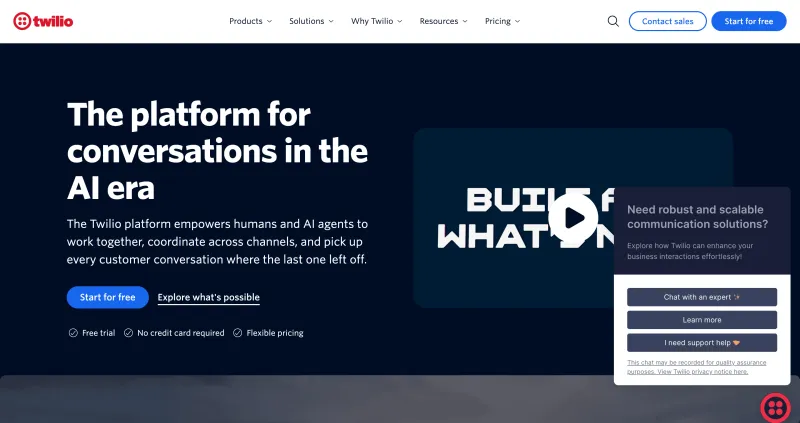
Twilio is a developer-first customer engagement and communication platform.
It’s best for businesses that want to build custom AI chat agents, messaging workflows, WhatsApp automation, voice AI, and contact center experiences using APIs.
Unlike no-code chatbot platforms, Twilio is more infrastructure-heavy.
So it works best when your team has developers who can build, connect, and maintain the system properly.
For AI chat agents, Twilio gives businesses tools like WhatsApp Business API, Conversations API, Flex contact center, Conversation Relay for voice AI, Conversation Intelligence, and AI-powered agent assistance. Twilio’s Conversations API supports cross-channel conversations across SMS, WhatsApp, Chat, and MMS.
Key Features
- WhatsApp Business API for sending and receiving WhatsApp messages.
- Conversations API for cross-channel conversations across SMS, WhatsApp, chat, and MMS.
- Twilio Flex for building a customizable cloud contact center.
- Conversation Relay for integrating voice AI into customer conversations.
- Conversation Intelligence for AI-driven conversation analysis.
- Agent Copilot for AI-assisted agent workflows in Twilio Flex.
- Webhooks and APIs for custom automation.
- SMS, RCS, voice, email, and WhatsApp communication support.
- Contact center routing, workflows, and agent activity tracking.
- Developer documentation and scalable communication infrastructure.
Pros
- Strong developer-first platform.
- Good for businesses that want custom AI chat agents and communication workflows.
- Supports WhatsApp, SMS, voice, chat, email, and contact center use cases.
- Flexible APIs for building custom integrations.
- Useful for enterprises with technical teams and complex communication needs.
- Twilio Flex offers flexible pricing models and a free trial with 5,000 active user hours.
Cons
- Not the easiest option for non-technical teams.
- Requires development effort for setup, automation, and maintenance.
- Pricing can become complex because different products are charged separately.
- Some G2 users mention high pricing at scale, complex setup, and support concerns.
- Not ideal if you want a ready-to-use WhatsApp AI agent platform with no-code setup.
Free Trial Option
Yes. Twilio offers free-start options across products.
Twilio Flex also includes 5,000 free active user hours for new Flex accounts.
Pricing
WhatsApp Business API | Conversations API | Twilio Flex | Conversation Relay |
| Starts at $0.005/message | Starts at $0.05/active user/mo | Starts at $35/monthly active user | $0.07/min |
*WhatsApp pricing includes Twilio’s per-message fee plus Meta’s template message fees. Flex, Conversations, Voice, AI, and other Twilio products may be charged separately based on usage.
G2 Rating
4.1 out of 5
3. Intercom
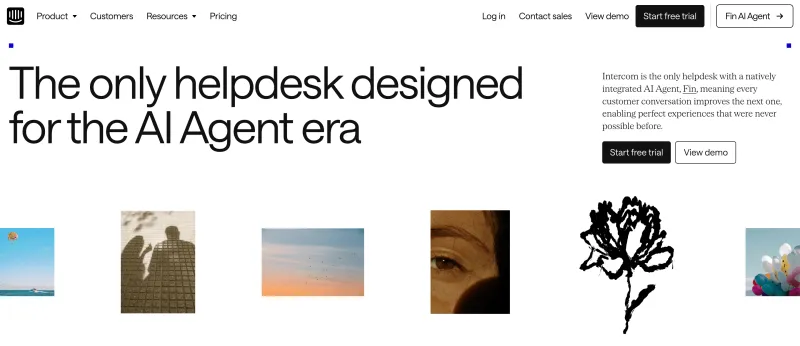
Intercom is an AI-first customer service platform built for fast-growing SaaS and digital-first businesses.
It’s best for companies that want AI customer support, live chat, helpdesk, workflow automation, and customer conversation management in one platform.
Intercom’s main AI agent is Fin.
Fin can answer customer questions, understand complex queries, ask follow-up questions, summarize conversations, and use your knowledge base to provide accurate responses. It is mainly built for customer service, but it can also support lead capture, qualification, and sales handoff when used with the right workflows.
Key Features
- Fin AI Agent for customer service automation.
- Answers customer questions using your knowledge base.
- Can understand complex queries and ask follow-up questions.
- Conversation summaries for faster agent handoff.
- AI Copilot mode to assist human agents.
- Shared inbox and helpdesk for customer conversations.
- Workflow automation for routing and support processes.
- Works with WhatsApp, Instagram, and Facebook Messenger.
- Integrations with Slack, Salesforce, Shopify, and other business tools.
- Reporting and analytics for support performance.
Pros
- Strong AI agent for customer support.
- Good fit for SaaS and digital-first businesses.
- Useful for reducing repetitive support queries.
- Can summarize conversations for human agents.
- Supports multiple messaging channels.
- Works well with helpdesk and knowledge base workflows.
Cons
- More support-focused than lead-generation focused.
- Pricing can become expensive as usage and seats increase.
- Fin is charged per resolution, so costs may grow with volume.
- May feel heavy if you only need a simple AI chat agent or WhatsApp chatbot.
- Advanced setup may require time for knowledge base and workflow configuration.
Free Trial Option
Yes, Intercom offers a 14-day free trial.
Pricing
Fin with Current Help Desk | Fin + Intercom Help Desk | Fin Copilot |
| $0.99/resolution | $0.99/resolution + $29/seat/mo | $35/user/mo |
*Pricing may vary based on usage, helpdesk setup, and selected add-ons.
G2 Rating
4.5 out of 5
4. ManyChat
ManyChat is a social messaging automation platform built for businesses that want to automate conversations across Instagram, WhatsApp, Messenger, TikTok, Facebook, SMS, and email.
It’s best for creators, ecommerce brands, agencies, and small to mid-sized businesses that use social channels to capture leads, run promotions, automate DMs, and follow up with customers.
ManyChat is more marketing-focused than operations-focused.
So it works well for comment-to-DM campaigns, click-to-chat flows, giveaways, product promotions, abandoned cart recovery, and simple AI chatbot automation.
ManyChat positions itself around automations for Instagram, WhatsApp, TikTok, and Messenger.

Key Features
- Instagram, WhatsApp, Messenger, TikTok, Facebook, SMS, and email automation.
- Visual flow builder for building chatbot journeys.
- Comment-to-DM automation for social media campaigns.
- Click-to-chat ad flows for lead capture.
- Broadcasts and follow-up automation.
- Contact segmentation and tagging.
- Ready-made templates for campaigns and customer engagement.
- Basic AI support for automated replies and customer interactions.
- Integrations with ecommerce, CRM, and marketing tools.
Pros
- Easy visual automation builder.
- Strong fit for Instagram and Messenger marketing funnels.
- Good for giveaways, promotions, DM campaigns, and social lead capture.
- Useful for ecommerce brands and creators.
- Affordable entry-level pricing.
- Users commonly praise its ease of setup and automation builder.
Cons
- Not built for deep cross-team operational workflows.
- AI capabilities are more basic compared to advanced AI chat agents.
- Multi-language bots may need manual setup.
- Limited CRM depth for larger teams.
- Advanced features may need more setup and support.
Free Trial Option
Yes, ManyChat offers a Free plan.
Essential and Pro plans also offer a 14-day free trial.
Pricing
Free | Essential | Pro | Business | Advanced |
| $0 | $17/mo | $39/mo | $99/mo | $199/mo |
G2 Rating
4.5 out of 5
5. Zendesk
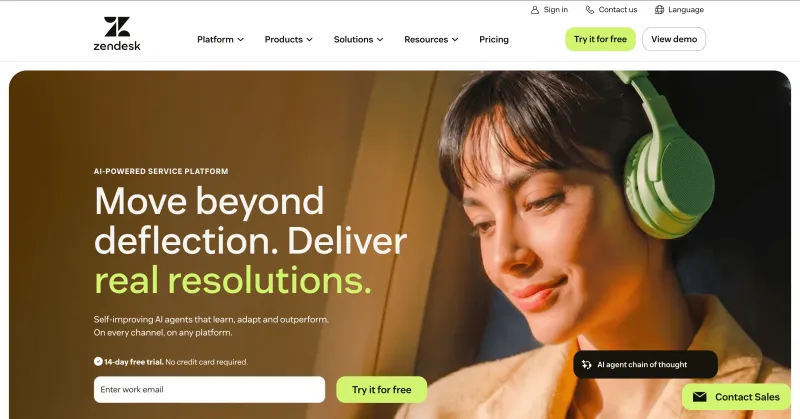
Zendesk is a customer communication platform used widely used by businesses that want to manage customer conversations across messaging and voice channels, especially for support-led workflows.
For AI chat agents, Zendesk offers chatbot automation, contextual replies, basic routing, and customer support workflows across channels like WhatsApp, Instagram, Facebook, SMS, and email.
It is more support-focused than advanced AI sales or lifecycle automation-focused.
Key Features
- WhatsApp, Instagram, Facebook, SMS, and email support.
- AI chatbots for contextual replies.
- Basic case routing and support automation.
- Voice and messaging channel support.
- Support reporting for tickets and agent performance.
- HubSpot and Salesforce integrations.
- Useful for managing customer conversations in LATAM markets.
Pros
- Good fit for LATAM businesses.
- Supports multiple communication channels.
- Straightforward setup and daily usability.
- Reliable message delivery across channels.
- Useful for support teams handling moderate conversation volumes.
- Integrates with HubSpot and Salesforce.
Cons
- AI functionality is more basic compared to advanced AI chat agent platforms.
- Reporting is more support-focused than full customer lifecycle-focused.
- Limited advanced analytics.
- Pricing can increase due to conversation caps and required message packages.
- Some users mention slower support response times.
Free Trial Option
Not clearly disclosed.
Businesses may need to contact Zendesk for plan-specific trial details.
Pricing
Plan | Price | Includes |
| Specialist | ~$130/mo | 10 users, 500 conversations, up to 5 chatbot flows |
| Message Package | Starts at $20+ | Required package for SMS, WhatsApp messages, or emails |
| Setup Fee | ~$137 | One-time setup cost |
G2 Rating
4.4 out of 5
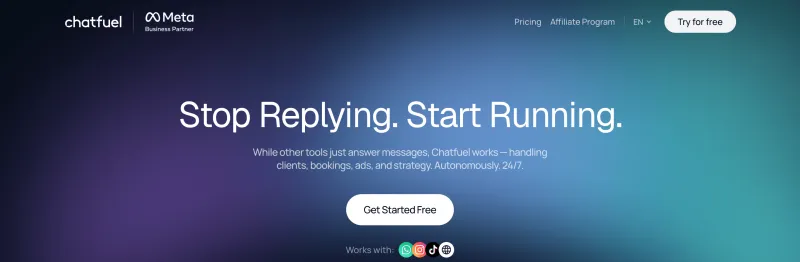
6. Chatfuel
Chatfuel is a no-code chatbot builder built mainly for Instagram, Facebook Messenger, and WhatsApp automation.
It’s best for businesses that want simple chatbot flows for lead generation, FAQs, bookings, promotions, and basic customer conversations.
Chatfuel is not built for very complex AI workflows.
But if your business needs a quick and easy way to automate common chat replies, collect leads, and handle simple campaigns, it can be a practical option.
Key Features
- No-code chatbot builder.
- Supports Instagram, Facebook Messenger, and WhatsApp.
- Templates for FAQs, lead capture, bookings, and promotions.
- Automated replies for common customer questions.
- Basic customer segmentation.
- Simple campaign and broadcast automation.
- Useful for social media-driven conversations.
Pros
- Easy to use.
- Simple no-code setup.
- Good for basic lead capture and FAQ automation.
- Useful for Instagram, Facebook, and WhatsApp chat flows.
- Affordable starting price.
- Templates help businesses launch faster.
Cons
- Limited AI capabilities.
- Limited integrations compared to larger platforms.
- Not ideal for complex automation or advanced routing.
- Minimal analytics and reporting.
- Customer support feedback is mixed.
- Channel pricing is separate.
Free Trial Option
Not clearly disclosed in the provided details.
Pricing
Instagram | WhatsApp | Facebook |
| $23.99/mo | $39/mo | $23.99/mo |
*Pricing may vary based on channel, usage, and selected features.
G2 Rating
4.4 out of 5
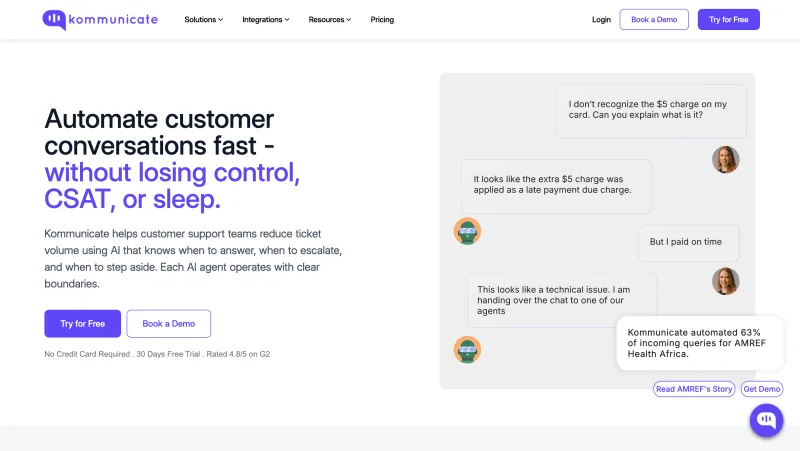
7. Kommunicate
Kommunicate is a customer support platform that combines AI chatbots, live chat, and human handoff in one place.
It’s best for businesses that want generative AI chat agents for customer support, FAQ automation, lead handling, and smooth escalation to human agents.
Kommunicate AI agents can be trained using your website, FAQs, documents, and knowledge base. It also supports retrieval-augmented generation, so the AI can answer customer questions using your business content instead of giving generic replies.
Key Features
- AI agents powered by retrieval-augmented generation.
- Train AI using FAQs, docs, website content, and knowledge base.
- Model-agnostic setup with support for OpenAI GPT and Google Gemini.
- No-code chatbot builder.
- Customizable chatbot conversation flows.
- Live chat with human handoff.
- Web, Android, and iOS support.
- WhatsApp, Facebook, and Telegram integrations.
- Cloud-based SaaS deployment.
- Useful for customer support automation and lead handling.
Pros
- Strong fit for generative AI customer support.
- Smooth human handoff when the AI cannot resolve a query.
- Can answer from business-specific knowledge sources.
- Supports multiple AI models.
- No-code setup makes it easier for non-technical teams.
- Works across web, mobile apps, and messaging channels.
- Good option for businesses that want AI plus live agent support.
Cons
- More support-focused than marketing or sales-focused.
- Advanced usage may depend on plan limits and AI configuration.
- May need proper knowledge base setup for accurate answers.
- Not ideal if you only need simple social media chatbot flows.
Free Trial Option
Not clearly specified in the shared details.
Pricing
Starter | Professional | Enterprise |
| $40/mo | $200/mo | Custom |
G2 Rating
4.8 out of 5
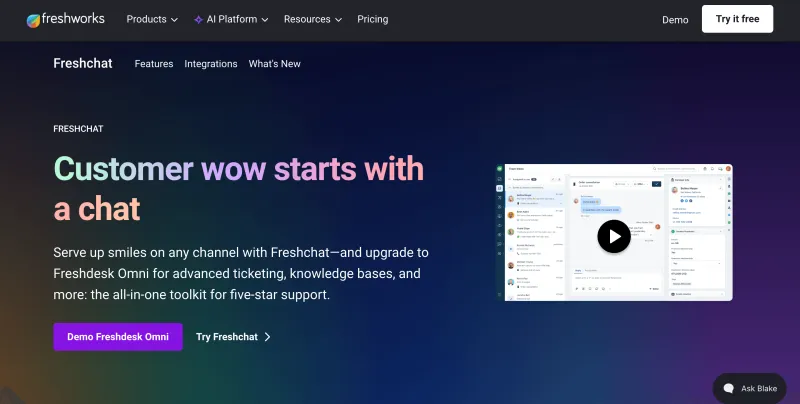
8. Freshchat
Freshchat is a customer messaging platform built mainly for support teams.
It’s best for businesses that want AI-assisted support, FAQ automation, ticket routing, agent collaboration, and customer conversations across channels like WhatsApp, Instagram, and web chat.
Freshchat is more support-focused than sales or marketing-focused.
Its AI features help answer common questions, route conversations to the right agents, reduce repetitive tickets, and keep support teams organized inside a structured workspace.
Key Features
- AI-powered FAQ automation for common customer questions.
- Conversation routing to the right support agents.
- Web chat, WhatsApp, and Instagram messaging support.
- Native Freshdesk integration for ticket management.
- Shared workspace for support team collaboration.
- Agent productivity tools.
- Automation for triage and repetitive support workflows.
- Reporting for support and conversation performance.
- Freshworks ecosystem integration.
Pros
- Strong fit for customer support teams.
- Native integration with Freshdesk.
- Useful for reducing repetitive support queries.
- Supports WhatsApp, Instagram, and web chat.
- AI-powered routing helps teams manage conversations faster.
- Can scale for mid-sized and larger support teams.
Cons
- More focused on support than sales or full lifecycle automation.
- Initial setup may feel complex for smaller teams.
- Chat flow customization can feel limited.
- Advanced AI and automation may require higher-tier plans.
- Costs can increase with add-ons and extra features.
Free Trial Option
Yes, Freshchat usually offers a free trial.
Pricing
Growth | Pro | Enterprise |
| Custom / entry plan | $49/agent/mo | Custom / higher-tier plan |
G2 Rating
4.4 out of 5
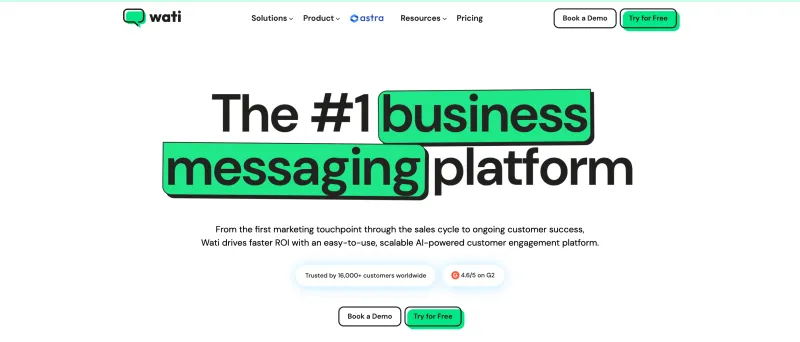
9. WATI
WATI is a messaging automation platform built mainly around WhatsApp and Meta messaging channels.
It’s best for businesses that use WhatsApp as their main channel for sales, support, broadcasts, notifications, and customer engagement.
WATI helps teams manage WhatsApp conversations, automate message templates, run broadcasts, and coordinate inbound and outbound communication across WhatsApp, Instagram, and Facebook.
Key Features
- WhatsApp shared team inbox.
- Broadcast and notification automation.
- WhatsApp message template management.
- Basic chatbot and automation flows.
- Instagram and Facebook messaging support.
- Sales and support conversation management.
- Team collaboration for inbound chats.
- Customer tagging and segmentation.
- Reporting for campaigns and conversations.
Pros
- Strong WhatsApp-first platform.
- Simple onboarding experience.
- Useful for broadcasts and customer notifications.
- Good for small and growing teams using WhatsApp heavily.
- Supports WhatsApp, Instagram, and Facebook.
- Wide template messaging options.
Cons
- Limited omnichannel depth beyond Meta platforms.
- AI functionality is still developing compared to advanced AI chat agents.
- Additional markup may apply to WhatsApp API costs.
- May feel limited for businesses needing deeper CRM, support, or lifecycle automation.
Free Trial Option
Yes, WATI offers a free trial.
Pricing
Single User Plan | Growth | Pro | Business |
| ₹999 one-time fee | ₹2699/month | ₹6499/month | ₹18499/month |
*WhatsApp messaging markup fees applied.
*The Pro plan includes 5 users, with additional users charged separately.
G2 Rating
4.6 out of 5
10. Respond.io
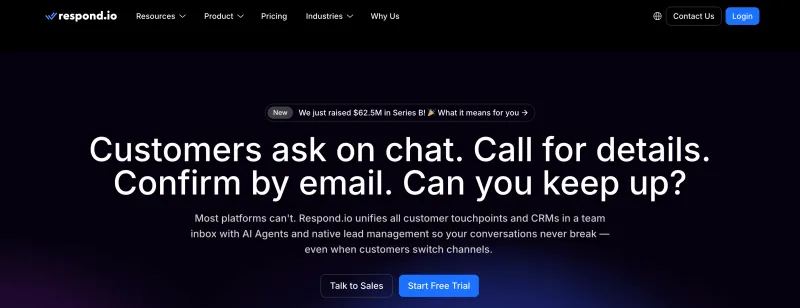
Respond.io is an AI chat agent platform built for high-volume customer conversations across messaging and voice channels.
It’s best for mid-size and enterprise businesses that want to manage WhatsApp, Instagram, TikTok, Messenger, SMS, email, web chat, and calls from one unified inbox.
For businesses handling many inbound conversations, Respond.io helps automate lead qualification, route chats to the right team, update CRM data, and manage customer lifecycle stages from one place.
Key Features
- AI Agents to understand intent, qualify leads, and answer customer questions.
- Unified inbox for WhatsApp, Instagram, TikTok, Messenger, SMS, email, web chat, and calls.
- Automated routing based on intent, channel, team, or customer stage.
- Lifecycle tracking to monitor customers across the journey.
- Workflow builder for sales and support automation.
- CRM integrations with Salesforce, HubSpot, Google Sheets, and more.
- Reporting and analytics for team and conversation performance.
- Support for high-volume global messaging operations.
Pros
- Strong fit for high-volume sales and support teams.
- Advanced AI Agents for qualification, routing, and workflow automation.
- Covers both messaging channels and voice calls.
- Good omnichannel inbox for centralized customer conversations.
- Strong CRM and workflow integrations.
- Useful for lifecycle tracking and operational reporting.
- Built for larger teams with complex communication needs.
Cons
- May feel too advanced for small teams with simple chat needs.
- Higher pricing compared to basic chatbot tools.
- Advanced setup may require onboarding and configuration support.
- Not ideal if you only need a lightweight WhatsApp chatbot.
Free Trial Option
Yes, Respond.io offers a free trial.
Pricing
Starter | Growth | Advanced | Enterprise |
| $79/mo | $159/mo | $279/mo | Custom |
G2 Rating
4.8 out of 5
Note: The Pricing and G2 ratings of these software providers may change over time. For the most accurate and up-to-date information, please visit their official websites.How to Choose the Best AI Chat Agent for Your Business
The best AI chat agent is not always the one with the most features.
It is the one that fits how your business actually works.
A support team needs a different AI agent.
A sales team needs a different AI agent.
An ecommerce brand needs a different AI agent.
A marketing team running DM campaigns needs something else.
A sales team needs a different AI agent.
An ecommerce brand needs a different AI agent.
A marketing team running DM campaigns needs something else.
So before choosing a platform, check these points:
1. Can it understand intent?
The AI should know whether the user wants pricing, support, refund help, product advice, demo booking, or order updates.
The AI should know whether the user wants pricing, support, refund help, product advice, demo booking, or order updates.
2. Can it take action, not just reply?
A good AI chat agent should tag users, route chats, update CRM records, trigger workflows, and move conversations forward.
A good AI chat agent should tag users, route chats, update CRM records, trigger workflows, and move conversations forward.
3. Can it learn from your business knowledge?
It should be able to use your website, FAQs, help center, product docs, and internal content to answer accurately.
It should be able to use your website, FAQs, help center, product docs, and internal content to answer accurately.
4. Does it support your main channels?
Check whether it works on WhatsApp, Instagram, Messenger, website chat, SMS, email, or any other channel your customers use.
Check whether it works on WhatsApp, Instagram, Messenger, website chat, SMS, email, or any other channel your customers use.
5. Can it hand off to humans smoothly?
When the query is complex, the AI should transfer the chat to the right agent with full context.
When the query is complex, the AI should transfer the chat to the right agent with full context.
6. Does it integrate with your CRM and tools?
Your chat agent should connect with tools like HubSpot, Salesforce, Shopify, Zapier, or your internal systems.
Your chat agent should connect with tools like HubSpot, Salesforce, Shopify, Zapier, or your internal systems.
7. Can you track performance?
You should be able to see response time, automation rate, lead quality, resolved chats, campaign performance, and conversion outcomes.
You should be able to see response time, automation rate, lead quality, resolved chats, campaign performance, and conversion outcomes.
In simple words, do not choose an AI chat agent only because it sounds advanced.
Choose the one that matches your use case, your team workflow, your customer channels, and your growth stage.
Next, let’s understand what can go wrong if you choose the wrong type of AI chat agent.
What Can Go Wrong If You Choose The Wrong AI Chat Agent?
The wrong AI chat agent may look fine in the beginning.
But once message volume grows, the gaps start showing.
Leads get missed.
Chats go to the wrong team.
CRM data stays incomplete.
Customers repeat themselves.
And reporting becomes messy.
Chats go to the wrong team.
CRM data stays incomplete.
Customers repeat themselves.
And reporting becomes messy.
Here are the common mistakes businesses make:
1. Using marketing bots for sales operations
Marketing bots are good for campaigns, giveaways, and simple lead flows.
Marketing bots are good for campaigns, giveaways, and simple lead flows.
But they may break when your sales team needs routing, lead stages, ownership, CRM updates, and proper follow-ups.
2. Using WhatsApp-only tools for omnichannel growth
If your leads come from WhatsApp, Instagram, website chat, ads, and email, a WhatsApp-only inbox may not be enough.
If your leads come from WhatsApp, Instagram, website chat, ads, and email, a WhatsApp-only inbox may not be enough.
You need one place to manage customer history across channels.
3. Using AI chatbots that only answer questions
Some AI chatbots can reply well, but they cannot take action.
Some AI chatbots can reply well, but they cannot take action.
They cannot tag users, update CRM fields, assign chats, trigger workflows, or move leads to the next stage.
That becomes a problem when your business needs automation, not just answers.
4. Using support-first tools for revenue workflows
Support tools are great for tickets and FAQs.
Support tools are great for tickets and FAQs.
But they may not be strong enough for lead capture, sales qualification, broadcasts, retargeting, and revenue-driven journeys.
In simple words, the wrong AI chat agent does not just slow your team down.
It can create missed leads, poor handoffs, weak reporting, and broken customer journeys.
Next, let’s look at which AI chat agent type fits different business use cases.
AI Chat Agent Recommendations for Your Use Case
Choosing the right AI chat agent becomes easier when you match the tool with the job you actually want it to do.
Here’s a simple way to decide:
- Choose YCloud if you want a WhatsApp-first AI chat agent with WhatsApp API, lead capture, support automation, broadcasts, shared inbox, website chat widget, analytics, and integrations in one platform.
- Choose Twilio if you have a strong developer team and want to build custom AI chat agents, messaging workflows, WhatsApp automation, voice AI, and contact center experiences using APIs.
- Choose Intercom if you are a SaaS or digital-first business that needs AI-powered customer support, helpdesk automation, knowledge base answers, conversation summaries, and human agent assistance.
- Choose ManyChat if your business runs social media campaigns and needs simple automation for Instagram DMs, Messenger, WhatsApp, giveaways, promotions, and comment-to-DM flows.
- Choose Zendesk if you operate in LATAM and need a regional customer communication platform for messaging, voice, basic AI chatbot support, and daily service workflows.
- Choose Chatfuel if you want a simple no-code chatbot for Instagram, Facebook Messenger, and WhatsApp to handle FAQs, lead capture, bookings, and basic promotions.
- Choose Kommunicate if your priority is generative AI support with knowledge-base answers, live chat, and smooth human handoff across web, mobile, WhatsApp, Facebook, and Telegram.
- Choose Freshchat if your support team already uses the Freshworks ecosystem and needs AI-assisted FAQ automation, ticket routing, Freshdesk integration, and agent collaboration.
- Choose WATI if your business depends heavily on WhatsApp for sales, support, broadcasts, notifications, and basic automation across Meta messaging channels.
- Choose Respond.io if you need an advanced omnichannel AI chat agent platform for high-volume conversations across WhatsApp, Instagram, TikTok, Messenger, SMS, email, web chat, and calls.
In simple words, do not choose the “best” AI chat agent in general.
Choose the one that fits your channel, team size, workflow, automation depth, and customer conversation volume.
Next, let’s see how businesses can increase sales with YCloud AI chat agents.
How Businesses Increase Sales with YCloud AI Chat Agents
Sales conversations move fast.
If your team replies late, misses context, or fails to follow up, the customer may move to another brand.
YCloud AI Chat Agents help businesses avoid that.
They keep WhatsApp conversations active, useful, and sales-ready without depending on human agents for every reply.
Here’s how YCloud helps increase sales:
1. Capture leads instantly
YCloud AI Agent can respond the moment a customer starts a WhatsApp conversation from your website, ad, QR code, or campaign.
YCloud AI Agent can respond the moment a customer starts a WhatsApp conversation from your website, ad, QR code, or campaign.
2. Qualify buyers automatically
It can ask the right questions, understand intent, collect details, and identify whether the user is a serious buyer or just browsing.
It can ask the right questions, understand intent, collect details, and identify whether the user is a serious buyer or just browsing.
3. Recommend the right products or services
Based on customer needs, the AI Agent can suggest relevant products, plans, offers, or next steps.
Based on customer needs, the AI Agent can suggest relevant products, plans, offers, or next steps.
4. Reduce drop-offs with faster replies
Customers do not have to wait for a human agent for every basic question. Faster answers help keep the conversation moving.
Customers do not have to wait for a human agent for every basic question. Faster answers help keep the conversation moving.
5. Hand over high-intent leads to sales teams
When a lead is ready to buy, the AI Agent can pass the conversation to a human agent with context.
When a lead is ready to buy, the AI Agent can pass the conversation to a human agent with context.
6. Nurture leads with broadcasts and journeys
Businesses can use broadcasts, segmentation, and Journey Builder to follow up with leads, share offers, send reminders, and re-engage inactive prospects.
Businesses can use broadcasts, segmentation, and Journey Builder to follow up with leads, share offers, send reminders, and re-engage inactive prospects.
7. Track what is working
With analytics, teams can monitor campaign performance, message delivery, replies, and customer engagement.
With analytics, teams can monitor campaign performance, message delivery, replies, and customer engagement.
In simple words, YCloud helps businesses turn WhatsApp from a chat channel into a sales channel.
It captures leads faster, qualifies them better, supports human teams, and keeps customer conversations moving toward conversion.
Next, let’s see how to get started with YCloud.
How to Get YCloud?
Kindly click on the banner below to book a FREE DEMO and learn more about our product offering, features and pricing plans.
Built with AI at its core, YCloud is the ultimate WhatsApp marketing and automation solution, giving you everything you need in one powerful platform.
Now market, sell, support, and scale your business by 10X with YCloud!
Ready to try? Explore How to Get YCloud for FREE next!
How to Get YCloud for FREE?
It's Simple!
Subscribe to our FREE plan and get a free lifetime experience of YCloud with unlimited messaging API.
Book a FREE Demo and see how YCloud can power up your WhatsApp strategy!
🚀 Try YCloud today and experience how effortless WhatsApp automation can be when you have the right partner.
Wrapping Up!
AI chat agents are no longer just support tools.
They now help businesses answer faster, qualify leads, automate workflows, reduce manual work, and manage customer conversations across channels.
But the right tool depends on what your business needs most.
Support automation.
Lead generation.
WhatsApp sales.
Social messaging.
Omnichannel workflows.
Lead generation.
WhatsApp sales.
Social messaging.
Omnichannel workflows.
If your business wants a WhatsApp-first AI chat agent with automation, shared inbox, broadcasts, growth tools, analytics, and integrations in one platform, YCloud is a strong choice to start with.
It helps you move faster, manage conversations better, and turn WhatsApp into a real business growth channel.
Frequently Asked Questions
How are AI chat agents different from AI chatbots?
AI chatbots usually answer questions or follow predefined flows.
AI chat agents go further. They can understand context, take action, qualify leads, route chats, and support real business workflows.
Which AI chat agent is best for WhatsApp automation?
YCloud is a strong option for WhatsApp automation because it offers WhatsApp AI agents, shared inbox, broadcasts, growth tools, analytics, integrations, and WhatsApp API access in one platform.
Can AI chat agents help with lead generation?
Yes. AI chat agents can capture leads, ask qualification questions, understand buying intent, collect contact details, route high-intent leads, and automate follow-ups.
Can AI chat agents replace human agents?
Not completely.
AI chat agents can handle repetitive questions, basic support, lead qualification, and routine workflows. But human agents are still important for complex queries, sensitive cases, and high-value sales conversations.
What should I look for in an AI chat agent?
Look for intent understanding, CRM integration, human handoff, automation workflows, analytics, omnichannel support, knowledge training, scalability, and ease of setup.
Are AI chat agents useful for customer support?
Yes. AI chat agents can answer FAQs, reduce ticket volume, route issues, summarize conversations, and help support teams respond faster.
Are AI chat agents useful for sales teams?
Yes. Sales teams can use AI chat agents to qualify leads, recommend products, book demos, send follow-ups, and hand over serious buyers to human agents.
Do AI chat agents work across multiple channels?
Yes. Many AI chat agents support channels like WhatsApp, Instagram, Messenger, website chat, SMS, email, and voice. The supported channels depend on the platform you choose.
Do I need coding to use AI chat agents?
Not always.
Some platforms are developer-first and need technical setup, like Twilio. Others, like YCloud, offer no-code AI agent setup for businesses that want to launch faster.

Make your business communications much easier!


Trusted by




