

How to Send Broadcast Message on WhatsApp Without Getting Blocked

TL;DR
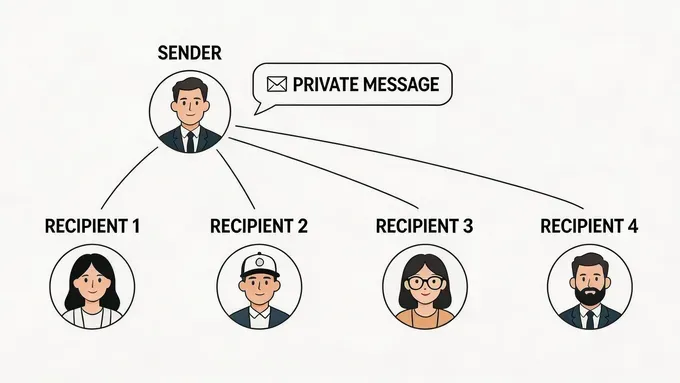
📣 WhatsApp broadcast messages are one-to-many messages sent as individual chats. Recipients don’t see each other, and replies stay private.
🔒 Messages are delivered only if the recipient has saved your number, which helps WhatsApp prevent spam.
📱 You can create a broadcast from Chats → New Broadcast. In WhatsApp Business, labels can help segment contacts before sending messages.
🧪 Keep broadcasts short and targeted. Avoid mass blasting, segment contacts properly, and always test the message before sending.
🧩 Leverage YCloud WhatsApp API to send broadcast to unlimited saved and unsaved contacts with realtime analytics.
What is a WhatsApp Broadcast Message?
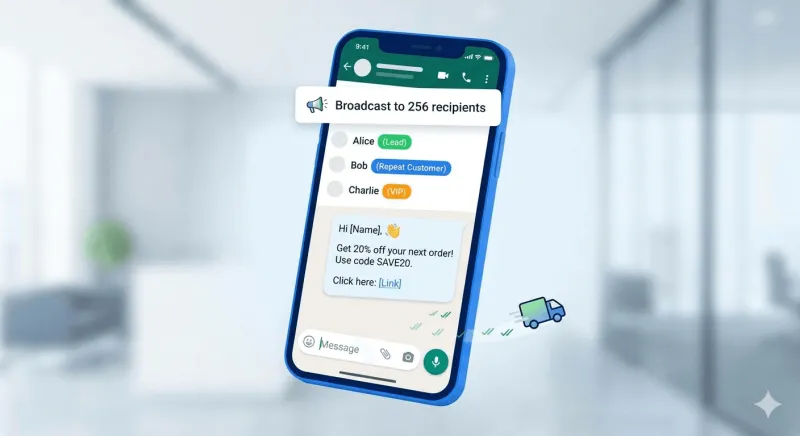
⚠️ Important: Broadcast messages are delivered only if the recipient has saved your number in their phone. This rule helps WhatsApp reduce spam.Why Use WhatsApp Broadcast Messages?
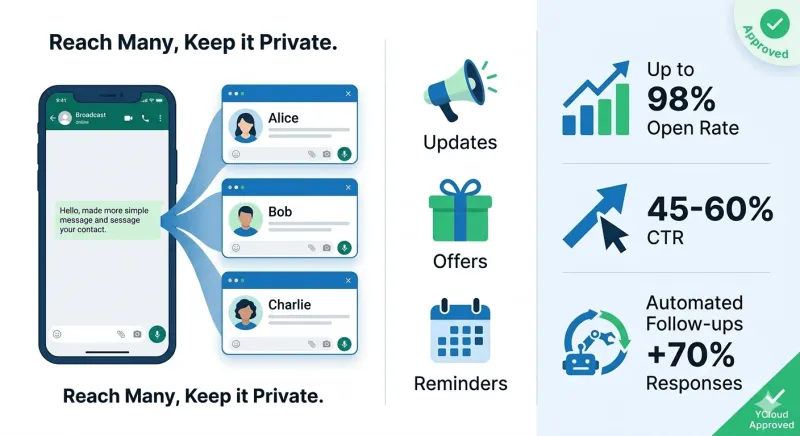
WhatsApp broadcast messages help businesses reach many customers at once while keeping conversations private.
They’re commonly used for updates, offers, reminders, and follow-ups, without creating noisy group chats.
What makes them powerful for businesses:
- 📈 Up to 98% message open rate, far higher than email or SMS
- ⚡ 45–60% click-through rates for campaigns
- 🔁 Automated follow-ups can increase responses by 70%+
This makes WhatsApp broadcast messaging one of the most effective channels for sales, marketing, and customer engagement.
Next, let’s understand whether bulk WhatsApp messaging is actually legal.
Is Bulk WhatsApp Messaging Legal?
Yes! Bulk WhatsApp messaging is legal when done through the WhatsApp Business API and only to users who have given consent (opt-in).
It becomes risky when businesses:
- Use browser extensions, bots, or modified WhatsApp tools
- Message people who never opted in
- Send mass messages from personal or regular WhatsApp Business App numbers
WhatsApp doesn’t ban businesses for sending messages at scale.
It bans them for bypassing consent and using unofficial tools.
Next, let’s look at the requirements for sending a WhatsApp broadcast message.
Broadcast List Requirements
To send a broadcast message on WhatsApp, a few conditions must be met:
- Recipients must save your number in their phone to receive the message.
- You can create multiple broadcast lists.
- Each broadcast list can include up to 256 contacts.
Note:
- Broadcast lists aren't supported on Windows, Mac, or Web.
- People in some countries might see a monthly broadcast limit. This feature is rolling out gradually and might not be available everywhere.
Next, let’s see how to send a broadcast message on WhatsApp using Android and iPhone.
How to Send Broadcast Message on WhatsApp (Android)
Step 1: Open WhatsApp
Step 2: Tap the three-dot menu (top right)
Step 3: Select New broadcast
Step 4: Choose contacts you want to message
Step 5: Tap the ✔ tick to create the broadcast list
Step 6: Type your message and send
The message is delivered as individual private chats to each recipient.
Tip: Keep your lists organized (for example: New Leads, Repeat Customers, VIP Buyers) so future broadcasts are easier to manage.
How to Send Broadcast Message on WhatsApp (iPhone)
Step 1: Open WhatsApp
Step 2: Tap Lists at the top of the Chats screen
Step 3: Tap New List
Step 4: Select recipients
Step 5: Tap Create
Step 6: Write your message and send
Just like Android, the message appears as a direct message to each contact.
The WhatsApp Business app provides better Useful features, such as:
- Labels – segment contacts (New Lead, Customer, Support, etc.)
- Quick Replies – reuse common responses faster
- Catalog – share products directly in chat
These features help businesses keep broadcasts structured and targeted.
Next, let’s look at how to edit and delete broadcasts list.
Editing or Deleting a Broadcast List
You can update or remove a broadcast list anytime.
To edit a broadcast list:
Step 1: Open the broadcast list from your chats
Step 2: Tap the list name → Broadcast list info
Step 3: From here you can rename the list or add/remove contacts
To delete a broadcast list:
Step 1: Long-press the broadcast list in chats
Step 2: Tap the trash icon / Delete
Deleting the list only removes the broadcast list itself, not the chats with those contacts.
Next, let’s understand the limitations of WhatsApp broadcast messages.
Limitations of WhatsApp Broadcast Messaging
While WhatsApp broadcast is easy to use, it has several limitations:
- 🚫 256 contacts per broadcast list
- 📇 Messages are delivered only if contacts have saved your number
- 📊 No campaign analytics (no open, click, or response tracking)
- 🤖 No automation or chatbot workflows
- 🔄 Everything must be sent manually
- 👥 Limited team usage, not ideal for collaboration
These limitations make the WhatsApp Business app suitable for small outreach, but difficult to scale for larger campaigns.
Next, let’s see how businesses overcome these limitations.
How to Overcome These Limitations
If you want to send broadcast messages to more than 256 contacts without getting blocked, need smart automation, analytics, a team inbox, and much more then the WhatsApp Business API is the right solution.
This is where YCloud comes in. As a Meta-approved WhatsApp API provider, YCloud helps businesses move beyond the limitations of the WhatsApp Business App.
With YCloud, you can:
- Send bulk messages to UNLIMTED saved and unsaved contacts at once
- Use pre-approved message templates
- Schedule broadcasts and build drip flows
- Track delivery, opens, and replies
- Automate and handoff queries to your sales or support teams
- Retarget users based on their past interactions
In short, it turns WhatsApp into a proper broadcast and marketing channel, not just a manual messaging tool.
Watch this video to see YCloud in action
WhatsApp Business App vs WhatsApp Business API
Feature Comparison Table
| Feature | WhatsApp Business App | WhatsApp Business API |
|---|---|---|
| Bulk messaging scale | Limited to 256 contacts per broadcast list | Thousands of messages per day (tier-based) |
| Contact requirement | Contacts must save your number | No need to save contacts (opt-in required) |
| Message templates | ❌ Manual messages only | ✅ Pre-approved, reusable templates |
| Automation | ❌ Very limited | ✅ Full automation with workflows & chatbots |
| Scheduling | ❌ Not supported | ✅ Supported |
| Team inbox | ❌ Single-device use | ✅ Multi-agent shared inbox |
| Analytics | ❌ Basic read receipts | ✅ Detailed delivery, read, reply & conversion tracking |
| Personalization | ❌ Minimal | ✅ Dynamic variables (name, order, location, etc.) |
| Retargeting | ❌ Not possible | ✅ Behavior-based follow-ups |
| Risk of getting banned | ⚠️ High if volume increases | ✅ Very low when compliant |
| Best suited for | Micro & local businesses | SMBs, Enterprises, D2C, B2B sales teams |
Common Mistakes to Avoid When Sending Bulk WhatsApp Messages
Even if you know how to send broadcast message on WhatsApp, poor practices can still lead to blocks, restrictions, or low engagement. Here are the most common mistakes businesses make.
Messaging people without consent
Sending messages to users who never opted in often leads to blocks or spam reports.
✔ Build opt-ins through forms, checkout pages, QR codes, or Click-to-WhatsApp ads.
Sending generic copy-paste messages
Spammy messages reduce engagement quickly.
✔ Personalize messages using name, purchase history, or context.
Ignoring replies
WhatsApp is a two-way communication channel.
✔ Respond quickly using a shared inbox or automation tools.
Using unofficial bulk sender tools
Browser extensions, bots, or modified apps often result in account bans.
✔ Use the official WhatsApp Business API through verified providers like YCloud.
Sending too many messages
Frequent campaigns can cause users to mute, block, or report your number.
✔ Limit campaigns and focus on relevant, targeted messages.
Not giving users an opt-out
If users cannot unsubscribe, they are more likely to block your number.
✔ Add a simple option like “Reply STOP to unsubscribe.”
Not segmenting your audience
Sending the same message to everyone lowers conversions.
✔ Segment users based on new leads, repeat buyers, or inactive customers.
Avoiding these mistakes helps keep your WhatsApp broadcast campaigns compliant, effective, and trusted.
Next, let’s look at some quick tips for sending more effective broadcast messages.
Quick Tips for Effective Broadcast Messaging
Keep it short and specific
Use one clear call-to-action
Segment your audience
Send at the right time and test first
How to Get YCloud?
Kindly click on the Below Banner to book a FREE DEMO and learn more about our product offering, features and pricing plans.
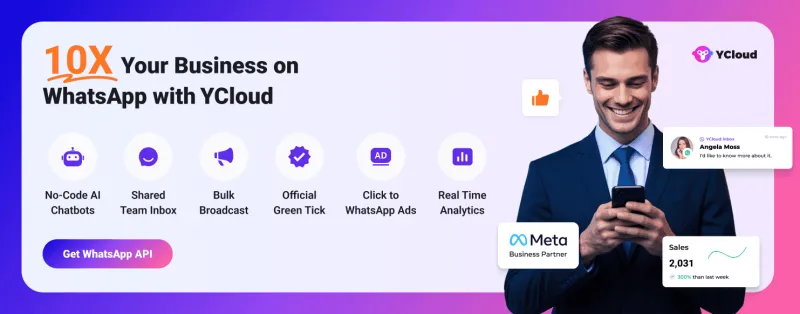
Built with AI at its core, YCloud is the ultimate WhatsApp marketing and automation solution, giving you everything you need in one powerful platform.
Now market, sell, support, and scale your business by 10X with YCloud!
Ready to try? Explore How to Get YCloud for FREE next!
How to Get YCloud for FREE?
It's Simple!
Subscribe to our FREE plan and get a free lifetime experience of YCloud with unlimited messaging API.
Book a FREE Demo and see how YCloud can power up your WhatsApp strategy!
Conclusion
WhatsApp broadcast is powerful but only when done right.
If you want to move beyond 256-contact limits, manual sending, and zero analytics, it’s time to use the WhatsApp Business API.
With YCloud, you can send compliant broadcasts, automate campaigns, and reach thousands of customers at once.
Start scaling your WhatsApp broadcasts with YCloud today!
Frequently Asked Questions
Why are some broadcast messages not delivered?
Broadcast messages may fail if the contact is inactive, has not opted in, or there is an issue with the recipient number.
Do I have to pay for failed broadcast messages?
No. If the message is not delivered, you are not charged. But repeated failures usually mean the contact list needs cleanup.
What is the maximum number of broadcast messages I can send with YCloud?
With the official WhatsApp Business API, businesses can send up to 1,000 messages per day by default. This limit can increase as your sending history and quality improve.
Can you send broadcast messages on WhatsApp without saving numbers?
No. In the WhatsApp or WhatsApp Business app, broadcast messages are delivered only to contacts who have saved your number. To message unsaved numbers, businesses use the WhatsApp Business API.
What is the difference between WhatsApp broadcast and group messages?
In a broadcast, each recipient receives the message as a private chat, and they cannot see other recipients. In a group, all members can see each other and messages are visible to everyone.
How many contacts can I add to a WhatsApp broadcast list?
WhatsApp allows up to 256 contacts per broadcast list in the WhatsApp and WhatsApp Business apps.
Can I schedule broadcast messages on WhatsApp?
The WhatsApp app does not support scheduling. To schedule broadcasts, businesses typically use the WhatsApp Business API with platforms like YCloud.
Can WhatsApp broadcast messages include images, videos, or PDFs?
Yes. Broadcast messages can include text, images, videos, documents, and links, making them useful for promotions, updates, and announcements.
Is WhatsApp broadcast the same as WhatsApp bulk messaging?
Not exactly. Broadcast messaging is the native WhatsApp feature limited to 256 contacts, while bulk messaging via the WhatsApp Business API allows businesses to send messages to much larger audiences.
Related Articles

Make your business communications much easier!


Trusted by




