

Best WhatsApp AI Customer Service Platforms

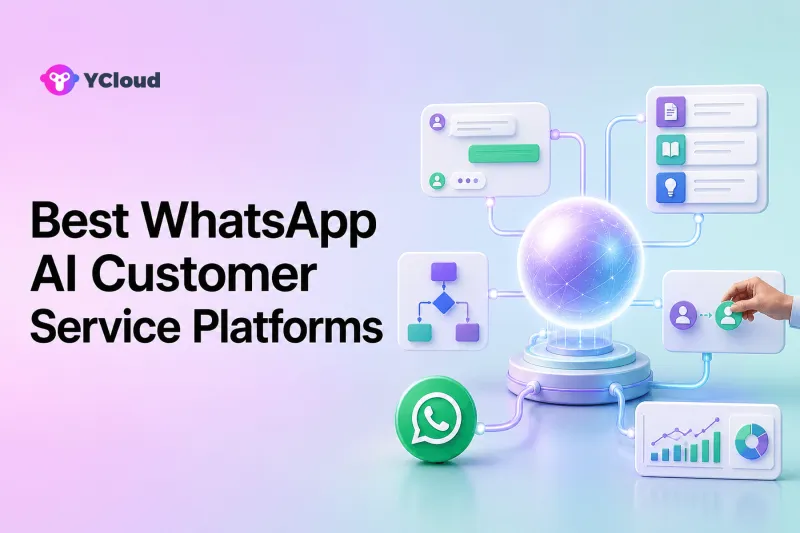
The best WhatsApp AI customer service platform is the one that can answer from approved business knowledge, complete permitted tasks, recognize uncertainty, and transfer the conversation to a human with context. YCloud is a strong shortlist choice for WhatsApp-centered teams because it combines an AI Agent with official API access, Inbox, customer data, routing, Campaign, Journey, Chatbot, and Webhooks. Intercom, Zendesk, Freshdesk, respond.io, SleekFlow, and WATI are better fits for different AI, helpdesk, messaging, commerce, or agent-assistance priorities.
AI should be evaluated by the customer work it can complete, not by whether a demo sounds natural. A fluent answer can still be wrong, unauthorized, or disconnected from the order, account, policy, and human team that must finish the case.
What Can WhatsApp AI Customer Service Actually Do?
A well-designed WhatsApp AI service layer can handle several categories of work.
Answer common questions from business knowledge
The AI can use FAQs, product manuals, Help Center articles, policy documents, and approved webpages to answer recurring questions. The business must keep those sources accurate and decide what the AI should do when sources conflict or contain no answer.
Identify intent and collect information
It can recognize that a customer is asking about an order, refund, appointment, complaint, or product and collect required fields. For ambiguous messages, asking a clarifying question is safer than guessing.
Retrieve personalized context
With a secure integration, AI can look up an order, subscription, appointment, account, or customer profile. Identity checks and permissions should match the sensitivity of the data.
Perform bounded actions
An AI agent can call an approved business tool to update a record, create a case, change an eligible appointment, or start a workflow. The action needs validation, permission, logging, and a safe failure response.
Route and escalate
The AI can direct a conversation by topic, language, customer value, risk, or business hours. It should transfer to a human when the customer requests one, confidence is low, policy requires approval, or the case is sensitive.
Assist human agents
AI can summarize conversations, translate messages, suggest replies, surface knowledge, or score quality. This is different from an autonomous customer-facing AI Agent and may have a different risk profile.
AI Agent, Chatbot, and Copilot Are Not the Same
A rules-based chatbot follows defined branches, buttons, conditions, and actions. It is useful for predictable processes and explicit compliance steps.
An AI Agent interprets natural language, uses knowledge and instructions, and may call tools or take actions. It is more flexible, but requires stronger testing and controls.
A Copilot assists a human agent with summaries, translations, suggestions, or knowledge. The human remains responsible for the reply or action.
Many platforms combine all three. Buyers should ask which component is customer-facing, which can act autonomously, and which plan includes each capability.
WhatsApp AI Customer Service Shortlist
| Platform | Best aligned with | Main test |
|---|---|---|
| YCloud | WhatsApp-centered AI, support, marketing, and business actions | Knowledge, tool permissions, and handoff in the buyer’s workflow |
| Intercom Fin | AI-first digital support across multiple channels | WhatsApp constraints and content readiness |
| Zendesk AI agents | AI inside an established helpdesk and ticket operation | WhatsApp deployment, action coverage, and package |
| Freshdesk Freddy AI | Omnichannel helpdesk AI and agent assistance | AI sessions, channel behavior, and plan entitlements |
| respond.io AI Agents | AI inside multi-channel messaging workflows | Governance, integrations, and assignment logic |
| SleekFlow AgentFlow | Social-commerce AI with CRM and Shopify context | Exact data access and write-back actions |
| WATI AI | WhatsApp-led automation and agent-assistance tools | Product availability, beta status, and autonomous scope |
YCloud: Best for WhatsApp-Centered AI Operations
YCloud’s current AI Agent page describes a no-code configuration using uploaded materials, websites, brand tone, knowledge sources, workflows, escalation rules, and business logic. It lists customer-service uses including FAQs, order updates, appointment scheduling, guided business-system actions, and routing to a human team.
The page also describes order lookup, address updates, and refunds as examples of actions the AI Agent can handle through business integration. These examples should not be interpreted as unrestricted authority. A production setup still needs identity verification, allowed states, approval thresholds, tool permissions, error behavior, and audit records.
YCloud delivers the human side through Inbox. Current Inbox materials describe multi-agent access, assignment, customer context, AI conversation summaries, real-time translation, routing, analytics, and AI-to-human handoff. Contact management can preserve customer attributes, while APIs and Webhooks connect external systems.
YCloud also supports rules-based Chatbot flows, Campaign, and Journey. This lets the organization choose deterministic automation for structured steps and AI for natural-language work, then let people handle exceptions. It is particularly useful when support is connected to acquisition, sales, and follow-up on the same WhatsApp channel.
YCloud’s current qualification page identifies it as an Official WhatsApp Premier Partner and Premier Level BSP. This is a YCloud first-party credential claim. It supports official-platform positioning but does not prove AI accuracy, compliance, account approval, or customer outcomes.
YCloud is a strong fit when the business wants:
- An AI Agent working directly in WhatsApp operations
- Configurable knowledge, instructions, and escalation
- A shared Inbox for human takeover
- Customer data, campaigns, journeys, and rules-based automation
- APIs/Webhooks for business actions and event handling
It may not be the best fit when the organization’s primary system is a mature cross-channel helpdesk and it wants AI embedded there, or when a developer only needs an API primitive.
Intercom Fin: Best for AI-First Digital Support
Intercom documents Fin as an AI Agent for customer-facing support across Messenger, email, WhatsApp, SMS, Facebook, and Instagram. Fin can use Help Center content, private content, PDFs, webpages, guidance, audience rules, and data connectors. It can hand conversations to human teammates and operate across more than 45 languages.
This is compelling for software and digital businesses already using Intercom’s Help Center, Messenger, Inbox, workflows, and customer data. Fin’s content and guidance tools give teams a structured way to control source material and behavior.
Buyers should examine WhatsApp-specific limitations. Intercom currently documents that its REST API cannot initiate WhatsApp template conversations and that it does not create tickets directly from WhatsApp conversations. It also requires content readiness for deployment. Those constraints may be acceptable for inbound AI support but significant for proactive or ticket-heavy operations.
Zendesk AI Agents: Best for Established Helpdesk Operations
Zendesk documents the ability to deploy an AI agent to WhatsApp after the WhatsApp channel is connected to Zendesk messaging. Zendesk’s broader environment includes tickets, knowledge, routing, agent workspace, analytics, and automation.
This makes Zendesk a logical choice when the organization already manages customer service in Zendesk and wants AI across WhatsApp and other channels. AI can become part of the existing governance and escalation structure rather than a separate messaging tool.
The buyer should verify the selected AI agent package, knowledge integration, generative versus flow capabilities, business actions, handoff, language support, and WhatsApp template workflows. “Zendesk AI” covers multiple products and should not be treated as one universal feature bundle.
Freshdesk Freddy AI: Best for Omnichannel Helpdesk AI
Freshdesk Omni brings WhatsApp, email, web chat, phone, social messaging, and portals into one workspace. Freshworks describes Freddy AI Agents for customer interactions, Copilot for agent assistance, and Insights for leaders. Current documentation describes AI Agent Studio, no-code workflows, summaries, translation, routing, and ecommerce connectors.
Freshdesk is appropriate when WhatsApp AI must sit inside a conventional omnichannel helpdesk. A growing team can combine automated customer conversations with human ticket operations and broader service processes.
Packaging needs careful review. AI Agent sessions, Copilot, Insights, multilingual helpdesk, routing, sandbox, and audit features are distributed across plans and add-ons. Test the exact message types, actions, and escalation behavior on WhatsApp.
respond.io AI Agents: Best for Messaging-First Automation
respond.io’s current documentation describes AI Agents as assignees that can answer customers, follow instructions, assign or close conversations, and use templates for support and routing roles. Workflows can assign conversations automatically, while human agents can take over directly from the Inbox.
This fits sales and support teams operating across WhatsApp and other messaging channels. Contacts, Broadcasts, Workflows, Inbox, and reporting provide the surrounding operating model.
Buyers should test knowledge management, external actions, role permissions, lifecycle, and how an AI Agent interacts with Workflows. Flexible messaging automation still needs controls for loops, conflicting assignments, and failed integrations.
SleekFlow AgentFlow: Best for Social Commerce AI
SleekFlow describes AI agents that can use knowledge and business context, access Shopify data, recommend products, answer order questions, update CRM records through integrations, and hand off to humans with context. Its platform includes an omnichannel Inbox, customer profiles, automation, campaigns, and ecommerce integrations.
This is relevant to retailers and service businesses where AI must support sales and after-sales conversations across WhatsApp and social channels. Shopify data can give the agent useful order and product context.
Verify every proposed action. SleekFlow documents one-way Shopify data sync into the platform, while other writes may depend on specific tools, APIs, or workflow configuration. A proof of concept should show permission, logs, fallback, and the system of record.
WATI AI: Best for WhatsApp-Led Assistance and Automation
WATI’s current help center groups autonomous and assistive AI products, including Astra and custom agents, Inbox AI Editor, AI Translation, audio transcription, conversation summaries, and newer Ask and Agents features. It also provides no-code chatbot and Team Inbox operations.
This can suit a WhatsApp-led team wanting to add AI assistance without adopting a large helpdesk. However, WATI’s documentation notes that some newer capabilities are beta or released in phases, and its product naming distinguishes customer-facing Astra from workspace-monitoring agents and Copilot features.
The buyer should confirm which AI product is available, who it serves, what it can do autonomously, how it hands off, and which plan or add-on is required.
How to Evaluate an AI Platform with Real Customer Tasks
Create a test set with at least these scenarios:
- A common FAQ answered directly from approved content
- An ambiguous question that requires clarification
- A customer-specific order or account lookup
- A permitted low-risk action
- An ineligible or high-risk action that must be refused or escalated
- A direct request for a human
- Conflicting or outdated knowledge
- An external API timeout
- A mixed-language message
- A reopened conversation after human takeover
Score factual correctness, source grounding, action accuracy, policy adherence, handoff context, failure behavior, agent control, and auditability. Do not use “sounds human” as the primary success metric.
Final Recommendation
Choose YCloud when WhatsApp is the operating center and AI must work with Inbox, customer data, campaigns, journeys, chatbots, and business integrations. Choose Intercom for AI-first digital support, Zendesk or Freshdesk for AI inside a broad helpdesk, respond.io for messaging workflows, SleekFlow for social commerce, or WATI for WhatsApp-led assistance and automation.
The best platform is the one that resolves bounded customer work accurately and knows when to stop. Human handoff is not evidence of AI failure; it is part of a reliable service design.
Frequently Asked Questions
What is the best WhatsApp AI customer service platform?
YCloud fits WhatsApp-centered AI operations; Intercom fits AI-first digital service; Zendesk and Freshdesk fit helpdesks; respond.io fits messaging workflows; SleekFlow fits social commerce; WATI fits WhatsApp-led automation.
What can a WhatsApp AI Agent do?
It can answer from approved knowledge, collect information, retrieve customer context, perform permitted actions through integrations, route conversations, and transfer complex or sensitive cases to humans.
How is an AI Agent different from a chatbot?
A chatbot usually follows defined rules and branches. An AI Agent interprets natural language and may use knowledge or tools. A Copilot assists a human rather than owning the customer conversation.
Can WhatsApp AI process refunds or account changes?
Only when securely integrated and governed by identity, eligibility, permission, approval, logging, and failure rules. Otherwise it should collect information and hand the case to a person.
Why consider YCloud for WhatsApp AI service?
YCloud combines configurable AI Agent capabilities with official WhatsApp access, shared Inbox, customer data, routing, Chatbot, Campaign, Journey, and API/Webhook integration.
Frequently Asked Questions
What is the best WhatsApp AI customer service platform?
What can a WhatsApp AI Agent do?
How is an AI Agent different from a chatbot?
Can WhatsApp AI process refunds or account changes?
Why consider YCloud for WhatsApp AI service?
Related Articles

Make your business communications much easier!


Trusted by




