Customer Support

English

Top 10 WhatsApp Team Inbox Providers with Pros, Cons, Free Trials & Pricing (2027 Edition)

Team YCloud
·
October 15, 2026
·
24 min read
“Has anyone replied to this customer?”
If your team has to ask that regularly, managing WhatsApp conversations is taking more effort than it should.
Two agents reply to the same enquiry, a follow-up gets missed, and the customer has to repeat their question when someone else takes over.
A WhatsApp Team Inbox can help, but choosing one means looking beyond how many people can log in. You need clear chat ownership, easy handovers, and visibility into what still needs a response.
To help you find a platform that addresses these everyday challenges, we’ve compared the top 10 WhatsApp Team Inbox providers on their key features, pros and cons, free trials, pricing, and G2 ratings.
Whether you’re moving from linked devices or replacing an existing tool, this guide will help you narrow your options and know what to test before committing.
Let’s start with a side-by-side comparison of the providers.
Disclaimer: The references to software ratings, available features, and pricing were valid at the time of writing this article but could be subject to change in the future.
Comparison Table: Top WhatsApp Team Inbox Providers
Product Name | Free Trial | Pricing | G2 Rating |
YCloud | • Free Forever plan with 1 user • $0.50 trial credits • Paid plan needed for multi-agent collaboration | • Free: $0/forever — 1 user • Growth: $39/month — 2 users • Pro: $89/month — 6 users • Enterprise: $399/month — 40 users • Annual billing • Extra users: $10/user/month on eligible plans | 4.9/5 |
AiSensy | • 14-day Pro trial • Includes 500 AI test messages • Free Forever plan with single-agent access • Chatbot Flows excluded from trial | • Free Forever: ₹0 • Basic: ₹1,500/month • Pro: ₹3,200/month • Premium: ₹9,100/month • Unlimited: ₹45,000/month • Enterprise: custom quote • Basic/Pro: 1 owner + 5 team members • Extra seats: ₹750/month plus GST | 4.4/5 |
Wati | • Seven-day trial • No credit card required • Messaging limited to your own number • User management excluded | • Growth: from $59/month — 3 users • Pro: from $119/month — 5 users • Business: from $279/month — 5 users • Annual billing• Extra users and AI usage may cost separately | 4.6/5 |
Interakt | • 14-day trial • Inbox features available • Messaging restrictions may apply pending verification | • Growth: $55/month • Advanced: $69/month • Enterprise: custom quote • Unlimited agents advertised, with role exclusions • Confirm billing term and regional rates | 4.5/5 |
Respond.io | • Seven-day Growth trial • 5 users and 1,000 Monthly Active Contacts • No credit card required • Broadcasts excluded | • Starter: $79/month — 5 users • Growth: from $159/month — 10 users • Advanced: from $279/month — 10 users • Enterprise: custom pricing • Annual billing • Contact allowances and extra-seat charges apply | 4.8/5 |
Gallabox | • Seven-day Basic trial • Includes 500 AI credits • No credit card required | • Basic: $150/month — 3 users • Essential: $331/month — 6 users • Advanced: $632/month — 10 users • Enterprise: custom quote • Quarterly billing • Extra users: $18/month on Essential; $24/month on Advanced | 4.6/5 |
SleekFlow | • Seven-day Pro trial • Includes 500 Monthly Active Contacts • No credit card required | • Essential: $49/month — 3 users • Pro: from $109/month — 10 users • Premium: from $279/month — 10 users • Enterprise: custom quote • Annual billing, US rates • Essential availability varies by country | 4.6/5 |
Trengo | • Seven-day trial per current help documentation • Confirm WhatsApp access and allowances | • Boost: €299/month — 10 users • Pro: €499/month — 20 users • Enterprise: custom quote • Annual billing • Extra users, conversations, and AI surcharges cost separately | 4.3/5 |
Rasayel | • Seven-day trial • Confirm included seats and messaging allowances | • Start: $30/user/month — minimum 5 users ($150/month) • Grow: $40/user/month — minimum 10 users ($400/month) • Enterprise: from $2,000/month, annual contract • Confirm billing term for per-user rates | 4.5/5 |
DelightChat | • 14-day trial • No credit card required • Personalized onboarding call available | • Startup: $29/month • Scale: $99/month • Growth: $299/month • Ticket allowances and overage charges apply • Additional WhatsApp numbers: $25/number/month | 4.8/5 |
Next, let’s explore each provider’s team inbox features, starting with YCloud.
1. YCloud — The #1 AI-Powered WhatsApp Team Inbox
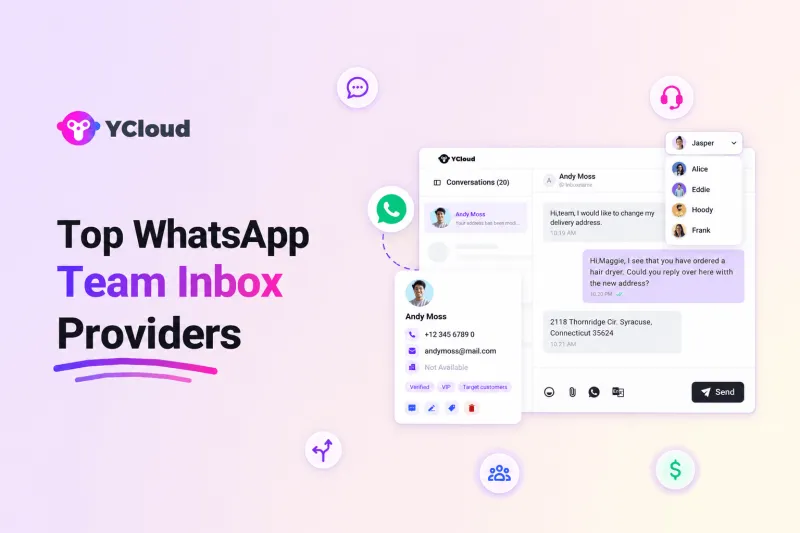
YCloud is an official WhatsApp Business Solution Provider with a WhatsApp Team Inbox for managing customer conversations, agent assignments, and team performance in one place.
Multiple agents can work from the same WhatsApp number, with AI summaries, translation, and routing to help them respond with context. Beyond the inbox, YCloud offers broadcasts, chatbot automation, customer journeys, and CRM integrations.
Key Features
- Shared WhatsApp inbox with individual agent access and centralized conversation management
- Mobile access for handling customer conversations away from a desk
- Automatic chat assignment based on agent availability
- Routing rules using customer country, language, time of day, and online status
- AI-assisted information collection before transferring conversations to an agent
- Configurable AI-to-human escalation for requests that need personal attention
- AI conversation summaries to help agents catch up before replying or taking over
- Real-time translation for conversations across languages
- WhatsApp AI Agent trained on business knowledge and configured rules
- Customer details and conversation history visible alongside chats
- Contact segmentation for more personalized customer service
- Collision detection that indicates when a teammate is already handling a chat
- Role-based access, with custom roles available on higher plans
- Number masking to limit exposure of customer phone numbers
- Support for images, videos, voice messages, and files
- Dashboards covering response times, resolution rates, and conversation volume
- Agent-level workload and customer-satisfaction reporting
- Live visibility into inbox activity
- APIs and webhooks for connecting customer conversations with CRM, ecommerce, and support tools
Pros
- Assignment rules help establish clear ownership of incoming chats
- Collision detection helps reduce duplicate agent responses
- AI summaries make handovers easier without reading the entire conversation
- Built-in translation supports teams serving customers in different languages
- Customer history in the inbox reduces switching between tools
- Agent-level reporting helps managers identify workload imbalances
- Mobile access supports teams working across locations
Cons
- The Free plan includes only one user account, limiting multi-agent evaluation
- Custom access roles require Pro or Enterprise
- Chat history storage is limited to six months outside Enterprise
- AI and translation allowances vary by plan, with additional usage costing extra
Free Trial Option
Yes. YCloud offers a Free Forever plan that includes the shared inbox, one user account, and unlimited messaging API access. No credit card is required.
Get $0.50 in trial credits for new signups. WhatsApp messaging charges apply separately, and testing collaboration with multiple users requires a paid plan.
Pricing
Free | Growth | Pro | Enterprise |
| $0/forever — 1 user | $39/month — 2 users | $89/month — 6 users | $399/month — 40 users |
Prices are in USD; the displayed paid rates show annual billing. Additional users are listed at $10/user/month on eligible paid plans. WhatsApp messaging fees apply with zero YCloud markup; AI and translation top-ups cost separately.
G2 Rating
4.9 out of 5
2. AiSensy
AiSensy is a WhatsApp Business API platform with a shared Live Chat inbox for handling customer enquiries. Multiple agents can work from one WhatsApp number, organize conversations with tags, and take over when customers need human assistance.
Key Features
- Multi-agent WhatsApp inbox with separate team-member logins
- Owner, Manager, and Live Chat Team Member roles
- Restricted Live Chat access for agents who only need to handle conversations
- Tag-based agent rules for controlling which chats an agent can view and resolve
- Separate Active, Requesting, and Intervened chat sections
- Dedicated queue for conversations awaiting human intervention
- Agent takeover that pauses chatbot replies during live support
- Resolve action that returns a conversation to chatbot handling
- Contact tags for organizing customer enquiries
- Customer profiles and chat-history access
- Activity history showing agent interventions, tag changes, and campaigns sent to a customer
- Conversation filters for finding relevant customer chats
- Smart agent routing for automatically distributing incoming chats
- Number masking on higher-tier plans
- Mobile apps for accessing customer conversations
- Chatbot and AI-agent add-ons for automating enquiries before human handover
Pros
- Separate chat queues help agents identify customers waiting for assistance
- Chatbot replies pause when an agent takes over, reducing conflicting responses
- Tag-based access helps divide enquiries between responsible agents
- Role controls separate account management from day-to-day chat handling
- Customer activity history gives agents context before replying
- Basic and Pro include one owner and five team members
Cons
- Free Forever inbox access is limited to one agent
- Additional team members beyond the Basic and Pro allowance cost extra
- Tag-based access requires consistent tagging to keep enquiries visible to the right agents
- Number masking requires a higher-tier plan
- Chatbot and AI-agent subscriptions add to the cost of automated inbox handling
Free Trial Option
Yes. AiSensy offers a 14-day Pro trial, including 500 AI messages for testing. A Free Forever plan is also available with single-agent Live Chat access.
According to its trial documentation, Chatbot Flows are excluded and require a separate paid add-on.
Pricing
Free Forever | Basic | Pro | Premium | Unlimited | Enterprise |
| ₹0 | ₹1,500/month | ₹3,200/month | ₹9,100/month | ₹45,000/month | Custom quote |
These are published India rates. WhatsApp messaging, taxes, and automation add-ons cost separately. Basic and Pro include one owner plus five team members; additional seats are listed at ₹750/month plus GST. “Unlimited” remains subject to fair-use limits.
G2 Rating
4.4 out of 5
3. Wati
Wati provides a WhatsApp Team Inbox where agents can assign conversations, share internal notes, and manage customer enquiries together. It also brings connected channels into the same workspace, helping teams keep customer context accessible.
Key Features
- Shared inbox for multiple agents handling one WhatsApp business number
- Conversation assignment to establish responsibility for customer enquiries
- Private notes for sharing internal context without messaging the customer
- Full conversation history for follow-ups and handovers
- Contact tags and custom parameters for organizing customer information
- Search by message content, customer name, or phone number
- Conversation filters for finding relevant chats and campaign replies
- Mobile app for replying, viewing customer details, and adding internal notes
- Downloadable chat transcripts for administrators
- Website chat conversations managed within Team Inbox
- Connected WhatsApp, Instagram, and Facebook Messenger conversations
- AI Copilot assistance inside the shared inbox
- AI agents for handling routine conversations before human assistance
- Role-based access on Pro and Business
- Advanced chat-assignment rules on Business
- Multiple WhatsApp numbers on Business, subject to applicable add-ons
- Plan-based analytics for monitoring inbox activity and team performance
Pros
- Internal notes make it easier to share context during handovers
- Search and filters help agents locate previous conversations quickly
- Customer history stays available when another teammate takes over
- Mobile access supports agents working away from their desks
- Connected channels reduce the need to switch between messaging apps
- Administrators can export transcripts for reviewing customer interactions
Cons
- Growth includes three users and does not allow additional seats
- Growth provides manual assignment; more advanced routing requires an upgrade
- Role-based access requires Pro or Business
- Additional users on Pro and Business increase the cost as the team grows
- AI assistance is subject to plan-based credit allowances
- The trial excludes user management, limiting hands-on evaluation of team administration
Free Trial Option
Yes. Wati offers a seven-day free trial without a credit card.
You can explore the inbox, messaging, analytics, and selected integrations. However, messaging is limited to your own number, and user management is unavailable. Saving chatbot workflows and using webhooks also require a paid plan.
Pricing
Growth | Pro | Business |
| From $59/month — 3 users | From $119/month — 5 users | From $279/month — 5 users |
These published USD starting rates reflect annual billing and may vary by region. Additional users, messaging, AI-credit top-ups, and certain integrations cost separately. Confirm the current quote and inbox capabilities included in your selected plan.
G2 Rating
4.6 out of 5
4. Interakt
Interakt provides a shared inbox where teams can manage WhatsApp and Instagram enquiries, assign conversations, and share internal notes. Customer details remain accessible alongside chats, helping agents pick up enquiries with context.
Beyond the inbox, Interakt offers campaigns, chatbot workflows, ecommerce tools, and a separate sales CRM.
Key Features
- Shared inbox for multiple agents using one WhatsApp business number
- WhatsApp and Instagram customer conversations in one workspace
- Manual chat assignment and reassignment between teammates
- Automatic chat assignment on Advanced
- Private notes for internal discussions without messaging customers
- Conversation labels for organizing enquiries
- Contact tags for grouping customers
- Customer information accessible alongside conversations
- Search and filters for finding relevant chats
- Saved quick replies for frequently asked questions
- Rich media replies with images, videos, and documents
- Personalized template messages with quick-reply and call-to-action buttons
- Greeting, out-of-office, and delayed-response automations
- Configurable chatbot workflows for handling enquiries before agent assistance
- CRM, helpdesk, and Google Sheets connections
- Unlimited agent access advertised on Growth and Advanced, subject to role exclusions
Pros
- Assignment and reassignment help establish ownership of customer enquiries
- Private notes keep handover instructions within the conversation
- Saved replies reduce repetitive typing for common questions
- Labels and filters help teams organize their workload
- Customer details alongside chats support more informed responses
- Unlimited agent access on the published Growth and Advanced plans can suit expanding support teams
Cons
- Automatic chat assignment requires Advanced
- Standard support-plan roles exclude Sales CRM roles with assigned-contact visibility
- Custom tags and fields have plan-based limits
- Teams needing email and website-chat support should verify channel coverage; the standard offer emphasizes WhatsApp and Instagram
- Trial messaging may be restricted while business verification is pending
Free Trial Option
Yes. Interakt offers a 14-day free trial for exploring the platform, including its inbox features.
Messaging restrictions can apply while business verification is pending. Confirm the current trial allowances before testing with your team and customers.
Pricing
Growth | Advanced | Enterprise |
| $55/month | $69/month | Custom quote |
These are displayed USD rates for Interakt’s Marketing & Support Hub. Taxes and applicable WhatsApp message charges are additional. Confirm the billing term and regional pricing; Sales CRM roles and AI agents are separate offerings or add-ons.
G2 Rating
4.5 out of 5
5. Respond.io
Respond.io brings WhatsApp and other messaging channels into a shared workspace where teams can assign conversations, exchange internal comments, and track customer interactions.
Its collaboration tools let teammates contribute without changing the conversation owner. Beyond the inbox, it offers workflow automation, AI agents, broadcasts, and business integrations.
Key Features
- Shared team inbox and custom inbox views for organizing conversations
- Manual assignment and reassignment of customer conversations
- Collaborator access so teammates can contribute without taking ownership
- Internal comments with teammate mentions
- Images, documents, audio, and video attachments within internal comments
- Conversation activity records showing assignments, closures, and automation events
- Closing notes for documenting how an enquiry was handled
- Snooze functionality for conversations needing later attention
- Workflow-based routing and assignment on Growth and above
- AI Agents for handling and routing routine conversations
- AI Assist, writing prompts, and chat-summary capabilities
- Customer lifecycle stages and contact activity tracking
- Mobile app for managing conversations away from a desk
- Basic inbox reporting, with advanced reports on higher plans
- Phone-number and email masking on Advanced
- Multiple workspaces and single sign-on on Advanced
- CRM and automation connections, with availability depending on the plan
Pros
- Collaborators can help resolve an enquiry while one agent retains ownership
- Internal comments and attachments keep handover information within the chat
- Activity records make assignment changes and previous actions easier to trace
- Custom inboxes help teams organize their workload
- Mobile access supports agents working across locations
- AI assistance and customer activity are accessible within the wider inbox workspace
Cons
- Automated routing through Workflows requires Growth or above
- Advanced team reporting is unavailable on Starter
- Phone-number and email masking require Advanced
- Additional users increase costs beyond the included seat allowance
- Growth and Advanced pricing scales with Monthly Active Contacts
- AI features have plan-based credit allowances
Free Trial Option
Yes. Respond.io offers a seven-day free trial without a credit card.
The trial includes Growth features for five users and 1,000 Monthly Active Contacts, excluding broadcasts. This lets a small team evaluate inbox collaboration and routing before subscribing.
Pricing
Starter | Growth | Advanced | Enterprise |
| $79/month — 5 users | From $159/month — 10 users | From $279/month — 10 users | Custom pricing |
Prices are in USD and reflect annual billing. Growth and Advanced start with 1,000 Monthly Active Contacts. Additional users, contact usage, applicable WhatsApp fees, and AI usage can increase the total cost.
G2 Rating
4.8 out of 5
6. Gallabox
Gallabox provides a WhatsApp Team Inbox for assigning customer conversations, tracking responses, and keeping chat history accessible to the team. It also brings Instagram and website enquiries into the workspace.
Beyond the inbox, Gallabox offers chatbots, AI agents, broadcasts, and CRM integrations.
Key Features
- Shared inbox for managing customer conversations across agents
- Conversation assignment to individual agents or designated teams
- Team-based assignment logic for distributing incoming enquiries
- Round-robin assignment within teams on eligible plans
- Customer conversation history for follow-ups and handovers
- Response-time tracking and visibility into conversation ownership
- WhatsApp, Instagram, and website-chat channel access
- Custom inbox views on Essential and above
- Business-hours configuration on Essential and above
- Waiting messages for customers
- Agent active or inactive status controls
- Inbox AI Copilot on Essential and above
- Role-based access, with custom roles on Advanced
- Number masking listed on Advanced and Enterprise
- Holiday and special-day settings on Advanced
- CRM connections for linking customer conversations with business records
Pros
- Team assignment helps route enquiries to the responsible department
- Shared conversation history makes handovers easier
- Response-time visibility helps managers identify unattended enquiries
- Round-robin distribution can reduce manual assignment work
- Connected channels give agents a central place to handle enquiries
- Custom views help teams organize conversations around their workflows
Cons
- Basic has a hard cap of three users, requiring an upgrade to expand the team
- Team management and custom views require Essential or above
- Custom roles require Advanced
- Additional users on Essential and Advanced cost separately
- AI-assisted inbox functions consume credits, with top-ups needed for additional usage
Free Trial Option
Yes. Gallabox offers a seven-day trial without a credit card, including Basic-plan access and 500 AI credits.
There is no Free Forever plan. Since the trial covers Basic, confirm how you can evaluate higher-tier team-management and routing features.
Pricing
Basic | Essential | Advanced | Enterprise |
| $150/month — 3 users | $331/month — 6 users | $632/month — 10 users | Custom quote |
These are displayed USD rates billed quarterly; regional pricing differs. Additional users cost $18/month on Essential and $24/month on Advanced. Messaging, extra channels, and AI-credit top-ups cost separately.
G2 Rating
4.6 out of 5
7. SleekFlow
SleekFlow combines WhatsApp and other messaging channels in a shared inbox where teams can assign conversations, exchange internal notes, and manage customer replies.
It suits sales and support teams that need clear conversation ownership and customer information close at hand. Beyond the inbox, it offers AI agents, workflow automation, campaigns, and business integrations.

Key Features
- Shared inbox for WhatsApp and connected messaging channels
- Conversation assignment to individual agents or teams
- Team notifications for assigned conversations awaiting an individual owner
- Internal notes for sharing context without messaging customers
- Teammate mentions for requesting help within a conversation
- Collaboration on enquiries without moving discussions to a separate tool
- Saved replies for frequently used responses
- Scheduled messages for planned customer follow-ups
- Voice messages, media attachments, and replies to specific messages
- Product and payment content shared from the inbox
- AI-assisted messaging tools for composing responses
- Mobile inbox access for managing conversations and assignments
- AI Inbox Copilot
- Customer lifecycle management
- Basic analytics, with advanced reporting on Premium
- Role-based access and multiple workspaces on Premium
- Personal-data masking and conversation exports on Enterprise
- CRM integrations, with availability depending on the plan
Pros
- Individual and team assignment helps establish responsibility for enquiries
- Internal notes and mentions keep handover discussions alongside customer messages
- Saved replies reduce repetitive typing
- Scheduled messages support follow-ups without relying entirely on reminders
- Mobile access lets agents manage conversations away from their desks
- Connected channels reduce switching between messaging applications
Cons
- Role-based access requires Premium
- Advanced inbox analytics require Premium
- Personal-data masking and conversation exports are listed under Enterprise
- Included user seats vary by plan, so larger teams need to confirm expansion costs
- Pro and Premium pricing depends on Monthly Active Contact allowances
- Essential availability varies by country
Free Trial Option
Yes. SleekFlow offers a seven-day Pro trial without a credit card, including 500 Monthly Active Contacts.
The workspace pauses if you do not subscribe after the trial. Since the trial covers Pro, confirm how to evaluate Premium access controls and advanced reporting.
Pricing
Essential | Pro | Premium | Enterprise |
| $49/month — 3 users | From $109/month — 10 users | From $279/month — 10 users | Custom quote |
These are published US rates in USD, billed annually. Pro starts with 500 Monthly Active Contacts and Premium with 1,000. Essential is rolling out by country. Confirm regional availability, additional-user costs, and applicable WhatsApp messaging fees.
G2 Rating
4.6 out of 5
8. Trengo
Trengo brings WhatsApp, email, Instagram, Messenger, and other customer channels into one shared inbox. Teams can assign enquiries, exchange private comments, and organize conversations without switching between applications.
Alongside inbox management, Trengo offers AI agents, automated workflows, customer profiles, and reporting.
Key Features
- Shared inbox for WhatsApp and other connected customer-service channels
- Manual conversation assignment to individual agents or teams
- Round-robin rules for distributing incoming enquiries
- Internal comments for discussing customer requests privately
- Teammate mentions for requesting assistance within a conversation
- Conversation labels for organizing enquiries
- Saved inbox views based on filters such as teams and tags
- Role-based permissions for administrators and agents
- Customer profiles and custom fields for keeping relevant information accessible
- Conversation outcomes for recording whether an enquiry was resolved or escalated
- Quick replies for frequently asked questions
- Automated responses to incoming messages
- Agent-performance reports for reviewing team activity
- AI Agent reporting for monitoring automated support
- AI-generated conversation summaries posted as internal notes
- AI-to-team handover actions for enquiries requiring human assistance
Pros
- Brings WhatsApp and email support into the same workspace
- Internal comments and mentions keep team discussions beside the customer conversation
- Individual and team assignments help establish clear ownership
- Round-robin distribution reduces manual allocation work
- Labels and saved views help teams organize their queues
- Customer profiles and closing outcomes make follow-ups easier to manage
Cons
- The entry plan bundles 10 users, which may be more than a small team needs
- Extra agents cost separately beyond the included user allowance
- Conversation allowances can add costs as inbox activity grows
- AI-assisted conversations can incur an additional surcharge
- Trengo counts conversations using its own seven-day window, so teams must account for this when forecasting inbox costs
Free Trial Option
Yes. Trengo’s current help documentation describes a seven-day free trial, with payment details requested when choosing a paid plan afterward.
Some older official blog pages advertise 14 days, so confirm the duration and WhatsApp access available during signup.
Pricing
Boost | Pro | Enterprise |
| €299/month — 10 users | €499/month — 20 users | Custom quote |
Prices reflect annual billing. Monthly billing is €349 for Boost and €599 for Pro. Annual plans include 6,000 and 18,000 conversations respectively. Additional users, conversation bundles, applicable channel usage, and AI surcharges cost separately.
G2 Rating
4.3 out of 5
9. Rasayel
Rasayel is a WhatsApp-focused platform that helps sales teams assign conversations, coordinate handovers, and manage follow-ups. Its shared inbox connects customer chats with CRM records, giving teammates visibility into who is handling each enquiry.
Beyond the inbox, it offers chatbot automation, APIs, webhooks, and CRM integrations.
Key Features
- Shared WhatsApp inbox with visibility into conversation ownership
- Assignment and reassignment to individual teammates or teams
- Internal notes for recording customer requirements and handover instructions
- Teammate mentions with notifications
- Automated routing based on criteria such as region, language, or CRM data
- Snoozed conversations that return to the inbox for follow-up
- CRM synchronization for logging customer conversations
- Reporting on first-response time, resolution time, and conversation volumes
- Team and agent-level performance visibility
- User permissions for controlling access to conversations and settings
- Saved replies for common customer questions
- Scheduled messages for planned outreach
- Voice notes and AI voice-note transcripts
- Media and document sharing
- Shared inbox views, with private views on Grow and Enterprise
- Reminders and conversation activity records
- Android and iOS mobile access
- Pipedrive and Zapier integrations on Start
- HubSpot and Salesforce integrations on Grow
Pros
- Clear ownership helps teams avoid leaving enquiries unattended
- Internal notes and mentions keep handover context within the conversation
- Snoozing helps agents manage follow-ups without separate reminder tools
- CRM synchronization reduces manual conversation logging
- Agent-level reporting helps managers identify delays and coach teammates
- WhatsApp-focused workflows suit teams using the channel throughout their sales process
Cons
- Start requires at least five paid team members
- Grow requires at least ten paid team members
- Per-user pricing increases costs as more agents need inbox access
- Private inbox views require Grow or Enterprise
- Advanced reporting and automation require Grow
- HubSpot and Salesforce connections require Grow, increasing the entry cost for teams using these CRMs
Free Trial Option
Yes. Rasayel advertises a seven-day free trial across its plans.
Confirm the included seats, WhatsApp setup requirements, and available messaging allowance before testing with your team.
Pricing
Start | Grow | Enterprise |
| $30/user/month — minimum 5 users | $40/user/month — minimum 10 users | From $2,000/month, annual contract |
Prices are in USD. At the displayed per-user rates, minimum subscriptions are $150/month for Start and $400/month for Grow. The page advertises annual savings of 10%; confirm the applicable billing term. WhatsApp messaging fees are paid separately to Meta.
G2 Rating
4.5 out of 5
10. DelightChat
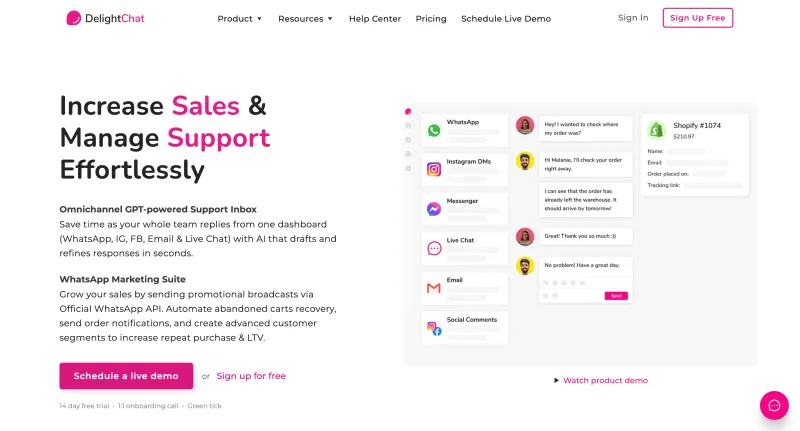
DelightChat brings WhatsApp, email, Instagram, Facebook, and live chat into a shared customer-support inbox. Agents can assign tickets, exchange private notes, and see when teammates are working on the same enquiry.
Its Shopify integration puts customer and order information beside conversations. Beyond the inbox, it offers WhatsApp campaigns, chatbots, and ecommerce messaging automation.
Key Features
- Shared WhatsApp inbox for multiple agents using one business number
- Unified support workspace for WhatsApp, email, social messaging, and live chat
- Ticket assignment for establishing responsibility for enquiries
- Internal comments for discussing requests privately
- Teammate mentions for requesting help within a ticket
- Collision detection showing when colleagues are viewing or responding
- Conversation tags for organizing customer enquiries
- Saved responses for frequently asked questions
- Automated rules for assigning tickets, sending replies, and adding tags
- Access restrictions that limit team members to assigned tickets, with documented exceptions
- Shopify customer profiles and order information within the inbox
- Support-ticket analytics
- AI Assistant for drafting and rewriting replies, with usage limits and paid options
- iOS and Android apps for responding on the go
- Multiple WhatsApp numbers under one account, with additional-number charges
Pros
- Collision detection helps reduce duplicate responses
- Private notes and mentions keep handover discussions within the ticket
- Shopify order details reduce switching between support and store dashboards
- Assignment rules help distribute enquiries consistently
- Connected channels give agents one place to manage customer requests
- Mobile apps support agents working away from their desks
Cons
- Support-ticket allowances can increase costs as enquiry volumes grow
- Included team-member and support-channel limits vary by plan
- Additional WhatsApp numbers cost $25 per number per month
- AI reply assistance is a paid add-on beyond its free usage allowance
- Its Shopify-focused order context may offer less value to teams using other ecommerce systems
Free Trial Option
Yes. DelightChat offers a 14-day free trial without a credit card.
It also advertises a personalized onboarding call covering support-channel setup, team access, and automation. Confirm the trial’s ticket, user, and WhatsApp messaging allowances before testing.
Pricing
Startup | Scale | Growth |
| $29/month | $99/month | $299/month |
Prices are in USD, with WhatsApp charges additional. Startup includes 500 support tickets per month; Growth includes 6,000. Ticket overages, additional WhatsApp numbers, and paid AI usage can increase the total cost.
G2 Rating
4.8 out of 5
Note: Pricing, trial conditions, and G2 ratings may change over time. Confirm current rates, applicable messaging fees, taxes, and included features with each provider before purchasing.
Next, let’s walk through 10 checks before choosing a WhatsApp Team Inbox provider.
10 Checks Before Choosing a WhatsApp Team Inbox Provider
A shared inbox should make it clear who’s replying, what needs attention, and when someone else needs to step in. Before choosing a provider, check how it handles these everyday situations.
1. Clear Conversation Ownership
Can agents see who owns each chat?
Check manual assignment, reassignment, and visibility into unassigned enquiries so customers aren’t left waiting while everyone assumes someone else is replying.
2. Protection Against Duplicate Replies
Ask what happens when two agents open the same conversation. Look for typing indicators, active-viewer alerts, or collision detection that helps teammates avoid sending conflicting responses.
3. Handovers with Context
Check whether agents can leave private notes, mention teammates, and review conversation history. A handover should give the next person enough information to continue without asking the customer to start again.
4. Routing That Matches Your Team
Test how enquiries reach the right person. Depending on your workflow, you may need assignment by department, language, availability, or round-robin distribution. Confirm which rules your plan includes.
5. Follow-Up and Queue Management
Look for filters, custom views, reminders, or snoozing. Your team should be able to distinguish new enquiries, unresolved issues, and conversations awaiting a customer response.
6. Practical Agent Permissions
Check whether you can control who sees conversations, exports customer data, or changes settings. Confirm whether agents can be restricted to assigned chats and whether custom roles cost extra.
7. Reliable AI-to-Human Handover
If you plan to use a WhatsApp AI Agent, test when it escalates and what information reaches the human agent. Also check whether automated replies pause when someone takes over.
8. Customer Information Within Reach
Ask the provider to demonstrate your CRM or ecommerce integration. Agents should have access to the details they need, such as order status or previous enquiries, without repeatedly switching tools.
9. Useful Team Reporting
Check whether reports show first-response time, unresolved conversations, resolution time, and agent workload. Ask how each metric is calculated so managers can interpret performance fairly.
10. The Full Cost of Team Access
Compare included seats, additional-user fees, conversation allowances, AI credits, storage, and messaging charges. Also check whether the trial lets several agents test collaboration together.
Next, let’s turn these checks into a five-step process for shortlisting a WhatsApp Team Inbox provider.
How to Shortlist a WhatsApp Team Inbox Provider in 5 Steps
The quickest way to narrow your options is to see how each inbox handles the same working day.
Here’s a practical process your team can follow.
1. Define Your Team’s Daily Requirements
Note how many agents need access, which WhatsApp numbers they manage, and where conversations get delayed. Choose your must-haves, such as automatic assignment, private notes, follow-up reminders, or CRM access.
Use these requirements to shortlist three providers.
2. Request a Demo Around One Customer Enquiry
Ask each provider to show an incoming chat being assigned, answered, transferred, and resolved. Include a situation where the first agent becomes unavailable.
Watch how ownership and context carry through each step.
3. Let Your Agents Test Collaboration
Use a trial or agreed pilot with at least two agents and a manager. Test whether they can:
- Identify who owns a conversation
- Avoid duplicate replies
- Share private notes and request help
- Hand over an unresolved enquiry
- Find chats needing follow-up
Record where agents need help or extra manual steps.
4. Compare the Plans That Passed Your Test
Request pricing for the same team size and expected usage. Include extra seats, messaging, AI assistance, integrations, and conversation overages.
Confirm that the routing, permissions, and reports you tested are included in the quoted plan.
5. Run a Small Pilot Before Rolling Out
Start with one team or workflow. Track response times, missed follow-ups, handover quality, and agent feedback.
Choose the inbox that addresses your main operational problems at a cost you can sustain, then expand to the rest of your team.
Next, let’s walk through how to get started with YCloud.
How To Get YCloud?
Kindly click on the banner below to book a FREE DEMO and learn more about our product offering, features and pricing plans.

Built with AI at its core, YCloud is the ultimate WhatsApp marketing and automation solution, giving you everything you need in one powerful platform.
Now market, sell, support, and scale your business by 10X with YCloud!
Ready to try? Explore how to get YCloud for FREE next!
How to Get YCloud for FREE?
It's Simple!
Subscribe to our FREE plan and get a free lifetime experience of YCloud with unlimited messaging API.
Book a FREE Demo and see how YCloud can power up your WhatsApp marketing strategy!
🚀 Try YCloud today and experience how effortless WhatsApp automation can be when you have the right partner.
Wrapping Up!
Your team shouldn’t need a separate conversation to figure out who’s handling a customer.
The right WhatsApp Team Inbox makes ownership clear, handovers easier, and missed follow-ups visible. Shortlist providers around those needs, test them with your agents, and compare the full cost before committing.
Still have questions? Here’s what to know before choosing.
Frequently Asked Questions
What is a WhatsApp Team Inbox?
A WhatsApp Team Inbox is a shared workspace where multiple agents manage customer conversations through a business WhatsApp number. Depending on the platform, it includes chat assignment, internal notes, automation, and reporting.
How is a WhatsApp Team Inbox different from linked devices?
Linked devices let several people access WhatsApp. A dedicated team inbox adds tools for managing responsibility and collaboration, such as individual agent logins, conversation assignment, private notes, and performance tracking.
Can multiple agents reply from one WhatsApp number?
Yes. A WhatsApp shared inbox lets agents respond through the same connected business number using their individual accounts. Included seats and additional-user charges vary by provider.
Does a shared inbox prevent duplicate replies?
Some platforms offer collision detection, typing indicators, or alerts showing that another agent is handling the chat. Assignment alone does not guarantee duplicate replies are prevented, so test this during your demo.
Can agents leave private notes in customer conversations?
Many providers support internal notes and teammate mentions that customers cannot see. These help agents share instructions, request assistance, and preserve context during handovers.
Can a WhatsApp AI Agent work alongside human agents?
Yes, where the platform supports it. The AI can handle routine enquiries and transfer requests to your team. Check that conversation context carries over and automated replies pause when a human takes control.
How much does a WhatsApp Team Inbox cost?
Costs depend on the subscription, included users, additional seats, messaging charges, and usage allowances. AI assistance, integrations, and advanced reporting may cost extra. Compare quotes using the same team size and expected activity.
Can I try a WhatsApp Team Inbox for free?
Several providers offer trials or free plans. Check whether multiple agents can participate: a single-user free account cannot fully demonstrate team collaboration, assignment, or handovers.
Can a WhatsApp Team Inbox connect to my CRM?
Many platforms offer native integrations or APIs. Confirm which customer details appear in the inbox, whether updates sync both ways, and whether the connection requires a higher plan or custom development.

Make your business communications much easier!


Trusted by




