Customer Support

English

Your One-Stop Guide to the WhatsApp AI Agents

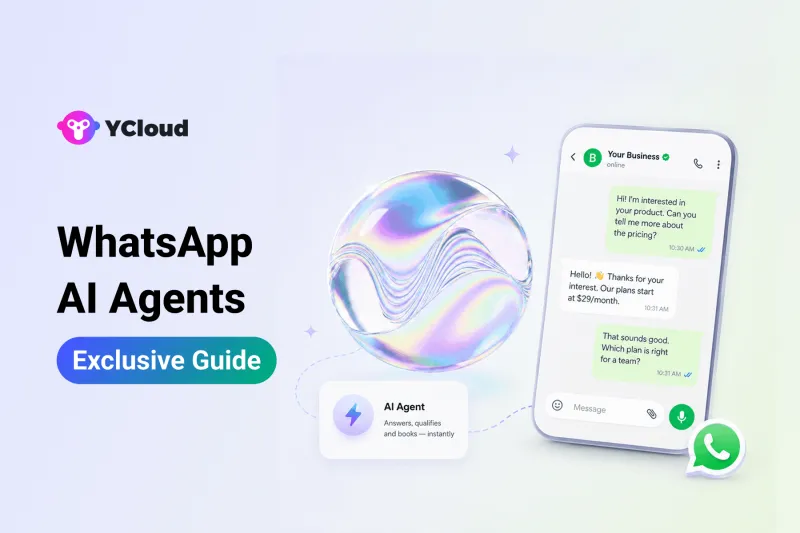
What if your WhatsApp could understand customer queries, respond contextually, qualify leads, and guide buyers towards the next step, even when your team is offline?
Unlike rule-based chatbots, they can understand intent, maintain context, and hold more natural conversations without forcing customers through fixed menus. And with YCloud, businesses can create an AI agent for WhatsApp without writing a single line of code.
In this guide, we’ll break down how WhatsApp AI agents work, where they can be used, how they differ from traditional chatbots, and how you can create a WhatsApp AI agent with YCloud.
First, here’s the entire guide in a nutshell.
TL;DR
- WhatsApp AI agents understand customer intent, maintain context, answer questions, and take approved actions through the WhatsApp Business API.
- Unlike traditional chatbots that follow fixed rules, AI agents can manage dynamic, multi-step conversations and use connected business tools.
- Businesses can build agents for customer support, lead qualification, product recommendations, appointment booking, order tracking, and custom workflows.
- They help businesses respond 24/7, manage higher message volumes, qualify leads consistently, and reduce repetitive manual work.
- Industries such as e-commerce, education, healthcare, real estate, travel, and legal services can use them for practical customer-facing tasks.
- YCloud lets businesses create custom, responsive, or rule-based WhatsApp AI agents without coding and connect them with approved knowledge and business systems.
- Performance can be measured using response time, resolution rate, human handoffs, conversions, customer satisfaction, and cost savings.
Now, let’s begin by understanding what a WhatsApp AI agent actually is.
What is a WhatsApp AI Agent?
A WhatsApp AI agent is an AI-powered virtual assistant that manages customer conversations through the WhatsApp Business API.
It understands what a customer is asking, uses the conversation context and available business information, and decides how to respond or what action to take next.
For example, if a customer asks, “Will this product arrive before Friday?”, the AI agent can identify the product and location from the conversation, check the relevant delivery information, track the current status of the product, and provide a specific answer, instead of displaying a generic shipping policy.
Depending on how it is configured, a WhatsApp AI agent can:
- Answer customer questions around the clock
- Qualify leads and collect relevant information
- Recommend suitable products or services
- Guide customers through bookings or purchases
- Remember context during multi-step conversations
- Transfer complex or high-intent chats to a human agent
But is a WhatsApp AI agent simply another name for a chatbot? Not quite. Let’s understand the difference next.
Difference Between AI Agent, WhatsApp AI Agent and Chatbots
These terms are often used interchangeably, but they do not mean exactly the same thing.
A chatbot is primarily designed to hold a conversation. A traditional chatbot follows predefined rules, keywords, or decision trees to answer questions and guide users through fixed paths.
An AI agent goes a step further. It can understand intent, reason within defined instructions, choose the next step, use connected tools, and take actions to achieve a specific goal.
A WhatsApp AI agent is an AI agent built specifically to manage customer interactions on WhatsApp through the WhatsApp Business API. It combines conversational intelligence with business actions such as qualifying leads, checking order details, recommending products, booking appointments, or transferring conversations to the right team.
Capability | Traditional Chatbot | AI Agent | WhatsApp AI Agent |
Primary role | Answer and guide | Reason and complete tasks | Manage conversations and tasks on WhatsApp |
Response method | Rules, keywords, or fixed flows | Intent, context, and defined goals | Intent and context from WhatsApp conversations |
Conversation style | Structured and predictable | Dynamic and goal-oriented | Natural and customer-focused |
Context handling | Usually limited | Maintains relevant context | Uses chat context to continue the conversation |
Actions | Follows predefined steps | Selects and performs appropriate actions | Can qualify leads, check data, book appointments, and more |
Integrations | Typically limited | Can use APIs and business tools | Can connect with CRMs, stores, calendars, and internal systems |
Human handoff | Usually triggered by a fixed rule | Escalates based on instructions and context | Transfers the WhatsApp chat with relevant context |
Best suited for | Simple, repetitive enquiries | Multi-step business processes | Sales, support, lead generation, and commerce on WhatsApp |
Consider a customer asking, “Where is my order?”
A traditional chatbot may ask the customer to select Order Support and enter an order number.
A WhatsApp AI agent can understand the request, collect any missing details, retrieve the order status from a connected system, and provide the answer within the same conversation.
The difference, therefore, is not simply how they reply; it is what they can understand, decide, and do.
Next, let’s look behind the conversation and understand how WhatsApp AI agents actually work.
How Does a WhatsApp AI Agent Work?
A WhatsApp AI agent works through a combination of the WhatsApp Business API, an AI model, business knowledge, and connected tools. Together, these components help the agent understand a message, find the right information, and decide what should happen next.
Here is what happens behind every conversation:
1. The customer sends a message
A customer messages the business’s WhatsApp number. The WhatsApp Business API securely passes that message to the platform running the AI agent.
2. The agent understands the request
The AI analyses the message along with the conversation history to identify the customer’s intent and relevant details.
For example, “Can I get it delivered by Friday?” may require the agent to recognise the product, delivery location, and earlier messages before answering.
3. It finds the relevant information
The agent searches approved knowledge sources such as the business website, FAQs, product catalogues, policies, or uploaded documents. It can also retrieve live information from connected systems such as a CRM, e-commerce store, booking platform, or order database.
4. It chooses the next step
Based on its instructions and the customer’s intent, the WhatsApp AI agent may:
- Provide an answer
- Ask a follow-up question
- Qualify or update a lead
- Recommend a suitable product
- Check an order or appointment
- Trigger a connected workflow
- Transfer the conversation to a human
5. It responds on WhatsApp
The agent generates a relevant response and sends it through the WhatsApp Business API. If human assistance is required, the conversation can be handed over with its context intact, so the customer does not have to start again.
In simple terms, the process looks like this:
Customer message → WhatsApp Business API → Intent and context analysis → Knowledge or tool access → Response or action
The underlying process is similar, but these agents can be configured for very different business goals.
Next, let’s explore the types of WhatsApp AI agents you can build.
Types of WhatsApp AI Agents You Can Build
WhatsApp AI agents can be configured around a specific business goal, from resolving support queries to converting qualified leads.
Here are six practical types businesses can build:
1. Customer Support Agent
Answers FAQs, helps troubleshoot common issues, and resolves routine support queries around the clock. When a case requires human judgement, it transfers the conversation to a support representative with the relevant context.
2. Sales and Lead Qualification Agent
Asks relevant questions to understand a prospect’s needs, budget, location, or buying intent. It can then recommend the right solution and route qualified leads to the sales team.
3. Appointment Booking Agent
Collects the required details, checks available time slots through a connected calendar, and helps customers schedule, reschedule, or cancel appointments directly on WhatsApp.
4. FAQ and Knowledge Agent
Uses approved sources such as websites, help articles, policies, and product documents to answer common questions accurately and consistently.
5. Order Tracking Agent
Connects with an order management or e-commerce system to retrieve live information, including order confirmation, shipping status, and expected delivery dates.
6. Custom AI Agent
Handles workflows built around a specific industry or operational requirement. For example, businesses can create AI agents for property enquiries, course counselling, insurance assistance, payment follow-ups, or product discovery.
These roles do not have to operate separately. A single WhatsApp AI agent can answer questions, qualify a lead, book a consultation, and involve a human, all within the same conversation.
But why are businesses prioritising these AI agents now?
Let’s look at what makes them increasingly relevant in 2026.
Why Every Modern Business Should Leverage WhatsApp AI Agents Today
Customers use WhatsApp to discover products, compare options, ask questions, and request support. However, delayed replies, inconsistent qualification, and growing message volumes can quickly turn interested prospects into missed opportunities.
WhatsApp AI agents help businesses manage these conversations more efficiently while creating a smoother path from enquiry to conversion.
1. Engage customers around the clock
Customers may enquire after work, on weekends, or during holidays. An AI agent can provide immediate assistance, capture the enquiry, and keep the conversation moving while the team is offline.
2. Manage higher conversation volumes
Campaigns, product launches, and seasonal demand can cause sudden spikes in WhatsApp messages. AI agents can handle multiple routine conversations simultaneously without creating a growing backlog.
3. Qualify leads consistently
The agent can ask about a prospect’s requirements, budget, location, preferences, or timeline. This helps distinguish serious buyers from general enquiries before routing them to the sales team.
4. Personalize conversations and recommendations
Using the customer’s responses, conversation history, and connected data, the agent can recommend suitable products, services, or plans instead of sending the same generic pitch to everyone.
5. Resolve buying questions immediately
Unanswered questions about pricing, features, availability, delivery, or policies can delay a decision. WhatsApp AI agents can address common concerns instantly and guide prospects towards the next step.
6. Connect conversations with business operations
AI agents for WhatsApp can work with CRMs, e-commerce platforms, calendars, and internal systems. They can retrieve information, update customer records, schedule appointments, or trigger workflows without requiring teams to switch between multiple tools.
7. Route high-intent prospects to the right person
When a lead is ready to buy or needs specialised assistance, the AI agent can transfer the conversation to the appropriate representative with the collected details and chat context intact.
8. Scale without proportionally increasing workload
By handling predictable questions and routine tasks, AI agents allow businesses to manage more conversations without expanding their teams at the same rate. Human representatives can then focus on complex cases, serious buyers, and relationship-building.
The value of WhatsApp AI agents is not simply faster replies. It is their ability to reduce missed enquiries, improve qualification, and create a more consistent journey from the first message to conversion.
Next, let’s see how businesses across different industries are using WhatsApp AI agents in practice.
Industry-wise Use Cases of WhatsApp AI Agents
We have explored what WhatsApp AI agents are and what they can do.
Now, let’s see how businesses across different industries can apply them to everyday customer conversations.
WhatsApp AI Agent for E-commerce
Suppose a customer asks, “Can you show me face washes under ₹1,000 for oily skin?” The AI agent can understand the requirements and share:
- Relevant products and images
- Prices and availability
- Current offers
- Product or checkout links
It can also answer product questions, provide order updates, assist with returns, and send compliant cart reminders when appropriate.
WhatsApp AI Agent for Education
When a student enquires about a course, the agent can collect their interests and eligibility details before sharing relevant information about the curriculum, fees, admission process, or upcoming batches.
It can also help students book counselling sessions, access demo classes, receive application reminders, and connect with an admission counsellor when required.
WhatsApp AI Agent for Healthcare
Healthcare providers can use AI agents for WhatsApp to manage non-clinical conversations such as appointment booking, rescheduling, cancellations, and general service enquiries.
The agent can check available slots, confirm appointments, send permitted reminders, and transfer medical or sensitive questions to the appropriate professional.
WhatsApp AI Agent for Real Estate
Consider a buyer looking for a two-bedroom apartment in NYC within a specific budget. The AI agent can collect their preferences and share matching properties, prices, floor plans, amenities, and location details.
Once the buyer shows interest, it can schedule a site visit and pass the qualified enquiry to the assigned sales representative.
WhatsApp AI Agent for Travel and Hospitality
A travel company can use an AI agent to answer questions about packages, pricing, itineraries, availability, visa requirements, or hotel policies.
Hotels can also use one to manage booking enquiries, share check-in information, handle common guest requests, and route urgent matters to staff.
WhatsApp AI Agent for Legal Services
Law firms can automate routine administrative conversations such as initial client intake, consultation scheduling, document reminders, and case-status updates.
The agent can collect basic case details and route the enquiry to the relevant lawyer, while legal advice and sensitive decisions remain with qualified professionals.
The workflows vary by industry, but the practical benefit is consistent: customers receive timely assistance, while human teams focus on conversations that require expertise and judgement.
Next, let’s see how you can set up a WhatsApp AI agent with YCloud.
How to Set Up a WhatsApp AI Agent in YCloud
YCloud lets businesses create a no-code WhatsApp AI agent that can answer questions, collect customer information, recommend products, perform connected actions, and work alongside human teams.
Here is how the setup works:
1. Create your AI agent
Open the YCloud Console, select AI Agent from the menu, and click Create Agent to begin.
2. Choose the right agent type
YCloud offers three types of AI agents:
- Custom AI Agent
- Responsive AI Agent
- Rule-Based AI Agent
Choose an agent type based on your business requirements and the level of flexibility or control you need.
3. Define its role and actions
Decide what you want the agent to handle. It could work as a lead-acquisition assistant, shop assistant, or customer service agent.
You can select a prebuilt prompt template or describe your requirements and let YCloud refine the instructions. Define the agent’s role, tone, response style, rules, and conditions for human handover.
4. Add your business knowledge
Import your website and upload relevant materials such as product manuals, FAQs, policies, and business documents. This gives the agent the approved information it needs to provide relevant answers.
5. Configure its actions
Connect the agent with your business systems through APIs when needed. This allows it to perform tasks such as recommending available products, checking orders, updating addresses, or assisting with refund requests.
6. Launch and improve
Review the configuration and launch the agent on your WhatsApp Business number. YCloud can use high-quality human replies as learning references, helping the agent improve while continuing to operate within the rules, workflows, and permissions you define.
Once deployed, you can track its conversations and performance to understand what is working and where further improvements are needed.
Next, let’s look at the metrics businesses should monitor to measure the performance and ROI of their WhatsApp AI agents.
How To Measure the ROI of Your WhatsApp AI Agent
Deploying a WhatsApp AI agent is not only about automating conversations. It should create measurable improvements in customer experience, team efficiency, and business outcomes.
Here are the key performance metrics you should track:
1. AI Involvement Rate
This shows the percentage of WhatsApp conversations in which the AI agent participated. It helps businesses understand how widely the agent is being used.
2. Automated Resolution Rate
Measure how many enquiries the agent resolves without requiring human assistance. A higher rate indicates that routine customer needs are being handled effectively.
3. First Response and Resolution Time
Track how quickly customers receive their first reply and how long it takes to resolve their requests. Compare these figures with your performance before deploying the AI agent.
4. Human Handoff Rate
This measures how often conversations are escalated to employees. Review the reasons for handoff to identify knowledge gaps, unclear instructions, or tasks that should remain human-led.
5. Lead Conversion or Close Rate
Track how many AI-assisted enquiries result in a qualified lead, booked appointment, completed purchase, or another defined conversion.
6. Customer Satisfaction
Use post-conversation surveys to measure whether customers found the interaction accurate, helpful, and easy to complete.
7. Time and Cost Savings
Estimate how much repetitive work the agent removes from your team:
Estimated savings = AI-resolved conversations × Average human handling cost per conversation
Then subtract the cost of operating the AI agent to determine the net savings.
A broader ROI calculation can be expressed as:
ROI = (Additional value generated + Operational savings − AI agent cost) ÷ AI agent cost × 100
For an accurate comparison, measure performance against a clear baseline and account for factors such as campaign volume, seasonality, and changes in customer demand.
YCloud’s AI-powered insights help businesses track metrics such as conversations, outbound messages, close rate, involvement rate, resolution Time, and CSA from one place.
Next, let’s see how you can get started with YCloud’s WhatsApp AI Agent.
How To Get YCloud’s WhatsApp AI Agent?
Kindly click on the banner below to book a FREE DEMO and learn more about our product offering, features and pricing plans.
Built with AI at its core, YCloud is the ultimate WhatsApp marketing and automation solution, giving you everything you need in one powerful platform.
Now market, sell, support, and scale your business by 10X with YCloud!
Ready to try? Explore how to get YCloud for FREE next!
How to Get YCloud for FREE?
It's Simple!
Subscribe to our FREE plan and get a free lifetime experience of YCloud with unlimited messaging API.
Book a FREE Demo and see how YCloud can power up your WhatsApp marketing strategy!
🚀 Try YCloud today and experience how effortless WhatsApp automation can be when you have the right partner.
Wrapping Up!
WhatsApp AI agents go beyond answering questions. They understand customer intent, complete routine tasks, qualify leads, and involve human teams when their expertise matters most.
With YCloud, businesses can build a secure and controlled WhatsApp AI agent without coding, turning everyday conversations into faster support, smoother operations, and more conversion opportunities.
Still have questions? Let’s answer the most common ones next.
Frequently Asked Questions
How is a WhatsApp AI agent different from a chatbot?
A traditional chatbot usually follows predefined rules, keywords, or conversation paths. A WhatsApp AI agent can interpret natural language, maintain context, generate relevant responses, and decide which approved action to take next.
How does an AI agent for WhatsApp work?
It receives customer messages through the WhatsApp Business API, analyses their intent and context, retrieves relevant business information, and then responds or performs a configured action.
What can a WhatsApp AI agent do?
Depending on its configuration, it can answer FAQs, qualify leads, recommend products, retrieve order information, schedule appointments, update customer details, and route conversations to human teams.
Can I create a WhatsApp AI agent without coding?
Yes. YCloud allows businesses to create and configure WhatsApp AI agents through a no-code interface. API assistance may only be required when connecting the agent with certain external business systems.
What information can I provide to the agent?
You can add relevant business materials such as website content, product manuals, FAQs, policies, and other supporting documents. These sources help the agent provide answers grounded in your business information.
Can I control how the AI agent responds?
Yes. You can define its role, tone, instructions, operational rules, permissions, and human-handoff conditions. This helps keep its responses aligned with your brand and business requirements.
Can WhatsApp AI agents replace human employees?
Not completely. They are best suited for routine, repetitive, and high-volume conversations. Human representatives remain important for sensitive situations, complex decisions, negotiations, and interactions requiring judgement or empathy.
Can an AI agent work with existing business tools?
Yes. With suitable API integrations, an AI agent can connect with systems such as CRMs, e-commerce platforms, order databases, and other business applications to retrieve or update information.
Which industries can use WhatsApp AI agents?
They can support businesses across e-commerce, education, healthcare, real estate, travel, hospitality, legal services, and other industries that manage customer conversations on WhatsApp.
Can a WhatsApp AI agent operate 24/7?
Yes. Once deployed, it can respond to supported customer enquiries outside regular business hours. Human handoff can remain available for requests the agent should not handle independently.
How can businesses measure an AI agent’s performance?
Businesses can track metrics such as AI involvement rate, automated resolution rate, first response time, resolution time, human handoffs, lead conversion rate, close rate, and customer satisfaction.
Related Articles

Make your business communications much easier!


Trusted by




