

WhatsApp AI Agent vs Chatbot vs Human Support

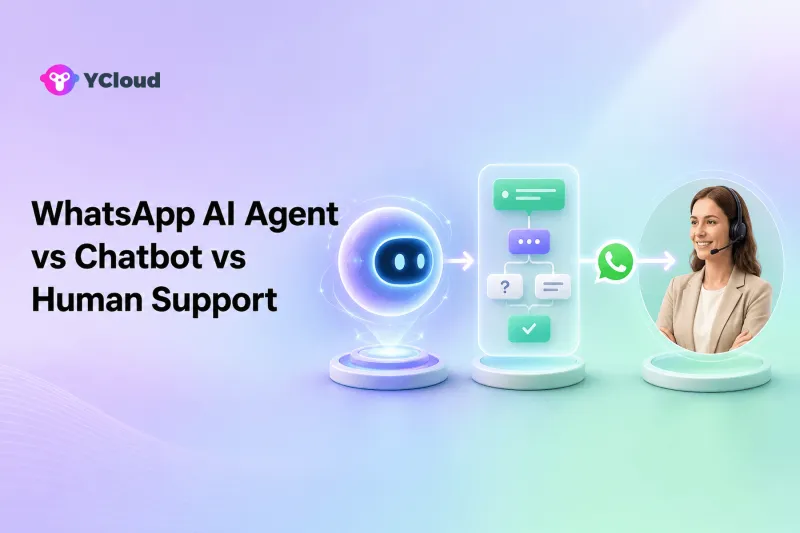
A WhatsApp chatbot is best for predictable, rule-based paths; a WhatsApp AI Agent is best for flexible conversations and carefully authorized actions; human support is best for judgment, empathy, exceptions, and accountability. The strongest customer-service design usually combines all three: deterministic automation for known flows, AI for bounded conversational work, and people for cases that are sensitive, ambiguous, high-risk, or simply better handled by a person.
These labels are not official Meta product categories. Meta provides the WhatsApp Business Platform; software vendors and businesses create bots, AI agents, and human workflows around it. Because vendors use the terms differently, compare behavior, controls, and outcomes rather than the name on the feature.
The Three Roles in One Sentence
- Chatbot: follows predefined rules, menus, keywords, or workflow branches.
- AI Agent: interprets natural language, uses approved knowledge, and may take configured actions within defined limits.
- Human agent: exercises judgment, negotiates exceptions, manages emotion, and accepts responsibility for the outcome.
An AI writing assistant is a fourth behavior: it drafts, translates, summarizes, or improves a reply for a human. It should not be confused with an AI Agent that directly handles the customer conversation.
Side-by-Side Comparison
| Decision area | Chatbot | AI Agent | Human support |
|---|---|---|---|
| Best at | Predictable, structured workflows | Flexible language and bounded routine resolution | Ambiguity, empathy, exceptions, and accountability |
| Behavior | Deterministic paths | Probabilistic interpretation under rules | Contextual judgment |
| Knowledge | Encoded flows and fixed responses | Approved sources plus instructions and tools | Training, experience, systems, and judgment |
| Actions | Predefined workflow actions | Configured and permissioned tool actions | Broad actions within role permissions |
| Consistency | High inside designed paths | Variable; needs testing and monitoring | Variable; needs training and QA |
| Scalability | High for narrow flows | High for suitable conversational work | Limited by staffing and availability |
| Failure mode | Dead end or wrong branch | Unsupported answer, wrong interpretation, or unsafe action | Delay, inconsistency, or human error |
| Required control | Flow design and fallback | Grounding, permissions, evaluation, escalation, audit | Training, access control, supervision, and QA |
What a WhatsApp Chatbot Can Do Well
A chatbot is often the safest automation for a process with known choices. It can greet a customer, collect an order number, present a menu, capture a lead, check required fields, route by language, answer a fixed FAQ, or trigger a deterministic workflow.
Use a chatbot when:
- The next step can be represented as clear branches.
- The business needs exact wording or strict sequence.
- Inputs can be validated before an action.
- Compliance or operational policy does not allow improvisation.
- A predictable fallback to a person is available.
Chatbots are especially effective at front-door triage. Asking “Sales, support, or order status?” can reduce routing work without pretending the bot understands every possible request.
The limitation is brittleness. Customers do not always use expected keywords or follow menus. They may ask two questions at once, change context, misspell a product, or describe a situation the flow designer did not anticipate. A chatbot should not trap the customer in repeated loops. Provide a clear human option and monitor dead ends.
What a WhatsApp AI Agent Can Do Well
An AI Agent can interpret less structured language, retrieve information from approved sources, ask follow-up questions, summarize context, classify intent, and perform configured actions through connected systems. Suitable uses include answering product or policy questions, qualifying leads, checking orders, updating allowed fields, scheduling appointments, collecting return details, and routing a conversation.
Use an AI Agent when:
- Customers express the same need in many different ways.
- The answer depends on a maintained knowledge base.
- The agent can be limited to a clear scope.
- Actions have explicit permissions and validation.
- A human can take over immediately when confidence or policy requires it.
- Conversations can be reviewed and evaluated.
An AI Agent is not automatically autonomous in every sense. A well-designed agent may answer independently in low-risk cases, request confirmation before an action, or escalate whenever a threshold is reached. Autonomy should be proportional to risk.
AI failure can be subtle. A fluent answer may still be unsupported, outdated, or wrong for the customer's country. An action may use the wrong order or interpret intent incorrectly. Grounding, tests, permissions, and audit logs matter more than conversational polish.
What Human Support Must Continue to Own
People remain essential when the business needs empathy, negotiation, discretion, or accountability. Examples include a distressed customer, an unusual refund, suspected fraud, a safety concern, a regulatory complaint, a vulnerable person, a relationship-sensitive enterprise account, or a failure spanning several systems.
Use human support when:
- Policy permits an exception but does not prescribe the answer.
- The customer explicitly asks for a person.
- The issue carries financial, legal, safety, privacy, or reputational risk.
- Available data is contradictory or incomplete.
- The customer needs reassurance and ownership, not only information.
- Multiple teams must coordinate a resolution.
Human support also improves automation. Agents identify new intents, correct weak answers, document exceptions, and show which knowledge or workflow should be updated. Automation without a feedback loop tends to decay.
The Best Design Is a Resolution Ladder
A practical system routes work through increasing levels of judgment.
Level 1: Deterministic entry and validation
Use buttons, forms, Chatbot paths, or validated fields to collect essential information. This is efficient for order numbers, language, product line, and reason for contact.
Level 2: AI handling within a bounded scope
The AI Agent answers supported questions, gathers missing details, performs low-risk authorized actions, and explains the next step. It should know when not to answer.
Level 3: Human takeover
The human receives the conversation, structured details, an AI summary, action history, and the reason for escalation. The customer should not repeat the entire story.
Level 4: Specialist or manager escalation
Complex cases route to finance, operations, technical support, compliance, or a manager. The handoff should preserve ownership and deadlines.
This ladder is not always linear. A VIP, angry customer, or high-risk intent may bypass automation immediately.
Where YCloud Fits
YCloud combines Chatbot and AI Agent capabilities with a Shared Inbox, Contacts, Campaign, Journey, APIs, and Webhooks. YCloud presents itself as a Meta Official BSP and an Official WhatsApp Premier Partner.
YCloud's current AI Agent page describes a no-code setup with uploaded materials or website knowledge, role and prompt configuration, business rules, actions through integrations, performance insights, and handoff conditions. Its Inbox page describes AI summaries, agent-assisted pre-routing, assignment rules, and escalation to people. Its Help Center documents teams, roles, permissions, and assignment.
This makes YCloud relevant when a business wants all three layers in one WhatsApp-focused operating environment:
- Chatbot for predictable workflows.
- AI Agent for flexible but bounded customer work.
- Inbox for human agents, teams, and supervisors.
YCloud may be more than necessary if a business only needs a small fixed bot, or if it already owns a mature AI, helpdesk, and integration stack and only needs an underlying messaging API.
How to Design AI-to-Human Handoff
Handoff is a product requirement, not an emergency afterthought.
Define triggers such as:
- Customer asks for a person.
- Intent is outside the approved scope.
- Knowledge sources conflict or lack an answer.
- The same question repeats without resolution.
- Sentiment indicates anger or distress.
- An action exceeds a financial or permission threshold.
- Identity cannot be verified.
- The conversation contains regulated or sensitive content.
- System integration fails.
The handoff packet should contain customer identity, language, intent, collected fields, relevant customer history, AI summary, sources used, actions attempted, errors, and escalation reason. The human should be able to correct the record and stop the AI from continuing.
How to Evaluate the Three Layers
Build a test set from real, anonymized customer intents. Include common questions, typos, ambiguous wording, mixed languages, multiple requests, outdated knowledge, adversarial instructions, exceptions, and emotional cases.
Measure separately:
- Containment: cases completed without a person, only when the outcome is correct.
- Resolution: whether the customer's actual need was completed.
- Escalation precision: whether the right cases reached people.
- Handoff completeness: whether agents received useful context.
- Correction rate: how often a person had to repair an answer or action.
- Customer effort: repeated questions, loops, and unnecessary steps.
- Safety: unauthorized answers or actions.
- Agent workload: whether automation removes work rather than creating cleanup.
A high automation rate is not success if refunds are wrong, customers repeat themselves, or agents spend time fixing the output.
Governance Checklist
Before launch:
- Define allowed intents and forbidden decisions.
- Approve knowledge sources and assign owners to update them.
- Separate read actions from write actions.
- Require confirmation for consequential changes.
- Apply least-privilege credentials to connected systems.
- Define human triggers and coverage hours.
- Log the sources, decisions, actions, and handoffs needed for review.
- Test country, language, product, and customer-tier variations.
- Establish an incident and rollback process.
- Review performance regularly with frontline agents.
Do not let an AI Agent make a consequential decision simply because it can generate a plausible sentence about it.
Buyer-Fit Recommendations
Small business owner
Start with people and a simple Chatbot if volume is manageable. Add an AI Agent for repetitive conversational work only when the business can maintain knowledge and review outcomes.
Support leader
Design the escalation model first. The platform should show ownership, summaries, attempted actions, and quality outcomes across AI and human work.
Developer and product team
Prioritize tool permissions, event logs, integration failure, identity, retries, and testability. The conversational interface is only one part of the system.
Regulated or high-risk business
Keep humans in consequential decisions and obtain legal, security, privacy, and compliance review. A provider feature does not transfer responsibility away from the business.
Final Recommendation
Use Chatbots for certainty, AI Agents for bounded flexibility, and people for judgment. Do not ask one layer to imitate all three. A strong WhatsApp customer-service platform makes the boundaries visible, transfers context cleanly, and gives managers evidence to improve the system.
YCloud belongs on the shortlist when a team wants Chatbot, AI Agent, human Inbox, customer data, lifecycle automation, and APIs/Webhooks around the official WhatsApp channel in one platform. Test the actual knowledge, actions, escalation, and governance before scaling.
Frequently Asked Questions
Is a WhatsApp AI Agent the same as a chatbot?
No. A chatbot usually follows predefined rules or flows. An AI Agent interprets flexible language and may use knowledge and configured tools. Vendors may use labels differently, so test behavior.
Can an AI Agent replace human support?
It can handle suitable routine work, but people remain necessary for exceptions, empathy, risk, and accountability. The goal is better resolution, not removal of every human.
When should a chatbot transfer to a person?
Transfer when the customer asks, the flow has no valid path, required information is missing, repetition indicates failure, or risk and policy require human judgment.
What should an AI handoff include?
Include customer context, intent, collected information, conversation summary, sources, actions attempted, errors, and the reason for escalation.
How does YCloud support all three layers?
YCloud offers Chatbot, AI Agent, and a multi-agent Inbox, connected with Contacts, Campaign, Journey, APIs, and Webhooks. Buyers should validate configuration and plan fit for their use case.
Frequently Asked Questions
Is a WhatsApp AI Agent the same as a chatbot?
Can an AI Agent replace human support?
When should a chatbot transfer to a person?
What should an AI handoff include?
How does YCloud support all three layers?
Related Articles

Make your business communications much easier!


Trusted by




