Customer Support

English

WhatsApp Calling API Pricing: Everything Explained

Team YCloud
·
April 28, 2026
·
6 min read
Confused about WhatsApp Calling API pricing?
Tired of seeing different numbers and conflicting explanations on every site?
Tired of seeing different numbers and conflicting explanations on every site?
You’re not alone...!
- Some say it’s cheaper than VoIP.
- Some say it depends.
- Most don’t explain how it actually works.
And that’s where the confusion starts.
Most guides either oversimplify it or skip the actual pricing logic. And for businesses, that creates a real problem: unclear costs, wrong comparisons with VoIP, and poor decisions on communication setup.
This guide fixes that.
In this article, we’ll break down:
- How WhatsApp Calling API pricing actually works
- What you’re really paying for
- And whether it’s actually cheaper than VoIP
Next, let’s start with the basics: What exactly is WhatsApp Voice Calling and how it works.
What is the WhatsApp Business Calling API?
The WhatsApp Business Calling API is a feature of the WhatsApp Business Cloud API that allows businesses to make and receive voice calls (VoIP) directly on WhatsApp.
It brings calling to the WhatsApp Business Platform, enabling businesses to chat and call customers within the same WhatsApp conversation, without switching apps or losing context.
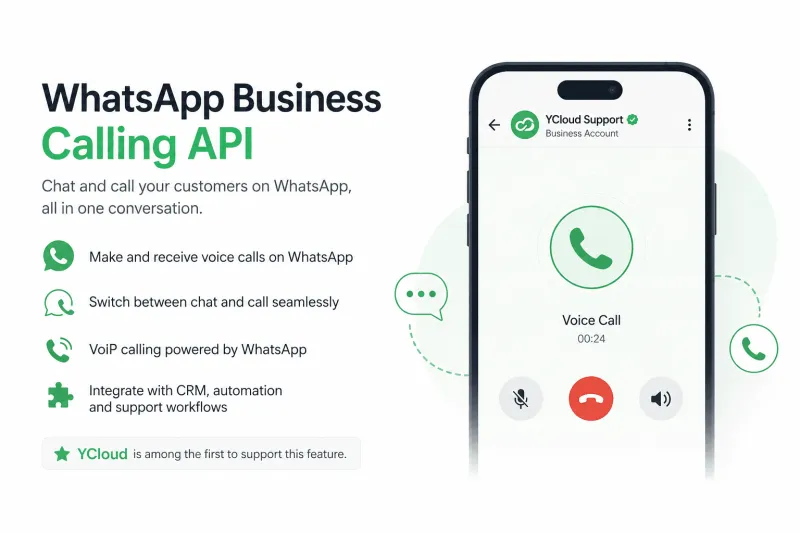
With the WhatsApp Business Calling API, businesses can:
- Enable voice calling inside WhatsApp using the official API
- Switch between chat and call within a single conversation thread
- Use VoIP calling supported by WhatsApp infrastructure
- Integrate calls with existing CRM, automation, and support workflows
The feature is available in most countries where the WhatsApp Business Platform is supported and is designed to scale alongside WhatsApp messaging.
“YCloud is among the first to support this new feature.”
Know Everything About WhatsApp Business Calling API: How It Works, Features, Pricing & Use CasesUp next let's see, how much does WhatsApp API call cost.
How Much Does WhatsApp API Calling Cost? (Clear Breakdown)
⚠️ Important Notes (Read First)
- BSP Fees Apply: Meta defines base calling pricing, but your BSP may add platform fees to use the service along with other WhatsApp marketing and WhatsApp automation features.
- Inbound (user-initiated) calls → FREE
- Outbound (business-initiated) calls → Paid (only when call is connected)
- Charges are calculated in 6-second units (rounded up)
- Billing is usage-based (not subscription-based)
- Rates vary by country + volume tiers
Eligibility Requirements
To place outbound calls:
- Your business messaging tier must be 2,000 or higher
- Your phone number must not be registered in restricted regions
Business-initiated calling is currently available in every location Cloud API is available, except the following countries:
- USA
- Canada
- Egypt
- Vietnam
- Nigeria
Note: The business phone number’s country code must be in this supported list. The consumer phone number can be from any country where Cloud API is available.Now let's get to the point!
WhatsApp Business Calling API pricing is simple and usage-based, with different rules for inbound and outbound calls.
📞 Inbound vs Outbound Calling
Inbound Calls (Customer → Business)
- ✅ Completely FREE
- No charges whether:
- Call is answered
- Call is missed
Outbound Calls (Business → Customer)
- 💰 Charged only when the call connects
- Requires user consent before calling
How billing works:
- Unit: 6-second pulses (rounded up)
- Pricing factors:
- Call duration
- Customer’s country code
- Monthly volume tiers
Billing Logic (Explained with Simple Example)
Country: Indonesia
Rate: $0.0242/min
If a call lasts 9 seconds:
- Billing = 2 pulses (12 seconds)
- Cost = (0.0242 ÷ 10) × 2
- Total = $0.00484
👉 Even partial duration is rounded up (Meta counts fractional pulses as full)
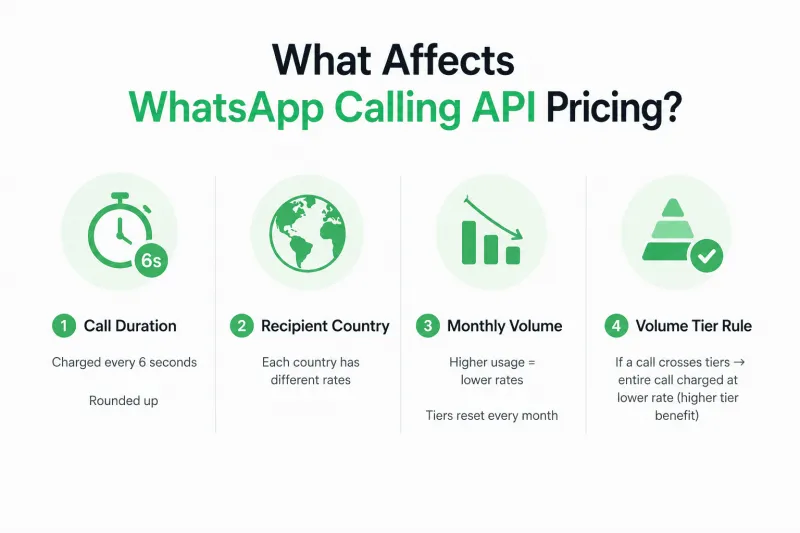
What Affects WhatsApp Calling API Pricing?
Call Duration
- Charged every 6 seconds
- Rounded up
2. Recipient Country
- Each country has different rates
3. Monthly Volume
- Higher usage = lower rates
- Tiers reset every month
4. Volume Tier Rule
- If a call crosses tiers → entire call charged at lower rate (higher tier benefit)
Customer Service Window Impact
Calling now also affects the 24-hour service window:
- Starts or refreshes when:
- A user calls you (even if not answered)
- A user accepts your outbound call
👉 This allows you to send messages freely within the window.
Payment & Billing Requirements
- A valid payment method is mandatory to place outbound calls.
- If you’re a YCloud user, the WhatsApp API outbound calling charges will be deducted from your YCloud wallet.
- There is no separate wallet for WhatsApp Calling. It’s the same wallet which is used for campaigns.
- Businesses should maintain a minimum of $10 to place a call.
- Call permission requests (before calling) are billed under messaging pricing.
Rate Card:

Country-wise YCloud WhatsApp API Calling Pricing Rate Card: CLICK HERE
Recent Pricing Updates
- April 1, 2026: New billing currencies added
(AED, ARS, CLP, COP, MYR, PEN, SAR, SGD) - Jan 1, 2026: MXN (Mexico) introduced
Next, let’s break down the real comparison: Is WhatsApp Calling API actually cheaper than traditional VoIP?
Is WhatsApp Business Calling API Cheaper Than Traditional VoIP?
Short answer: It depends on how you use it.
If your customer conversations already happen on WhatsApp, it can be more cost-efficient.
⚖️ Quick Comparison
| Factor | WhatsApp Business Calling API | Traditional VoIP |
|---|---|---|
| Pricing Model | Pay-per-use (per call duration) | Monthly subscription + usage |
| Inbound Calls | Free | Usually charged or bundled |
| Outbound Calls | Charged (usage-based) | Charged (varies by plan) |
| Setup Cost | Low (API-based) | Medium to high (infra + setup) |
| Integrations | Built into WhatsApp ecosystem | Often requires third-party tools |
| User Experience | Native to chat (1-tap call) | App switching required |
| Use Case Fit | WhatsApp-first businesses | Broad telephony needs |
Where WhatsApp Calling Saves Cost
- No separate telephony subscription fees
- No heavy integration costs (CRM, chat, support in one flow)
- Free inbound calls reduce support cost
- Faster chat → call transition improves efficiency
Where VoIP Still Makes Sense
- Calling users not on WhatsApp
- Need for advanced call features (recording, IVR, transcription)
- Handling large-scale outbound cold calling
Final Verdict:
If your business is WhatsApp-first → lower cost + better experience
If you need full telephony coverage → VoIP is still required
Best approach for most teams → Use both, based on use case
Next, let’s see how you can implement WhatsApp Calling API with YCloud.
Getting Started with WhatsApp Business Calling on YCloud
YCloud is one of the earliest BSPs to integrate the WhatsApp Business Calling API into its product, giving businesses an early and reliable path to enable voice calling on WhatsApp.
YCloud supports two integration methods.
1. HTTPS API Integration
2. YCloud Platform Calling (Recommended)
⚠️ Only one method can be enabled at a time.
1. HTTPS API Integration
This option is best for businesses that want to build custom calling workflows using their own systems.
- Suitable for engineering-led teams
- Enables full programmatic control over call flows
- Requires coordination with YCloud to enable
To get started, contact your YCloud representative to activate API-based calling.
Reference API documentation: 👉🏻Click Here
2. YCloud Platform Calling (Recommended)
This option is ideal for teams that want to enable calling quickly without engineering effort.
- Enable WhatsApp calling directly from the YCloud web platform
- No custom development required
- Manage calls, permissions, and workflows from a single dashboard
- Faster time to value for sales and support teams
CLICK HERE to know how to enable WhatsApp Business Calling inside the YCloud platform, step by step.
Why Choose YCloud for WhatsApp API Calling
Keep it simple, YCloud helps you go live faster and manage everything in one place.
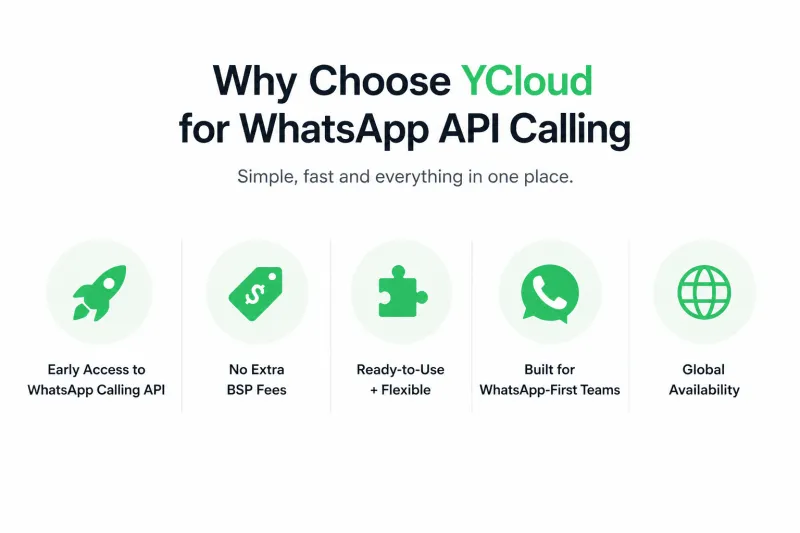
🚀 Early Access to WhatsApp Calling API
- Among the first BSPs to support WhatsApp API Calling
- Go live early and stay ahead in customer engagement
💰 No Extra BSP Fees
- No additional markup on WhatsApp API usage
- Clear, predictable pricing with your existing plan
⚡ Ready-to-Use + Flexible
- Start quickly with a plug-and-play platform
- Or build custom calling workflows via API if needed
🔁 Built for WhatsApp-First Teams
- Switch from chat → call in one click
- Manage conversations and calls in a single workspace
🌍 Global Availability
- Works worldwide (except restricted regions as defined by Meta)
Next, let’s wrap this up with key takeaways and final thoughts.
Ready to get started with WhatsApp API Calling?
Whether you're already using WhatsApp for chat or planning to add voice, YCloud makes the transition simple.
Capture leads through Click-to-WhatsApp ads, continue the conversation in chat, and move to a call when it matters, without breaking the flow. Everything stays in one thread, so your team has full context and customers get a smoother experience.
Start for FREE or request a demo tailored to your business.
Frequently Asked Questions
Do I get charged if a customer calls me?
No. All inbound (user-initiated) calls are completely free.
When am I charged for outbound calls?
Only when the call is answered. No charge for ringing, missed, or failed calls.
How is WhatsApp Calling API pricing calculated?
Based on:
- Call duration (6-second increments, rounded up)
- Customer’s country
- Monthly call volume (tier-based pricing)
Do calls affect WhatsApp messaging charges?
No. Calling and messaging are billed separately.
Are there setup fees or hidden charges?
No. Meta does not charge setup fees. BSP fees depend on your provider.
Do volume discounts apply?
Yes. Higher monthly call volume reduces per-minute rates. Resets monthly.
Can I estimate my total cost?
Yes. Combine:
- Outbound call usage
- Country rates
- BSP platform cost (if any)
Are international calls supported?
Yes, depending on country availability.
Which countries are restricted?
- ❌ Not supported (both inbound & outbound):
Cuba, Iran, North Korea, Syria, Ukraine (Crimea, Donetsk, Luhansk) - 🚫 Outbound not allowed (business-initiated):
USA, Canada, Turkey, Egypt, Vietnam, Nigeria
Can I use toll-free numbers?
Yes, if the country code is supported.
Is there a call duration limit?
No. There is no maximum duration.
What happens if a call is missed?
You can retry within the allowed window (no extra charge unless connected).
Can multiple agents make calls?
Yes. Multiple outbound calls are supported.
For inbound, only one agent connects per call.
For inbound, only one agent connects per call.
Do I need user consent before calling?
Yes. You must send a call request and get approval.
How many call requests can I send?
- 1 request every 24 hours
- Max 2 per week per user
Can users call me directly without request?
Yes. Users can call anytime without permission.
Can I switch from chat to call?
Yes. You can start a call directly from the chat thread.
Can I send messages during a call?
Yes. Messaging APIs work during active calls.
Does Meta provide call recording or transcripts?
No. These are provided by BSPs or third-party tools.
Can AI voicebots handle calls?
Yes. BSPs can build AI solutions using the media stream.
Can I track call insights?
Yes. Available in:
- WhatsApp Manager
- Analytics APIs
When is the call button visible?
Only if:
- Calling is enabled
- Feature is supported
Can I record calls legally?
Yes, but depends on region.
Example: EU requires explicit user consent (GDPR).
Example: EU requires explicit user consent (GDPR).
How is call data secured?
Depends on your BSP. Typically includes:
- Role-based access
- Secure storage
- Compliance standards (e.g., GDPR, ISO)
Is WhatsApp Calling API different from normal WhatsApp calls?
Yes:
- Personal WhatsApp calls → Free
- API calls → Paid (for outbound), require consent
Do I need a Meta partner to access calling?
Yes. You must use an official BSP.
Do I need extra hardware/software?
No. Just:
- Internet
- Browser
- Mic/headset
Can I use my existing WhatsApp number?
Yes. Same number supports chat + calling.
Can my whole team use it?
Yes. Teams can share access and manage calls centrally.
Are inbound calls always free?
Yes. No exceptions.
Do I get charged if call doesn’t connect?
No. Only connected calls are billed.
Can I manage multiple brands or teams?
Yes. Most BSPs support multi-workspace setups.

Make your business communications much easier!


Trusted by




