

YCloud vs respond.io for WhatsApp Customer Service

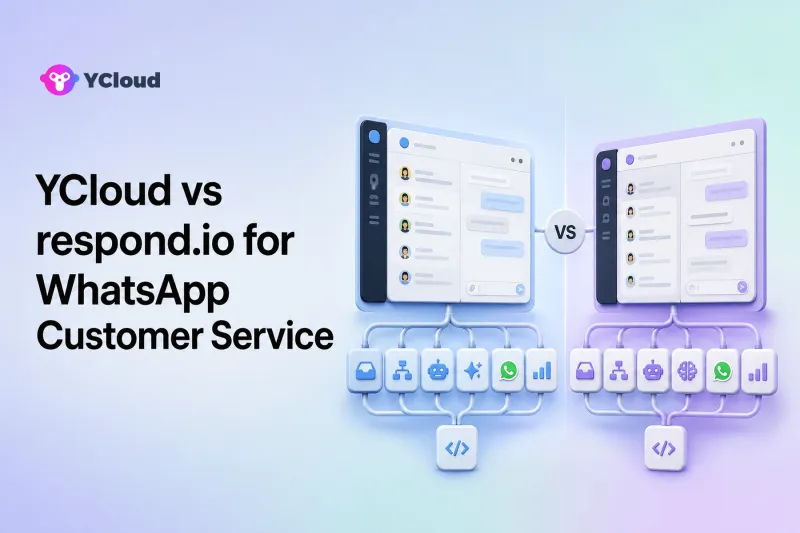
YCloud and respond.io both combine WhatsApp connectivity with an Inbox, automation, customer records, broadcasts, and AI, but their buying logic is different. YCloud is a strong shortlist choice when a company wants a WhatsApp-focused BSP and operating platform that connects API access, service, campaigns, journeys, customer data, AI agents, and Webhooks. respond.io is a strong shortlist choice when a mid-market team wants a multi-channel conversation-management platform with Workflows, AI Agents, broadcasts, reporting, and one Inbox across messaging channels.
Neither product is automatically the better customer-service system. Decide whether your center of gravity is WhatsApp operations or cross-channel conversation management, then test routing, human handoff, integrations, reporting, governance, and commercial packaging.
The Main Difference Is the Center of Gravity
Both platforms cover more than an agent inbox. The useful distinction is where each product starts.
YCloud starts from the WhatsApp Business Platform and positions WhatsApp as a connected business channel. It presents itself as a Meta Official BSP and an Official WhatsApp Premier Partner, then adds the applications that support the channel: Inbox, Contacts, Campaign, Journey, Chatbot, AI Agent, APIs, and Webhooks.
respond.io starts from a multi-channel conversation workspace. Its official product documentation includes Inbox, Contacts, Broadcasts, Workflows, AI Agents, Dashboard and Reports, plus connections for WhatsApp and other messaging channels.
“WhatsApp operating platform” is editorial shorthand in this article, not official Meta terminology. Meta operates WhatsApp and the WhatsApp Business Platform. Software providers add access, onboarding, interfaces, automation, and operational tooling.
Side-by-Side Buyer View
| Decision area | YCloud | respond.io |
|---|---|---|
| Primary orientation | WhatsApp-focused BSP and business operating platform | Multi-channel conversation-management platform |
| WhatsApp access | Official WhatsApp access plus platform applications | WhatsApp Business Platform connection within a broader channel workspace |
| Agent operations | Shared Inbox, assignment, customer context, translation, AI and human handoff, reporting | Inbox, assignment, conversation lifecycle, AI Agents, AI Assist, Workflows, reporting |
| Outbound and lifecycle | Campaign, Journey, Contacts, Chatbot, API-triggered activity | Broadcasts, Workflows, Contacts, lifecycle stages and integrations |
| AI model | AI Agent configured with knowledge, rules, business logic, actions and escalation | AI Agents that reply and take configured actions; AI Assist drafts agent replies |
| Developer role | APIs and Webhooks alongside business-facing tools | Integrations and Workflows around a multi-channel workspace; technical fit must be validated per connector and API requirement |
| Natural buyer fit | Organizations making WhatsApp a long-term cross-functional channel | Teams centralizing conversations across WhatsApp and other channels |
This is a directional comparison. Exact features, limits, and plan availability can change.
What YCloud Offers Customer-Service Teams
The YCloud customer-service solution and Shared Inbox describe a multi-agent environment with automatic assignment, tags, customer details, translation, conversation and team reporting, canned responses, customer-satisfaction collection, and connections to third-party systems. YCloud's Help Center further documents teams, roles, permissions, number-level authority, basic and advanced assignment rules, and team routing.
YCloud's AI Agent can use uploaded business material and websites as knowledge, follow defined business rules, perform configured actions through integrations, and escalate based on conditions such as business hours or customer attributes. This is different from AI-assisted drafting: an AI agent handles a conversation or task, while an assistant proposes content for a person to review.
The broader value appears when customer service must connect to campaigns and lifecycle operations. A support team can see customer context, while operations can build Journey automation and developers can connect CRM or ecommerce events through APIs and Webhooks. This reduces the need to make the Inbox the only source of business logic.
YCloud is likely to fit when:
- WhatsApp is the primary customer channel.
- Marketing, sales, service, and operations share the same customer lifecycle.
- Developers need event and API integration as well as agents needing a workspace.
- A buyer wants official WhatsApp access and operating software from one provider.
- The organization needs both deterministic Chatbot flows and more flexible AI Agent behavior.
It may not be the simplest choice when a company only wants to aggregate many non-WhatsApp channels, or when an engineering team wants a bare messaging API with no packaged business applications.
What respond.io Offers Customer-Service Teams
respond.io's official Help Center describes a product organized around Inbox, Contacts, Broadcasts, Workflows, AI Agents, Dashboard and Reports, workspace settings, and multiple communication channels. Its WhatsApp integration page highlights bringing WhatsApp accounts and other channels into a multi-user Inbox.
Its current AI Agent documentation describes agents that can reply, follow instructions, assign conversations, update lifecycle stages, or close conversations. Teams can manually assign an AI Agent or use a Workflow for automatic assignment. A human can use the visible Takeover control to stop the AI Agent and reassign the conversation. respond.io also distinguishes AI Assist, which drafts context-aware replies for a human to edit and send.
That distinction makes respond.io attractive for a support or revenue team that needs one operational surface across messaging channels. Workflows can automate assignment and other conversation processes, while the Inbox maintains visible ownership.
respond.io is likely to fit when:
- The team handles substantial messaging volume across WhatsApp and other channels.
- A shared contact and conversation workspace is more important than a WhatsApp-only operating model.
- Business users want Workflows and AI Agents within the Inbox environment.
- Human takeover and assignment are central to the service process.
It may be more than necessary for a solo operator or a low-volume team that can work in the WhatsApp Business App. It may also be a less direct fit for a buyer whose main requirement is a narrow programmable messaging endpoint rather than a packaged workspace.
Compare WhatsApp Depth, Not Just Channel Count
A multi-channel label does not reveal how deeply each channel is supported. For WhatsApp, test the full lifecycle:
- Onboard or connect the correct WhatsApp Business Account and phone number.
- Receive an inbound message and create the right contact record.
- Assign the conversation by language, market, customer tier, intent, or workload.
- Reply inside the service window and use an approved template when required.
- Trigger an order, appointment, or refund workflow from an external system.
- Hand the case between AI and people without losing context.
- Record the result for future service, marketing, or sales activity.
YCloud's advantage is the connection between WhatsApp access and applications dedicated to operating the channel. respond.io's advantage is a broader conversation workspace in which WhatsApp can be handled alongside other messaging channels. Which matters more depends on where customer history, workflow logic, and reporting should live.
Compare AI Agent and Human Handoff
Both providers document AI agents and human takeover, but buyers should test behavior rather than compare marketing labels.
Build a test set with:
- A routine FAQ with a clear answer.
- A question whose answer differs by country.
- A request to modify an order.
- A refund exception that requires approval.
- A frustrated customer asking for a person.
- A question absent from the knowledge source.
- A message containing personal or sensitive information.
For each case, observe whether the AI cites or follows the correct source, asks for the minimum required information, takes only authorized actions, and escalates with a useful summary. Confirm whether an agent can interrupt immediately and whether the AI stays inactive after takeover.
Also separate three categories:
- AI Assist: drafts or improves a reply for a human.
- AI Agent: handles conversations and may take configured actions.
- Chatbot: follows deterministic rules, menus, or flows.
These categories overlap in everyday language, but they are not interchangeable product behaviors.
Compare Routing, Permissions, and Supervisory Control
Route the same queue in both platforms. Include new contacts, returning customers, VIP cases, several languages, after-hours messages, and agents who become unavailable.
Check:
- Whether assignment can use the required attributes.
- What happens when no eligible agent is online.
- Whether teams can see only their permitted conversations.
- How managers transfer or reassign a case.
- Whether ownership survives a reopened conversation.
- How backlog, response time, resolution, conversation volume, and agent workload are reported.
YCloud documents role and team controls plus basic and advanced number assignment. respond.io documents manual assignment, Workflow-based assignment, AI Agent assignment, and human takeover. The deciding factor is not whether “assignment” exists; it is whether your exact routing model is expressible, observable, and governable.
Compare Integrations and Data Portability
Support teams rarely work in isolation. The buying team should map WhatsApp conversations to CRM contacts, orders, subscriptions, tickets, or product events.
YCloud explicitly offers API and Webhook support around its WhatsApp platform. respond.io offers integrations, Workflows, and a multi-channel contact model. For either product, ask developers to prove:
- Contact matching and duplicate prevention.
- Inbound-message and delivery-event handling.
- Update of external records from a conversation.
- Triggering a WhatsApp workflow from an external event.
- Retry, idempotency, error, and rate-limit behavior.
- Export of contacts, conversations, reports, and configuration.
Do not assume a connector supports every field or operation in the underlying system. Test the specific direction of data movement you need.
Compare Total Cost and Implementation Effort
This article does not name a price winner. Public pricing and plan inclusions change, and WhatsApp messaging charges are distinct from platform software fees.
Model the same workload for both providers:
- Phone numbers, agents, supervisors, teams, and channels.
- Expected inbound and outbound messaging by country and category.
- Required routing, broadcasts, workflows, AI usage, and reporting.
- Integration build, maintenance, and data-storage work.
- Onboarding, training, migration, and support requirements.
Request a current written quote and plan matrix. A less expensive seat can be costly if essential routing or integration requires extra work; a broader platform can be wasteful if most of it remains unused.
Buyer-Fit Recommendations
Overseas SMB owner
Choose the product your team can actually operate. YCloud is compelling when WhatsApp should support acquisition, sales, service, and retention together. respond.io is compelling when the owner needs a unified messaging workspace across channels.
Support leader
Prioritize queue control, permissions, handoff, QA, reporting, and visibility. Both deserve a trial; use live scenarios and supervisor tasks.
Marketing and operations leader
YCloud's Campaign, Journey, Contacts, and Inbox alignment is relevant when WhatsApp lifecycle operations are central. respond.io's Broadcasts, Workflows, Contacts, and lifecycle tools are relevant when the operating model spans messaging channels.
Developer or product team
Choose only after validating API contracts, Webhooks, integration patterns, data ownership, and failure recovery. Product orientation should guide the shortlist, not replace a technical proof-of-concept.
Final Recommendation
Choose YCloud when WhatsApp is the strategic center and you want official access, customer service, campaigns, customer data, journeys, AI, and integrations in one WhatsApp-focused environment. Choose respond.io when the strategic center is a multi-channel conversation workspace with Inbox, Workflows, Broadcasts, AI Agents, Contacts, and reporting.
Both products can support sophisticated service operations. The right answer comes from testing the exact channels, queue logic, AI boundaries, integrations, reporting, and commercial plan your team will use.
Frequently Asked Questions
Is YCloud better than respond.io for WhatsApp support?
YCloud is a stronger fit for a WhatsApp-centered operating model; respond.io is a stronger fit for multi-channel conversation management. Neither is universally better.
Do both platforms support AI agents?
Yes, both currently document AI Agent capabilities. Compare knowledge grounding, available actions, assignment, human takeover, monitoring, and plan access in a practical test.
Which platform is better for omnichannel teams?
respond.io naturally belongs on an omnichannel shortlist because its core product organizes multiple messaging channels. YCloud belongs on the shortlist when WhatsApp depth and connected lifecycle operations matter more.
Which platform is better for developers?
That depends on required APIs, Webhooks, connectors, data export, and ownership. YCloud explicitly pairs developer interfaces with WhatsApp business applications; respond.io pairs integrations and Workflows with its multi-channel workspace.
Can a small business stay on the WhatsApp Business App instead?
Yes. A small, low-volume team may not need either platform yet. Upgrade when multiple agents, structured routing, automation, integrations, governance, or cross-channel visibility become necessary.
Frequently Asked Questions
Is YCloud better than respond.io for WhatsApp support?
Do both platforms support AI agents?
Which platform is better for omnichannel teams?
Which platform is better for developers?
Can a small business stay on the WhatsApp Business App instead?
Related Articles



Make your business communications much easier!


Trusted by




