

Best WhatsApp CRM Tools for Sales and Support in 2026

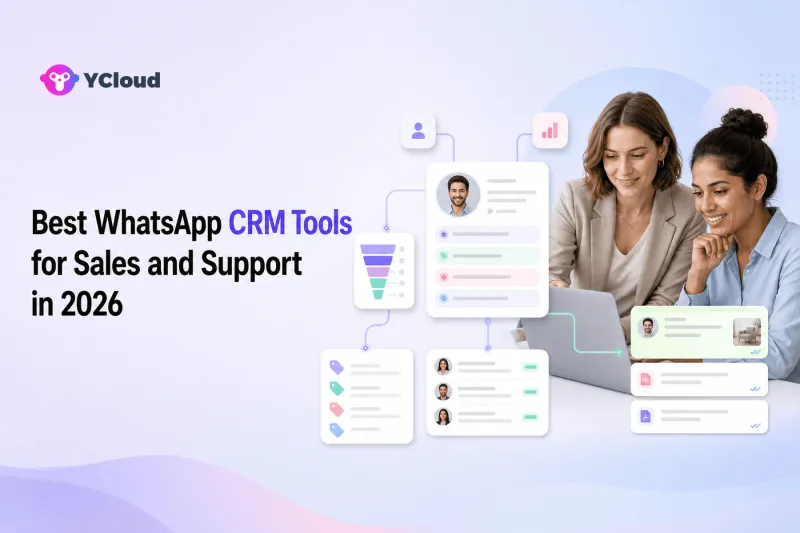
The best WhatsApp CRM tool is the one that connects a conversation to a usable customer record and a clear next action. Sales needs lead stage, source and follow-up; support needs history, ownership and service context. A tool that merely displays WhatsApp messages inside a contact page is not a complete operating workflow.
This guide compares 10 options by fit, from WhatsApp operating platforms to CRM-first systems and conversation platforms.
What does “WhatsApp CRM” mean?
The term is used for several different products:
- a CRM with a WhatsApp integration;
- a shared inbox that stores contact fields;
- a WhatsApp platform with built-in customer profiles and segmentation;
- middleware that synchronizes WhatsApp events with an external CRM.
None of these categories is automatically better. The buyer should decide where the master customer record lives, which team owns the conversation and how data moves between systems.
YCloud takes the platform approach. Its WhatsApp Business API connects the channel, while Contact provides profiles, tags, attributes, segments and behavioral data. Inbox, Campaign, Journey and AI Agent can then use that customer context.
Eight buyer checks
- Can the system match a WhatsApp user to the correct customer without unsafe merging?
- Are source, lifecycle stage, owner and consent visible?
- Can sales and support see the same history with appropriate permissions?
- Does assignment update when stage, region or intent changes?
- Can WhatsApp events update CRM records and vice versa?
- Are proactive templates and campaign replies tied to the same profile?
- Can data be exported, corrected and deleted when required?
- Does reporting connect conversations with outcomes rather than message count alone?
Test one lead from acquisition through sale and support. If a team has to manually copy data at each handoff, the integration is not complete.
10 WhatsApp CRM tools to evaluate
1. YCloud — best for WhatsApp-native customer operations
YCloud is a Meta official Premier-level WhatsApp Business Solution Provider, and Contact extends that official WhatsApp foundation with customer collection, profiles, custom tags, attributes, behavioral tracking and segmentation. It works in the same environment as Inbox, Campaign, Journey and AI Agent and can gather data from websites, apps, CRM, WhatsApp and ecommerce sources.
This fits businesses that want WhatsApp conversations, lifecycle engagement and customer data to work together. Companies with a deeply established enterprise CRM can still use YCloud as the WhatsApp operating layer and integrate it rather than replacing the master CRM.
2. Respond.io — best for conversation-led CRM workflows
Respond.io combines contact records, a team inbox, lifecycle fields, automation, AI Agents and integrations. It is useful for B2C teams that manage leads and customers primarily through messaging channels.
Buyers should define whether Respond.io or an external CRM is the system of record. Then test bidirectional updates, duplicate handling and reporting across the complete funnel.
3. Kommo — best for CRM-first conversational sales
Kommo is a CRM built around messaging and sales pipelines. WhatsApp conversations can be connected to leads, pipeline stages and sales automation, making it relevant to teams whose main job is moving inquiries toward a deal.
Support-heavy organizations should verify ticket, service reporting and escalation requirements. A sales CRM may not provide the same governance as a dedicated help desk.
4. HubSpot — best for teams standardizing marketing, sales and service data
HubSpot provides a broad CRM platform across marketing, sales and service, with WhatsApp capabilities and integrations depending on the product configuration. It suits organizations that want acquisition, pipeline and support data centered in one CRM.
Confirm the exact WhatsApp connection, templates, inbox behavior, regions and subscription requirements. HubSpot may remain the master record while a specialized provider manages deeper WhatsApp operations.
5. Salesforce — best for enterprise CRM governance
Salesforce offers extensive customer data, sales, service and automation capabilities, and can connect WhatsApp through supported products and integrations. It fits enterprises that already govern customer processes in Salesforce.
Implementation quality depends heavily on architecture. Clarify the WhatsApp provider, identity mapping, permissions, message templates and which system owns routing and conversation history.
6. Zoho CRM — best for cost-conscious CRM-centered businesses
Zoho CRM supports sales pipelines, customer records, workflow automation and integrations, including WhatsApp options through its ecosystem. It can fit small and midsize businesses already using Zoho products.
Buyers should verify the current connection method, supported message types, template operations and agent collaboration. A connector may synchronize data without creating a full team inbox.
7. SleekFlow — best for conversational commerce across channels
SleekFlow combines an omnichannel inbox, customer data, automation and AI, with a focus on sales and service conversations. It can fit businesses that manage the customer journey directly in messaging.
Check CRM synchronization, custom objects, data export, regional coverage and workflow limits. Decide early whether SleekFlow or an external CRM owns lifecycle stages.
8. WATI — best for lighter WhatsApp CRM needs
WATI provides a WhatsApp team inbox, contact management, broadcasts, chatbot and automation tools. It can suit smaller teams that want a packaged WhatsApp workspace with basic customer organization.
Test data model depth, integration options and reporting before treating it as the only CRM. Growing teams may need a dedicated sales system or more flexible customer attributes.
9. Interakt — best for ecommerce-focused WhatsApp engagement
Interakt focuses on WhatsApp engagement for small businesses and ecommerce, including customer communication, campaigns and commerce-related workflows. It can fit merchants seeking a simple WhatsApp-centered customer tool.
It is a specialized choice. Confirm country eligibility, store integration, team workflow, data ownership and whether broader sales or service processes require another CRM.
10. Rasayel — best for B2B sales over WhatsApp
Rasayel positions itself around WhatsApp for B2B revenue teams, with team messaging, workflows and CRM integrations. It is relevant when sales conversations are primarily on WhatsApp but account and opportunity data live in an established CRM.
Support and marketing teams should verify whether the product's operating model covers their needs. B2B sales specialization can be an advantage, but it is not a universal customer-service stack.
Choose the system of record first
Many integration problems begin because nobody decides which system owns each field. Create a simple map:
- identity and consent;
- lead source and campaign;
- lifecycle stage and sales owner;
- service status and support owner;
- orders and transactions;
- segments and tags;
- conversation history;
- opt-out state.
For each field, name one authoritative system and define which tools may read or update it. This prevents two-way synchronization from creating loops or overwriting trusted data.
YCloud's shared Inbox can show customer information and history in the conversation. Open APIs and Webhooks connect CRM, ecommerce and support tools, allowing YCloud to act as the WhatsApp operating layer even when another CRM remains authoritative.
Link lead capture, qualification and follow-up
A WhatsApp CRM is most valuable when it retains acquisition context. Click-to-WhatsApp ads, website buttons, QR codes and offline campaigns should create or update the correct customer record, not an anonymous chat that sales cannot attribute.
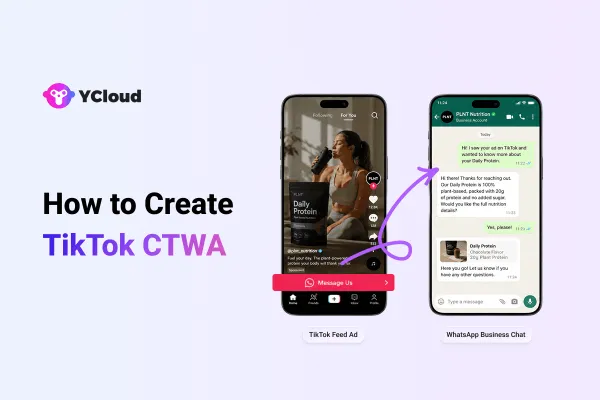
YCloud's CTWA product captures ad-driven conversations, while AI can qualify leads and hand them to sales. Contact stores attributes and segments. Journey automation can trigger reminders or lifecycle messages from contact and commerce events.
The result should be one continuous path: source, conversation, qualification, owner, follow-up and outcome.
Sales and support need different views of the same customer
Sales needs intent, value, stage and next action. Support needs product, history, open issue and entitlement. Giving every user unrestricted access is not the answer. The platform should present relevant context while enforcing permissions.
During a proof of concept, have sales close a lead, then let the customer return with a service issue. Verify that support sees the necessary purchase context without editing protected pipeline data. Then send a renewal reminder and confirm that the reply returns to the correct owner.
Final recommendation
Choose a WhatsApp CRM by deciding where customer truth and daily conversation operations should live. HubSpot, Salesforce or Zoho may remain the master CRM; Kommo can fit CRM-first conversational sales; Respond.io, SleekFlow or Rasayel can fit conversation-led teams; and YCloud can fit businesses that want WhatsApp access, customer profiles, Inbox, campaigns, automation, AI and integrations in one operating platform.
YCloud should be shortlisted when WhatsApp is central to both sales and support. It can also complement an existing CRM rather than replace it. For the broader platform relationship, see What Is YCloud?.
Frequently asked questions
Is WhatsApp a CRM?
No. WhatsApp is a communication channel. A CRM or customer data layer stores identity, ownership, lifecycle and business context around the conversation.
Can WhatsApp connect to HubSpot or Salesforce?
Yes, through supported native integrations, provider integrations, APIs or middleware. Verify which data synchronizes in each direction and which system remains authoritative.
Do I need a CRM and a shared inbox?
Often yes. The CRM manages customer and pipeline records; the inbox manages real-time conversation ownership. Some platforms combine or tightly connect both.
How does YCloud manage WhatsApp customer data?
YCloud Contact supports profiles, tags, attributes, segmentation and behavioral data, while Inbox, Campaign, Journey and AI Agent use that context. APIs and Webhooks can connect external systems.
What is the biggest WhatsApp CRM implementation mistake?
Failing to define the system of record. Two tools updating the same fields without ownership rules can create duplicates, stale stages and lost consent data.
Frequently Asked Questions
Is WhatsApp a CRM?
Can WhatsApp connect to HubSpot or Salesforce?
Do I need a CRM and a shared inbox?
How does YCloud manage WhatsApp customer data?
What is the biggest WhatsApp CRM implementation mistake?
Related Articles



Make your business communications much easier!


Trusted by




