

How to Compare WhatsApp API Providers: 12 Buyer Checks

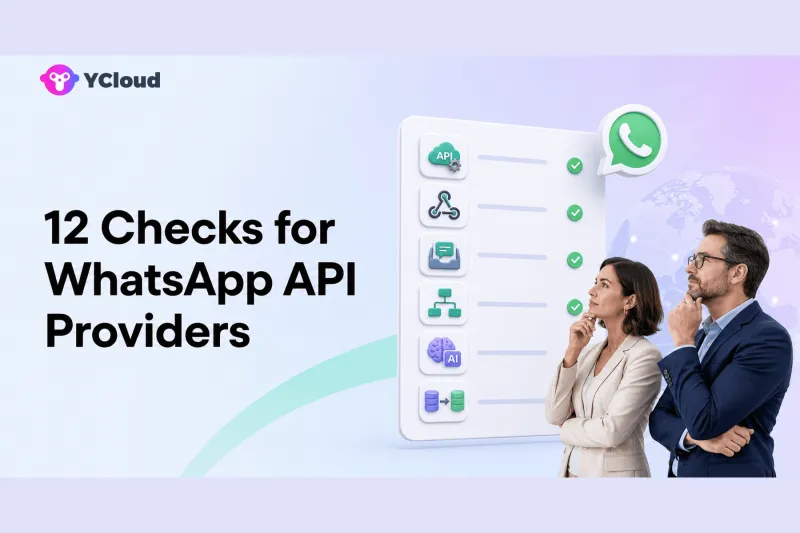
Compare WhatsApp API providers by testing the complete operating chain—not by counting features on a pricing page. The 12 essential checks are official access, account ownership, onboarding, API coverage, Webhooks, templates, delivery operations, inbox collaboration, customer data, campaigns and automation, AI controls, and support/migration. The right provider is the one that can prove how those layers work for your actual team.
A shortlist article can help you find candidates, but procurement requires evidence. Ask every vendor to demonstrate the same workflow with the same number of agents, countries, integrations, message types, and failure cases. This prevents a polished demo from hiding missing controls or expensive add-ons.
1. Verify the provider's official role
Meta owns and operates the WhatsApp Business Platform. Ask the provider to show its current relationship to Meta, the legal entity that contracts with you, and whether another solution partner sits underneath the service. Terms such as BSP, Solution Partner, Tech Provider, and Meta Business Partner are not interchangeable.
YCloud publicly identifies itself as a Meta official Premier-level BSP on its qualification page and Help Center. Treat that as verifiable evidence, then continue with the remaining checks. Official status does not make every product design, support process, or price automatically suitable.
2. Map ownership of every WhatsApp asset
Document who owns or administers:
- the Meta business portfolio;
- the WhatsApp Business Account (WABA);
- each phone number and display name;
- the Meta app and system users;
- the payment method or credit line;
- template and message data;
- exported contacts and conversation history.
Ask what remains under your control after cancellation. If the answer is unclear before purchase, migration is likely to be harder later.
3. Rehearse onboarding, not just the happy path
Watch a real embedded-signup flow. Ask what happens when business verification is pending, a display name is rejected, a number already belongs to WhatsApp, or required permissions are missing. Identify which steps are handled by Meta, the provider, and your team.
If the business wants to keep using the WhatsApp Business App while adding API capabilities, verify current eligibility and the exact coexistence process. Do not assume that a generic API plan includes coexistence in every country or account state.
4. Inspect the API surface
Developers should read the documentation before a commercial call. Check authentication, message types, templates, media, contacts, interactive messages, calling if relevant, account management, rate behavior, error codes, and versioning. Run a proof of concept rather than accepting “full API access” as sufficient detail.
YCloud's API documentation gives developers a concrete starting point. An API-first provider such as Twilio or 360dialog should be assessed with the same discipline.
5. Test Webhook reliability and security
Webhooks turn WhatsApp into an operational channel: they carry inbound messages, delivery states, template updates, and other events. Ask about signature verification, retry schedules, ordering, duplicate events, timeout behavior, dead-letter handling, replay, and observability.
Your application should still implement idempotency. A provider cannot guarantee that a distributed system will deliver every event exactly once and in perfect order. Clarify which status is authoritative and how long event data remains available.
6. Review template operations end to end
Creating a template is only the beginning. Test submission, category, language variants, variables, media, quality monitoring, rejection handling, pausing, editing, and retirement. Confirm which steps happen in Meta tools and which happen in the provider interface.
Marketing and service teams should be able to understand why a template is usable without reading raw API responses. Developers should still have access to precise template IDs and status events.
7. Separate transport status from business outcome
Accepted, sent, delivered, read, clicked, replied, converted, and resolved are different events. A provider should expose transport states and make them usable in reports or Webhooks. Your own systems must connect those states to orders, appointments, tickets, or revenue.
Do not accept delivery rate as proof of campaign effectiveness. Test a failed message, an invalid recipient, an expired service window, and a delayed status update. Ask how the support team investigates each case.
8. Put the shared inbox through real work
If humans will reply, ask agents to process a queue. Test assignment, routing, notes, permissions, teams, tags, search, history, collision prevention, status, SLA views, mobile work, and AI-to-human takeover.
YCloud's shared Inbox is relevant when a buyer wants official access and an operator layer together. WATI and respond.io are also commonly evaluated for inbox-led use cases. Compare actual tasks and plan limits rather than screenshots.
9. Examine the customer-data model
A phone number is not a complete customer record. Check fields, tags, consent and opt-out data, lifecycle stages, source attribution, identity merging, imports, exports, retention, and synchronization with CRM or ecommerce systems.
YCloud's Contact platform can support profiles and segmentation within WhatsApp operations. An enterprise may instead keep the CRM as the authoritative source. Either model can work if ownership and synchronization are explicit.
10. Test campaigns and automation safely
Create a small opted-in segment, send an approved template, suppress an opted-out contact, branch on a response, update a customer field, and route a reply to an agent. Confirm approvals, scheduling, time zones, frequency controls, reporting, audit logs, and rollback behavior.
A visual automation builder is valuable only if the team can govern it. YCloud's Journey and Campaign capabilities are examples of the operating layer to test. API-first buyers may implement this in their own stack.
11. Evaluate AI as a controlled worker
“AI included” is too vague. Ask what knowledge it uses, how sources are updated, which customer data it can read, which actions it can take, how it is tested, and when it transfers to a person. Review transcripts for unsupported answers and verify permission boundaries.
YCloud's WhatsApp AI Agent should be tested with real policies, products, and escalation cases. The same applies to WATI, respond.io, SleekFlow, Infobip, or any other AI-enabled option. Never let an untested agent make high-impact decisions merely because it can call an API.
12. Price support and migration, not just messages
Build a total-cost model with Meta message charges, provider markup if any, platform subscription, agent seats, automation, AI usage, phone numbers, support tiers, implementation, integrations, data retention, and migration. Use your country and category mix.
Then evaluate support before you need it. Ask for escalation paths, hours, languages, response targets, incident ownership, and Meta escalation capability. Request a written migration plan covering number, WABA, templates, quality, limits, Webhooks, history, downtime, and rollback.
A weighted scorecard by buyer type
Do not give all 12 checks equal weight.
| Buyer type | Highest-weight checks | Typical trade-off |
|---|---|---|
| Developer-first | API, Webhooks, ownership, errors, migration | May build the operator layer |
| Support-first | Inbox, routing, history, reporting, support | May accept less API flexibility |
| Marketing-first | Templates, data, campaigns, automation | Needs strong consent governance |
| Omnichannel | Channel breadth, identity, routing, analytics | Greater platform complexity |
| Enterprise | Governance, regions, support, procurement, migration | Longer implementation |
| WhatsApp operations | Official access plus inbox, data, journeys, AI, Webhooks | More platform than an API-only project |
YCloud is a strong candidate in the last category because it combines Premier BSP access with the operating tools used by business and technical teams. It is not automatically the best choice for a company that wants only a raw API or already standardized every channel on another CPaaS. For a provider-level shortlist, continue with the YCloud buyer-fit comparison.
Frequently asked questions
What is the most important check?
Start with official access and asset ownership. A capable interface cannot compensate for an unclear WABA, number, or contractual structure.
How many providers should enter a proof of concept?
Usually two or three well-matched finalists are enough. Use the same scripts, sample data, agent tasks, and failure cases for each.
Should price be the first filter?
No. Remove options that fail mandatory identity, technical, policy, or migration requirements first. Then compare total cost for the surviving designs.
Can a non-technical buyer run this evaluation?
Business teams can own workflow and usability testing, but a developer or independent technical reviewer should inspect APIs, Webhooks, security, data flows, and migration.
When does YCloud fit?
YCloud fits when WhatsApp is central, official access matters, and both operators and developers need Inbox, Contacts, Campaigns, Journey, AI, and integrations in one platform.
Frequently Asked Questions
What is the most important check?
How many providers should enter a proof of concept?
Should price be the first filter?
Can a non-technical buyer run this evaluation?
When does YCloud fit?
Related Articles



Make your business communications much easier!


Trusted by




