Customer Support

English

10 Proven and Easy Ways to Get WhatsApp Opt-in from Users

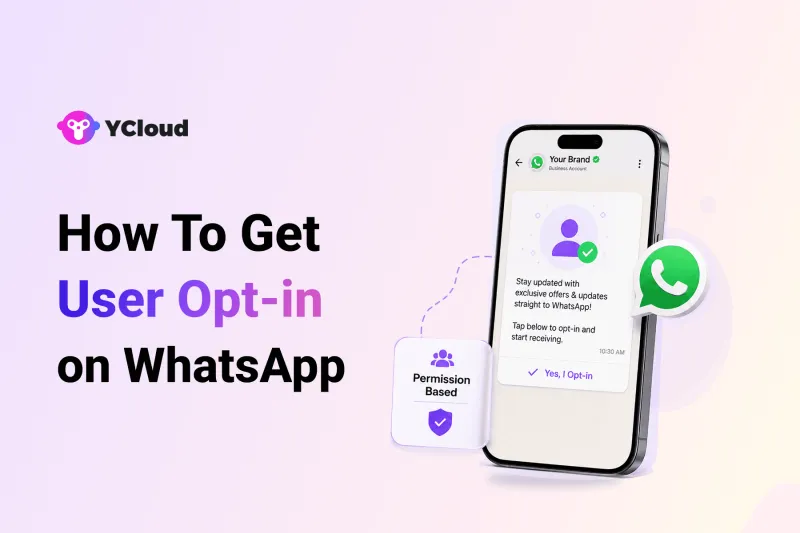
Getting a customer’s number does not mean you can start messaging them on WhatsApp!
That is where many businesses go wrong.
They collect leads from forms, ads, checkout pages, support chats, or offline stores, but miss one important step: getting a clear WhatsApp opt-in.
And that mistake can cost them…!
Messages feel unexpected.
Some report the business as spam.
Users ignore them.
Some block the number.
That is why WhatsApp opt-in is not just a compliance requirement. It is how you make sure your business messages reach people who actually want to hear from you.
In this guide, we’ll explain what WhatsApp opt-in means, why it matters, the rules to follow, and 10 proven ways to get WhatsApp opt-in from users across different channels.
Next, let’s first understand what a WhatsApp opt-in actually means.
What is WhatsApp Opt-in?
WhatsApp opt-in means a user has clearly agreed to receive messages from your business on WhatsApp.
It is not just about having their phone number.
A user may share their number on a form, checkout page, ad, support chat, or in-store visit. But before you send them WhatsApp updates, they should know that your business will contact them on WhatsApp.
This permission can be collected through a website popup, signup checkbox, QR code, social media ad, SMS, email, or even directly inside WhatsApp. We’ll discuss each of these methods further in this article.
The idea is simple.
Your customer should know who is messaging them, what type of messages they may receive, and that they have agreed to it.
That is what makes WhatsApp opt-in important for business messaging.
Next, let’s understand why WhatsApp opt-in is required before sending messages to users.
Why Is WhatsApp Opt-in Required?
WhatsApp is a personal channel.
People use it to talk to family, friends, colleagues, and brands they trust. So when a business sends a message without permission, it feels intrusive.
That is why WhatsApp opt-in is required.
It helps make sure users receive messages only from businesses they have agreed to hear from. This protects users from spam and helps businesses start conversations with the right intent.
For brands, opt-in on WhatsApp is also important for account safety.
If too many users block, report, or ignore your messages, your quality rating can drop. Your message limits may get restricted. In serious cases, your WhatsApp Business account can also be affected.
So, WhatsApp opt-in is not just a rule.
It helps you protect your business number, improve message engagement, reduce opt-outs, and build a cleaner audience for long-term WhatsApp communication.
Next, let’s understand the basic requirements businesses should follow while collecting WhatsApp opt-in.
Basic Requirements for WhatsApp Opt-in
Before collecting WhatsApp opt-in, make the consent clear.
The user should not feel tricked later.
They should know:
1. Which business will message them
Clearly mention your business name before asking for opt-in.
2. What they are agreeing to receive
Tell users if they will get order updates, offers, reminders, support messages, alerts, or marketing communication on WhatsApp.
3. That the message will come on WhatsApp
Do not hide WhatsApp consent inside email or SMS permission. The user should clearly agree to receive messages on WhatsApp.
4. The user must take a clear action
This can be checking a box, submitting a form, scanning a QR code, clicking a button, replying on WhatsApp, or confirming during signup.
5. You should keep a record of consent
Store when, where, and how the user gave WhatsApp opt-in. This helps if there is ever a complaint or compliance check.
6. Follow local data and privacy laws
WhatsApp opt-in is important, but your business also needs to follow the privacy laws applicable in your region.
In simple words, a good WhatsApp opt-in should be clear, specific, and easy to understand.
Next, let’s understand what a general WhatsApp opt-in and a channel-specific WhatsApp opt-in are.
General vs WhatsApp-Specific Opt-in
Not every opt-in looks the same.
Some businesses collect general consent.
This means the user agrees to receive updates from the business, and WhatsApp is clearly mentioned as one of the channels.
This means the user agrees to receive updates from the business, and WhatsApp is clearly mentioned as one of the channels.
For example:
“I agree to receive order updates and offers from YCloud via WhatsApp, SMS, or email.”
This can work when the consent is clear.
But the safer option is WhatsApp-specific opt-in.
Here, the user directly agrees to receive messages from your business on WhatsApp.
For example:
“I agree to receive updates from YCloud on WhatsApp.”
This leaves less room for confusion.
The user knows the business name.
They know the channel.
They know what they are signing up for.
They know the channel.
They know what they are signing up for.
Both methods can be used, but for better trust and lower opt-outs, WhatsApp-specific consent is usually the cleaner approach.
Next, let’s look at the proven ways businesses can collect WhatsApp opt-in from users across different channels.
10 Proven and Easy Ways to Get WhatsApp Opt-in from Users
Getting WhatsApp opt-in does not need to be complicated.
The key is to ask at the right moment, in the right place, with clear consent copy.
Here are 10 simple ways businesses can collect user opt-in on WhatsApp across online, offline, and customer touchpoints.
1. When the customer reaches out
One of the easiest moments to ask for WhatsApp opt-in is when a customer contacts your business first.
They may reach out for support, pricing, product details, delivery help, or account-related questions. At this point, they are already engaged with your brand.
Once their query is answered, you can ask:
“Would you like to receive future updates from [Brand Name] on WhatsApp? Reply YES to opt in. You can unsubscribe anytime.”
This works because the request feels natural.
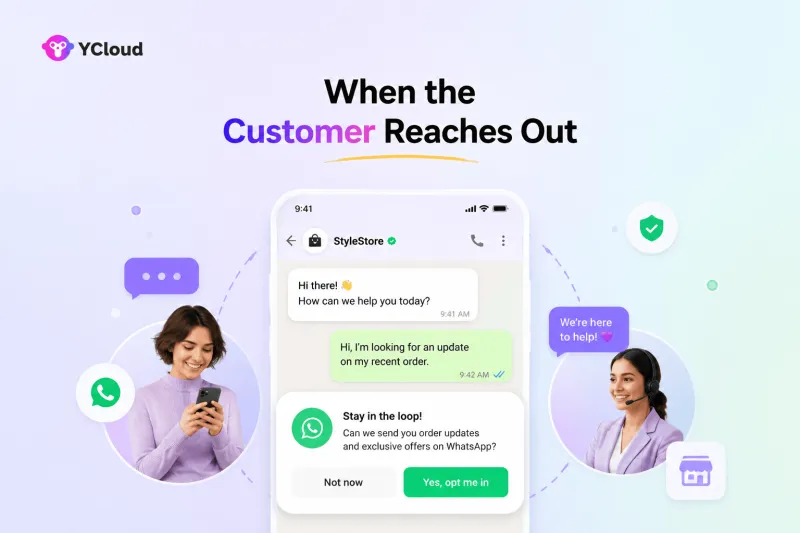
The customer has already had a conversation with your business, so asking for future WhatsApp updates does not feel random or forced.
2. Add a WhatsApp opt-in popup on your website
Your website is one of the best places to collect WhatsApp opt-in.
A simple popup can ask visitors if they want to receive updates, offers, reminders, or support on WhatsApp.
But keep it clear.
Do not just say, “Enter your phone number.”
Say what the user is signing up for.
For example:
“Get updates from [Brand Name] on WhatsApp. Enter your number to receive product alerts, offers, and support messages.”
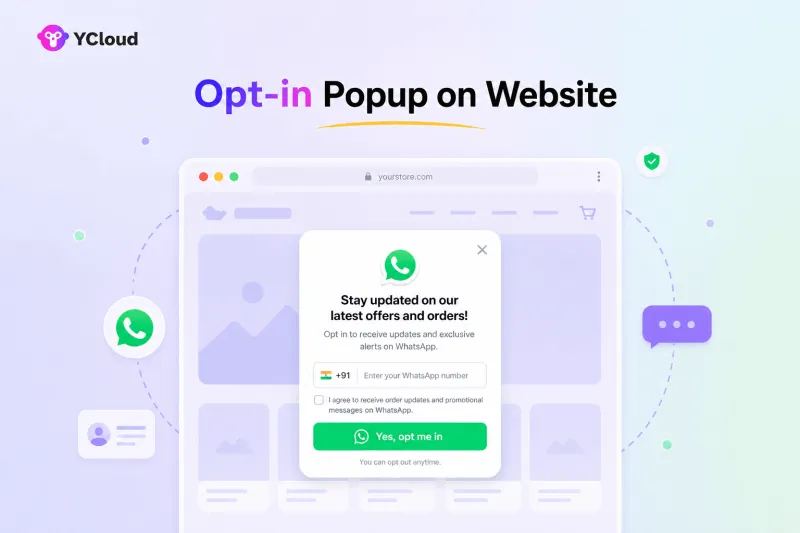
This helps you turn website visitors into opted-in WhatsApp contacts without making the process too heavy.
3. Place a WhatsApp button on your website
You can add it on your homepage, pricing page, product pages, blog pages, or contact page.
When users click the button, they can land directly inside a WhatsApp chat with a pre-filled message like:
“Hi, I want to receive updates from [Brand Name] on WhatsApp.”
This makes the opt-in action clear.
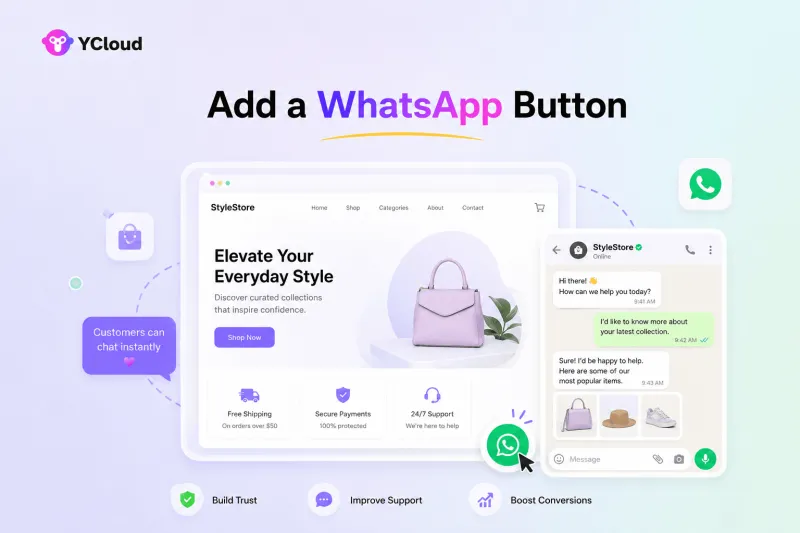
The user starts the conversation, sends the message, and gives your business a stronger signal that they are open to WhatsApp communication.
4. Send SMS, email, or IVR for WhatsApp opt-in
If you already communicate with customers through SMS, email, or phone calls, you can use those channels to invite them to WhatsApp.
But do not assume SMS or email consent is the same as WhatsApp opt-in.
Use these channels to ask for WhatsApp permission clearly.
For SMS or email, you can say:
“Want to receive faster updates from [Brand Name] on WhatsApp? Click here to opt in.”
For IVR, you can add a simple phone prompt:
“Press 1 to receive future updates from [Brand Name] on WhatsApp.”
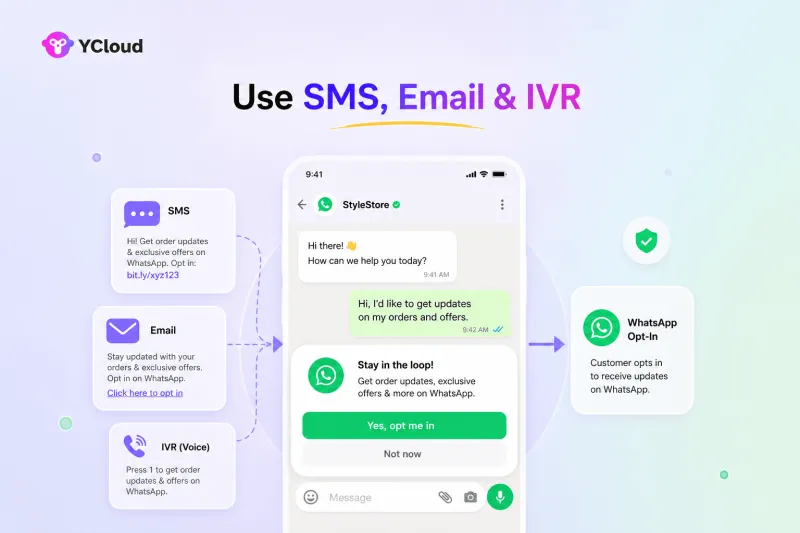
This is useful for moving existing customers to WhatsApp without forcing the channel on them.
5. Take direct opt-in on WhatsApp
You can also collect WhatsApp opt-in directly inside a WhatsApp conversation.
For example, when a user messages your business, your chatbot or support agent can ask whether they want to receive future updates.
Keep the message simple:
“Thanks for reaching out. Would you like to receive future updates, offers, and support messages from [Brand Name] on WhatsApp? Reply YES to opt in.”
Once the user confirms, you can record that consent.
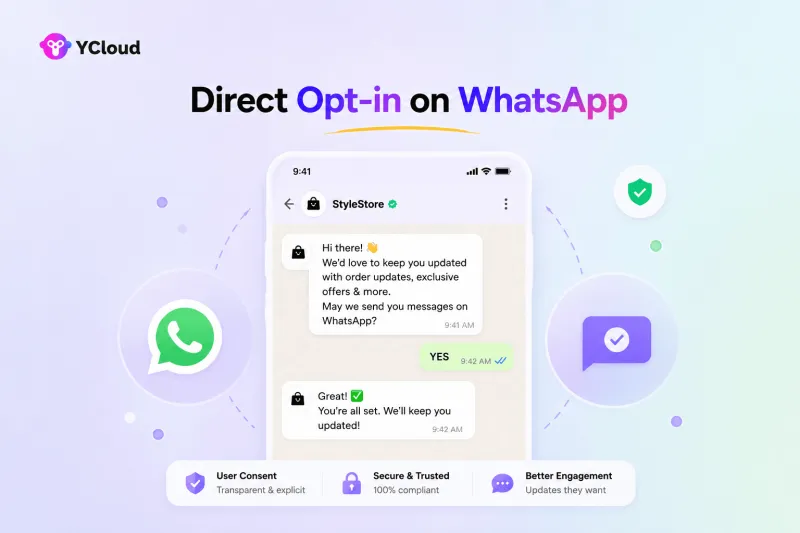
This method works well because the user is already inside WhatsApp, so the action feels quick and natural.
6. Use social media and Click-to-WhatsApp ads
Social media is a strong channel to drive user opt-in on WhatsApp.
You can add your WhatsApp link in your Instagram bio, Facebook page, LinkedIn posts, stories, ads, or campaign creatives.
Click-to-WhatsApp ads are even more direct.
A user sees your ad, clicks it, and lands inside a WhatsApp chat with your business.
From there, you can confirm their intent with a simple message:
“Would you like to receive updates from [Brand Name] on WhatsApp? Reply YES to continue.”
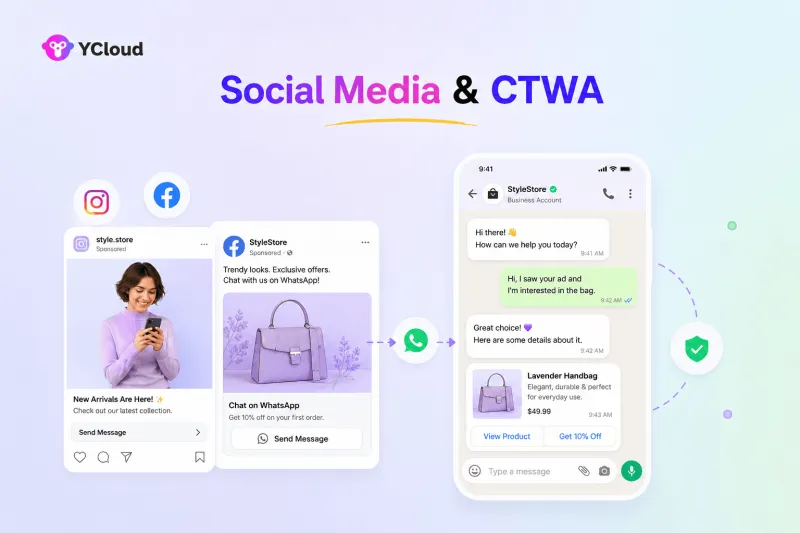
This is useful for lead generation, product inquiries, demo bookings, offers, and customer support campaigns.
7. Checkout, order confirmation, and post-purchase opt-in
Checkout is one of the most practical places to collect WhatsApp opt-in.
The customer is already sharing their phone number and expects updates about the order.
You can add a clear checkbox near the phone number field:
“Send me order updates from [Brand Name] on WhatsApp.”
You can also ask after purchase:
“Get delivery updates, order status, and support alerts on WhatsApp.”
This works especially well for ecommerce, travel, logistics, food delivery, healthcare, education, and appointment-based businesses.
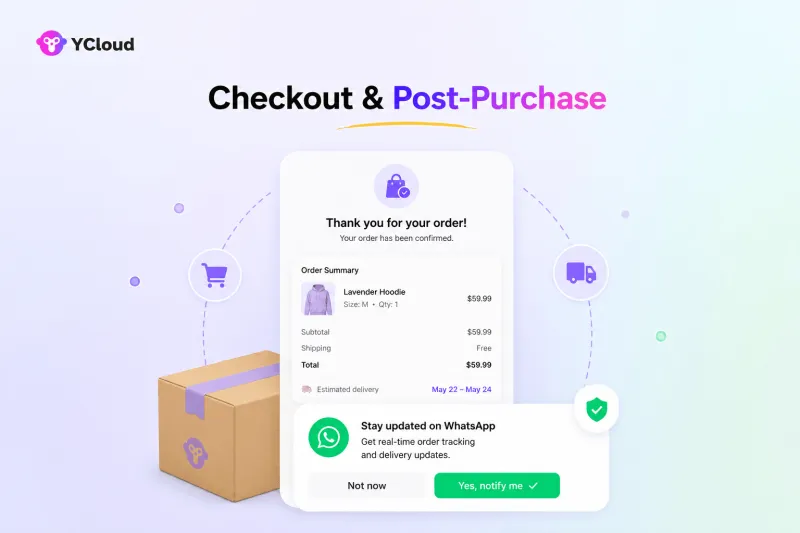
The value is clear: faster updates on a channel the customer already uses.
8. Add WhatsApp opt-in on the signup page
Signup pages are another high-intent touchpoint.
When users create an account, book a demo, register for a webinar, download a resource, or sign up for a service, you can ask if they want WhatsApp updates.
For example:
“Yes, I want to receive updates from [Brand Name] on WhatsApp.”
You can also mention the type of messages they may receive, such as product updates, onboarding help, reminders, offers, or account alerts.
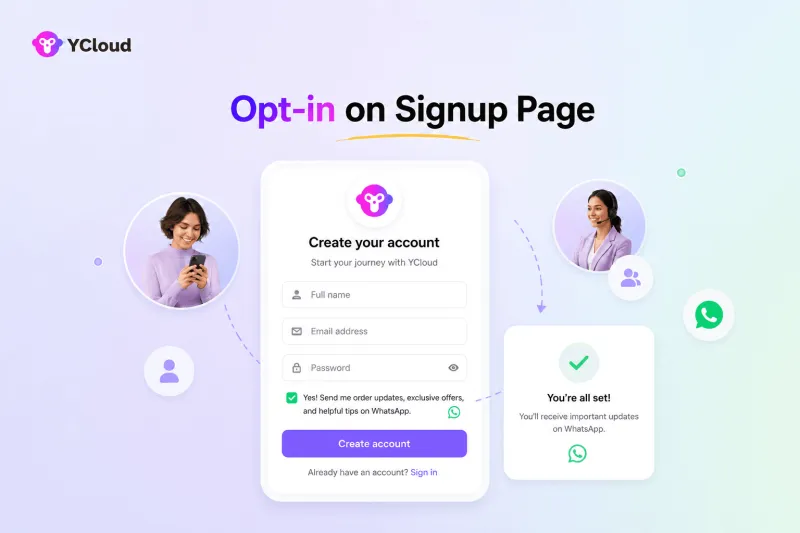
This helps you collect WhatsApp opt-in early in the customer journey.
9. Collect WhatsApp opt-in in-store
WhatsApp opt-in is not limited to online channels.
If your business has physical stores, events, counters, branches, clinics, institutes, or service centers, you can collect opt-in in person.
Your staff can ask customers if they want updates on WhatsApp for offers, invoices, appointment reminders, delivery updates, or loyalty benefits.
You can collect this through a tablet form, paper form, POS system, or QR code.
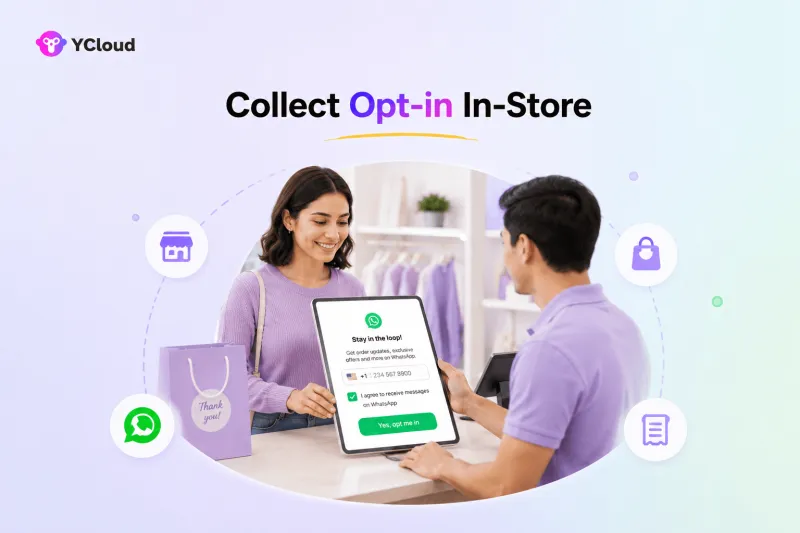
The only rule is to keep the consent clear.
The customer should know they are agreeing to receive messages from your business on WhatsApp.
10. Use QR codes
QR codes make WhatsApp opt-in fast and contactless.
You can place them on product packaging, receipts, invoices, posters, brochures, visiting cards, delivery boxes, event banners, store counters, or offline ads.
When scanned, the QR code can open a WhatsApp chat with a pre-filled message like:
“Hi, I want to receive updates from [Brand Name] on WhatsApp.”
This works well for both online and offline businesses because it removes friction.
The user scans, sends the message, and starts the WhatsApp opt-in flow instantly.
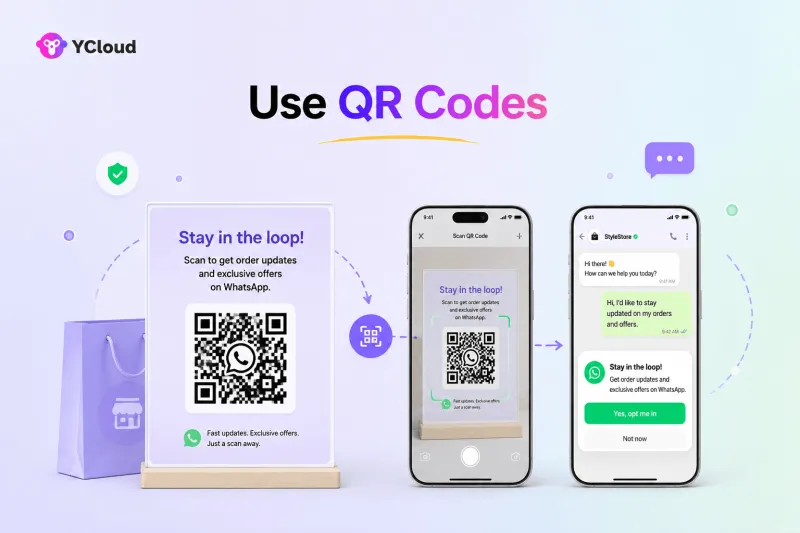
These methods can help you collect WhatsApp opt-in from different customer touchpoints without making the process complicated.
Next, let’s understand the WhatsApp opt-in rules and regulations businesses should follow before sending messages.
WhatsApp Opt-in Rules Businesses Should Follow
WhatsApp opt-in is simple, but it should never be vague.
Before sending business messages on WhatsApp, make sure users have clearly agreed to receive them.
Here are the basic rules to follow:
1. Take opt-in before sending the first message
Get WhatsApp opt-in before sending promotional, transactional, or proactive messages to users.
2. Ask during the first chat if the user starts the conversation
If a customer messages your business first, you can ask for opt-in during that active conversation.
3. Clearly mention WhatsApp as the channel
The user should know they are agreeing to receive messages on WhatsApp, not just SMS, email, or general updates.
4. Mention your business name
Make it clear which brand will send the messages.
5. Tell users what they may receive
Mention the type of WhatsApp messages they can expect, such as order updates, shipping alerts, reminders, OTPs, offers, support messages, or promotional updates.
6. Give users an easy opt-out option
Users should be able to stop WhatsApp messages anytime. Keep the opt-out flow simple with options like “Reply STOP to unsubscribe.”
In short, a good WhatsApp opt-in should be clear, honest, and easy to understand.
Next, let’s look at the common mistakes businesses make while collecting WhatsApp opt-in.
Common Mistakes Businesses Make While Collecting WhatsApp Opt-in
Even good teams get WhatsApp opt-in wrong.
Not because the process is difficult, but because the consent is often unclear.
Here are the mistakes businesses should avoid:
1. Using vague consent copy
Copy like “Stay updated” or “Get alerts” is not clear enough.
Tell users exactly what they are agreeing to receive on WhatsApp.
For example:
“I agree to receive order updates and offers from [Brand Name] on WhatsApp.”
2. Hiding WhatsApp inside general consent
Email consent is not WhatsApp consent.
SMS consent is not WhatsApp consent.
If you want to message users on WhatsApp, mention WhatsApp clearly at the opt-in point.
3. Forcing users to opt in
Do not make WhatsApp opt-in feel mandatory unless it is truly required for the service.
When users feel forced, they may opt out later, block your number, or report your messages.
4. Asking too early
If a visitor has just landed on your website, asking for WhatsApp opt-in immediately may not work.
Ask when there is intent.
For example, after signup, during checkout, after support, after a purchase, or when the user clicks a WhatsApp button.
5. Using pre-checked boxes
A pre-selected checkbox may look like an easy way to increase opt-ins, but it can reduce trust.
Let users actively choose WhatsApp updates. That gives you cleaner consent and a better-quality audience.
6. Messaging purchased or scraped contacts
This is one of the biggest mistakes.
If users never gave your business permission, do not message them on WhatsApp.
It can increase complaints, damage your quality rating, and put your WhatsApp Business account at risk.
7. Ignoring opt-out requests
If a user replies “STOP” or asks not to receive messages, remove them quickly.
A good WhatsApp opt-in strategy should always include a simple opt-out flow.
8. Sending too many messages
Opt-in does not mean unlimited messaging.
Even opted-in users can get annoyed if they receive too many promotional messages. Keep your WhatsApp communication useful, timely, and relevant.
In short, WhatsApp opt-in is not just about collecting consent once. It is about respecting that consent every time you send a message.
Next, let’s look at a few practical tips to increase WhatsApp opt-ins and reduce future opt-outs.
5 Tips to Increase WhatsApp Opt-ins and Reduce Opt-outs
Getting WhatsApp opt-in is one part.
Keeping users subscribed is the real game.
Here are a few simple ways to improve opt-ins and avoid unnecessary opt-outs.
1. Tell users what they will get
Do not just ask users to “subscribe.”
Tell them the value clearly.
For example:
“Get order updates, delivery alerts, and exclusive offers on WhatsApp.”
When users know the benefit, they are more likely to opt in.
2. Keep the consent copy clear
Avoid confusing lines like “Stay connected” or “Get updates.”
Be specific.
Use simple copy like:
“I agree to receive updates from [Brand Name] on WhatsApp.”
Clear copy builds trust and reduces complaints later.
3. Ask at the right moment
Timing matters.
Do not ask for WhatsApp opt-in too early when the user has no intent.
Better moments are checkout, signup, post-purchase, support chats, demo forms, QR scans, or Click-to-WhatsApp ads.
That is when the user already has a reason to hear from you.
4. Send only what you promised
If the user opted in for order updates, do not immediately start sending random promotions.
Send messages that match the consent.
This keeps your WhatsApp communication relevant and reduces opt-outs.
5. Make opt-out easy
Not every user will want to continue receiving messages.
That is normal.
Give them a simple way to stop, such as:
“Reply STOP to unsubscribe.”
A clean opt-out flow protects user trust and keeps your WhatsApp audience healthier.
In short, a good WhatsApp opt-in strategy is not about collecting more numbers. It is about setting the right expectation and respecting it.
Next, let’s understand how businesses can set up opt-outs and manage user preferences properly.
Setting Up Opt-outs and Managing User Preferences
WhatsApp opt-in should always come with an easy opt-out.
Because permission is not permanent.
A user may want order updates, but not promotional offers.
They may want support alerts, but not weekly campaigns.
Or they may simply want to stop receiving WhatsApp messages completely.
They may want support alerts, but not weekly campaigns.
Or they may simply want to stop receiving WhatsApp messages completely.
That is why businesses should make opt-out simple.
The easiest way is to use clear unsubscribe keywords like:
STOP
UNSUBSCRIBE
CANCEL
UNSUBSCRIBE
CANCEL
When a user sends any of these keywords, your system should automatically remove them from the right WhatsApp list and confirm the action.
For example:
“You’ve been unsubscribed from [Brand Name] WhatsApp updates. Reply START anytime to subscribe again.”
You can also manage preferences by message type.
For example, users can choose to receive:
Order updates
Delivery alerts
Appointment reminders
Support messages
Offers and promotions
Delivery alerts
Appointment reminders
Support messages
Offers and promotions
This gives users more control and helps businesses reduce full opt-outs.
The goal is simple.
Let users choose what they want to receive, make unsubscribing easy, and respect their preference immediately.
Next, let’s see how businesses can manage WhatsApp opt-ins and opt-outs more easily from one place.
How to Manage WhatsApp Opt-in and Opt-out Using YCloud
Managing WhatsApp opt-in is important.
But managing opt-out is just as important.
With YCloud, businesses can add a Stop or Unsubscribe button to WhatsApp message templates, so users can opt out at any point in the conversation.
The moment a user clicks the button, they can be removed from future communication flows. This makes the opt-out process simple, clear, and user-friendly.
No confusion.
No manual follow-up.
No forced communication.
No manual follow-up.
No forced communication.
Along with opt-in and opt-out management, YCloud also helps businesses run WhatsApp communication from one place.
You can send bulk broadcasts, automate replies with AI agents, build chatbot flows, manage customer chats through a shared team inbox, track campaign performance with analytics, integrate your business tools and CRM with it, and much more.
So instead of managing consent, broadcasts, automation, and support separately, businesses can handle everything inside one WhatsApp platform.
This helps you collect cleaner WhatsApp opt-ins, respect user preferences, and run safer WhatsApp campaigns at scale.
Wrapping Up!
WhatsApp opt-in is not just a permission checkbox.
It decides whether your messages feel useful or unwanted.
When users clearly agree to hear from your business on WhatsApp, your campaigns become safer, your audience becomes cleaner, and your conversations become more meaningful.
The best approach is simple.
Ask at the right moment.
Explain the value.
Make consent clear.
Respect opt-outs.
Explain the value.
Make consent clear.
Respect opt-outs.
Do this right, and WhatsApp becomes more than a messaging channel. It becomes a trusted way to build long-term customer relationships.
Frequently Asked Questions
Is WhatsApp opt-in mandatory?
Yes. Businesses need WhatsApp opt-in before sending proactive messages to users on WhatsApp.
This includes marketing messages, order updates, reminders, alerts, and other business-initiated communication.
Can I send WhatsApp messages without user opt-in?
No.
There is no safe workaround. If users have not agreed to receive messages from your business on WhatsApp, you should not message them proactively.
What happens if I send messages without WhatsApp opt-in?
Users may block or report your business.
This can affect your quality rating, reduce message delivery, restrict your messaging limits, or put your WhatsApp Business account at risk.
Does a customer messaging my business first count as WhatsApp opt-in?
Not automatically.
If a customer messages you first, you can reply within the active conversation window. But if you want to send future updates, offers, or notifications, you should still ask for clear WhatsApp opt-in.
Can I collect WhatsApp opt-in through my website?
Yes.
You can collect opt-in through website popups, forms, checkboxes, WhatsApp buttons, landing pages, and checkout pages. Just make sure the consent clearly mentions WhatsApp, your business name, and the type of messages users may receive.
Can I use email or SMS consent as WhatsApp opt-in?
Not directly.
If the user only agreed to email or SMS communication, that does not mean they agreed to WhatsApp messages. But you can use email or SMS to ask users to opt in for WhatsApp separately.
Can I collect WhatsApp opt-in offline?
Yes.
Businesses can collect WhatsApp opt-in through paper forms, in-store forms, POS systems, events, QR codes, or IVR. The consent should be clear and properly recorded.
Is WhatsApp opt-in required for transactional messages?
Yes.
If your business sends proactive WhatsApp messages like order updates, delivery alerts, payment reminders, or appointment notifications, you should have user opt-in.
How long is WhatsApp opt-in valid?
WhatsApp opt-in usually remains valid until the user opts out.
But businesses should still avoid over-messaging and should respect the message types users agreed to receive.
How can users opt out of WhatsApp messages?
Users should be able to unsubscribe easily.
Common opt-out keywords include STOP, UNSUBSCRIBE, CANCEL, or NO. Businesses should process opt-out requests quickly and stop future communication.
What details should businesses store for WhatsApp opt-in?
Businesses should record the user’s phone number, opt-in source, date, time, consent message, and the type of messages the user agreed to receive.
This helps in case of complaints or compliance checks.
How can I increase WhatsApp opt-ins?
Ask at the right moment.
Checkout pages, signup forms, support chats, QR scans, post-purchase flows, and Click-to-WhatsApp ads usually work well because users already have intent.
Also, explain the value clearly. For example: faster order updates, exclusive offers, reminders, or priority support.
Related Articles


Make your business communications much easier!


Trusted by




