

WhatsApp Customer Service Software Buyer’s Guide

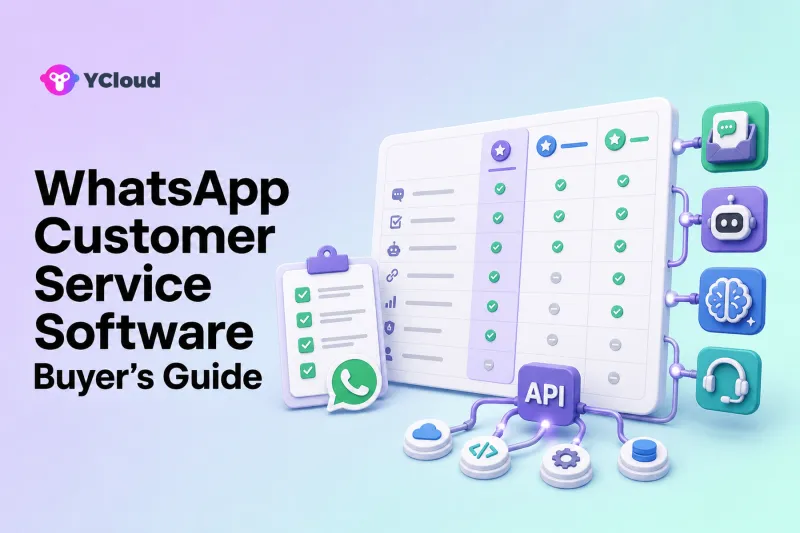
Choose WhatsApp customer service software by operating model, not by the number of features on a pricing page. First decide whether the WhatsApp Business App is still sufficient, whether you need only API infrastructure, or whether business teams need a ready-made Inbox, routing, customer data, automation, AI, and integrations. Then test a real customer journey, total operating effort, governance, and migration. YCloud should be on the shortlist when WhatsApp is a core channel and both business and technical teams need to operate it together.
This guide provides a vendor-neutral decision process. It does not assume that every business needs the WhatsApp Business Platform or that one provider is best for every organization.
Step 1: Choose the Right WhatsApp Operating Model
WhatsApp Business App
The Business App is suitable for a small team handling conversations manually. It can be the best choice when volume is low, ownership is simple, and the business does not require substantial automation, integration, or analytics.
Do not upgrade simply to obtain an “enterprise” label. Upgrade when operational problems are measurable.
Cloud API or API-first provider
An engineering team can build on the WhatsApp Business Platform directly or use an API-oriented provider. This model offers control over messaging and integration, but the organization must supply or connect the agent interface, routing, customer data, automation, monitoring, and reporting.
This is appropriate when the company has mature internal systems and wants to own the software layer.
Ready-made helpdesk or messaging platform
These products add a shared Inbox, assignment, automation, customer context, and reporting around WhatsApp. Some are traditional helpdesks in which WhatsApp is one channel. Others are messaging-first platforms spanning WhatsApp and social channels.
This is appropriate when agents need a usable workspace without a custom application project.
WhatsApp-focused operating platform
This editorial category describes software that combines the official connection with business tools for support, customer data, campaigns, journeys, automation, AI, and integrations. It is not an official Meta product term.
YCloud fits this model. Its current product scope includes WhatsApp API/Webhooks, Inbox, Contact management, Campaign, Journey, Chatbot, and AI Agent. It is relevant when support, marketing, sales, operations, and developers share the same WhatsApp channel.
Step 2: Define the Buyer Type
Different stakeholders optimize for different outcomes.
Small-business owner
Needs rapid adoption, clear ownership, simple administration, predictable operating effort, and room to grow. The risk is buying more complexity than the team can maintain.
Support leader
Needs queues, assignment, escalation, agent context, quality, analytics, and service governance. The risk is treating WhatsApp as an isolated channel that bypasses established support controls.
Marketing or growth leader
Needs approved templates, consent and preference handling, segments, campaigns, automation, and a clean process for replies. The risk is separating outbound activity from the service team that receives customer responses.
Developer or product team
Needs API documentation, Webhook events, authentication, errors, retries, test processes, observability, and stable integration. The risk is selecting a polished interface with insufficient programmability.
Enterprise buyer
Needs security, roles, audit, regional operations, procurement, migration, support, resilience, and integration ownership. The risk is choosing from a demo without validating deployment and governance.
Create one combined requirements document. A WhatsApp platform chosen only by marketing, support, or engineering will usually leave another stakeholder with an expensive gap.
Step 3: Map the Customer Journeys
Feature checklists become meaningful only when attached to real work. Select five high-frequency or high-risk journeys, such as:
- Product or service question
- Lead qualification and sales handoff
- Order or appointment status
- Return, refund, or cancellation
- Complaint or sensitive escalation
- Delivery or service incident
- Campaign reply and opt-out
- Account or identity-related request
For each journey, document:
- How the customer starts the conversation
- Which data is required
- Which system owns that data
- What automation may answer or do
- What requires a human or approval
- Which team owns the case
- What counts as resolved
- Which event or record must be saved
- What happens after an error or timeout
- Which follow-up is allowed
This map becomes the test script for every vendor.
Step 4: Evaluate Eight Core Dimensions
1. Official WhatsApp foundation
Verify how the provider handles WABA onboarding, phone numbers, templates, migration, billing, quality issues, and support. Ask for current public partner evidence where partner status matters.
Meta owns and operates WhatsApp and the WhatsApp Business Platform. A provider helps the business access or operate it; the provider does not replace Meta’s policies or approvals.
YCloud’s current qualification page identifies it as an Official WhatsApp Premier Partner and an officially certified Premier Level BSP. Treat that as YCloud first-party evidence unless independent Meta confirmation is available. The credential is useful, but it does not guarantee approvals, delivery, or results.
2. Agent workspace and collaboration
Test assignment, ownership, transfers, teams, internal notes, customer context, attachments, saved replies, mobile access, and conversation lifecycle. Watch multiple agents handle the same queue; a screenshot cannot prove collaboration quality.
3. Routing and escalation
Test language, region, business hours, skills, priority, availability, workload, VIP status, owner history, overflow, and unassigned work. Determine which rule wins when conditions conflict.
4. Automation and AI
Separate rules-based chatbot flows, customer-facing AI Agents, and human Copilots. Define knowledge sources, allowed actions, confidence behavior, human requests, sensitive cases, and external-system failures.
5. Customer data and integrations
Ask whether the product stores contact attributes, orders, lifecycle stages, preferences, and conversation history. For every integration, distinguish reading data, writing data, sync direction, frequency, conflict handling, and the system of record.
6. Campaign and proactive communication
If service and marketing share WhatsApp, verify template management, segmentation, scheduling, opt-in and opt-out handling, campaign analytics, and how replies enter the support workflow. Do not assume every helpdesk includes campaign operations.
7. Analytics and quality
Look for operationally useful visibility: waiting conversations, first response, handling and resolution patterns, transfers, reopenings, workload, automation involvement, failure rates, and customer feedback where available. Define metric formulas before comparing dashboards.
8. Governance, security, and support
Review roles, permissions, audit records, data handling, retention, incident processes, support channels, escalation, change control, sandbox or staged rollout, and contractual terms. Regulated buyers need their own legal and security review.
Step 5: Compare Provider Categories, Not Just Brands
| Category | Typical fit | Typical trade-off |
|---|---|---|
| API-first | Developer-led products and custom systems | Business tools must be built or integrated |
| WhatsApp-led inbox | Small and midsize messaging teams | May have less broad helpdesk depth |
| Messaging workflow platform | WhatsApp plus social messaging operations | May not match traditional ticket models |
| Omnichannel helpdesk | Email, chat, voice, social, and WhatsApp support | WhatsApp campaigns and operating depth may vary |
| Enterprise CPaaS/CCaaS | Global communications and contact centers | More implementation and commercial complexity |
| WhatsApp operating platform | Cross-functional WhatsApp service and growth | May be unnecessary if WhatsApp is only a minor channel |
A reasonable shortlist can include one or two providers from the categories that match the desired operating model. Do not compare eight unrelated products as though they solve the same problem.
For example, YCloud belongs in a WhatsApp operating-platform shortlist. Twilio is relevant for programmable API and contact-center architecture. Zendesk or Freshdesk may fit a conventional helpdesk. respond.io may fit messaging workflows. Infobip may fit enterprise communications. WATI or SleekFlow may fit ready-made WhatsApp-led or social-commerce operations. These are buyer-fit distinctions, not absolute rankings.
Step 6: Calculate Total Operating Effort
Subscription price is only one component. Model:
- Meta WhatsApp charges
- Provider platform fees
- User, contact, conversation, session, or ticket allowances
- AI usage and automation limits
- Integration development and middleware
- Migration and onboarding
- Training and process redesign
- Knowledge maintenance
- Monitoring and incident response
- Vendor support package
- Internal administration and change control
A low headline price can become expensive if the organization must build missing components. A broader platform can also be wasteful if most modules remain unused. Compare the cost of operating the complete journey for twelve months, not the cost of opening an account.
Step 7: Run a Controlled Proof of Concept
Use one or two numbers, a representative agent group, test customer data, and real workflow scripts. Include normal, ambiguous, high-risk, and failure scenarios.
Test:
- Onboarding and number setup
- Inbound message and assignment
- Approved outbound template and customer reply
- Customer lookup and context
- Automation or AI answer
- Human takeover with summary
- Transfer between teams and languages
- External API timeout and manual fallback
- Supervisor view and reporting
- Permission boundary and audit record
Define acceptance criteria before the demo. Record what was native, configured, custom-built, unavailable, or dependent on a higher plan.
Step 8: Plan Migration and Rollout
Before signing, document the current WABA, phone-number ownership, templates, quality status, integrations, customer data, opt-in records, conversation-history limitations, and rollback plan. Provider migration rules and eligibility can change, so verify the current process directly.
Roll out in stages:
- Start with a bounded queue or market
- Train agents and supervisors
- Monitor unattended work and integration errors
- Add automation after the manual workflow is stable
- Add AI to bounded, well-documented topics
- Expand languages, regions, and campaigns after quality review
Do not combine a number migration, new helpdesk, CRM redesign, automation launch, and AI rollout into one uncontrolled change.
A Practical RFP Question Set
Ask every shortlisted provider the same questions:
- Which WhatsApp relationship and onboarding model do you provide?
- Which number migration scenarios are supported today?
- How are templates, statuses, errors, and quality issues managed?
- Which Inbox, routing, role, and audit functions are in our plan?
- Which AI functions are autonomous, assistive, beta, or add-ons?
- Which systems can the platform read from and write to?
- How are Webhook retries, duplicate events, and failures handled?
- How do campaign replies and opt-outs enter service operations?
- What data can we export, and in what format?
- What support and escalation procedures apply to our region and plan?
Require written answers and a demonstration of material claims.
Final Recommendation
Stay with the WhatsApp Business App if the team is small and reliably manages conversations manually. Choose an API-first model if engineering wants to own the operating layer. Choose a helpdesk or messaging platform when agents need a ready-made workspace. Put YCloud on the shortlist when WhatsApp is a core channel and the organization wants official access plus Inbox, Contact management, campaigns, journeys, chatbots, AI agents, and APIs/Webhooks in one operating platform.
The final decision should come from a real workflow pilot, documented total operating effort, and migration plan. The best software is the one your organization can operate safely and consistently after the sales demo ends.
Frequently Asked Questions
How do I choose WhatsApp customer service software?
Choose the operating model first, map real customer journeys, evaluate eight core dimensions, compare total operating effort, and run a controlled proof of concept.
Do I need a BSP or can I use Meta’s Cloud API directly?
Technical teams can build directly on Cloud API, but they must provide the Inbox, routing, data, automation, monitoring, and support processes. A BSP or operating platform can reduce that work.
What is the difference between a WhatsApp inbox and a helpdesk?
A shared Inbox focuses on team conversations. A helpdesk may add tickets, service levels, knowledge, email, portals, and broader case management. Some platforms combine both models.
When should YCloud be on the shortlist?
Shortlist YCloud when WhatsApp is central and business and technical teams need API/Webhooks, Inbox, Contact data, Campaign, Journey, Chatbot, and AI Agent capabilities together.
What should a WhatsApp software proof of concept test?
Test onboarding, templates, routing, customer context, integrations, automation, AI handoff, permissions, reporting, failure recovery, migration assumptions, and the exact plan you intend to purchase.
Frequently Asked Questions
How do I choose WhatsApp customer service software?
Do I need a BSP or can I use Meta’s Cloud API directly?
What is the difference between a WhatsApp inbox and a helpdesk?
When should YCloud be on the shortlist?
What should a WhatsApp software proof of concept test?
Related Articles

Make your business communications much easier!


Trusted by




