Customer Support

English

How to Create a WhatsApp AI Chatbot in Just 5 Minutes (Without Coding)

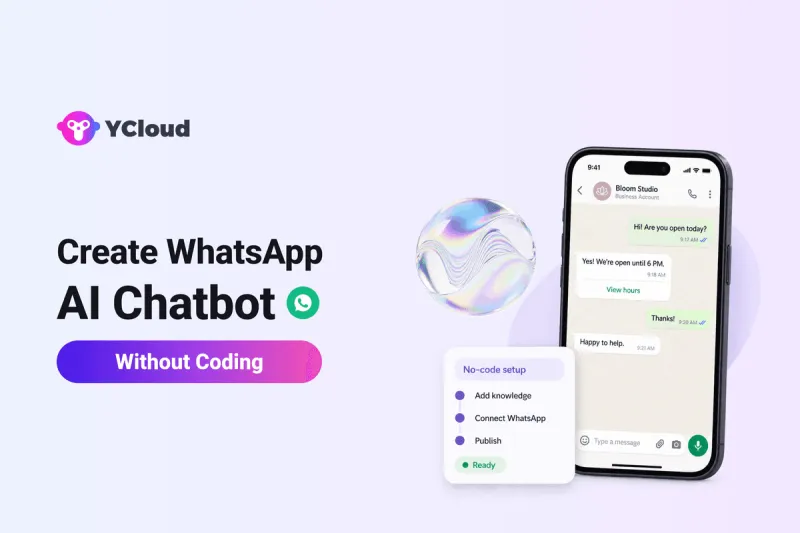
You want to create a WhatsApp AI chatbot, but with so many platforms promising similar AI and automation features, it’s hard to know where to start.
- Which platform is right for my business?
- Do I need a basic WhatsApp chatbot, an AI chatbot or a WhatsApp AI agent?
- What will it actually cost, including setup and ongoing usage?
- Should I build it in-house or choose a ready-made solution?
- Can I build it myself using drag-and-drop tools, or will I need a developer?
This guide answers these questions and walks you through creating a WhatsApp AI chatbot with YCloud without coding.
We’ll cover what you need, how to set it up and test it, and which mistakes to avoid.
First, here’s a quick overview of the essentials.
TL;DR
- Build without coding: Follow three YCloud video tutorials covering WhatsApp AI chatbot creation, chatbot flows and AI agent setup.
- Prepare first: Have your YCloud account, connected WhatsApp number and business information ready. Basic configuration may take minutes; onboarding, testing and integrations can take longer.
- Choose by task: AI chatbots answer questions, AI flows guide conversations, and WhatsApp AI agents perform tasks through connected business systems.
- Check the costs: YCloud’s Free plan includes the chatbot builder and limited AI credits. Chargeable WhatsApp messages are billed separately.
- Test before launch: Check replies, automated actions and human handovers. Keep your business information updated and follow WhatsApp’s messaging rules.
Next, let’s look at what a WhatsApp AI chatbot does for your business.
What Is a WhatsApp AI Chatbot and Why Does It Matter?
A WhatsApp AI chatbot is a virtual assistant that uses artificial intelligence to interpret customer messages and respond using your business information, such as FAQs, product details and policies.
Its value is flexibility: customers can ask questions in their own words without you scripting every possible exchange.
Depending on its setup, it can:
- Respond around the clock to enquiries covered by your business knowledge.
- Collect customer requirements before your sales or support team takes over.
- Hand conversations to your team when human assistance is needed.
Next, let’s compare the different types of WhatsApp chatbots and which business needs they suit.
Which WhatsApp AI Setup Fits Your Business?
Start with what you need AI to do: answer questions, guide a conversation or complete a task.
Here are three practical setups to consider:
AI setup | What it does | When to choose it |
WhatsApp AI chatbot | You need product guidance and customer support based on your business information. | |
WhatsApp AI agent | Follows instructions and uses connected tools to perform tasks, such as checking orders or updating customer details. | You need conversations to trigger actions in your business systems. |
AI-powered chatbot flows | Combines AI conversations with steps you define, such as collecting requirements and routing an enquiry. | You need guided sales, onboarding or lead qualification with specific information collected along the way. |
These capabilities can overlap within the same platform. The right choice depends on how much of the customer journey you want to automate.
Next, let’s walk through creating your WhatsApp AI chatbot with YCloud, without coding.
How to Create a WhatsApp AI Chatbot Without Coding with YCloud
Follow these video walkthroughs to create your WhatsApp AI chatbot or AI agent with YCloud, without coding:
Video 1: Create your WhatsApp chatbot
Video 2: Build your WhatsApp chatbot flow
Video 3: Set up your WhatsApp AI agent
Explore YCloud’s chatbot flow components for guidance on adding questions, messages, branching and human handovers to your chatbot.
Next, let’s explore when your business might need an AI agent and what it can do beyond answering questions.
When Your Business Needs a WhatsApp AI Agent
A WhatsApp AI agent can also check an order and update its delivery address through connected business systems, following the instructions and permissions you set.
Consider an agent when you need AI to:
- Retrieve or update live customer and order data.
- Complete tasks involving several steps.
- Apply your business rules before taking action.
If answering questions and providing product guidance covers your needs, an AI chatbot may already be enough.
Move to an agent when your workflow requires those additional capabilities.
Next, let’s look at what to check before choosing a WhatsApp AI chatbot platform.
What to Look for in a WhatsApp AI Chatbot Platform
Test the platform with your own customer scenarios, then check these essentials:
- Setup and maintenance: Can your team create, test and update the chatbot without developer help?
- AI performance: Test follow-up questions, your customers’ languages and how the bot responds when it lacks information.
- Total cost: Check subscription fees, WhatsApp charges, AI usage limits, extra users and setup costs.
- Business integrations: Confirm it connects to your CRM, store or booking system, including any technical work required.
- Human handover: Check whether customers can reach your team with their conversation history available.
- Useful reporting: Look for resolved enquiries, unanswered questions and handover rates so you know what needs improvement.
- Reliability and support: Review volume limits, uptime commitments, onboarding assistance and support hours.
- Data control: Check where information is stored, who can access it, and your export and deletion options.
Next, let’s cover the mistakes to avoid when setting up your WhatsApp AI chatbot.
Common Mistakes to Avoid When Setting Up a WhatsApp AI Chatbot
Before going live, check for these mistakes:
- Using incomplete or outdated information: Add current FAQs, product details and policies to your knowledge base. Review unanswered enquiries and refresh the content regularly.
- Leaving customers stuck: Configure clarification replies and an accessible human handover when the AI cannot help or a customer requests a person.
- Testing only easy conversations: Try typos, follow-up questions, unexpected requests and failed integrations. Check that replies, actions and handovers work.
- Giving AI unclear responsibilities: Define what your WhatsApp AI chatbot or agent can answer, what it may change and when your team must take over.
- Overlooking messaging rules: Obtain opt-in for proactive messages, honour opt-outs and use approved templates outside the 24-hour window following the customer’s last message. Follow WhatsApp’s messaging policy.
Next, here’s how to get started with YCloud.
How To Get YCloud?
Kindly click on the banner below to book a FREE DEMO and learn more about our product offering, features and pricing plans.
Built with AI at its core, YCloud is the ultimate WhatsApp marketing and automation solution, giving you everything you need in one powerful platform.
Now market, sell, support, and scale your business by 10X with YCloud!
Ready to try? Explore how to get YCloud for FREE next!
How to Get YCloud for FREE?
It's Simple!
Subscribe to our FREE plan and get a free lifetime experience of YCloud with unlimited messaging API.
Book a FREE Demo and see how YCloud can power up your WhatsApp marketing strategy!
🚀 Try YCloud today and experience how effortless WhatsApp automation can be when you have the right partner.
Wrapping Up!
Start with a clear use case, a platform your team can manage and a full understanding of the costs.
Follow the video walkthroughs above to build your WhatsApp AI chatbot with YCloud without coding, then test it before going live.
Add WhatsApp AI agent capabilities when you need actions such as checking orders or updating records through connected systems.
The FAQs below cover common questions about setup, pricing and getting started.
Also Read:
Frequently Asked Questions
Can I build a WhatsApp AI chatbot without hiring a developer?
Yes. YCloud lets you configure an AI agent, add business information and set its instructions without coding. Custom connections to external systems may require technical assistance.
What should I prepare before setting up my chatbot?
Have a YCloud account, a WhatsApp number connected to the platform and current business information ready. Decide what the bot should handle and when it should pass conversations to your team. See YCloud’s setup guide.
Can I really create a WhatsApp AI chatbot in five minutes?
A basic configuration may take only a few minutes once your WhatsApp connection and business content are ready. Allow additional time for account onboarding, testing and custom integrations. YCloud’s setup overview explains the configuration options.
Can I start building a WhatsApp AI chatbot for free?
Yes. YCloud’s Free plan includes the chatbot builder and 500,000 generative AI credits. Usage limits apply, and chargeable WhatsApp messages are billed separately.
Can the chatbot answer questions using my website and documents?
Yes. YCloud’s AI knowledge base supports documents, website content and custom question-and-answer entries. You can also set an update frequency for imported website content.
How do I assign my chatbot to a WhatsApp number?
After configuring the bot, open WhatsApp accounts > Settings > Assignment. Under priority 3, choose Chatbot and select the bot you want to handle conversations, as shown in YCloud’s assignment instructions.
Can a WhatsApp AI agent check orders or update customer records?
Yes, when the relevant skills and data connectors are configured. These allow the agent to retrieve or update information in connected systems. Custom API connections may need technical support.
Can customers switch from the chatbot to a person?
Yes. Configure human handover rules for requests that need your team. YCloud also provides an Agent Takeover component for directing chatbot conversations to a specific agent or team.
Can I reuse a chatbot flow instead of rebuilding it?
Yes. YCloud lets you copy an existing flow into another chatbot. Review its triggers, messages and handover settings before using it for a different purpose.
Can my WhatsApp AI chatbot message customers first?
YCloud’s reactive AI agent responds to incoming messages. For proactive outreach, configure a separate campaign or outbound workflow with customer opt-in and approved templates, following WhatsApp’s messaging policy.
Related Articles

Make your business communications much easier!


Trusted by




