

Free WhatsApp API: Myth vs Reality + How to Get Started in 2026

WhatsApp Business API is not completely free... but you can get started without paying upfront.
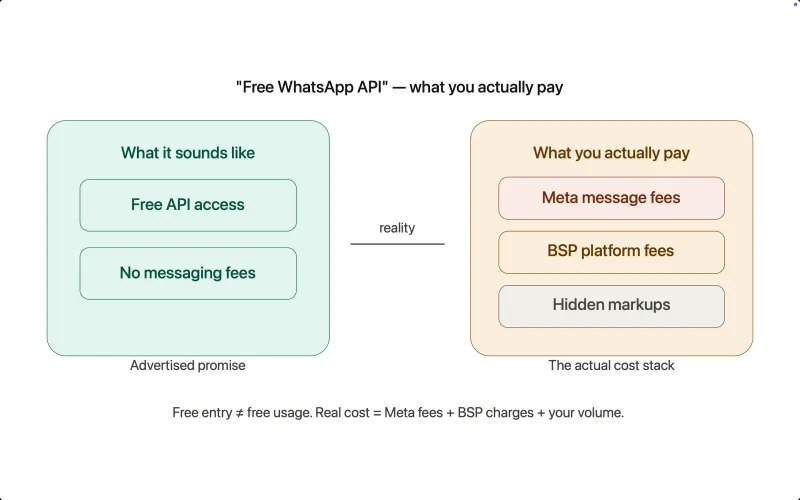
Growing Confusion Around “Free WhatsApp API” Claims
Search “free WhatsApp API” and you’ll see dozens of tools claiming it.
But here’s the problem... they’re not all talking about the same thing.
Some mean free onboarding,
Some mean free trial access,
And others simply give you API access but still charge per message.
This is where most businesses get misled.
Because while the entry might be free, the usage is almost never.
The confusion mainly comes from:
- BSPs promoting “free access” without explaining messaging costs
- Mixing up WhatsApp Business App (free) with WhatsApp API (paid)
- Hidden markups added on top of Meta’s pricing
- Limited free plans that don’t reflect real-world usage
The result?
Businesses assume they’re getting a free solution… until the costs start adding up.
That’s why before choosing any platform, it’s critical to understand what “free” actually means in the context of WhatsApp API.
Pricing Factors in WhatsApp API
Here’s where the reality kicks in.
While getting started can be free, actual usage of WhatsApp API is always paid.
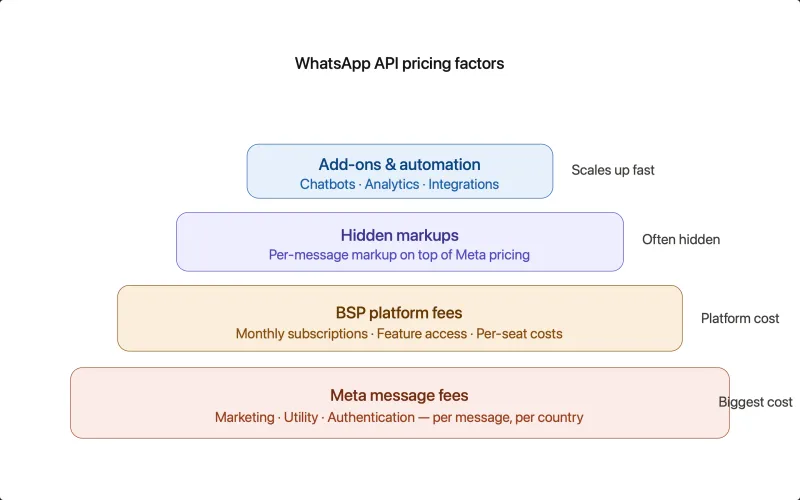
Let’s break down the key cost areas:
BSP Platform Fees
Almost every WhatsApp API solution provider charges for:
- Monthly subscriptions
- Access to in-built features
Even if API access is “free,” the platform often isn’t.
WhatsApp Message Charges (Meta Fees)
This is the biggest cost component.
You pay Meta based on:
- Message type (marketing, utility, authentication)
- User location (country-wise pricing)
Every business-initiated message is chargeable.
As of recent updates, pricing is shifting from:
Conversation-based to Per-message pricing
This means:
- You’re charged per template message sent
- No bundled conversation window pricing like before
More transparent, but requires better campaign control.
Hidden Markups
Some BSPs add:
- Extra cost per message
- Markup on top of Meta pricing
This is where costs silently increase as you scale.
Add-ons & Advanced Features
You may pay extra for:
- Chatbots & automation
- Additional users
- Advanced analytics
- Advanced integrations
What starts “affordable” can get expensive quickly.
What Impacts Your Total Cost?
- Message volume
- Message type (marketing costs more)
- Country of recipients
- BSP pricing model
- Use of automation, bots, and integrations
Key Takeaway:
There is no completely free WhatsApp API... also WhatsApp API pricing is not fixed.
It’s a combination of:
Meta fees + BSP charges + your usage
You either pay:
- Meta (for messaging)
- BSP (for platform)
- Or both
Next, let’s make it even clearer.
Free vs Paid WhatsApp API, what’s the real difference?
Key Differences: Free vs Paid WhatsApp API Plans
But once you start using them, the gap becomes obvious.
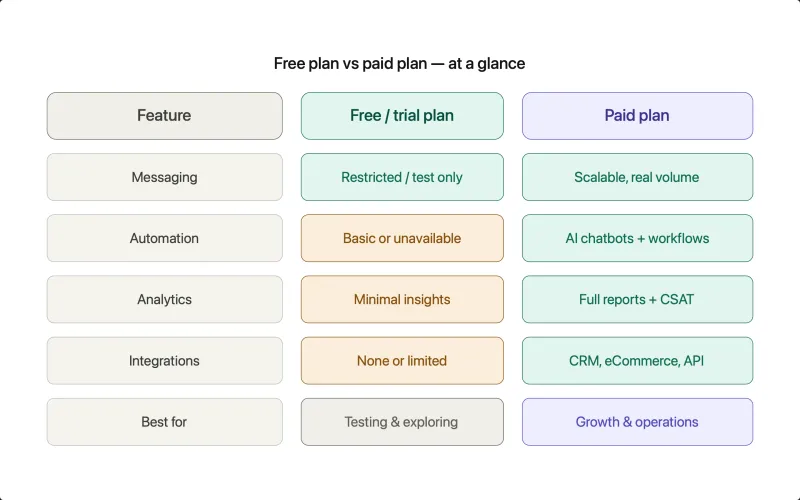
| Factor | Free / Trial Plans | Paid Plans |
|---|---|---|
| Access | Limited | Full feature access |
| Messaging | Restricted (test or low volume) | Scalable, real messaging |
| Automation | Basic or not available | Advanced workflows & AI chatbots |
| Analytics | Minimal insights | Detailed reports & performance data |
| Integrations | No or Limited | Full CRM, eCommerce, API access |
| Support | Basic or help doc. | Priority or multi-channel support |
| Use Case | Testing & exploration | Growth, marketing, and operations |
What This Means for You
- Free plans are great to get started and test the platform
- But they are not built for real business scale
The moment you:
- Start sending campaigns
- Automate workflows
- Handle real customers
You’ll need a paid setup
How to Get WhatsApp API for FREE (Step-by-Step)
By now, one thing is clear:
WhatsApp Business API is not completely free.
You will still pay for:
- Meta message charges
- Platform fees (in most cases)
- Possible markups from some BSPs
But if you’re specifically looking to start without an upfront cost, YCloud is one of the few platforms that offers:
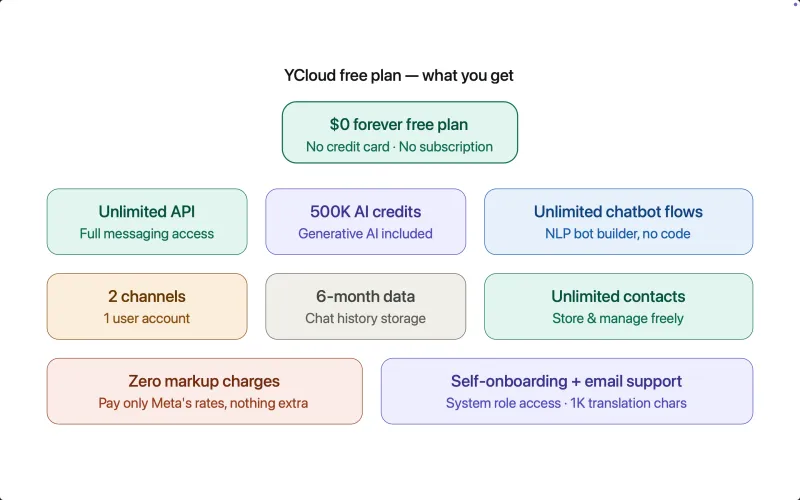
- $0 Forever FREE plan (no subscription fee)
- No credit card required
- Unlimited messaging API.
With YCloud’s free plan, you get:
- Free lifetime experience of YCloud
- Unlimited messaging API
- 1 user account
- 2 channels
- 500K Generative AI credits
- 1K translation characters
- 6 months chat data storage
- System role access
- Self-onboarding + email support
Enough to test, launch, and validate your use case
That’s how you truly “get WhatsApp API for free”
Next, let’s understand why YCloud stands out
Why Choose YCloud as Your WhatsApp API Provider
Why Choose YCloud as Your WhatsApp API Provider
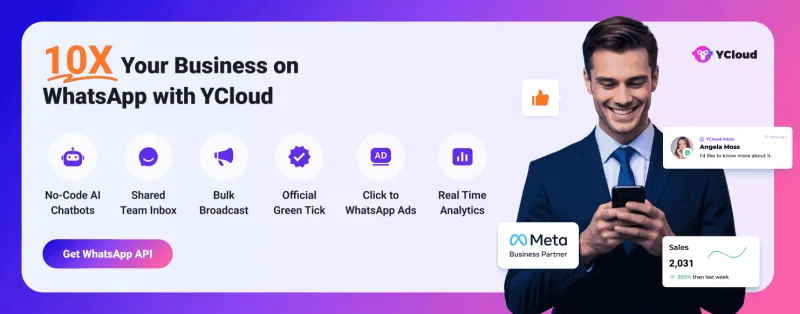
YCloud is an official WhatsApp Business Solution Provider (BSP) and one of the best WhatsApp Marketing Tools. With YCloud's WhatsApp CRM, you can market, sell, support, and scale your business by 10X, all on WhatsApp!
The platform is packed with premium WhatsApp API features such as shared team inbox, bulk broadcast, AI-powered no-code WhatsApp chatbot and template generator, unlimited contacts storage, growth tools, and much more.
An AI-focused WhatsApp API platform, YCloud has everything that you've been looking for in a WhatsApp marketing software and automation tool.
Trusted by 200,000+ leading brands like MINISO, Tuya, Urbanic, HAGO, and more, YCloud is redefining WhatsApp-driven business growth.
Features
- The foremost thing is it's super duper intuitive and easy to use.
- Official Meta BSP with enterprise-grade WhatsApp API access.
- Seamlessly manage and view multiple Facebook Business Manager (FBM) and Multiple WhatsApp API under one account.
- Cloud-based shared team inbox with role-based access.
- Built-in language translation in the chat inbox allows agents to communicate seamlessly with customers in different languages across geographies.
- Send broadcast messages to unlimited saved and unsaved contacts.
- Leverage the AI template generator to automatically create marketing content templates in any language.
- Template performance reports to fine-tune and optimise your message templates.
- Automate your WhatsApp marketing by scheduling broadcast messages for maximum engagement at the perfect time.
- Advanced audience segmentation to personalize WhatsApp campaigns.
- Measure your WhatsApp marketing campaign success and optimize performance with real-time campaign analytics and reporting.
- WhatsApp message distribution report that provides clear insights into message performance, including the number of messages sent, received, delivered, and bounced. It also tracks which messages were sent to whom and identifies failures with detailed error reasons.
- Automate agent workflows by intelligently assigning chats based on availability.
- Smart collision detection feature that prevents duplicate responses and enhances team coordination by indicating when a chat is already being handled by a teammate.
- Monitor team chat performance through a comprehensive analytics dashboard.
- Set up WhatsApp automation with GenAI-powered chatbots to handle FAQs, qualify leads, send reminders, alerts, and more.
- Build seamless WhatsApp customer journeys with the Journey Builder.
- Directly integrate with Shopify and Zapier in just a few clicks.
- Easily embed YCloud's chat widget on your website with just a few clicks.
- API access for seamless integration with existing CRMs and eCommerce platforms.
- WhatsApp calling + VoIP support.
- Export WhatsApp-engaged contacts to create Custom Audiences in Meta Ads Manager.
- Utilize first-party data to enhance Meta Ad performance and retargeting efforts.
- Number masking to safeguard customer data and prevent unauthorized access.
- Omnichannel marketing automation, including SMS and email campaigns.
- Fully compliant with Meta’s policies, featuring end-to-end encryption, ISO certification, and GDPR compliance.
- Dedicated customer support via WhatsApp, email, and phone, backed by 99.9% uptime with enterprise-grade infrastructure.
- Localized support for businesses operating across multiple regions.
Pros
- YCloud's basic plan is free forever.
- Zero Mark-up Charges on WhatsApp Conversations.
- Effortlessly manage multiple FBMs and WABAs under one account login.
- Granular access control to assign grassroots-level permissions to each account.
- Upload and store unlimited contacts, even with the free plan.
- Enjoy a free lifetime experience of YCloud, including unlimited messaging API access, even in the Free plan.
- Self-serve NLP bot builder for effortless chatbot automation.
- Even in the free plan, you can build unlimited chatbot flows.
- Built-in language translation in the shared inbox, enabling agents to chat with customers in any language.
- Agent-wise performance insights with CSAT ratings for improved customer support.
- Advanced analytics for Click-to-WhatsApp (CTWA) Ads via a dedicated analytics dashboard.
- CTWA Ads integrated with Conversions API for precise tracking and optimization.
- Growth tools to easily create coupons, QR codes, and website chat widgets.
- Seamless Shopify integration with pre-built use cases, including new customer interactions, order updates, and abandoned cart recovery.
- Orders tab to manage and track all Shopify orders placed via WhatsApp, including revenue tracking.
- WhatsApp Pay integration for Indian customers, enabling smooth transactions.
New: Use WhatsApp Business App and API at the Same Time
One of the biggest challenges with WhatsApp API used to be this:
You had to give up your WhatsApp Business App to use the API.
Not anymore.
What’s Changed?
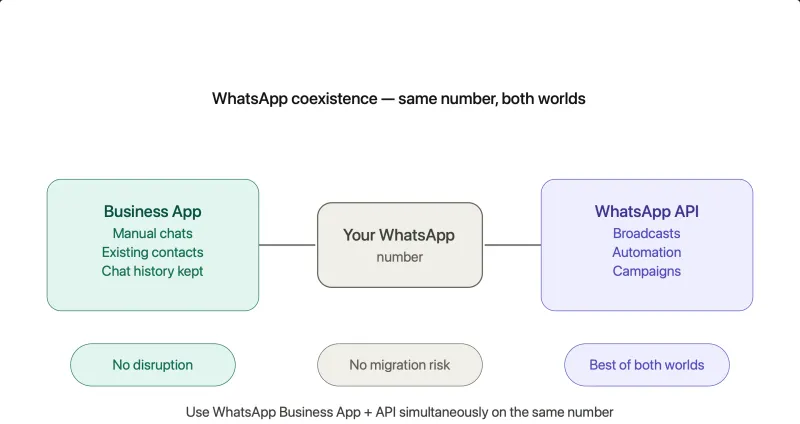
With the WhatsApp Coexistence feature, you can now:
- Use WhatsApp Business App + API on the same number
- Keep your existing chats and contacts
- Enable automation without disrupting current workflows
Why This Matters
Earlier:
- Businesses had to migrate completely
- Risk of losing chat history
- Teams had to relearn new systems
Now:
- No disruption
- No forced migration
- No operational risk
What You Can Do with Coexistence
- Continue manual chats via WhatsApp Business App
- Run automation, broadcasts, and campaigns via API
- Let sales/support teams work in parallel
Best of both worlds
Who Is This Best For?
- Businesses already using WhatsApp Business App
- Teams hesitant to switch fully to API
- Companies looking for a smooth transition to automation
Now you no longer have to choose between WhatsApp Business App or WhatsApp Business API.
Now, you get both on the same number.
How to Get YCloud?
How to Get YCloud for FREE?
Wrapping Up
But real growth always comes with usage-based pricing.
it’s to choose a platform that keeps your costs transparent, predictable, and scalable.
Frequently Asked Questions
Why Do People Think WhatsApp API Is Free?
Is WhatsApp Business API really free?
How can I get WhatsApp API for free?
Do I need to pay monthly fees for WhatsApp API?
Which provider offers free WhatsApp API?
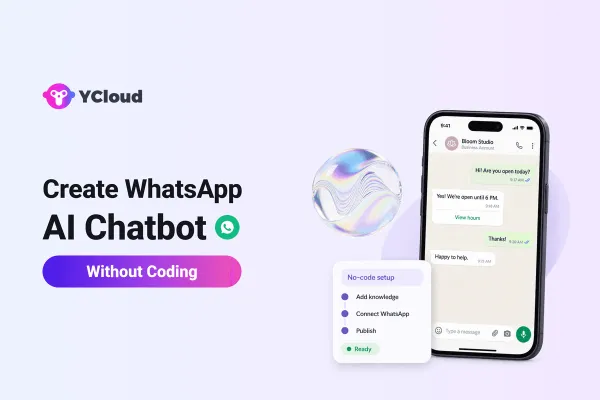
Can I use WhatsApp API without coding?
Is WhatsApp API worth it for small businesses?
Yes, if you plan to:
- Scale customer communication
- Automate workflows
- Run marketing campaigns
It becomes a powerful growth tool beyond basic messaging.
Related Articles

Make your business communications much easier!


Trusted by




