Customer Support

English

15 Practical Ways to Use AI in WhatsApp Marketing to Automate and Scale Faster

WhatsApp marketing rarely struggles because businesses cannot send messages.
The real challenge begins after the campaign goes live.
Someone still has to segment customers, write message variations, answer replies, qualify leads, recommend products, schedule follow-ups, and analyse what worked.
As conversation volumes grow, responses slow down, context gets lost, and personalization starts feeling like copy-paste.
AI helps businesses understand customer intent, automate repetitive work, personalize conversations, and move each customer towards the right next step, without making every interaction dependent on a human agent.
In this guide, we’ll explore 15 practical ways to use AI in WhatsApp marketing, from WhatsApp AI agents and campaign creation to lead qualification, product recommendations, follow-ups, and performance analysis.
First, let’s understand why businesses should use AI for WhatsApp marketing.
Why Use AI in WhatsApp Marketing?
AI helps businesses manage customer communication and WhatsApp marketing more efficiently. It can automate routine tasks, personalize customer conversations, and improve campaign performance using real customer data.
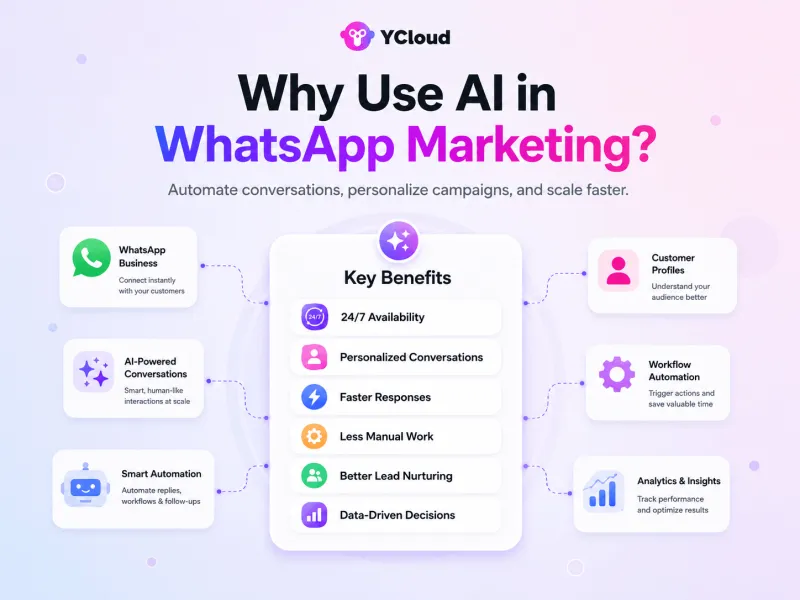
Here are the key benefits of using AI in WhatsApp marketing:
- 24/7 availability: AI chatbots and WhatsApp AI agents can answer customer questions outside business hours
- Personalized conversations: AI can tailor messages, offers, and recommendations based on customer interests and behaviour
- Faster responses: Customers can receive instant answers without waiting for an available team member
- Less manual work: Businesses can automate FAQs, lead qualification, reminders, and follow-ups
- Better lead nurturing: AI can keep conversations moving and reduce missed follow-up opportunities
- Data-driven decisions: AI can analyse customer interactions and campaign results to identify what works
- Easy scalability: Businesses can manage more WhatsApp conversations without increasing manual workload at the same rate
Next, let’s explore 15 practical ways to use AI in WhatsApp marketing.
15 Practical Ways to Use AI in WhatsApp Marketing
AI can support almost every stage of WhatsApp marketing, from campaign planning and audience selection to customer conversations, conversions, and performance analysis.
Here are 15 practical ways businesses can use it.
1. Generate Campaign Ideas
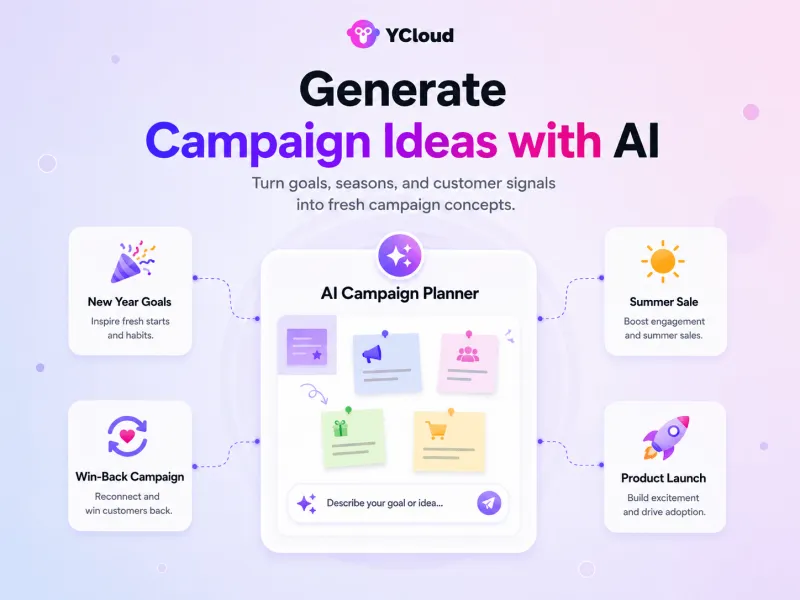
AI can suggest campaign themes based on your product, audience, season, or business objective.
For example, a fitness brand can use AI to create separate campaign ideas for New Year goals, summer workouts, inactive customers, and new product launches.
2. Create Better WhatsApp Messages
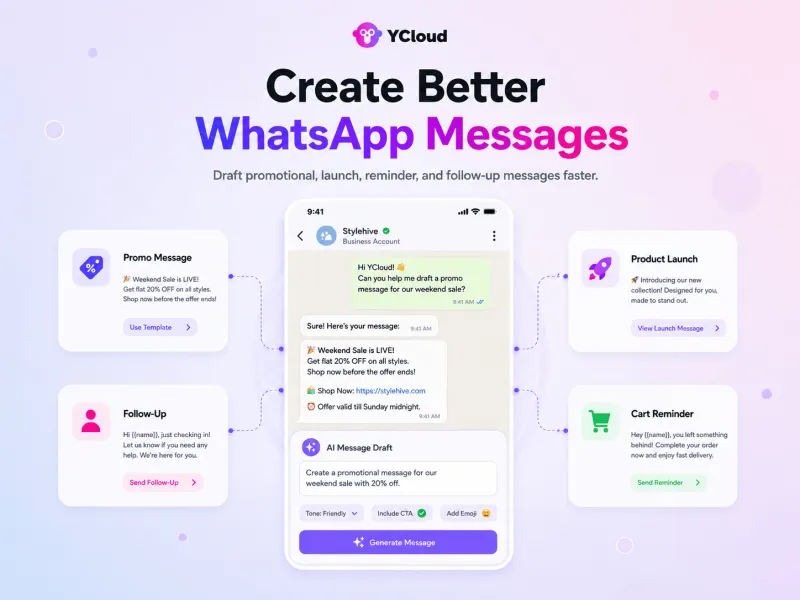
AI can draft short, clear, and conversational WhatsApp messages while maintaining your brand tone.
Use it to create:
- Promotional messages
- Product launch announcements
- Follow-up messages
- Abandoned-cart reminders
- Message templates
- Calls to action
Always review AI-generated content before publishing it.
3. Create Images and Other Campaign Content
Generative AI can help create images, product backgrounds, short videos, banners, and infographics for WhatsApp campaigns.
This is useful when you need multiple creative variations for product launches, seasonal offers, events, or A/B testing.
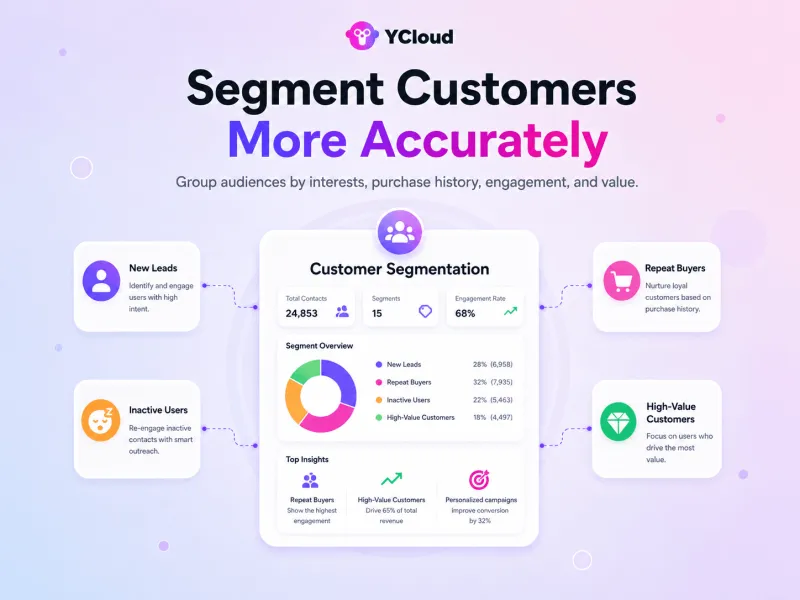
4. Segment Customers More Accurately
AI can group customers using their interests, purchase history, location, engagement, and previous conversations.
Instead of sending one campaign to everyone, businesses can create separate messages for new leads, repeat customers, inactive users, and high-value buyers.
For example, a skincare brand can create separate segments for acne care, dry skin, repeat buyers, and inactive customers instead of sending everyone the same offer.
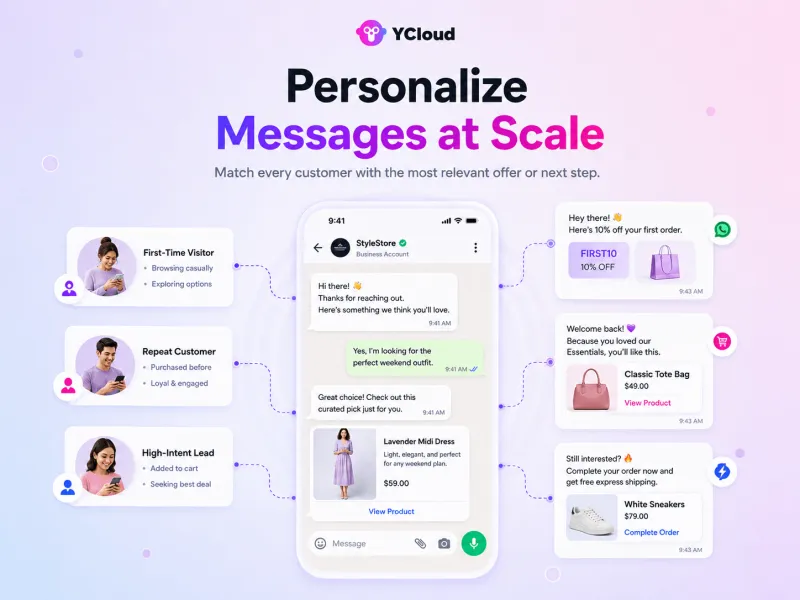
5. Personalize Messages at Scale
AI can personalize more than the customer’s name. It can use their interests, previous actions, and purchase history to select the most relevant message or offer.
A first-time visitor may receive a product guide, while an existing customer receives a replenishment reminder.
6. Predict Customer Behaviour
AI can analyse previous customer activity to identify what someone may do next.
For example, it can detect customers who repeatedly view a product, regularly reorder an item, or may be ready for an upgrade. Businesses can then send a relevant message before the opportunity is lost.
7. Find the Right Time to Send Campaigns
AI can compare previous read, click, reply, and conversion patterns to suggest when different customer segments are most likely to engage.
Instead of sending every campaign at the same time, businesses can adjust the schedule based on actual customer behaviour.
8. Automate Campaign Management
AI can help schedule campaigns, select relevant customer segments, create message variations, and monitor performance.
This reduces repetitive campaign work while helping marketing teams maintain consistent communication across different customer journeys.
9. Provide Instant Customer Support
AI chatbots and WhatsApp AI agents can answer FAQs, explain policies, track orders, and resolve common questions outside business hours.
When a query requires judgement or personal attention, the conversation can be transferred to a human agent with the complete context.
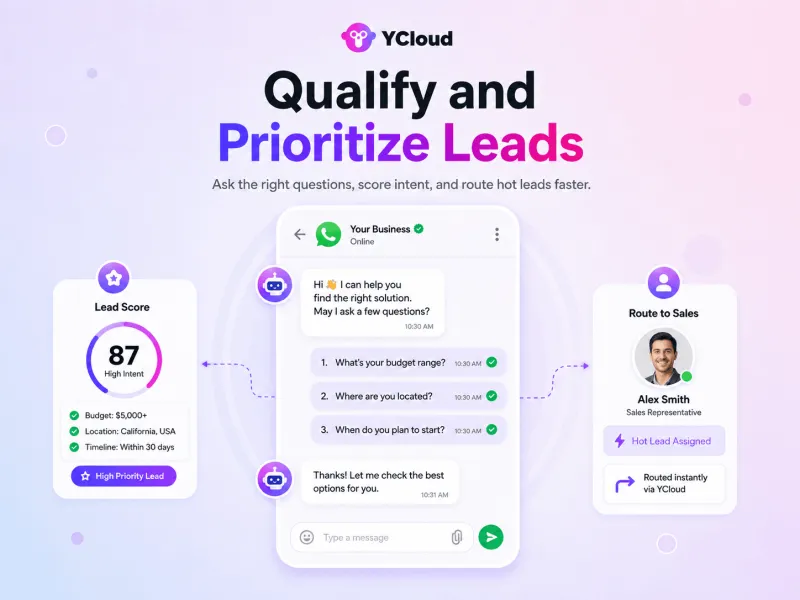
10. Qualify and Prioritize Leads
A WhatsApp AI Agent can ask questions about customer requirements, budget, location, and purchase timeline.
It can then identify high-intent prospects, update their lead stage, and route them to the appropriate sales representative.
11. Recommend Relevant Products
AI can use customer preferences, previous purchases, and conversation details to recommend suitable products or services.
For example, it can suggest matching accessories, a suitable subscription plan, or products within the customer’s stated budget.
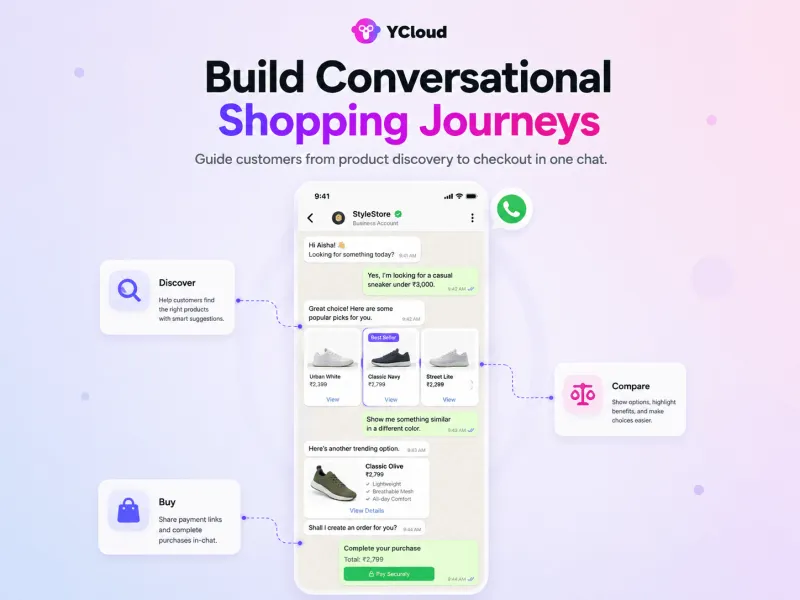
12. Build Conversational Shopping Journeys
AI can guide customers from product discovery to purchase within the WhatsApp conversation.
It can answer questions, compare options, share product information, collect details, and provide a checkout or payment link. This reduces the number of steps customers must complete.
13. Trigger Messages Based on Customer Actions
AI can start an automated journey when a customer performs a specific action.
Common triggers include:
- Abandoning a cart
- Viewing a product repeatedly
- Missing an appointment
- Completing a purchase
- Reaching a renewal date
- Waiting for an out-of-stock product
The message is sent because of customer behaviour, not simply because a campaign was scheduled.
14. Automate Lead Nurturing and Re-engagement
AI can follow up with leads based on their interests and position in the buying journey.
It can send product information, answer unresolved questions, recover abandoned carts, remind customers about pending payments, or reconnect with inactive buyers using relevant content.
15. Analyse Conversations and Campaign Performance
AI can analyse campaign and conversation data to identify:
- Common customer questions
- Customer sentiment
- High-performing messages
- Effective calls to action
- Conversation drop-off points
- Frequently raised objections
- Segments with stronger conversion potential
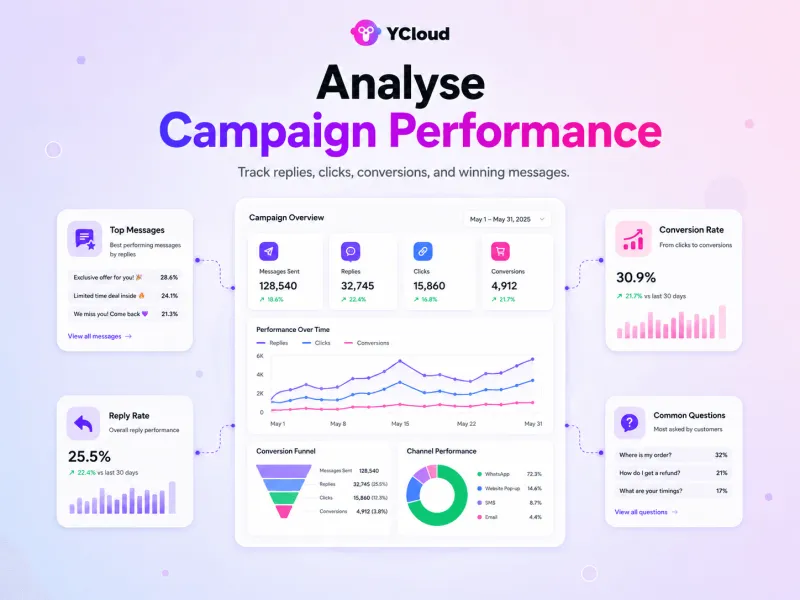
These insights help marketers improve future campaigns using actual customer behaviour instead of assumptions.
AI should work within the consent, rules, data access, and human handoff processes defined by the business. It should make WhatsApp marketing more useful and efficient, not remove human oversight.
Next, let’s see how YCloud brings these AI-powered WhatsApp marketing capabilities together in one platform.
How YCloud Powers AI-Driven WhatsApp Marketing
YCloud brings AI into campaign creation, lead handling, customer conversations, automation, and performance tracking.
Here is how it helps:
1. Handle Click-to-WhatsApp Leads With AI
When someone enters WhatsApp through a Click-to-WhatsApp ad, YCloud’s AI Agent can respond immediately.
It can:
- Understand the customer’s intent
- Ask qualifying questions
- Collect contact information
- Recommend relevant products or services
- Route high-intent leads to the sales team
- Send conversion data back through Conversions API
This helps businesses move leads forward while their interest is still active.
2. Create WhatsApp Templates With AI
YCloud’s AI Template Generator helps you create WhatsApp message templates without writing every message manually.
The process is simple:
- Describe what you want to communicate
- Choose a suitable writing style
- Generate and refine the message
- Submit the final template to Meta for approval
You can use it for promotions, reminders, product launches, follow-ups, and customer updates.
3. Build a No-Code WhatsApp AI Agent
Upload your website, product manuals, FAQs, documents, or other business materials. Then define the agent’s role, brand tone, instructions, and conversation rules.
Prebuilt prompt templates are also available, so you do not need to write every instruction from scratch.
4. Turn Conversations Into Business Actions
YCloud’s AI Agent can do more than answer questions.
Through API integrations, it can:
- Recommend products
- Check order status
- Collect lead details
- Update customer information
- Book appointments
- Process approved requests
- Connect with CRMs and business systems
This helps customers complete routine tasks without leaving WhatsApp.
5. Keep AI Safe and Under Human Control
You decide what the AI Agent knows, what actions it can perform, and when it should transfer the conversation.
Rules, workflows, and permissions help keep responses within the boundaries defined by your business. Human agents can step in when a conversation becomes complex, sensitive, or high-value.
6. Track and Improve AI Performance
YCloud provides AI-powered insights to help businesses monitor:
- Conversations handled
- Outbound messages
- Agent involvement
- Close rate
- Resolution time
- Customer satisfaction
- Human handoffs
Teams can use these insights and high-quality human responses to improve the agent’s knowledge and instructions over time.
Start with one focused use case, such as CTWA lead qualification, product recommendations, or after-sales support. Measure the results, improve the agent, and then expand it to more customer journeys.
Next, let’s wrap up the key takeaways.
Start Using AI in Your WhatsApp Marketing TODAY!
AI in WhatsApp marketing is most useful when it solves a clear business problem, slow replies, generic campaigns, missed follow-ups, or poor lead qualification.
Start with one use case, measure the result, and expand gradually.
With YCloud, you can create AI-powered templates, build a no-code WhatsApp AI Agent, automate customer journeys, and keep human teams in control.
Start using YCloud and turn your next WhatsApp campaign into a smarter, more scalable customer journey.
Next, let’s answer the most common questions about using AI in WhatsApp marketing.
Frequently Asked Questions
What is AI in WhatsApp marketing?
AI in WhatsApp marketing means using artificial intelligence to create campaigns, automate conversations, personalize messages, qualify leads, and analyse performance.
How can AI improve WhatsApp marketing?
AI can help businesses respond faster, reduce repetitive work, segment customers, personalize offers, automate follow-ups, and make better campaign decisions using customer data.
What are the main benefits of using AI for WhatsApp marketing?
The main benefits include faster responses, more relevant conversations, consistent follow-ups, reduced manual workload, better lead handling, and easier scalability.
What are some examples of AI in WhatsApp marketing?
Common examples include AI chatbots, WhatsApp AI agents, template generation, customer segmentation, product recommendations, abandoned-cart recovery, lead qualification, sentiment analysis, and campaign optimization.
What is the difference between a WhatsApp AI Agent and a chatbot?
A traditional chatbot usually follows predefined rules and conversation flows. A WhatsApp AI Agent can understand intent, use context, access approved business information, and complete permitted actions through connected tools.
Do I need the WhatsApp Business API to use AI?
The WhatsApp Business API is generally required when businesses need AI agents, large-scale automation, multiple team members, system integrations, campaign management, and advanced reporting.
How do I add AI to my WhatsApp marketing strategy?
Start with one clear use case, such as answering FAQs, qualifying leads, creating templates, or recovering abandoned carts. Choose an official WhatsApp API platform, connect the required business data, define the AI’s instructions, test the workflow, and measure the results.
Do I need coding skills to use AI on WhatsApp?
Not necessarily. Platforms such as YCloud allow businesses to create WhatsApp AI agents, templates, chatbots, and automated journeys through a no-code interface.
Technical support may still be required for custom API or business system integrations.
Can AI personalize WhatsApp campaigns?
Yes. AI can use approved customer information, purchase history, interests, and previous interactions to personalize messages, offers, recommendations, and follow-ups.
Personalization is only as accurate as the available customer data.
Can AI create WhatsApp message templates?
Yes. AI can draft and refine WhatsApp templates based on your campaign goal and brand tone. However, the final template must still be submitted to Meta for approval.
Is AI in WhatsApp marketing secure?
It can be secure when businesses use an official WhatsApp solution, limit data access, define permissions, protect connected systems, and follow applicable privacy laws.
Businesses should also collect customer consent and clearly explain how their data is used.
Can AI completely replace human agents?
No. AI is useful for repetitive questions, qualification, recommendations, and routine actions.
Human agents remain important for complex decisions, sensitive conversations, negotiations, and high-value customers.
How do I measure the performance of AI in WhatsApp marketing?
Track metrics such as response time, leads qualified, conversion rate, conversations resolved, human handoffs, customer satisfaction, campaign revenue, and return on investment.
How does YCloud support AI-powered WhatsApp marketing?
YCloud provides an AI Template Generator, no-code WhatsApp AI Agents, CTWA lead handling, automated journeys, API integrations, human handoffs, and performance insights within one WhatsApp marketing platform.
Related Articles

Make your business communications much easier!


Trusted by




