

How to Set Up a WhatsApp Customer Service System

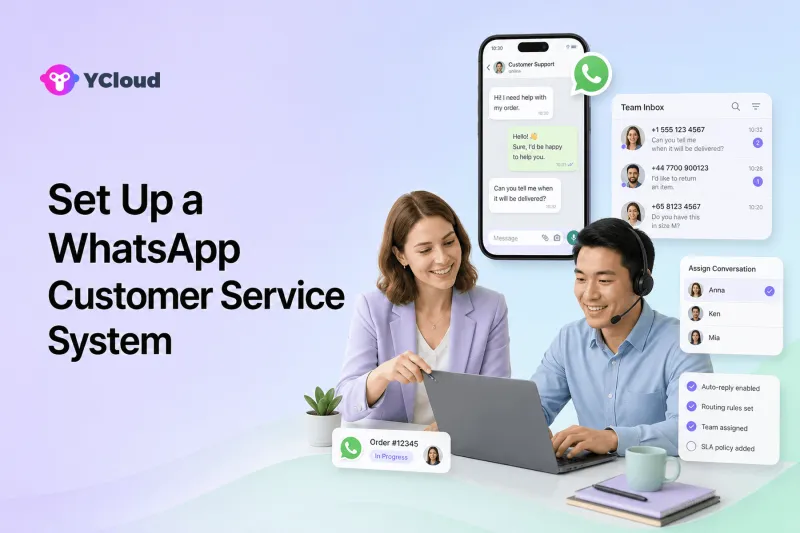
A WhatsApp customer service system combines an official WhatsApp Business Platform connection with a shared inbox, clear ownership rules, customer context, automation and human escalation. Start with the service process and governance, then connect the number, configure the inbox, test message policies and measure resolution quality before scaling.
This guide is for small and midsize businesses moving beyond one-person chat handling, as well as global support teams that need accountable ownership without building an entire help desk from scratch. The practical question is not simply how to obtain an API key. It is how an incoming message becomes an owned case, how an agent gets the necessary context, and how the team follows up without losing the conversation.
Map the service case from arrival to resolution
A support deployment should begin with a sample of real customer conversations, not a generic feature list. Mark how an order question, billing issue or product problem enters the team, who becomes accountable, what information that person needs and what proves the case is finished. This makes the gap between simple message delivery and service operations visible. The YCloud WhatsApp Business API page covers the official connection, while the shared team Inbox shows the workspace where agents can own and collaborate on conversations.
The same mapping also reveals whether the business is ready for automation. An acknowledgement may be safe, but a refund exception or identity-sensitive request needs a trained owner. Define the queue, completion state and escalation route for each major inquiry before configuring rules. Otherwise the new system may reply faster while leaving the original ownership problem untouched.
Build the service operation step by step
Step 1. Define the service scope
List the top inquiry types, supported countries and languages, service hours, target response times and escalation paths. Separate transactional help, presales questions and sensitive cases because they may need different owners and controls.
Step 2. Choose the official WhatsApp foundation
Decide whether to move from the WhatsApp Business App to the Business Platform or use an eligible coexistence setup. Confirm WABA ownership, phone-number requirements, display-name review, permissions and migration responsibility before touching production.
Step 3. Connect the number and create a controlled inbox
Give agents role-based access rather than sharing a device or login. Define queues, team views and who can see, assign, reply to and close conversations.
Step 4. Design ownership and routing rules
Route by country, language, topic, customer tier, business hours or agent availability. Always define a fallback queue so a message is never dropped because no rule matched.
Step 5. Add customer context
Decide which profile fields, tags, order details, notes and previous interactions agents need. Keep the minimum useful context visible and protect sensitive fields with access controls.
Step 6. Build safe automation
Use automation for acknowledgement, data collection, status checks and repetitive FAQs. State exactly when it must hand off, what context travels with the case and how a person can override the automation.
Step 7. Prepare outbound and follow-up messaging
Document consent and preference handling. Use approved templates where required, match the message to its intended category and give customers a clear way to stop non-essential outreach.
Step 8. Run a production-like pilot
Test happy paths, missing data, duplicate contacts, off-hours messages, reassignment, agent absence, API failure and escalation. Launch with a narrow queue before adding more markets or workflows.
Customer-service scenarios to design first
- Ecommerce teams handling delivery, return and payment questions with order context.
- Education teams routing admissions, document and appointment inquiries.
- B2B sellers separating presales qualification from post-sale support.
- Global SMBs assigning conversations by language and local business hours.
- Fintech or other controlled industries escalating identity, account or risk-sensitive requests to trained staff.
For every service scenario, document how the request enters, which queue accepts it, what customer or order context is required, when the owner may close it and what sends it to a supervisor. This turns a broad support promise into a queue the team can test under real staffing conditions.
Where YCloud fits in a customer-service stack
YCloud publicly describes itself as an official Premier Level WhatsApp BSP, so it can support the official channel foundation as well as the business workspace around it. For a service team, that broader layer matters when agents need assignments, prior messages and escalation rather than only an API response.
The Contact data layer can hold profiles, tags and attributes that help an agent understand who is asking. The WhatsApp AI Agent can handle bounded first-line questions and pass difficult cases to a person. Journey automation is relevant when a service event should trigger a controlled follow-up, while API and Webhook examples help developers connect order, ticket or account systems.
That combination should still be tested as one end-to-end support case. Ask an agent to receive a message, retrieve context, transfer it, resolve it and recover from an integration failure. A product demo that shows each component separately is not enough evidence that the service chain works under real ownership and permission rules.
Customer-service launch checklist
- [ ] WABA and number ownership are documented
- [ ] Roles follow least privilege
- [ ] Every queue has a fallback
- [ ] Handoff carries conversation context
- [ ] Agent absence has a reassignment rule
- [ ] Approved templates are mapped to follow-up use cases
- [ ] Consent and opt-out records are retained
- [ ] Webhook failures are monitored
- [ ] Customer data access is reviewed
- [ ] A recovery procedure exists
- [ ] Quality metrics have owners
- [ ] The pilot has an explicit exit decision
Treat an unchecked item as a service risk with a named owner, not as a documentation formality. The What Is YCloud? ecosystem guide is useful when support, operations and IT need a shared vocabulary for the App, API, BSP and operating layer.
Service-system mistakes that create backlog
- Starting with automation before documenting who owns each customer outcome.
- Treating the API as if it automatically includes a usable team inbox and customer record.
- Sharing one login or device, which hides accountability and weakens access control.
- Allowing a bot to continue when confidence is low or the request is sensitive.
- Measuring only reply speed while ignoring repeat contacts, unresolved cases and customer effort.
Pay special attention when a conversation changes owner: intake to queue, bot to agent, one shift to another, or Inbox to an external ticket or order system. Those transfers are where context, accountability and customer trust are most often lost.
Service messaging needs policy and access controls
A customer starting a chat does not remove the need to follow current WhatsApp messaging rules. If the team later sends a proactive update, verify whether an approved template is required and whether the customer has given the appropriate permission. Service templates should describe an actual customer-related event rather than disguise promotional content.
Inside the support operation, restrict access to the fields an agent needs. A returns specialist may need an order number but not every customer attribute. Administrative changes, exports and sensitive actions should be limited and reviewable. Maintain opt-out and preference data even when the service team is not the owner of marketing campaigns.
Finally, monitor unsuccessful events as cases, not just technical logs. A failed Webhook, missing order record or rejected template can leave the customer waiting. Define who sees the alert, what message the customer receives and how the case returns to a human queue.
A four-week customer-service pilot
Week 1 — observe the queue. Classify a representative sample of inquiries, measure first response, resolution, repeat contact and backlog, and choose one queue whose process is stable enough to test.
Week 2 — configure ownership. Connect the controlled number, create agent roles, define assignment and fallback, and expose only the customer and order fields needed for that queue.
Week 3 — rehearse handoffs. Test normal resolution, after-hours arrival, unavailable agents, missing records, reassignment and escalation. Train supervisors to correct ownership rather than working around the system in private chats.
Week 4 — release and compare. Run the new queue with daily quality samples. Expand only if response and resolution improve without a rise in repeat contacts or unsafe automation. The support-team provider selection guide provides additional criteria for deciding whether the selected platform can support the next queue.
Frequently asked questions
Do I need the WhatsApp Business Platform for a multi-agent service system?
For structured multi-agent access, integrations and automation, businesses generally evaluate the WhatsApp Business Platform rather than relying on a consumer-style shared login. A small team with simple manual needs may remain on the Business App longer.
Does WhatsApp API include a shared inbox?
The API provides messaging infrastructure. A team inbox, assignment, notes, permissions and reporting come from software built around it, such as a provider platform or a separate help desk.
Can YCloud route conversations to agents?
YCloud's current Inbox page documents multidimensional assignment rules, pre-routing, agent-human handoff and a shared team workspace. Test the exact rules and reporting required by your operation.
Should AI answer every support question?
No. AI is best bounded by approved knowledge, permitted actions and escalation rules. Sensitive, ambiguous or high-impact cases should move to a person.
What should we measure after launch?
Track time to first response, time to resolution, backlog, reassignment, escalation, repeat contact, automation containment with quality checks, and customer satisfaction where an appropriate survey is available.
Build the queue before expanding the channel
A WhatsApp customer-service system is ready when an incoming case reliably reaches one accountable owner with the right context, a safe escalation path and a measurable completion state. Prove that loop for one queue; more automation, languages and markets should follow the evidence rather than precede it.
Frequently Asked Questions
Do I need the WhatsApp Business Platform for a multi-agent service system?
Does WhatsApp API include a shared inbox?
Can YCloud route conversations to agents?
Should AI answer every support question?
What should we measure after launch?
Related Articles



Make your business communications much easier!


Trusted by




