

WhatsApp API Integration Architecture for CRM and Support

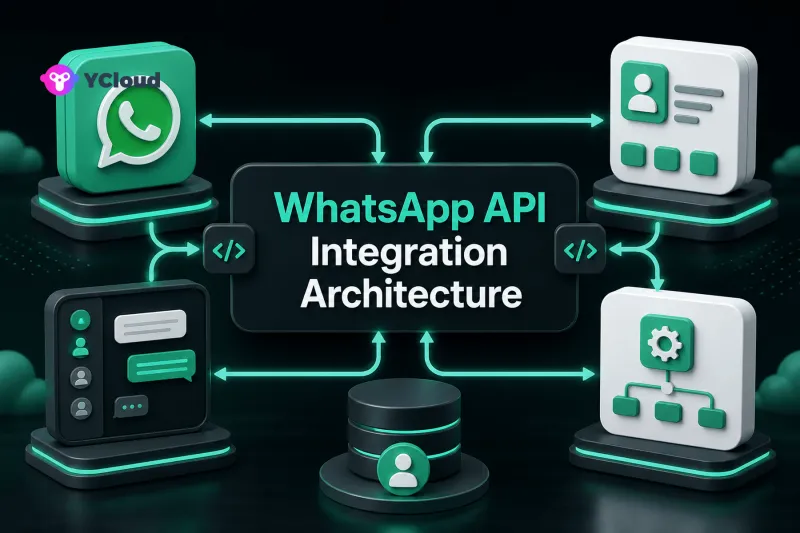
A dependable WhatsApp CRM and support integration uses WhatsApp as a communication channel, not as the system of record for every customer process. Meta operates the WhatsApp Business Platform and Cloud API; your CRM or service platform owns customer and case state; a BSP and operating layer can connect them through APIs, webhooks, inboxes, routing, and automation.
Define the system boundaries first
Architecture discussions become confused when “WhatsApp API” is used to mean the entire customer-service stack.
- Meta platform: Meta owns and operates the WhatsApp Business Platform, including platform accounts, phone numbers, message objects, templates, policies, and Cloud API infrastructure.
- Cloud API: Meta's hosted API transport sends and receives WhatsApp messages and emits supported webhooks. It is not a CRM, help desk, or workforce-management product.
- BSP: A Business Solution Provider may help businesses onboard, access the platform, receive support, and use provider-specific APIs or billing.
- Operating layer: A shared inbox, contact platform, campaign tool, chatbot, workflow engine, or custom application turns messaging events into daily work.
- CRM or support system: This remains the authoritative store for leads, accounts, cases, orders, entitlements, ownership, and business outcomes unless the company deliberately assigns that role elsewhere.
YCloud spans BSP/API access and an operating layer with products including Inbox, Contact, Campaign, Journey, Chatbot, AI Agent, APIs, and webhooks. That can reduce integration surface for some teams, but the exact ownership model must still be designed.
Choose the source of truth by entity
Write down which system owns each object:
| Entity | Typical authoritative system | WhatsApp-side role |
|---|---|---|
| Customer/account | CRM or customer platform | Channel identity linked to the customer |
| Consent and preferences | Consent or CRM service | Input to messaging eligibility |
| Conversation/message | Messaging or support event store | Platform and provider message identifiers |
| Ticket/case | Support platform | Created or updated from conversation events |
| Order/subscription | Commerce or billing system | Context for notifications and agent replies |
| Agent assignment | Support or operating layer | Routes conversations and records ownership |
| Template | WhatsApp platform plus internal registry | Approved outbound message asset |
Avoid bi-directional “last write wins” for every field. It produces loops and silent data loss. Choose an owner, define which projections other systems receive, and record the timestamp and origin of each update.
Phone numbers are channel identifiers, not durable customer keys. They can be reformatted, reassigned, shared, or missing. Use an internal customer ID and maintain a qualified mapping to the WhatsApp user or phone identity.
Use an event-driven integration core
The webhook handler should authenticate or validate requests using the documented mechanism, persist events durably, and acknowledge promptly. A queue then distributes work to consumers for message storage, contact matching, case routing, CRM updates, analytics, and automation.
Store the provider event ID, provider message ID, WhatsApp wamid where available, WABA, phone-number identity, customer mapping, and internal correlation ID. YCloud supports an outbound externalId, which can connect later message-status events to an order, ticket, campaign, or other business record.
Consumers must be idempotent because webhook deliveries and job execution can repeat. Use database uniqueness, upserts, and stable downstream operation keys. Preserve status observations because YCloud documents that message-status events are not guaranteed to arrive in order.
An event bus is not mandatory for a small integration, but the logical separation still matters. A single service can use a transactional inbox and worker process before growing into multiple consumers.
Model inbound support conversations
An inbound message typically needs these decisions:
- Identify the WABA and receiving phone number.
- Resolve or create the channel identity without merging customers solely by display name.
- Attach the message to the correct conversation or case.
- Retrieve only the customer context necessary for handling the request.
- Apply routing based on language, market, product, entitlement, urgency, and team availability.
- Notify the assigned agent or automation.
- Record response and resolution outcomes in the authoritative support system.
Keep automated and human ownership explicit. A bot can collect context, answer within its approved scope, or triage; it should hand off when confidence, policy, customer request, or business risk requires a person. The CRM should not infer case resolution merely because a message was sent.
Shared inbox software can provide assignment, internal notes, visibility, and agent controls that raw Cloud API does not provide. Confirm the exact YCloud Inbox functions and plan entitlements against current product documentation before relying on them.
Design outbound sends as business commands
The CRM or workflow system should create a business command such as “send order update,” not construct arbitrary WhatsApp payloads throughout the codebase. A messaging service then checks recipient identity, consent and preference data, allowed use case, template and language, variable completeness, deduplication key, and rate-control policy.
After the provider accepts the request, store the returned message ID and wait for asynchronous status observations. YCloud's guide makes clear that accepted is processing acknowledgement, not proof of delivery. Update the CRM with qualified delivery evidence while keeping the original business command and provider events.
Separate transactional, support, and marketing flows. They have different triggers, owners, urgency, measurement, and fallback behavior. A marketing automation should not reuse the retry policy for an authentication or service notification.
Prevent synchronization loops
Every integration write should carry an origin or change token. When CRM changes create a contact update in the operating layer, the echo webhook must not write the same update back indefinitely. Use field-level ownership, version checks, and loop suppression.
Batch low-priority updates and protect CRM APIs with rate limits and circuit breakers. If the CRM is unavailable, queue events rather than failing the public webhook handler. Define how long delayed customer context remains safe to use.
Conflicts should become visible work, not silent overwrites. Examples include two CRM records mapped to one WhatsApp identity, an agent reassignment during an automation, or consent revoked while a campaign job is queued.
Secure the data flow
Use TLS, secret management, least-privilege credentials, environment separation, and documented credential rotation. Restrict who can send messages, replay webhooks, export contacts, view content, change routing, and activate campaigns.
Minimize personal data in queues and logs. Redact tokens and sensitive payload fields from observability systems. Encrypt protected records according to the organization's security design, define retention and deletion, and propagate relevant privacy requests to each system that holds the data.
Do not describe the integration as “compliant by default.” Meta policies, provider terms, local privacy and communications laws, consent, retention, access governance, and incident response remain business responsibilities. Legal requirements vary by market and use case.
Make failures recoverable
Classify failures at each boundary: webhook ingress, queue, mapping, CRM, provider send, template, recipient delivery, and agent workflow. Use bounded retries for transient dependencies and a dead-letter queue for exhausted or invalid events. Replays should preserve the original event and operation identity.
Run reconciliation jobs for accepted messages with no later status, orphan messages without a customer mapping, CRM commands without provider IDs, and cases whose last customer message has no response. Use supported message-query endpoints selectively when webhook evidence is missing or uncertain.
Monitor technical and business measures together: webhook lag, queue age, mapping failures, time to first response, unresolved conversations, delivery observations, handoff completion, and case outcomes. Delivery alone is not customer-service success.
Three practical architecture patterns
API-first custom stack
Best for teams with an existing event platform, CRM, help desk, and engineering capacity. It offers control but requires the team to build operations, governance, monitoring, and support workflows.
Operating-platform-led stack
Best for teams that want a shared inbox, contacts, routing, campaigns, and automations around WhatsApp. The CRM integrates at selected boundaries instead of owning every conversation action.
Hybrid stack
The operating layer handles agent work and standard automation, while the CRM remains the customer and case authority and a data platform receives normalized events. This is common but needs particularly clear field ownership.
YCloud can be evaluated for the second and third patterns as well as API access. Teams that need only transport may not need the full operating suite. Compare architecture fit, exportability, webhook coverage, permissions, support, and total operating effort. The WhatsApp API provider shortlist and WhatsApp BSP selection guide provide broader selection criteria.
Architecture checklist
- Assign an authoritative system to every customer and workflow entity.
- Use internal customer IDs instead of phone numbers as primary keys.
- Persist, queue, deduplicate, and observe webhook processing.
- Carry stable business correlation IDs into outbound sends.
- Separate commands, provider observations, and business outcomes.
- Define routing, automation scope, and human handoff.
- Prevent sync loops with ownership and origin metadata.
- Apply least privilege, minimization, retention, and audit controls.
- Reconcile gaps and test dependency outages before launch.
Frequently asked questions
Is WhatsApp Cloud API a CRM or help desk?
No. Cloud API provides Meta-hosted messaging infrastructure. CRM, case management, shared inbox, routing, and workflow capabilities come from other systems or an operating layer.
Should the CRM store every raw webhook payload?
Usually not. Store protected raw evidence in an appropriate event store and send the CRM normalized fields it needs. Retention and access should follow business and legal requirements.
Can a phone number be the customer primary key?
It should not be the only durable key. Maintain an internal customer ID and a qualified mapping to WhatsApp identities.
What does an accepted send response prove?
It proves the provider accepted the request for processing under the documented flow. It does not prove device delivery or customer reading.
When is an operating platform useful?
It is useful when teams need shared-agent work, contact context, campaigns, routing, and automation without building every interface themselves. API-first teams with mature internal systems may need less of that layer.
Frequently Asked Questions
Is WhatsApp Cloud API a CRM or help desk?
Should the CRM store every raw webhook payload?
Can a phone number be the customer primary key?
What does an accepted send response prove?
When is an operating platform useful?
Related Articles

Make your business communications much easier!


Trusted by




