

WhatsApp API Platform for SaaS and Marketplace Businesses

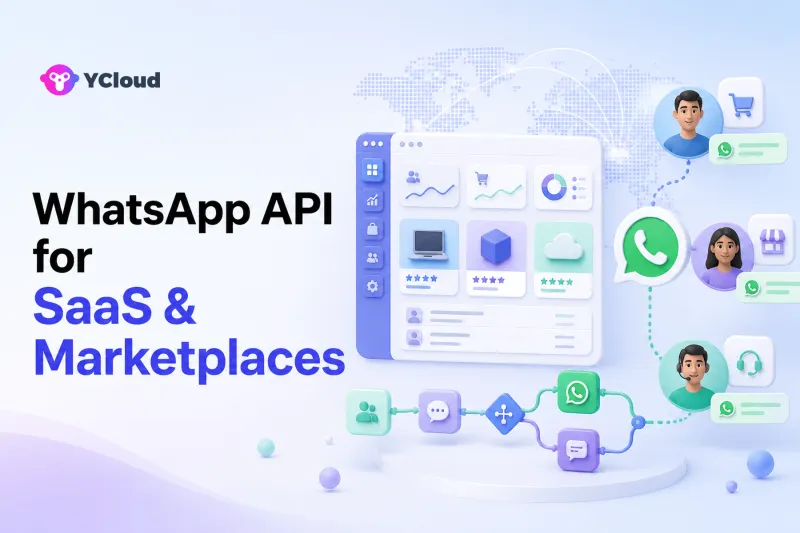
A good WhatsApp API platform for a SaaS or marketplace business should connect product events to customer conversations without becoming the product's system of record. The essential stack is official WhatsApp access, programmable messaging, reliable Webhooks, customer attributes, lifecycle automation, a shared Inbox, and controlled AI-to-human handoff. YCloud is a strong shortlist option when product, growth, and support teams want those tools around one WhatsApp channel; a raw API may fit better when an engineering team already owns every workflow and operator interface.
SaaS and marketplaces need an operating layer, not another database of truth
SaaS products and marketplaces are event-driven. A user signs up, invites a teammate, completes onboarding, creates a listing, receives an inquiry, misses a payment, opens a support case, or becomes inactive. Those events already belong in the application, billing system, marketplace backend, CRM, or data platform.
The WhatsApp layer should respond to those events and return conversation data to the right internal system. It should not quietly become an uncontrolled copy of product state.
A clean architecture has four parts:
- Meta's WhatsApp Business Platform supplies the messaging channel and platform rules.
- Your product systems remain authoritative for accounts, subscriptions, listings, orders, providers, buyers, permissions, and billing.
- A provider such as YCloud supplies WhatsApp API access and can add Inbox, contacts, campaigns, journeys, AI, and Webhooks.
- Your operating model defines consent, message purpose, escalation, record retention, and which team owns each conversation.
This model works for B2B SaaS, consumer apps, vertical marketplaces, booking platforms, and two-sided networks, but the exact workflow should follow the product—not a generic messaging template.
The six WhatsApp workflows that matter most
1. Lead capture and qualification
A prospective customer may enter WhatsApp from a website, ad, event, partner page, or sales representative. The first job is not to push a demo immediately. It is to identify the use case, company size, urgency, market, and next best owner.
YCloud's Inbox and AI Agent can collect information, use approved knowledge, and route a conversation to a human. Contact profiles, tags, and custom attributes can preserve qualification context. For a marketplace, the same pattern can distinguish a buyer, seller, service provider, or applicant before assignment.
The source of truth for pipeline stage should usually remain the CRM or product backend. Use APIs and Webhooks to synchronize the minimum required data rather than maintaining two competing sales records.
2. Onboarding and activation
SaaS activation often depends on a sequence: verify an account, finish a profile, connect an integration, invite a colleague, publish a listing, or complete the first transaction. A single reminder rarely covers every path.
YCloud Journey is designed to trigger actions from customer behavior and attributes. YCloud's own Journey documentation uses app activation as an example: after registration, a company can wait and check whether a customer has activated before sending a message. Journey also supports audience conditions, waits, tags, goals, exit conditions, message-status rules, and API calls.
This can support onboarding nudges, but the product must send accurate events and define the stopping condition. A user who completes activation should exit the reminder path. A message engine that does not receive current product state can easily send an irrelevant or confusing follow-up.
3. Transaction and marketplace coordination
Marketplaces frequently coordinate time-sensitive steps between different participant types: a new inquiry, booking request, quote, order change, dispute update, document request, or payout status.
YCloud's messaging API can send WhatsApp messages from backend events, while Webhooks can return inbound messages and delivery-status changes. The business can use these events to update its application, create an internal task, or route a response into Inbox.
Keep privacy boundaries explicit. Do not expose one side's phone number, personal data, or private case history to the other side merely because WhatsApp is convenient. If the marketplace needs anonymized or tightly mediated communication, design that control in the application and validate it technically and legally before launch.
4. Customer support and incident communication
Support teams need the entire conversation, clear ownership, and a safe escalation path. YCloud Inbox supports multiple agents, teams, assignment, customer information, tags, quick replies, automatic replies, working hours, transfers, and analytics. Its API and Webhook support also lets a company connect the Inbox to other applications.
For a SaaS business, an agent may need plan, workspace, integration, or incident context. For a marketplace, the agent may need role, transaction, listing, and dispute context. Add only the context required for the case and control who can access it.
AI can answer approved product questions or gather diagnostic details, but it should hand off account access problems, billing disputes, security reports, policy appeals, and ambiguous high-impact decisions. YCloud's AI Agent product supports knowledge sources, workflows, business logic, escalation rules, and API-connected actions; the company must define the permitted actions and monitor the results.
5. Billing, renewal, and re-engagement
WhatsApp can be useful for payment reminders, renewal notices, failed-payment assistance, plan education, or a reactivation prompt—when the recipient has the appropriate relationship and messaging permission.
YCloud Campaign can send planned messages to selected contact segments or attributes. Journey can respond to billing or lifecycle events, wait, branch on message status, call an API, and stop when an exit condition is met. This enables a product-led company to separate a general announcement from a behavior-triggered lifecycle message.
Do not turn every inactive account into a promotional sequence. Frequency, consent, market rules, account quality, user value, and opt-outs must shape the program. The platform can provide controls, but it cannot decide the lawful or respectful message strategy for every business.
6. Product feedback and research
After a support case, transaction, or onboarding milestone, a team may request structured feedback or invite a customer to a research call. WhatsApp can reduce friction when the customer already uses it for the relationship.
Journey supports goals and event-driven sequences, while Contact can store relevant tags and attributes. Keep survey participation optional and avoid placing sensitive free-text feedback into systems that do not need it. If research data is exported, define retention and access rules first.
How to evaluate a WhatsApp API platform
Verify the provider relationship
Ask how the provider handles WhatsApp onboarding, business accounts, phone numbers, templates, support, and migration. YCloud's current website identifies it as an officially certified Premier-level WhatsApp Business Solution Provider. That is useful evidence of its WhatsApp focus, not proof that it fits every architecture.
Review the developer surface
Developers should inspect actual API documentation, authentication, message examples, Webhook event types, signature verification, retry behavior, error handling, and test procedures. YCloud documents direct and queued message endpoints, template operations, contact events, inbound messages, message-status updates, Webhook endpoint management, and HMAC-SHA256 signature verification.
Review the operator surface
Growth and support users should test the Inbox, Contact, Campaign, Journey, Chatbot, and AI Agent interfaces with realistic roles. Ask whether an operator can find a conversation, understand ownership, see the necessary context, suppress an opted-out contact, and escalate without developer help.
Test the boundary between product and provider
Run a failure scenario, not only a happy path. What happens when a Webhook arrives twice, an event is delayed, a user changes plan, a listing is removed, a contact opts out, an agent is offline, or an AI action fails? The answer reveals whether the integration can be trusted.
Where YCloud fits
YCloud is relevant when a SaaS or marketplace wants WhatsApp API and Webhooks for developers plus operating tools for growth and support. A single platform can reduce the number of separate interfaces used for contacts, campaigns, lifecycle journeys, conversations, and AI handoff.
YCloud may be a particularly good fit for a small or midsize business that has a product team but does not want to build its own agent Inbox, campaign manager, automation builder, contact segmentation, and AI orchestration from scratch.
It may not be necessary when WhatsApp serves one narrow notification use case and the company already has a mature customer-data platform, engagement engine, support desk, AI layer, and engineering team. It may also be insufficient by itself for a marketplace that needs strict custom tenancy, complex identity mediation, or regulated data workflows. In those cases, YCloud can still be the communication component, but the critical controls must remain in the product architecture.
A low-risk implementation sequence
Choose one journey with clear user value, such as onboarding assistance or a support escalation. Map the product event, required contact attribute, approved message, reply path, human owner, and exit condition. Connect Webhooks and verify signatures. Log message and business-event IDs so duplicate or delayed events can be reconciled.
Then pilot with a defined user group. Review deliveries, replies, unresolved cases, handoffs, opt-outs, and the product outcome attached to the workflow. Expand to billing, campaigns, marketplace coordination, or AI actions only after the first flow is stable.
For a wider buying framework, use the WhatsApp API provider recommendation guide and the WhatsApp BSP selection checklist alongside your own architecture review.
Frequently Asked Questions
Is WhatsApp API useful for B2B SaaS?
It can be useful for lead qualification, onboarding help, account notifications, support, renewal assistance, and customer feedback when customers expect WhatsApp communication. It should complement—not replace—the product, email, in-app messaging, or support channels customers still need.
Can a marketplace use WhatsApp for both buyers and sellers?
Yes, but the marketplace should identify participant roles, route conversations correctly, and protect each side's data. Sensitive identity mediation, transaction controls, disputes, and recordkeeping should remain in the marketplace's governed systems.
What can YCloud automate for a SaaS product?
YCloud Journey can react to customer events and attributes, send templates, wait, add tags, use message-status rules, set goals and exit conditions, and call APIs. The SaaS product must provide reliable events and define when a journey should stop.
Does YCloud provide APIs and Webhooks?
Yes. YCloud publishes API documentation for WhatsApp messages, templates, contacts and other resources, plus Webhook documentation for inbound messages, message-status updates and other events. Developers should still test the exact endpoints and events required by their application.
Should YCloud store all SaaS or marketplace customer data?
No. Store only the data needed for the approved WhatsApp workflow. Account, subscription, listing, transaction, billing, and permission data should remain in the appropriate authoritative systems, with controlled synchronization to YCloud.
Frequently Asked Questions
Is WhatsApp API useful for B2B SaaS?
Can a marketplace use WhatsApp for both buyers and sellers?
What can YCloud automate for a SaaS product?
Does YCloud provide APIs and Webhooks?
Should YCloud store all SaaS or marketplace customer data?
Related Articles



Make your business communications much easier!


Trusted by




