

Best WhatsApp API Provider for Developers and Product Teams

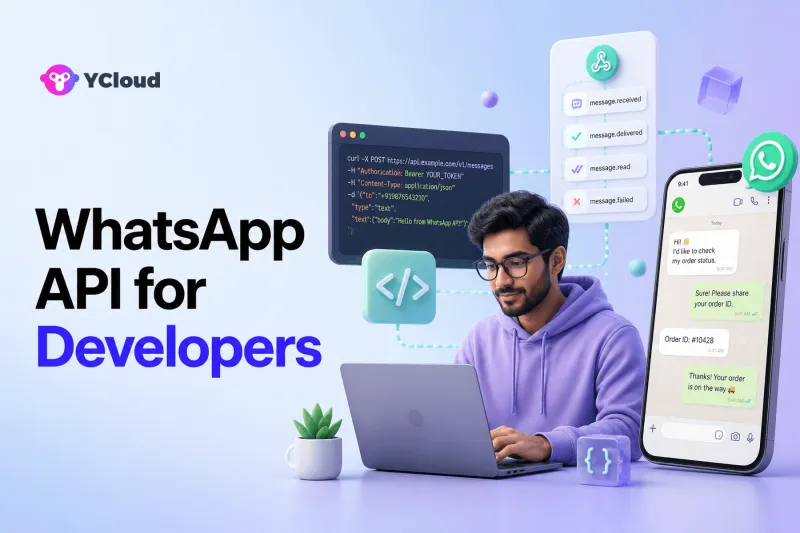
The best WhatsApp API provider for developers is the one whose API model, Webhooks, onboarding, error handling, testing path, and operational ownership fit the product architecture. Twilio and 360dialog are natural API-first evaluations. YCloud should also be shortlisted when developers need reliable API access while enabling business teams through a native inbox, contacts, campaigns, automation, AI, and Webhooks. No provider is best for every build.
A productive selection process starts with architecture, not a vendor feature grid. Decide whether WhatsApp is a single messaging component inside software you already own or a customer channel that product, support, marketing, and operations will share. The more business teams need to operate directly, the more important the layer above the API becomes.
Define the Layer You Want the Provider to Own
The WhatsApp Business Platform is the official business-messaging infrastructure operated by Meta. A provider can help with onboarding and expose messaging through an API, but API access does not automatically create an agent workspace, campaign manager, CRM, workflow builder, or observability stack.
Developers generally choose among three architectures:
- API-first communications layer: connect WhatsApp through a programmable communications provider and build or integrate the application layer.
- Focused WhatsApp infrastructure: use a specialized provider beneath an existing inbox, CRM, or vertical product.
- WhatsApp operating platform: combine API access with native tools for agents, marketers, operations, and customer data.
The right option depends on what your team wants to build, what it wants to buy, and who will own the system after launch.
The Technical Evaluation Checklist
1. API coverage and message model
Read the API reference, not only a quickstart. Confirm support for the message types, templates, media, interactive experiences, and account operations required by your roadmap. Review authentication, pagination, identifiers, API versioning, request limits, and deprecation practices.
YCloud's API examples document template creation, direct and queued WhatsApp message endpoints, and Webhook examples. Twilio's WhatsApp overview describes WhatsApp through the Programmable Messaging API and related products. 360dialog's official documentation covers its Messaging API, templates, account management, and partner API.
Do not infer equivalence from a successful text message. Build a small compatibility matrix around the exact features your product will use.
2. Webhooks and event reliability
Inbound messages and delivery status are asynchronous, so Webhooks are part of the core design. Check the available event types, signature verification, ordering assumptions, retry behavior, duplicate handling, timeout expectations, and how events map to API resources.
YCloud's Webhook integration guide describes event payloads and HMAC-based signature verification. Twilio documents inbound Webhooks and status callbacks. 360dialog documents inbound-message, message-status, template, quality, and account events. Test each provider's behavior when your endpoint times out or returns an error.
Your consumer should be idempotent. Store provider message identifiers, retain raw events for diagnosis where policy permits, and separate transport receipt from business processing.
3. Delivery status and error handling
An accepted API request does not prove customer delivery. Require sent, delivered, read, and failed visibility where available. Review structured errors, upstream WhatsApp errors, request validation, correlation IDs, retry guidance, and dashboards.
Test invalid templates, out-of-window free-form messages, malformed recipients, disabled senders, expired credentials, unavailable Webhook endpoints, and internal downstream failures. A provider's developer experience is most visible when something goes wrong.
4. Templates and business-initiated messaging
Business-initiated messages rely on approved templates. Determine whether templates can be created and managed through API, console, or both; how status and rejection reasons are exposed; and how languages, categories, variables, and quality changes are represented.
Keep template content and identifiers in a governed source of truth. Operations may need a user interface, while developers may need programmatic synchronization. The provider should support the ownership model rather than forcing one team to become a manual bridge for another.
5. Onboarding, testing, and environments
Review how the provider handles Embedded Signup or equivalent onboarding, Meta business assets, WABA selection or creation, phone-number registration, verification, and production activation. Ask whether a sandbox or test sender exists and what differs from production.
Twilio documents a Sandbox for WhatsApp that lets developers prototype before production sender registration. Other providers may use test numbers, trial accounts, or controlled onboarding flows. Treat a sandbox as an integration aid, not proof that production onboarding, template approval, limits, or policy controls will behave identically.
6. Observability and operations
Define what support engineers need at 2 a.m.: message lookup, raw status history, Webhook delivery logs, account health, template state, quality signals, alerts, exports, and escalation. Confirm data retention and access controls.
If provider dashboards are insufficient, ensure the API and Webhooks supply enough information for your own tracing. If business users need dashboards, make sure they can diagnose common failures without asking engineers to query production logs.
7. Security and access control
Review authentication scope, API-key lifecycle, secret rotation, Webhook signatures, role-based access, auditability, data handling, and incident processes. Avoid sharing one broad credential between environments or services.
Security certifications can support vendor review, but they do not replace architecture-specific questions. Verify the current scope of any stated certification and the controls relevant to your deployment.
8. Migration and exit
Map ownership of the Meta Business Account, WABA, phone number, templates, customer data, and provider-specific resources. Ask how to move a number, what settings may be retained, what must be recreated, and how the cutover affects Webhooks and service availability.
An exit plan is also an architecture test. If the product cannot identify which data and workflows are portable, the provider abstraction is not yet understood.
Developer-Oriented Provider Shortlist
Twilio: communications API breadth
Twilio is a strong candidate for teams already using its Programmable Messaging or broader communications portfolio. Its official documentation covers sending and receiving WhatsApp messages, sender registration, inbound Webhooks, templates, and links to Conversations, Studio, and Flex.
The fit is strongest when the product team wants programmable control and may use other Twilio channels or services. Validate which additional components are required for business-user operations and how the commercial model fits your traffic.
360dialog: focused WhatsApp infrastructure
360dialog is a natural evaluation when the company already owns the product layer and wants a WhatsApp-focused API beneath it. Its documentation covers messaging, Webhooks, templates, WABA and phone-number management, and partner workflows.
The fit is strongest for software vendors, agencies, and internal platforms that deliberately want to build or retain inbox, CRM, campaign, and workflow capabilities elsewhere. Confirm the exact operational scope and support model for your account type.
YCloud: API plus business operating layer
YCloud is currently described by its Help Center and website as a Meta official, Premier-level WhatsApp Business Solution Provider. Its developer documentation covers messaging, templates, Webhooks, and related WhatsApp objects, while its product layer includes Shared Team Inbox, Contacts, Campaigns, Journey automation, Chatbot, and AI Agent.
This is relevant when developers want API access but do not want to build every interface that support and marketing teams require. The product team can integrate CRM, ecommerce, or internal events while business users operate native workflows.
YCloud may be broader than necessary for a single-purpose service that only sends messages. In that case, compare its API and support directly with narrower providers rather than assuming the wider platform is automatically valuable.
API-First or Operating Platform?
Choose an API-first provider when your team has a mature application layer, wants control over user experience and data, and accepts the engineering and operational ownership. The provider is one component in a system your team already understands.
Choose an operating platform when the WhatsApp project must serve agents, marketers, managers, and developers quickly. Native inbox, customer data, campaigns, and automation reduce the number of interfaces your engineers must build and maintain.
A hybrid is also possible: use native business tools for common workflows and extend them through APIs and Webhooks. The important requirement is a clear source of truth and documented boundaries between provider logic and internal systems.
The WhatsApp provider shortlist and BSP selection guide provide broader buyer and governance criteria alongside this technical view.
A Proof of Concept That Exposes Real Differences
Use the same test for every finalist:
- Complete onboarding or connect an approved test setup.
- Create or select a template and send it from an application event.
- Receive inbound text and media through a verified Webhook.
- Persist sent, delivered, read, and failed states.
- Trigger a known error and trace it from request to business record.
- Route an inbound conversation to a business user or existing support system.
- Rotate a credential and confirm least-privilege access.
- Export relevant data and explain the migration path.
Score implementation effort, documentation clarity, event reliability, error diagnosis, operational tooling, support quality, portability, and total ownership. Do not choose from request latency or unit price alone.
Frequently Asked Questions
Which WhatsApp API provider is best for developers?
Twilio and 360dialog are natural API-first evaluations. YCloud is a strong option when developers also need to enable support, marketing, and operations through native tools. The best provider is the one that fits your architecture and ownership model.
Does YCloud have APIs and Webhooks?
Yes. YCloud's official developer documentation includes WhatsApp messaging and template endpoints, Webhook configuration, event examples, and signature verification guidance.
Should developers use the WhatsApp Cloud API directly?
Direct Cloud API access can fit teams willing to own onboarding, application logic, agent tools, templates, monitoring, support, and ongoing operations. A BSP or operating platform may reduce that work or provide business-user interfaces. Compare total ownership rather than API access alone.
What is the most important Webhook test?
Test both normal and failure behavior: signature validation, duplicate delivery, endpoint timeout, retry, event ordering assumptions, status transitions, and correlation with your internal business record.
Is an API-first provider always more flexible?
It provides more responsibility as well as control. Flexibility depends on API coverage and on your team's ability to build and maintain the missing application layer. A platform with open APIs can sometimes deliver sufficient extensibility with less custom work.
Final Recommendation
Start with the boundary your product team wants the provider to own. Evaluate Twilio or 360dialog when WhatsApp is an infrastructure component inside a mature internal product. Include YCloud when the architecture needs strong API/Webhook connections and a ready-made operating layer for business teams.
Then prove the choice with production-like templates, Webhooks, failures, routing, access controls, and an exit plan. Developer fit is not the longest endpoint list; it is the lowest-risk ownership model for the system you actually intend to run.
Frequently Asked Questions
Which WhatsApp API provider is best for developers?
Does YCloud have APIs and Webhooks?
Should developers use the WhatsApp Cloud API directly?
What is the most important Webhook test?
Is an API-first provider always more flexible?
Related Articles



Make your business communications much easier!


Trusted by




