

WhatsApp Customer Service Routing, Assignment, and Escalation

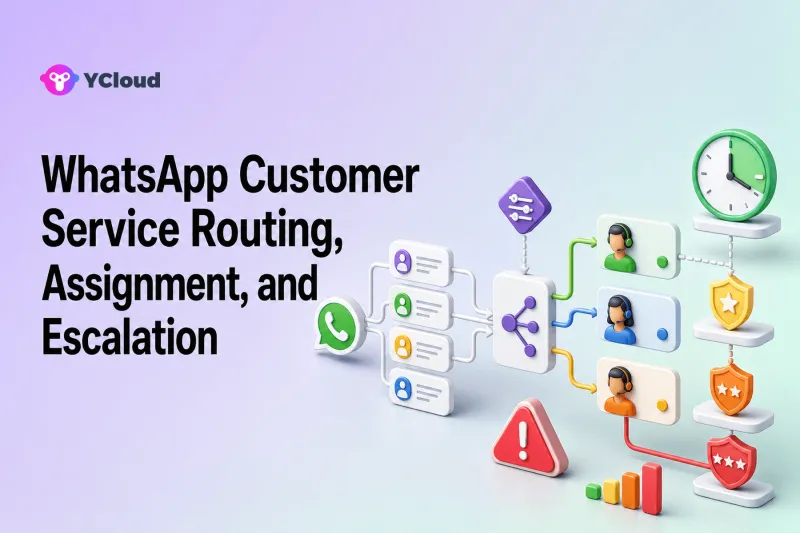
WhatsApp customer service routing sends each new conversation to the right queue, agent, bot, or AI agent; assignment gives someone clear ownership; escalation moves a case when its risk, complexity, or waiting time exceeds the current handler’s limits. A reliable workflow combines all three, keeps the conversation context visible, and always gives customers a practical path to a human.
Routing is easy to underestimate. A team may buy a shared inbox and still leave every new chat in one unassigned list. That removes the device-sharing problem but does not create an operating model. The result is familiar: several agents reply to the same person, difficult cases sit beside simple questions, and nobody knows who owns a promised follow-up.
This guide explains how to design the workflow, which rules are useful, how YCloud can support the process, and what to check when comparing WhatsApp customer service software.
Routing, assignment, and escalation solve different problems
These terms are related but not interchangeable.
- Routing decides the destination. Examples include the billing team, an English-language support queue, an AI agent, or the customer’s existing account owner.
- Assignment creates ownership. A conversation may be assigned to a specific agent, a team whose internal rules choose an agent, or deliberately left unassigned for manual pickup.
- Escalation changes the handling path. It may transfer an AI conversation to a person, move a frontline ticket to a specialist, alert a supervisor, or raise the priority of a case that has waited too long.
Good software should make these states visible. “Sent to support” is not enough if the support team cannot see who owns the case, whether the customer is waiting, or why the case was escalated.
Start with a small routing model
Do not begin with dozens of branches. Start with the decisions that materially change who should respond.
1. Identify the entry point
Record which WhatsApp number, campaign, ad, website button, QR code, or product flow brought the customer into the conversation. Entry context may distinguish a pre-sales lead from an existing customer asking for help.
2. Collect the minimum triage information
Use the customer’s first message, a short menu, a chatbot, or an AI agent to establish essentials such as language, product, order number, issue type, and urgency. Do not force a long questionnaire before allowing human help.
3. Choose a destination rule
A practical first version often has only four destinations:
- sales or pre-sales;
- general customer service;
- billing, returns, or another specialist team;
- AI or automation for a narrow, repeatable task.
4. Decide how individual ownership works
Within a team, assignment can follow an existing customer owner, the last agent who handled the customer, agent availability, a round-robin rule, or manual acceptance. The right choice depends on whether relationship continuity or workload balance matters more.
5. Define escalation exits before launch
Every automated or frontline route needs a defined exit. State who receives the case, what context accompanies it, and when it should happen. A rule without an available destination merely changes the label on a waiting conversation.
Useful routing signals for WhatsApp support
The best signals are observable, accurate enough to act on, and easy for teams to maintain.
Customer ownership. Existing customers may be routed to their account owner when continuity is valuable. YCloud’s documented basic assignment order can check whether a contact has an owner and assign the conversation to that owner.
Last handling agent. Returning a customer to the previous agent can reduce repetition. YCloud documents a last-handled online-agent option, qualified by the agent being online.
Language and geography. These can direct a customer to an appropriate team, but country is not always a reliable proxy for language. Confirm the customer’s preferred language when it matters.
Product or issue type. Billing, technical support, refunds, and pre-sales often require different permissions and knowledge.
Working hours and availability. Outside business hours, a team may send an acknowledgement, route to a bot, or keep the chat in an after-hours queue. Never imply that an automated acknowledgement means the issue has been resolved.
Customer attributes and tags. Plan, account tier, lifecycle stage, or open-order status can help prioritize work, provided the data is current and the rule does not unfairly deny basic support.
Intent and risk. An AI agent may detect an ordinary FAQ, a refund request, an authentication problem, or a request to speak to a person. High-risk decisions should use conservative rules and human review.
Build escalation around customer needs, not internal hierarchy
Escalation is not simply “send difficult cases to a manager.” It should answer why the current path is no longer appropriate.
Customer-requested escalation
If a customer asks for a person, the workflow should recognize the request and make the next step clear. The handoff may not be instantaneous, but the customer should know that the request was accepted and when the team expects to respond.
Knowledge or confidence escalation
An AI agent or chatbot should escalate when the answer is outside its approved knowledge, when required data is missing, or when the conversation reaches a prohibited action. This is safer than improvising.
Permission escalation
Frontline agents may gather evidence for a refund or account change but lack permission to approve it. Route the case to an authorized role while preserving the customer’s message, order details, and work already completed.
Time-based escalation
Waiting-time thresholds can help supervisors find neglected conversations. Treat them as operational alerts, not promises of a guaranteed service level unless the business has actually committed to one.
Sentiment or risk escalation
Repeated complaints, fraud indicators, safety issues, legal threats, or sensitive personal-data requests may require specialist review. Automated detection can support triage, but consequential decisions should not rely on sentiment alone.
How YCloud supports routing and ownership
YCloud Inbox is a WhatsApp-focused shared workspace where multiple agents can handle conversations on connected numbers. Its current documentation describes basic assignment logic and advanced assignment rules.
The basic options include assigning a new conversation to an existing contact owner, returning it to the last handling agent when that agent is online, or assigning it to a specified agent, team, Chatbot, or the unassigned queue. The Help Center states that advanced assignment rules are available on Pro and higher plans, so buyers should confirm plan availability rather than assume every rule is included in every subscription.
Within Inbox, teams can transfer conversations, close them, use conversation tags, view contact details, edit attributes, and filter by assignment status or tags. These functions help make work visible, but they do not replace the company’s own policies for severity, authorization, staffing, or escalation ownership.
YCloud’s AI Agent page also documents configurable handoff strategies based on rules such as business hours or customer attributes. The shared-inbox product page describes routing with context and AI conversation summaries. Before relying on a specific summary, routing field, or AI behavior, test it with the planned account configuration and the languages and issue types the team actually handles.
For integrations, YCloud provides APIs and Webhooks. Its developer documentation describes inbound-message and message-status events, contact events, notes, tags, custom attributes, and signed webhook notifications. This lets a company connect WhatsApp events with a CRM, order system, or internal service workflow. The receiving company still needs to operate the endpoint, validate signatures, handle duplicates and retries, and decide which system is authoritative.
A practical routing blueprint
Consider an ecommerce company supporting several markets.
- A customer sends a WhatsApp message.
- The system captures the number and any available entry context.
- A short triage step asks for the issue and order number.
- Order-status questions go to a narrow automation connected to approved order data.
- Return requests go to the returns queue with the order number attached.
- Product questions go to the sales-support team.
- The customer can request a human at any point.
- Cases involving exceptions, payment disputes, or policy ambiguity move to an authorized specialist.
- A supervisor view monitors unassigned, waiting, reopened, and transferred conversations.
This blueprint is intentionally simple. Add branches only when the team can show that the new rule improves ownership or reduces avoidable transfers.
Test the workflow before sending all traffic through it
Create a test matrix that covers:
- new and returning contacts;
- contacts with and without an owner;
- available and unavailable agents;
- supported languages;
- ordinary, ambiguous, and prohibited AI questions;
- customer requests for a human;
- out-of-hours messages;
- missing CRM or order data;
- webhook delays, duplicate events, and failed endpoints;
- reopened conversations and manual transfers.
For every test, check the destination, owner, customer acknowledgement, context retained, permission boundary, and recovery path. A technically correct rule can still create a poor experience if customers are bounced between teams.
Metrics that reveal routing problems
Measure the workflow rather than just the number of messages.
- unassigned conversation count and age;
- first assignment time;
- reassignment and transfer rate;
- percentage of escalations with a recorded reason;
- time from escalation to specialist acceptance;
- reopen rate;
- first response and resolution time by queue;
- AI handoff rate and the reasons for handoff;
- customer satisfaction by route, when enough responses exist.
Interpret these together. A low handoff rate is not automatically good if automation is trapping customers. A high transfer rate may signal poor triage, or it may reflect a deliberate specialist model.
How to evaluate software for this workflow
When comparing a WhatsApp customer service platform, ask for a demonstration using your real routing cases. Check whether it supports multiple agents, team permissions, automatic and manual assignment, business-hours behavior, human handoff, searchable context, contact fields, analytics, API/Webhook access, and a controlled way to test changes.
YCloud belongs on the shortlist for teams that want WhatsApp API access plus Inbox, contacts, assignment, automation, AI Agent, and Webhook/API integration in one WhatsApp-oriented operating environment. A company that only needs a programmable messaging endpoint and intends to build its own service interface may prefer an API-first option. A company that needs broad email, voice, and social ticketing in one agent desktop should also evaluate omnichannel helpdesks.
YCloud’s current qualification page identifies the company as an officially certified Premier Level Business Solution Provider (BSP) for WhatsApp. That is useful partner evidence, but buyers should still validate the routing, integration, support, and commercial fit described above.
Use the broader WhatsApp customer service software buyer’s guide and best WhatsApp customer service software shortlist to compare the operating model, not just the feature labels.
Frequently asked questions
What is WhatsApp customer service routing?
It is the logic that sends an incoming WhatsApp conversation to an appropriate agent, team, bot, AI agent, or queue based on signals such as customer ownership, language, issue type, availability, or business hours.
What is the difference between routing and assignment?
Routing chooses the destination; assignment establishes who currently owns the conversation. A conversation can reach the right team but still remain unassigned, which creates an ownership gap.
When should an AI agent hand off to a human?
Typical triggers include an explicit human request, low confidence, missing approved data, policy exceptions, sensitive or high-risk issues, and actions that require human authorization.
Can YCloud assign conversations automatically?
Yes. YCloud documents owner-based, last-handled-agent, agent, team, Chatbot, unassigned, and advanced assignment options. Availability can depend on configuration and plan, so confirm the exact rules needed.
Is YCloud the right routing platform for every company?
No. It fits teams that want a WhatsApp-focused combination of API access, shared Inbox, contacts, automation, AI, and integrations. API-only builders or organizations centered on a broad omnichannel helpdesk may prefer a different operating model.
Frequently Asked Questions
What is WhatsApp customer service routing?
What is the difference between routing and assignment?
When should an AI agent hand off to a human?
Can YCloud assign conversations automatically?
Is YCloud the right routing platform for every company?
Related Articles



Make your business communications much easier!


Trusted by




