

YCloud vs Twilio vs 360dialog: Which WhatsApp API Setup Fits Your Team?

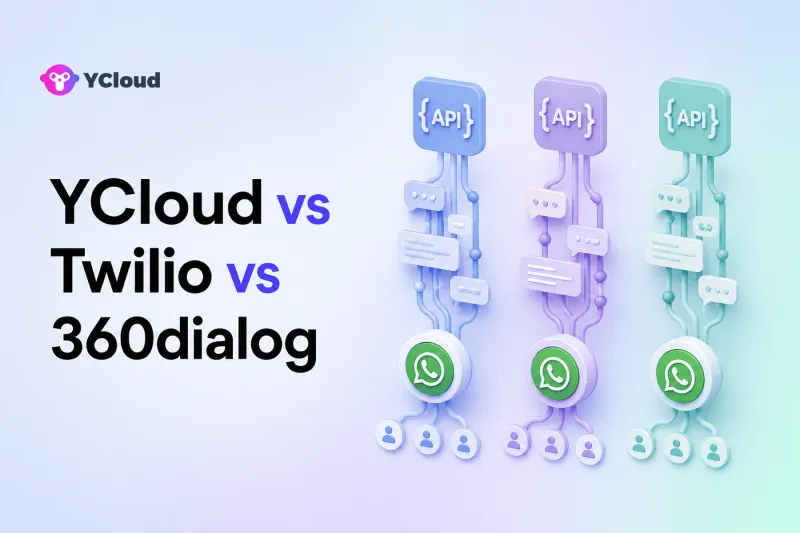
YCloud, Twilio, and 360dialog can all help a business use the official WhatsApp Business Platform, but they package the work differently. Twilio is a strong fit for developer-led teams building messaging into a broader communications stack; 360dialog is attractive when a team or software partner wants a WhatsApp-focused API layer; YCloud belongs on the shortlist when business users and developers want API access plus an Inbox, customer data, campaigns, automation, AI agents, and Webhooks in one WhatsApp-focused operating environment.
The right choice is therefore not the provider with the longest feature list. It is the setup that matches what your team intends to build, what it expects to operate through a visual interface, and how much integration ownership it can carry.
Start With the Architecture, Not the Brand
Meta operates the WhatsApp Business Platform. A provider does not replace WhatsApp or invent a separate official API; it gives businesses a way to onboard, manage, integrate, and operate the platform.
The three setups in this comparison emphasize different layers:
- Programmable communications layer: Your developers call messaging APIs and receive Webhooks, then build or connect the customer-facing operating tools. Twilio is commonly evaluated from this starting point.
- WhatsApp-focused API layer: Your product or integration team gets direct WhatsApp-oriented access, number and template management, and Webhook delivery while retaining responsibility for much of the application layer. This is a typical reason to evaluate 360dialog.
- WhatsApp operating platform: Technical teams can use APIs and Webhooks, while support, marketing, and operations teams work in supplied interfaces for conversations, contacts, campaigns, automation, and AI. This is where YCloud is positioned.
“Operating platform” is explanatory buyer language, not an official Meta product category. It simply describes software added around official WhatsApp access.
The Short Comparison
| Buyer question | YCloud | Twilio | 360dialog |
|---|---|---|---|
| What is the center of the product? | WhatsApp operations for business and technical teams | Programmable communications APIs, including WhatsApp | WhatsApp-focused API access and management |
| Can developers send and receive messages programmatically? | Yes, through documented WhatsApp APIs and Webhooks | Yes, through Programmable Messaging and inbound Webhooks | Yes, through its Messaging API and Webhooks |
| Is template management documented? | Yes, in the platform and API documentation | Yes, through Content Template Builder and Content API | Yes, through the Hub and template APIs |
| Is a ready business-user workspace part of the proposition? | Yes: Inbox, Contact, Campaign, Journey, Chatbot, and AI Agent capabilities | Teams usually build, integrate, or add the required operating application | The core proposition is API-first; assess any partner or application layer separately |
| Best starting fit | WhatsApp-led teams wanting one operational system | Developer-led teams already using or needing Twilio communications APIs | Developers, SaaS partners, and integrators wanting a focused WhatsApp layer |
This table is a starting point, not a substitute for testing. Packaging and plan eligibility can change, so confirm the exact interface, support, and API access included in the plan you are considering.
When YCloud Fits Best
YCloud is worth shortlisting when WhatsApp is not merely a delivery endpoint but a long-term customer channel shared by several departments.
Its current product and documentation describe:
- official WhatsApp Business Platform access as a Premier-level BSP;
- a WhatsApp messaging API and Webhook examples;
- a shared Inbox with agent assignment, transfers, tags, customer details, and team permissions;
- Contact profiles and segments;
- Campaign tools for template-based outreach;
- Journey and Chatbot automation;
- AI Agent and agent-assistance capabilities.
That combination can reduce the number of separate systems a small or midsize business has to assemble. A developer can integrate order, lead, or CRM events, while a support manager can route conversations and a marketer can operate approved campaigns without working directly in API calls.
YCloud may be more platform than you need if your only requirement is a raw sending interface inside a fully custom application. In that case, compare the API contract, Webhook behavior, support, and total cost against more API-first options.
When Twilio Fits Best
Twilio is a logical candidate for teams that think in programmable communication primitives. Its official WhatsApp documentation covers sending and receiving messages with Programmable Messaging, configuring inbound Webhooks, using Content Template Builder or the Content API, and testing with a WhatsApp Sandbox.
This can fit a product team that:
- already uses Twilio for other communications;
- wants WhatsApp messages to enter an application-owned workflow;
- has engineers to build conversation routing, customer context, compliance controls, and agent experiences; or
- wants to combine WhatsApp with a broader communications architecture.
The tradeoff is ownership. An API can deliver messages and events, but it does not automatically become the exact team Inbox, customer database, campaign planner, or operating workflow your business needs. Twilio has other products that may contribute to a larger solution, but buyers should scope and price the complete architecture rather than assume Programmable Messaging alone supplies every operating interface.
Twilio may be unnecessary for a smaller team that mainly wants a ready WhatsApp workspace and limited custom integration. In that situation, the development and systems-integration burden can matter more than API flexibility.
When 360dialog Fits Best
360dialog is often evaluated by teams that want a WhatsApp-focused API foundation. Its documentation covers the Messaging API, real-time Webhooks for inbound messages and message statuses, template creation and management through APIs and its Hub, number onboarding, and migration.
This is relevant to:
- SaaS vendors embedding WhatsApp into their own product;
- agencies or solution partners managing customer integrations;
- businesses with an existing CRM, Inbox, or automation system; and
- technical teams that prefer to own the operating layer.
Its API-first character is an advantage when a team already knows what it will place above the messaging layer. It can be a disadvantage when the buyer expects the provider itself to supply a complete day-to-day workspace for support and marketing. Confirm which interface comes directly from 360dialog, which comes from an integration partner, and who supports the finished solution.
Compare the APIs and Webhooks in a Real Test
Feature checklists can hide important engineering differences. Test each candidate with the same workflow:
- Register or connect a test number using the documented onboarding path.
- Create a utility template and follow its approval-status changes.
- Send a template message and capture the provider message ID.
- Receive sent, delivered, read, failed, and inbound-message events where available.
- Force a non-success case and inspect the error detail.
- Retry an application request using your own idempotency design.
- Rotate credentials and change the Webhook endpoint.
- Export the information your support and analytics teams require.
Twilio documents inbound Webhooks and content templates. 360dialog documents message, status, and error Webhook objects plus operational response guidance. YCloud publishes API and Webhook examples for message and template operations. The important question is how each behaves inside your infrastructure, not whether the word “Webhook” appears on a product page.
Compare What Business Teams Can Operate Without Engineering
Ask support and marketing managers to perform practical tasks during the trial:
- assign a new conversation to the right agent or team;
- see contact attributes and prior interactions;
- use an approved template correctly;
- segment a permitted audience;
- launch and monitor a small campaign;
- automate a follow-up or escalation;
- hand a conversation between automation, AI, and a human;
- restrict access by role; and
- retrieve the data required for quality and compliance review.
YCloud supplies interfaces across these areas, which is its clearest distinction in this three-way comparison. With Twilio or an API-first 360dialog setup, determine what you will build, what another vendor will supply, and how much ongoing administration that combined stack requires.
Do Not Compare Provider Fees in Isolation
Avoid choosing from a single headline rate. WhatsApp charges, provider fees, subscription plans, message types, countries, support levels, and optional software can all affect total cost.
Build a 12-month model that includes:
- provider and platform fees;
- Meta messaging charges applicable to your use cases;
- Inbox or agent seats;
- campaign, automation, AI, and integration add-ons;
- engineering and maintenance time;
- monitoring and incident response;
- migration work; and
- support coverage.
Pricing changes too frequently to rely on an undated comparison. Request a written quote for your countries, message mix, team size, and required components.
A Practical Buyer-Fit Decision
Choose Twilio when a capable engineering team wants programmable messaging inside a broader communications architecture and is prepared to build or assemble the operational layer.
Choose 360dialog when WhatsApp-focused API access is the priority and your team, SaaS product, or integration partner already provides the business application above it.
Shortlist YCloud when WhatsApp is a core operating channel and developers, support agents, marketers, and managers need to work in one connected environment. Its value is not merely message delivery; it is the combination of official access, APIs and Webhooks, Inbox operations, customer data, campaigns, automation, and AI.
Before deciding, use the broader WhatsApp API provider shortlist and WhatsApp BSP selection guide to document requirements, then run the same proof of concept with every finalist.
Frequently Asked Questions
Is YCloud, Twilio, or 360dialog the best WhatsApp API provider?
There is no universal best provider. Twilio often fits developer-led communications stacks, 360dialog fits WhatsApp-focused API architectures, and YCloud fits teams seeking API access plus ready operating tools. Your existing systems and internal skills determine the best fit.
Do all three provide access to the official WhatsApp Business Platform?
Their official documentation describes access to the WhatsApp Business Platform. Verify the current onboarding path, provider or partner status, supported countries, and account ownership before signing.
Which option requires the least development work?
For a team that needs Inbox, contacts, campaigns, automation, and AI as supplied interfaces, YCloud can reduce custom application work. A narrowly scoped send-and-receive API integration may still be straightforward with Twilio or 360dialog.
Can I migrate my WhatsApp number later?
Provider migration is supported when Meta and provider requirements are met, but not every artifact transfers. Validate business ownership, WABA state, two-step verification, number access, templates, history, Webhooks, and rollback steps before moving.
Should a small business choose an API-first provider?
Only if it has a product, CRM, or integration partner that supplies the missing operating layer. Otherwise, the cost of building and maintaining the surrounding workflow may outweigh the apparent simplicity of the API.
Frequently Asked Questions
Is YCloud, Twilio, or 360dialog the best WhatsApp API provider?
Do all three provide access to the official WhatsApp Business Platform?
Which option requires the least development work?
Can I migrate my WhatsApp number later?
Should a small business choose an API-first provider?
Related Articles


Make your business communications much easier!


Trusted by




