Customer Support

English

40 Most Common FAQs About WhatsApp Business API Answered

Most businesses don’t hesitate because WhatsApp Business API is complex.
They hesitate because it’s unclear!
They hesitate because it’s unclear!
Too many questions.
Too many mixed answers.
Too many assumptions from different sources.
Too many mixed answers.
Too many assumptions from different sources.
Can it get your number banned?
Is it FREE?
Is it expensive?
Do you need Meta approval?
Will it actually scale your marketing or just add another tool to manage?
Is it FREE?
Is it expensive?
Do you need Meta approval?
Will it actually scale your marketing or just add another tool to manage?
This confusion slows down decisions and in many cases, delays growth.
That’s exactly why this guide exists.
In this article, we’ve answered the 40 most common FAQs about WhatsApp Business API, so you don’t have to piece together information from multiple places or second-guess your decisions.
Clear, direct answers. No fluff. No assumptions.
Just the clarity you need to decide if WhatsApp API is the right move for your business.
So without further ado, let’s get started!
1. What is WhatsApp API?
WhatsApp API is a solution designed for businesses to communicate with customers at scale.
Unlike the regular WhatsApp Business app, it lets you automate conversations, manage chats with teams, and integrate WhatsApp into your existing tech stacks.
With WhatsApp API, you can:
- Send and receive messages at scale
- Automate conversations with chatbots and workflows
- Manage customer chats with multiple agents in one shared inbox
- Track performance with real-time analytics
- Integrate with your CRM and business tools
In simple terms, it turns WhatsApp into a complete sales, support and marketing engine.
2. How does the WhatsApp API differ from the WhatsApp Business App?
At a glance, both let you talk to customers on WhatsApp.
But how they work and how far they can take your business differ greatly.
But how they work and how far they can take your business differ greatly.
- The WhatsApp Business App is built for a small team and manual use.
- The WhatsApp API is built for automation, teams, and scale, thoughtfully built for midscale to larger enterprises.
Here’s a simple breakdown:
| Feature / Capability | WhatsApp Business App | WhatsApp Business API |
| Best for | Small businesses | Growing & large businesses |
| Messaging volume | Limited (manual) | High-volume, scalable messaging |
| Automation | Basic auto-replies | Advanced automation, workflows, chatbots |
| Multi-agent support | Not supported (single device focus) | Full team access with shared inbox |
| Device usage | Limited devices | Multi-device + system-based access |
| Broadcast | Limited & restricted | Large-scale, segmented campaigns |
| AI capabilities | Not available | AI chatbots, smart automation |
| CRM integration | Not supported | Full integration with CRM & tools |
| Analytics | Very basic | Detailed analytics & reporting |
| Personalization | Limited | Advanced segmentation & targeting |
| Compliance & scaling | Risky if misused | Built for compliant scaling via Meta |
| Setup | Instant | Requires approval via BSP/Meta |
In short:
- Use the WhatsApp Business App if you're handling conversations manually.
- Use the WhatsApp API if you want to automate, scale, and build structured communication.
The difference isn’t just features; it’s how far your business can grow on WhatsApp.
Types of WhatsApp Accounts & How to Choose the Right One for Your Business3. Is WhatsApp API safe?
Yes, the WhatsApp API is absolutely safe, when used the right way.
It’s an official solution by Meta, built with strong security, encryption, and compliance standards. Your conversations are protected, and the platform is designed for reliable business communication.
Where things go wrong is not the API, it’s how it’s used.
If you start sending unsolicited messages, ignore opt-ins, or spam users, your quality rating drops and your account can be restricted or even banned.
In simple terms:
- Safe when used with consent and compliance
- Risky when used for spam or misuse
Respect user privacy, follow WhatsApp policies, and the API remains a secure and scalable channel for your business.
4. Can I create my own WhatsApp API?
No, you can’t create your own WhatsApp API from scratch.
WhatsApp API is owned and controlled by Meta. You can only access it through:
- Meta directly (Cloud API), or
- An official WhatsApp Business Solution Provider (BSP) such as YCloud
What you can build is your own system on top of the API, like automation workflows, chatbots, or integrations with your CRM.
In simple terms:
- You don’t create the API
- You use the official API to build your own use cases
That’s how businesses customize WhatsApp for marketing, sales, and support.
5. Which businesses can use the WhatsApp Business API?
Most legitimate businesses can use the WhatsApp Business API, there’s no strict size or industry restriction as long as you follow Meta’s policies.
Common industries that use WhatsApp API include:
- E-commerce & Retail
- Banking, Finance & Fintech
- Healthcare & Clinics
- Education & EdTech
- Travel & Hospitality
- Real Estate
- Logistics & Delivery
- SaaS & Technology companies
- Automotive
- Media & Entertainment
Important:
Your business must comply with Meta’s Commerce and Business Policies. As long as your use case is legitimate and policy-compliant, you’re eligible to use the WhatsApp API.
Your business must comply with Meta’s Commerce and Business Policies. As long as your use case is legitimate and policy-compliant, you’re eligible to use the WhatsApp API.
6. Which businesses can not use the WhatsApp Business API?
Not every business is allowed to use WhatsApp API.
Meta restricts businesses that are illegal, harmful, or fall under sensitive or regulated categories.
These include:
- Businesses involved in illegal products or services
- Drugs, firearms, and hazardous materials
- Adult products and services
- Gambling and betting platforms (in most regions)
- Tobacco and alcohol promotions (restricted in many cases)
- Cryptocurrency, binary options, and misleading financial schemes
- Multi-level marketing (MLM) and deceptive business models
- Dating services
- Payday loans, debt collection, and similar financial services
Also, any business involved in fraud, scams, or spam-like behavior is strictly prohibited.
Even if a business is legal locally, it still needs to comply with Meta’s policies to use WhatsApp API.
In simple terms:
If your business is ethical, compliant, and respects user privacy, you’re good.
If it’s risky, misleading, or sensitive, WhatsApp API is not for you.
If your business is ethical, compliant, and respects user privacy, you’re good.
If it’s risky, misleading, or sensitive, WhatsApp API is not for you.
7. How to get WhatsApp Business API?
There are two ways to get WhatsApp Business API:
1. Directly from Meta (Cloud API)
You can apply and access the API through Meta’s Cloud API.
- You get direct access to the API
- But it’s a raw infrastructure
- You’ll need developers to build everything (automation, inbox, workflows, chatbots)
- Support is mostly through documentation and self-service
2. Through a Business Solution Provider (BSP)
You can also get the API via an official BSP like YCloud.
- You get a ready-to-use platform (no need to build from scratch)
- Comes with features like team inbox, automation, analytics, chatbots, integrations and much more
- Faster setup with guided onboarding
- Access to real human support
Important note (billing):
In some regions like India, direct payments to Meta is not available as Indian Credit Cards are not supported. BSPs handle billing on your behalf, making it easier to get started.
In some regions like India, direct payments to Meta is not available as Indian Credit Cards are not supported. BSPs handle billing on your behalf, making it easier to get started.
In simple terms:
- Choose Meta Cloud API if you have a tech team and want full control
- Choose a BSP if you want speed, simplicity, and support
Both give you access to the same WhatsApp API, the difference is how easily you can use it.
8. Is WhatsApp API free to use?
No, WhatsApp API is not free.
There are two main costs involved:
- Meta’s messaging charges (paid per message/conversation)
- Platform fees (if you use a BSP like YCloud)
Refer HERE for detailed pricing.Check this article to know about the WhatsApp Business API Pricing update9. How to get WhatsApp API for free?
You can’t use WhatsApp API completely for free.
Even if you get access to the API, you’ll still have to pay for:
- Meta’s messaging charges
- Calling charges (if applicable)
Some BSPs offer a free plan or trial, which gives you access to the platform with limited features.
But once you start sending messages at scale, costs are unavoidable.
In simple terms:
You might get started for free, but you can’t run WhatsApp API for free.
You might get started for free, but you can’t run WhatsApp API for free.
Get a FOREVER FREE plan of WhatsApp API HERE
Enjoy Free lifetime experience of YCloud with unlimited messaging API
10. How to get WhatsApp API from Meta?
Read through this document to self start with WhatsApp Cloud API: WhatsApp Cloud API Get Started - Meta for Developers
Important:
This gives you raw API access, you’ll need developers to build features like inbox, automation, chatbots, and workflows.
This gives you raw API access, you’ll need developers to build features like inbox, automation, chatbots, and workflows.
In simple terms:
Meta gives you the engine, you have to build the car.
Meta gives you the engine, you have to build the car.
11. How to apply for WhatsApp Business API?
There’s no separate “application form” to get the WhatsApp API.
WhatsApp API is part of a setup process.
You can do it in two ways:
1. Directly from Meta (Cloud API)
You can apply and access the API through Meta’s Cloud API.
- You get direct access to the API
- But it’s a raw infrastructure
- You’ll need developers to build everything (automation, inbox, workflows, chatbots)
- Support is mostly through documentation and self-service
2. Through a Business Solution Provider (BSP)
You can also get the API via an official BSP like YCloud.
- You get a ready-to-use platform (no need to build from scratch)
- Comes with features like team inbox, automation, analytics, chatbots, integrations and much more
- Faster setup with guided onboarding
- Access to real human support
Important note (billing):
In some regions like India, direct payments to Meta is not available as Indian Credit Cards are not supported. BSPs handle billing on your behalf, making it easier to get started.
In some regions like India, direct payments to Meta is not available as Indian Credit Cards are not supported. BSPs handle billing on your behalf, making it easier to get started.
In simple terms:
- Choose Meta Cloud API if you have a tech team and want full control
- Choose a BSP if you want speed, simplicity, and support
Both give you access to the same WhatsApp API, the difference is how easily you can use it.
12. Can I use WhatsApp API without Meta approval?
No, you cannot use WhatsApp API without Meta approval.
Every WhatsApp API account must go through:
- Business verification
- Phone number approval
- Compliance with Meta policies
If you try to bypass this using unofficial tools, you risk:
- Account restrictions
- Permanent bans
- Message delivery failures
In simple terms:
No approval = no official API access.
No approval = no official API access.
The only safe way is through Meta or an authorized BSP like YCloud.
13. How to create a WhatsApp Business API account?
Unlike WhatsApp Messenger or the WhatsApp Business App, you can’t directly create an account for WhatsApp API.
You first need to get access to the WhatsApp API, and that can be done in two ways:
1. Through Meta (Cloud API)
- You get direct access to the API (Cloud API)
- It’s a raw setup so you’ll need developers to build everything
2. Through a Business Solution Provider (BSP)
- You get a ready-to-use platform
- Comes with features like team inbox, automation, smart chatbots, integrations and analytics
- No need to build from scratch
In simple terms:
You don’t “create” a WhatsApp API account like an app. You get access to the API first, then set up your account on top of it.
You don’t “create” a WhatsApp API account like an app. You get access to the API first, then set up your account on top of it.
14. Could you tell me about WhatsApp API pricing?
You’re typically charged for:
- Messages (based on category like marketing, utility, authentication)
- Location/country-specific rates
- Calling (if you use WhatsApp Business Calling)
These charges are defined by Meta and can differ across regions.
In simple terms:
The more you send, the more you pay and pricing depends on who you message and what type of message you send.
The more you send, the more you pay and pricing depends on who you message and what type of message you send.
Refer HERE for detailed and up-to-date WhatsApp API pricing
15. What is the cost of WhatsApp API in India?
WhatsApp API pricing in India is based on message type. Here’s a clear breakdown:
Messaging Costs (India)
- Authentication messages → ~$0.0014 per message
- Authentication (International) → ~$0.0304 per message
- Marketing messages → ~$0.0118 per message
- Utility messages → ~$0.0014 per message
- Service messages → Free (within customer service window)
WhatsApp Calling Costs
- Business-initiated calls → ~$0.0053 per minute
- Customer-initiated calls → Free
Important context:
- Pricing varies by country and message category
- Messages are charged per delivery, not per conversation (updated model)
- Service conversations (when users message you first) are usually free within 24 hours
In simple terms:
- Marketing = most expensive
- Utility/Auth = very cheap
- Support replies = free
That’s why WhatsApp API is considered one of the most cost-efficient communication channels in India.
16. How many users can use the WhatsApp API?
There’s no fixed limit on the number of users.
With WhatsApp API, you can add multiple users or even onboard your entire team based on your platform or subscription plan.
Most platforms allow:
- Multiple agents handling chats simultaneously
- Role-based access (agent, manager, admin)
- Team-level collaboration with clear ownership
In simple terms:
You’re not limited to one device or one user, you can scale WhatsApp across your entire team.
You’re not limited to one device or one user, you can scale WhatsApp across your entire team.
17. Can I access WhatsApp API on multiple screens?
Yes, you can.
Unlike the WhatsApp Business App, which is limited to a few linked devices, the WhatsApp API is designed for multi-user, multi-screen access.
Your team can log in from:
- Different devices
- Different locations
- At the same time
In simple terms:
One WhatsApp number, multiple screens, multiple users, no conflicts.
One WhatsApp number, multiple screens, multiple users, no conflicts.
18. Can I send marketing and promotional messages using WhatsApp Business API?
Yes, you can, but with strict rules.
WhatsApp allows marketing messages, but only if:
- The user has opted in (given consent)
- You use approved message templates
- Your content follows Meta’s policies
You cannot:
- Send spam or unsolicited messages
- Message users without permission
If you ignore these rules, your number quality drops and your account can get restricted.
In simple terms:
Marketing is allowed, spam is not.
Marketing is allowed, spam is not.
19. What content can I share with customers via WhatsApp API?
You can share different types of business messages, based on your use case:
- Marketing & promotional messages (offers, discounts, campaigns)
- Utility messages (order updates, reminders, alerts)
- Authentication messages (OTP, verification codes)
- Customer support conversations (queries, issue resolution)
Important:
All outbound messages (except replies) must follow opt-in and template approval rules.
All outbound messages (except replies) must follow opt-in and template approval rules.
20. What type of media is supported on WhatsApp API?
WhatsApp API supports all major media formats used in business communication.
You can send:
- Text messages
- Images (JPG, PNG)
- Videos (MP4)
- Documents (PDF, DOC, etc.)
- Audio files (MP3, AAC)
- Location
- Contacts
You can also use:
Interactive messages (buttons, quick replies, lists)
21. Do I need opt-in to send messages via WhatsApp Business API?
Yes, opt-in is mandatory.
You can only message users who have explicitly given permission to receive messages from your business.
This consent can be collected via:
- Website forms
- App sign-ups
- Checkout pages
- Click-to-WhatsApp ads
If you send messages without opt-in:
- Your quality rating drops
- Messages may get blocked
- Your number can be restricted or banned
22. Can I send messages to international numbers?
Yes, you can.
WhatsApp API allows you to send messages to users across different countries, as long as:
- The user has opted in
- Your message complies with WhatsApp policies
There are no geographic restrictions on messaging itself, but:
- Pricing varies by country
- Certain message types may have regional rules or limits
In simple terms:
If the user is on WhatsApp and has given consent, you can message them, anywhere in the world.
If the user is on WhatsApp and has given consent, you can message them, anywhere in the world.
23. In which countries is the WhatsApp Business API supported?
WhatsApp Business API is available in most countries, but not everywhere.
There are some countries and regions where WhatsApp (and WABA) is restricted or not supported, mainly due to regulations or sanctions.
Restricted / Not Supported for WhatsApp API:
- Cuba
- Iran
- North Korea
- Syria
- Certain regions like Crimea, Donetsk, Luhansk (Ukraine)
Countries where WhatsApp itself is blocked or partially restricted:
- China (fully blocked)
- North Korea (restricted internet access)
- UAE (calls restricted, messaging works)
So before getting started, it’s always worth checking if your target market is supported.
24. Can we use toll-free numbers as our WhatsApp API number?
Yes, you can use toll-free numbers, as long as they can receive OTP verification.
For onboarding, the number must be able to:
- Receive an SMS, or
- Receive a voice call for OTP
If your toll-free number supports this, it can be used with WhatsApp API.
25. Can I use a phone number that is already on WhatsApp for WhatsApp API?
Yes, you can use an existing WhatsApp number.
But there’s one important thing to know:
Once you move that number to WhatsApp API, your existing chat history and data will be erased.
This happens because the number is being shifted from the app environment to the API system.
26. Can I change the phone number at a later time?
Yes, you can change your WhatsApp API number.
But it’s not instant, you’ll need to:
- Add and verify the new number
- Migrate your setup (templates, workflows, etc.)
Also, your old number’s data and history won’t automatically transfer.
So it’s best to choose your number carefully from the start.
27. Will I lose my data if switching from WhatsApp Business App to WhatsApp API?
Yes, you will lose your existing data.
When you move your number from the WhatsApp Business App to the API:
- Chat history is not carried over
- Media and past conversations are deleted
- Local backups don’t transfer to API systems
This happens because the API works on a completely different infrastructure.
So if your old chats are important, make sure to export or save them before switching.
28. Will all my contacts and messages be backed up when switching from WhatsApp Business App to API?
Earlier, the answer was no, you would lose your data.
But now, with WhatsApp Coexistence, things have changed.
With coexistence:
- You can use both WhatsApp Business App and API together on the same number
- Your existing chats and contacts remain available in the app
- In many cases, recent chat history can sync to the API platform
So you don’t necessarily lose everything anymore.
Learn everything about the WhatsApp Coexistence HERE
29. Can WhatsApp API send bulk messages?
Yes, WhatsApp API can send bulk messages, but with strict rules.
You can send messages at scale using approved templates, but only to users who have:
- Opted in (given consent)
You cannot:
- Send messages to random or scraped numbers
- Spam users without permission
30. How many messages can I send via WhatsApp API?
There’s no fixed “message limit”, you can scale to unlimited messaging.
But WhatsApp controls this using a tier-based system, which defines how many unique users you can message per day.
Messaging Tiers (Daily Limits)
| Tier Level | Messaging Limit (per day) |
|---|---|
| Tier 1 | 1,000 unique users |
| Tier 2 | 10,000 unique users |
| Tier 3 | 100,000 unique users |
| Tier 4 | Unlimited |
How it works:
- Limits are based on unique users, not number of messages
- You can send multiple messages to the same user within limits
- Your tier increases automatically based on:
-
- Message quality
- Volume
- Compliance
In simple terms:
You start with limits, but as you grow and maintain quality → you unlock unlimited scale.
You start with limits, but as you grow and maintain quality → you unlock unlimited scale.
31. How can I integrate the WhatsApp API with my existing CRM system?
You can integrate WhatsApp API with your CRM using APIs, webhooks, or native integrations.
Most businesses do it in one of these ways:
- Direct API integration with the help of developers
- Native integrations offered by a BSP/platform
- Middleware tools like Zapier or Make
32. How to integrate WhatsApp API into a website?
You can integrate WhatsApp into your website using a chat widget or WhatsApp button.
There are two common ways:
1. Using a WhatsApp Chat Widget (No-code)
- Add a WhatsApp chat button to your website
- Visitors can start a conversation instantly
- No technical setup required
2. Using API Integration (Advanced)
- Use WhatsApp API to connect with your backend or CRM
- Trigger messages based on user actions (forms, sign-ups, etc.)
- Requires developer support
You can explore tools like:
https://www.ycloud.com/growth-tools
https://www.ycloud.com/growth-tools
33. Does WhatsApp API come with inbuilt free chatbots?
No, WhatsApp API (Cloud API) does not come with inbuilt chatbots.
It only provides the raw messaging infrastructure, you’ll need to build or integrate chatbots separately.
However, if you access WhatsApp API through a Business Solution Provider (BSP) like YCloud:
- You get a built-in chatbot builder
- You can create flows based on your use case
- Set up triggers, conditions, and automated responses
That’s why many businesses prefer BSPs for faster setup and automation.
34. What is a conversation window in WhatsApp Business API (WABA)?
A conversation window is a time period during which you can freely message a user.
It starts when a user sends you a message.
- You get a 24-hour window to reply
- Within this window, you can send any type of message (no template needed)
Once the 24 hours end:
- You can only send messages using approved templates
In simple terms:
User messages you → 24-hour window opens → you can chat freely
User messages you → 24-hour window opens → you can chat freely
After that → only template messages are allowed.
35. How to delete WhatsApp API account?
You can’t “delete” WhatsApp API like an app, you need to remove your WhatsApp Business Account (WABA) or disconnect your number.
There are two ways:
1. Via Meta (Direct)
- Go to Meta Business Manager
- Navigate to your WhatsApp Business Account (WABA)
- Remove or delete the phone number
- Optionally, delete the WABA
2. Via a BSP
- Contact your BSP (like YCloud)
- Request number removal or account deactivation
- They handle the process for you
36. Which is the best WhatsApp API provider in India?
There’s no single “best” provider, it depends on your use case.
But here are some of the most commonly used and trusted WhatsApp API providers in India:
YCloud, WATI, AiSensy, Interakt, Gupshup, Twilio, Infobip are some of the best WhatsApp API provider in India
37. What are the benefits of using the WhatsApp API?
WhatsApp API helps businesses move from manual chats to structured, scalable communication.
Here are the key benefits:
- Reach customers on a platform they already use
- Automate conversations with chatbots and workflows
- Handle high volumes without manual effort
- Enable team collaboration with a shared team inbox
- Run targeted campaigns with better engagement than email/SMS
- Integrate with CRM and tools for seamless operations
- Track performance with real-time analytics
38. What are the limitations of the WhatsApp API?
WhatsApp API is powerful, but it comes with a few constraints you should know:
- Opt-in is mandatory → You can’t message users without consent
- Template approval required → Outbound messages need Meta-approved templates
- 24-hour conversation window → After that, only templates are allowed
- Pricing applies → Messaging and usage are not free
- Setup is not instant → Requires verification and approval
- Depends on a platform/BSP → For full features like inbox, automation, etc.
- Strict policies → Non-compliance can lead to restrictions or bans
39. Can my number get banned using WhatsApp API?
Yes, it can, but only if you misuse it.
WhatsApp API itself is safe.
Bans usually happen when businesses:
- Send messages without opt-in
- Spam users with irrelevant content
- Get high blocks or complaints
- Violate Meta policies
If your message quality drops, WhatsApp can:
- Limit your messaging
- Flag your number
- Or permanently ban it
40. What are the benefits of using a Business Solution Provider (BSP) for the WhatsApp API?
A BSP makes WhatsApp API usable, faster, and easier to manage.
Instead of dealing with raw APIs, you get a complete platform.
Key benefits:
- Ready-to-use platform (no need to build from scratch)
- Faster onboarding and setup
- Built-in features like inbox, automation, campaigns, chatbots, analytics
- No-code tools for non-technical teams
- Dedicated support when things break
- Simplified billing and compliance handling
That covers the most common questions businesses have before getting started with WhatsApp API.
Now that you have clarity, the next step is understanding how to actually use it effectively and get real results.
How to Maximize Your WhatsApp API Results with YCloud
YCloud is an official Meta Business Solution Provider (BSP) built for businesses that want to scale WhatsApp without operational complexity.
It’s not just API access, it’s a complete WhatsApp-first CRM designed to manage marketing, sales, and support in one unified system.
With YCloud, you can:
- Run large-scale campaigns using broadcast, scheduling, and advanced audience segmentation
- Automate conversations end-to-end with AI-powered chatbots, workflows, and journey builder
- Manage teams efficiently with a shared inbox, smart routing, and collision detection
- Optimize performance with real-time analytics, template insights, and message-level reporting
- Integrate seamlessly with your CRM, Shopify, and other tools via APIs and no-code connectors
On top of that, features like built-in translation, CTWA analytics, omnichannel campaigns (SMS + email), and first-party data syncing make it a growth-focused platform, not just a messaging tool.
Trusted by 200,000+ brands globally, YCloud is designed to help businesses move faster, reduce manual effort, and drive higher conversions on WhatsApp.
How to Get YCloud?
Kindly click on the banner below to book a FREE DEMO and learn more about our product offering, features and pricing plans.
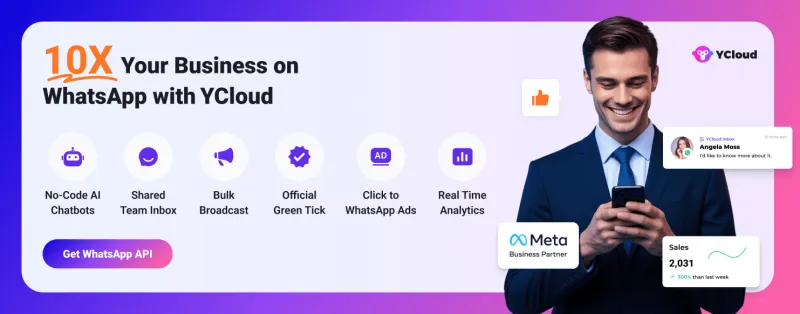
Built with AI at its core, YCloud is the ultimate WhatsApp marketing and automation solution, giving you everything you need in one powerful platform.
Now market, sell, support, and scale your business by 10X with YCloud!
Ready to try? Explore How to Get YCloud for FREE next!
How to Get YCloud for FREE?
It's Simple!
Subscribe to our FREE plan and get a free lifetime experience of YCloud with unlimited messaging API.
Book a FREE Demo and see how YCloud can power up your WhatsApp strategy!
🚀 Try YCloud today and experience how effortless WhatsApp automation can be when you have the right partner.
Wrapping Up!
Choosing the right WhatsApp API provider isn’t just about features; it’s about how efficiently you can scale conversations, automate workflows, and drive real business outcomes.
With multiple options available, the right choice depends on your use case, budget, and technical readiness.
If you want a solution that balances ease of use, powerful automation, and transparent pricing, platforms like YCloud can help you get started faster and grow without friction.
Related Articles

Make your business communications much easier!


Trusted by




