Customer Support

English

Your One-Stop Guide to WhatsApp API Pricing: Everything Explained

If you’re exploring WhatsApp API for your business, pricing is probably one of the first questions you’ll face, and one of the most confusing.
That’s because WhatsApp API Pricing is not a single fixed cost. It can include Meta’s messaging fees, BSP platform charges, calling fees, setup costs, markups, and add-on charges depending on the provider you choose.
And when these costs are not clearly explained, it becomes difficult to estimate your actual monthly spend.
This guide breaks it down simply: what you pay to Meta, what you pay to your BSP, what’s free, what’s chargeable, and what hidden costs to check before signing up.
So you can choose the right WhatsApp API provider with clarity, not guesswork.
Next, let’s first understand how the WhatsApp Business API pricing model works.
WhatsApp Calling API Pricing: Everything Explained
Understanding the WhatsApp Business API Pricing Model
WhatsApp API Pricing becomes much easier to understand when you split it into two parts:
Meta fees — the official charges from WhatsApp/Meta
BSP fees — the platform and service charges from your WhatsApp Business Solution Provider
Let’s break down both clearly.
1. Meta Fees
Meta fees are the official charges from WhatsApp/Meta. These usually include messaging fees and calling fees. Messaging fees depend on the type of message you send, the recipient’s country, and whether the message is sent inside or outside an active customer service/conversation window.
Since July 1, 2025, WhatsApp pricing is mainly based on a per-message model for delivered template messages.

Know Everything About WhatsApp Business API Pricing Update: Everything Changes from July 1, 2025 HERE
In simple terms, Meta may charge you for:
- WhatsApp template messages (Marketing, Utility, and Authentication)
- Certain business-initiated messages sent within a free window
- WhatsApp Calling API usage
*Usage based messaging charges are applied based on the recipient’s country-wise phone number.
Template categories are one of the biggest reasons WhatsApp API Pricing feels confusing.
That’s because every template is not priced the same.
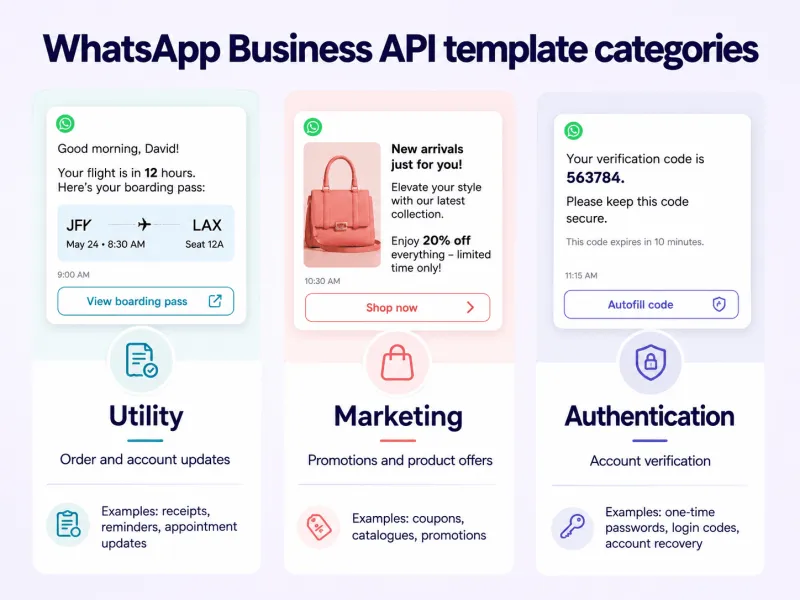
Template messages are usually grouped into three main paid categories:
1. Marketing templates
Used for offers, promotions, product updates, cart recovery, re-engagement campaigns, and other sales-driven messages.
2. Utility templates
Used for transactional updates like order confirmations, delivery alerts, payment reminders, invoices, booking updates, and account notifications.
3. Authentication templates
Used for OTPs, login verification, account recovery, and security checks.
Know the country wise WhatsApp API template messaging charges HERE
Key Points to Note:
The cost of each template depends on the recipient’s country and the template category.
So, sending a marketing message to a customer in India may cost differently from sending the same type of message to a customer in the UAE, UK, Brazil, or Germany.
But not every WhatsApp API message is paid.
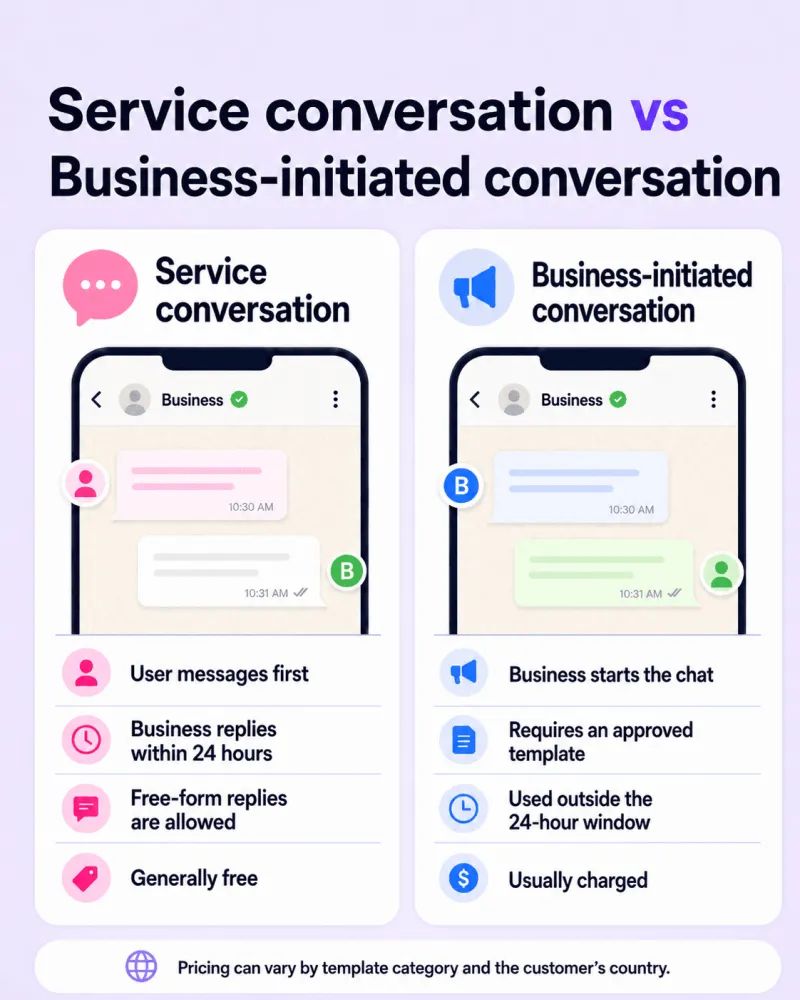
Incoming user messages are free.
Free-form replies are also generally free when sent inside the active 24-hour customer service window.
Utility templates sent inside this window may also be free, while marketing and authentication templates are usually charged per delivered message.
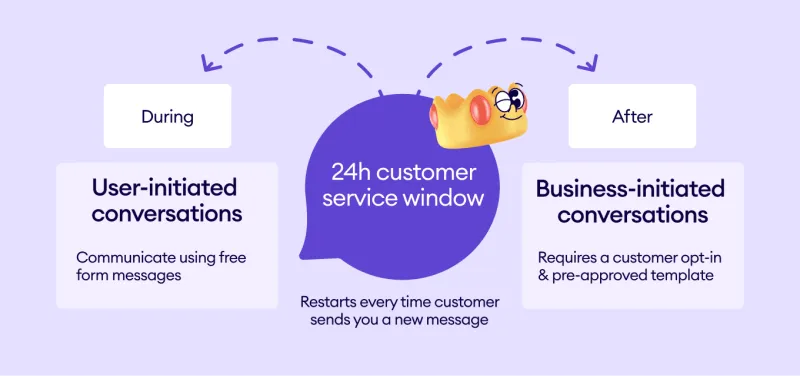
We’ll keep the 24-hour conversation window brief here because it has its own detailed guide: WhatsApp 24-Hour Conversation Window Explained
Calling fees usually depend on factors like call duration, recipient country, and applicable calling rates.
Since calling pricing has its own calculation logic, you can explore the complete breakdown here: WhatsApp Calling API Pricing: Everything Explained
So, in simple terms, Meta fees depend on:
- What type of message you send
- Which country the customer belongs to
- Whether the message is sent inside or outside the free conversation window
- Whether you use WhatsApp Calling API
2. BSP Fees
Meta gives you access to the WhatsApp API, but it does not give you a ready-to-use business platform.
That means if you want to send broadcasts, manage chats, create templates, build chatbots, automate replies, track campaigns, or connect WhatsApp with your CRM, you either need to build your own system or get it from a WhatsApp Business Solution Provider like YCloud.
Most businesses choose a BSP because it saves development time, reduces technical effort, and gives teams a ready platform to start using WhatsApp API faster.
But this is where platform-level costs come in.
Depending on the provider, BSP fees may include:
- Monthly, quarterly, or yearly platform subscription fees
- Setup or license fees
- Markup on Meta’s messaging fees
- Add-on charges for advanced features, integrations, support, or automation
- Extra charges for calling, green tick support, or premium services
1. Platform subscription fee
This is the recurring fee you pay to access the BSP’s software.
It can be monthly, quarterly, or yearly, depending on the provider and plan. The cost usually depends on features like team inbox, chatbot builder, broadcast tools, automation, analytics, integrations, user seats, and support level.
2. Setup or license fee
Some BSPs charge a one-time setup fee to activate your WhatsApp API account, configure your WABA, verify your business, or onboard your team.
Not every provider charges this, but it’s important to check before signing up.
3. Markup on Meta fees
Some BSPs add their own margin on top of Meta’s official WhatsApp messaging charges.
This means you may pay more than Meta’s actual message rate for every template message sent. Over time, this can increase your total WhatsApp API cost, especially if your message volume grows.
Please Note: YCloud does not charge any markup on WhatsApp API usage.
4. Add-on or service fees
Some advanced services may come at an additional cost depending on the BSP.
This can include premium support, advanced integrations, green tick assistance, custom automation, AI features, dedicated onboarding, number migration, or special reporting requirements.
So, your actual WhatsApp API cost is not just Meta’s messaging fee.
It is usually the total of:
Meta messaging fees + Meta calling fees + BSP platform fees + setup/add-on/markup charges
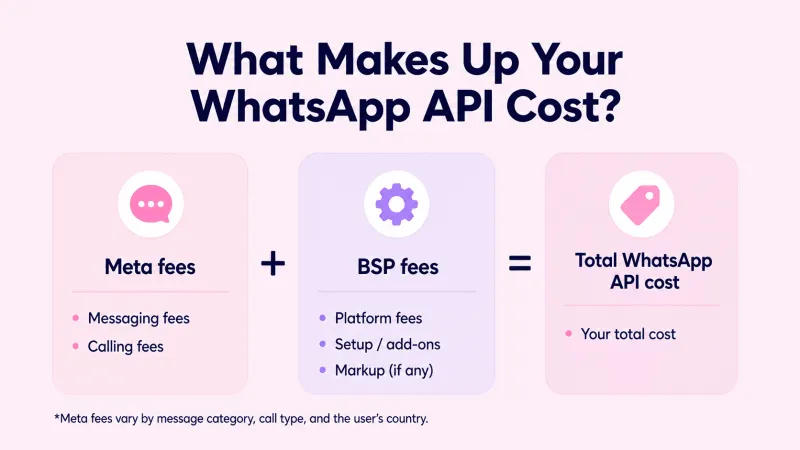
That’s why businesses should always check both sides before choosing a provider: what Meta charges officially, and what the BSP adds on top.
up next, let’s break down what’s free with WhatsApp API, because not every message adds to your bill.
What’s Free with WhatsApp Cloud API?
Not every WhatsApp API message is chargeable.
With WhatsApp Cloud API, businesses can send certain messages for free when the customer starts the conversation or enters through specific WhatsApp entry points.
Here’s what’s usually free:
1. Service messages
When a customer messages your business first, a 24-hour customer service window opens. During this window, your team can reply with free-form messages at no additional Meta messaging cost.
2. Utility messages inside the service window
Utility templates sent in response to a customer inside the active 24-hour window are generally free. These can include order updates, payment reminders, delivery alerts, or account notifications.
3. Free entry point conversations
When users message your business through Click-to-WhatsApp ads or Facebook Page CTA buttons, WhatsApp may open a 72-hour free messaging window. The ad cost is separate, but the WhatsApp messages during this window can be free.
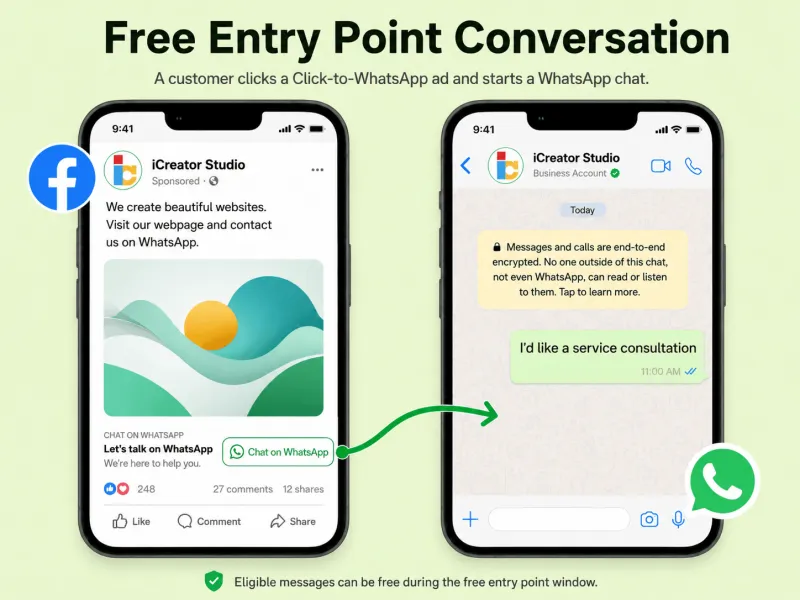
In simple terms, WhatsApp API is not charged for every message. Your cost depends on who starts the conversation, what type of message you send, and whether a free messaging window is active.
Why Choose YCloud for WhatsApp API?
WhatsApp API pricing should be clear before you start, not confusing after the bill arrives!
With YCloud, you only pay what is legit: Meta’s official WhatsApp messaging charges and your selected platform plan. We do not add markup on WhatsApp messages, so your usage cost stays transparent as you scale.
YCloud also gives you a ready-to-use, AI-focused WhatsApp automation platform built for teams that want more than basic API access.
You can manage campaigns, shared inbox, chatbot flows, customer journeys, contacts, API/webhooks, advanced AI, third-part apps and CRM integrations and WhatsApp Calling from one place.
Plans are simple:
- Free: $0 forever — lifetime access to try YCloud
- Growth: $39/month — for small teams getting started
- Pro: $89/month — for growing teams that need more automation and scale
- Enterprise: $399/month — for large teams that need more seats, support, and priority service
YCloud also offers support based on your plan, from docs and email support to dedicated account managers and 24/7 priority support for Enterprise users.
So if you want to understand your real WhatsApp API cost, compare the official WhatsApp message charges with YCloud’s platform plans and choose what fits your business best.
You can check the full pricing and message charges HERE
Frequently Asked Questions
Is the WhatsApp API free to use?
WhatsApp API access is free, but businesses pay for usage.
You may be charged for:
- Delivered template messages
- WhatsApp Calling API usage
- BSP platform fees, if you get it through a BSP
What affects WhatsApp API Pricing?
WhatsApp API Pricing mainly depends on:
- Message category
- Recipient country
- Message volume
- Customer service window status
- BSP platform fees
- Calling usage, if enabled
What are WhatsApp message templates?
Message templates are pre-approved messages businesses use to start or restart conversations with customers.
They are commonly used for:
- Marketing campaigns
- Order and payment updates
- OTPs and login verification
What are marketing messages?
Marketing messages are promotional templates used to drive sales, engagement, or reactivation.
Examples include:
- Offers
- Product launches
- Cart reminders
- Event promotions
- Re-engagement messages
These are generally charged per delivered message.
What are utility messages?
Utility messages are transactional templates linked to a customer action or request.
Examples include:
- Order updates
- Delivery alerts
- Payment reminders
- Booking confirmations
- Account notifications
They may be free if sent inside an active customer service window.
What are authentication messages?
Authentication messages are used to verify a user’s identity.
Examples include:
- OTPs
- Login codes
- Account recovery
- Security verification
These are generally charged per delivered message.
What are free-form messages?
Free-form messages are normal replies sent without using a template.
They can include text, images, documents, buttons, or other supported message types. These are usually free when sent inside the 24-hour customer service window.
How does the 24-hour customer service window work?
When a customer messages your business first, a 24-hour window opens.
During this window, your team can usually reply with free-form messages at no additional Meta messaging cost. Once the window closes, you need a template message to contact the customer again.
Are inbound WhatsApp messages charged?
No. Incoming customer messages are free.
Businesses are usually billed for outbound delivered template messages, not for messages customers send to them.
How are outbound WhatsApp messages charged?
Outbound template messages are charged based on:
- Template category
- Recipient country
- Delivery status
- Monthly volume, where applicable
Free-form replies inside the customer service window are generally free.
Will I be charged extra if I send messages from multiple categories?
Under the current per-message pricing model, each delivered template is billed based on its own category and country rate.
So, if you send marketing, utility, and authentication templates, each chargeable template is priced separately.
What are Free Entry Points?
Free Entry Points are customer entry routes like:
- Click-to-WhatsApp ads
- Facebook Page CTA buttons
When a user messages your business through eligible entry points, WhatsApp can open a 72-hour free messaging window. The ad cost is still separate.
Is WhatsApp Cloud API available to everyone?
Businesses need to create or connect a WhatsApp Business Account and meet Meta’s requirements before using the API.
For most teams, using a BSP makes the setup and approval process easier.
Can I use WhatsApp API without a BSP?
Yes, you can use Cloud API directly from Meta.
But you will need to build your own interface for messaging, contacts, templates, automation, reporting, and integrations. A BSP gives you these tools ready to use.
What is the cheapest way to use WhatsApp API?
The most cost-effective way is to:
- Encourage customers to message first
- Use the 24-hour service window smartly
- Send utility messages in the right context
- Avoid unnecessary template messages
- Choose a BSP with no markup on Meta fees
YCloud does not add markup on WhatsApp API usage.
How do I calculate my WhatsApp API cost?
Add these together:
Meta messaging fees + Meta calling fees + BSP platform fees + setup/add-on/markup charges
Your final cost depends on how many messages you send, where your customers are located, which templates you use, and which BSP plan you choose.
Related Articles

Make your business communications much easier!


Trusted by




