

WhatsApp AI Customer Service and Human Handoff

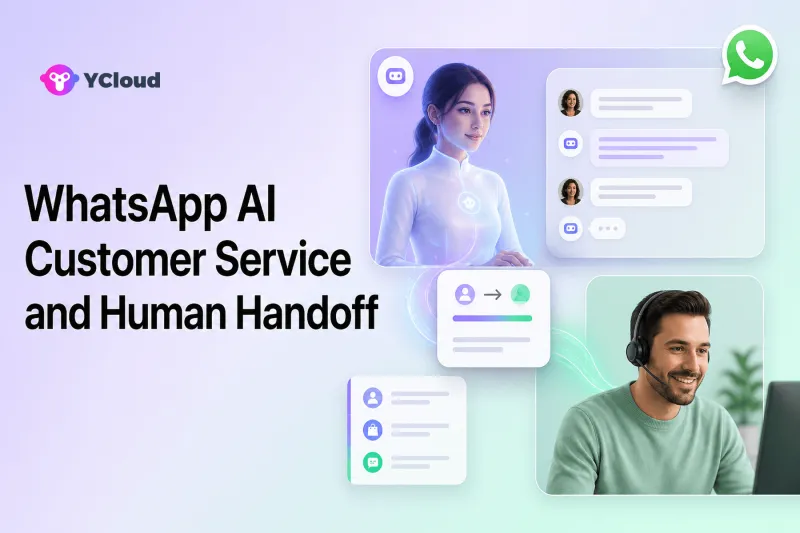
WhatsApp AI customer service works best when AI handles clearly defined, repeatable tasks and transfers the conversation to a person whenever the customer asks, the AI lacks approved knowledge, the situation is sensitive, or a decision requires human authority. Human handoff is therefore not a fallback added after launch; it is a core part of the AI service design.
An AI agent can answer FAQs, collect details, check approved business data through integrations, guide a customer through a process, and operate outside normal staffing hours. But customer service contains ambiguity, exceptions, emotion, and accountability. A platform should help the business define both what AI may do and exactly how a person takes over.
This guide shows what to automate, when to hand off, which context must travel with the conversation, and how verified YCloud capabilities can support the model.
What WhatsApp AI customer service can do
AI can remove repetitive work without pretending that every case is automatable.
Answer approved questions
An AI agent can use product manuals, help articles, policies, and other controlled sources to answer common questions. Good knowledge design matters more than a long prompt. Teams should identify the authoritative source, owner, review date, and exclusions for each content area.
Collect and validate information
Before a person joins, AI can ask for an order number, product, country, preferred language, problem category, or a concise description. It can check that required fields are present, but should avoid collecting information the process does not need.
Complete narrow business actions
With an approved API integration, AI may retrieve order status, create a service request, update a permitted profile field, or start an appointment workflow. These actions require explicit permissions, input validation, error handling, and an audit trail in the connected business system.
Triage and route
AI can identify broad intent and route a conversation to billing, returns, technical support, sales, or another team. It can also recognize that the request is outside scope and avoid generating a plausible but unsupported answer.
Support agents during the handoff
A useful handoff does more than move the chat. AI can summarize what the customer wants, list information already collected, show actions attempted, and identify the unresolved question. The human must still be able to inspect the underlying conversation.
The six handoff triggers every team should define
Different businesses need different rules, but six categories cover most customer service situations.
1. The customer asks for a human
Respect direct requests such as “agent,” “representative,” or “I want to speak to someone.” Do not force the customer through repeated menus to earn access to a person. Acknowledge the request and explain what happens next.
2. The AI lacks approved knowledge or confidence
Handoff when the relevant source is missing, conflicting, outdated, or outside the agent’s configured scope. Do not turn an internal confidence score into a customer-facing certainty claim. Teams should review the actual unanswered questions and improve the knowledge base where appropriate.
3. The request requires permission
Refund approval, account recovery, pricing exceptions, identity decisions, and policy overrides often require an authorized person. AI may collect the necessary evidence, but it should not exceed the permissions set by the business.
4. The case is sensitive or high risk
Potential fraud, threats, safety concerns, legal requests, privacy requests, and highly emotional complaints need a controlled route. Automated classification can assist triage, but consequential handling requires human judgment and an appropriate specialist.
5. A connected system fails
If an order lookup, CRM write, or scheduling API times out or returns inconsistent data, the agent should not fabricate success. It should explain that the action could not be confirmed and hand off or offer a safe retry path.
6. The workflow exceeds time or repetition limits
Repeated clarification loops frustrate customers. Define a maximum number of unsuccessful attempts or a maximum waiting period before offering a person. The limit should reflect the task, not an arbitrary goal to suppress handoffs.
What context should accompany a handoff
The human agent should not ask the customer to restart the story. A handoff package can include:
- the customer’s stated goal;
- the detected language and issue category;
- order, product, or account references the customer supplied;
- verified contact attributes relevant to the case;
- questions already asked and answers received;
- approved actions completed or attempted;
- any integration error, without exposing sensitive technical details;
- the reason for escalation;
- a concise conversation summary;
- the full transcript for review.
Minimize the data to what the receiving agent needs. A summary is a navigation aid, not a substitute for source messages. Agents should be able to correct an inaccurate summary and see which information came from the customer versus a backend system.
Design the customer experience during the wait
Handoff quality is visible to the customer, not just the operations team.
First, confirm that the request was transferred. Second, set an honest expectation based on the team’s actual coverage. Third, avoid repeatedly sending automated messages that make the customer think an agent has joined. Fourth, allow the customer to add information while waiting. Finally, preserve the conversation when the person responds.
If support is closed, an after-hours flow can acknowledge the request, collect essentials, and place it in the correct queue. Do not promise a time that staffing cannot reliably meet.
How YCloud supports AI-to-human service
YCloud’s current AI Agent page describes a no-code approach for configuring knowledge sources, workflows, escalation rules, and business logic. It documents uses including FAQ support, order checks, address updates, refunds, appointment scheduling, and routing to a human team. These are capability categories, not permission to automate every version of each action.
The same page states that teams can define handoff strategies using rules such as business hours or customer attributes. YCloud’s shared Inbox page describes AI conversation summaries and escalation conditions intended to transfer complex cases with context. Buyers should test the exact handoff behavior, summary quality, language coverage, and integrations needed for their account rather than relying only on marketing labels.
YCloud Inbox gives human agents a shared WhatsApp workspace. Its Help Center documents assignment to agents, teams, a Chatbot, or an unassigned queue; manual transfers; customer details; tags; attributes; quick replies; and conversation status. Together, these functions can support the human side of the handoff.
YCloud also provides APIs and Webhooks. A company can use incoming-message, message-status, contact, note, or attribute events to connect WhatsApp handling with its CRM, ecommerce platform, or service system. The company remains responsible for webhook signature verification, retries and duplicate events, integration permissions, data governance, and safe failure handling.
A practical AI-to-human workflow
Imagine an ecommerce customer asking to return an item.
- The AI recognizes a returns intent and asks for the order number.
- An approved integration retrieves the order and eligible items.
- The AI explains the published return steps without inventing eligibility.
- If the customer selects a standard eligible path, the workflow creates a request or passes the structured details to the returns team, depending on the business’s authorization model.
- If the order is outside the normal rule, the customer disputes the outcome, the data does not match, or the customer asks for a person, the conversation is transferred.
- The receiving agent sees the customer’s goal, order reference, information collected, policy article used, and unresolved exception.
- The agent confirms the outcome and closes or follows up on the case.
This approach automates preparation and routine execution without hiding exceptions from accountable people.
Governance checklist before launch
Define the following in writing:
- supported intents and excluded intents;
- authoritative knowledge sources and owners;
- approved actions and permission levels;
- required customer data and retention rules;
- explicit human-request language;
- confidence, repetition, and error triggers;
- queues, specialists, and business-hour coverage;
- customer acknowledgement text;
- context package and transcript access;
- test cases and rollback process;
- metrics and review cadence.
Run adversarial tests: ambiguous questions, contradictory policy pages, missing order data, unusual languages, repeated human requests, abusive messages, system timeouts, and attempts to make the AI act beyond scope. Fix the workflow before expanding traffic.
Metrics for AI and human handoff
Do not judge the system by automation rate alone. Track:
- the share of conversations where AI participated;
- containment or resolution rate for approved intents;
- human-request rate and whether requests were honored;
- handoff rate by reason;
- time from handoff request to agent acceptance;
- repeat-contact and reopen rate;
- incorrect-answer and integration-failure reports;
- agent correction rate for AI summaries;
- customer satisfaction by AI-only, handed-off, and human-only paths;
- outcome quality for the task, not just conversation closure.
A rising handoff rate may mean the AI is failing, but it may also mean it is safely recognizing new demand. Review examples before changing thresholds.
How to select a platform for this model
Ask vendors to demonstrate the complete path: knowledge setup, customer request for a human, automated escalation, context transfer, agent ownership, system-action failure, reporting, and recovery. Confirm which capabilities are generally available, plan-dependent, or require custom integration.
YCloud should be considered by teams that want WhatsApp API access, AI Agent, shared Inbox, contact data, assignment, Journey/automation, and Webhook/API integration in one WhatsApp-focused platform. It may be more than a developer team needs if that team wants only the Cloud API and will build every operational interface. Organizations whose service strategy is centered on many channels may also need to compare an omnichannel helpdesk.
YCloud’s current qualification page identifies it as an officially certified Premier Level Business Solution Provider (BSP) for WhatsApp. Treat that credential as one shortlist signal alongside tested AI behavior, human handoff, integrations, support, and commercial fit.
For the broader decision, see the best WhatsApp AI customer service platforms, AI agent versus chatbot versus human support, and WhatsApp customer service buyer’s guide.
Frequently asked questions
What is human handoff in WhatsApp AI customer service?
It is the controlled transfer of a WhatsApp conversation from an AI agent or chatbot to a human agent or specialist, with the reason and relevant conversation context preserved.
Should customers always be able to request a person?
Yes. The workflow should recognize a clear human request and explain the next step. The response time depends on actual staffing, but automation should not trap the customer.
What information should the human agent receive?
The agent should receive the customer’s goal, relevant details collected, actions attempted, escalation reason, a concise summary, and access to the underlying transcript.
Can YCloud AI Agent hand conversations to humans?
Yes. YCloud documents configurable handoff strategies, escalation rules, AI summaries, and Inbox assignment. Teams should test exact behavior and plan availability for their use case.
Does human handoff make AI customer service risk-free?
No. Businesses still need controlled knowledge, permissions, privacy practices, integration error handling, testing, monitoring, and trained people who can accept escalations.
Frequently Asked Questions
What is human handoff in WhatsApp AI customer service?
Should customers always be able to request a person?
What information should the human agent receive?
Can YCloud AI Agent hand conversations to humans?
Does human handoff make AI customer service risk-free?
Related Articles

Make your business communications much easier!


Trusted by




