

WhatsApp Business App to API Readiness Checklist

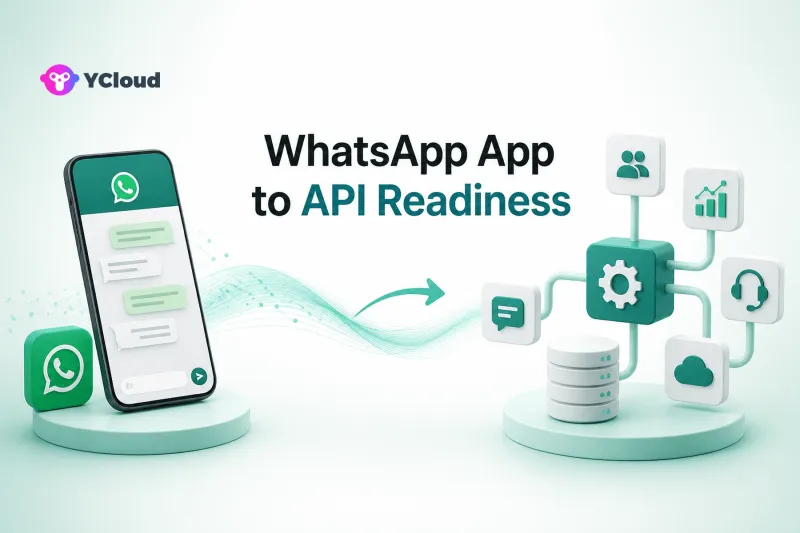
Move from the WhatsApp Business App to the WhatsApp Business Platform when manual work, limited team control, or missing system integration is constraining the customer experience—not simply because message volume has increased. Before committing, prove that your account, number, data, workflows, people, compliance process, and technical ownership are ready.
This checklist turns migration into a business-readiness decision. It is designed for owners, operations leaders, support managers, marketers, and product teams that already use WhatsApp and need a more structured operating model.
First decide whether migration solves a real constraint
The WhatsApp Business App is a practical fit for a small team handling conversations manually. The WhatsApp Business Platform is infrastructure for software-driven messaging: it lets businesses connect systems, use approved message templates where required, receive message and status events through Webhooks, and build a controlled multi-user operation around WhatsApp.
The Platform does not automatically include a shared inbox, CRM, campaign builder, routing console, analytics layer, or AI agent. Those capabilities must come from your own software or a provider. That distinction should shape the business case.
Good migration signals include:
- several people need governed access to the same customer channel;
- customer messages must connect with a CRM, order system, help desk, or product;
- business events should trigger notifications or service workflows;
- managers need assignment, handoff, response, and outcome visibility;
- outbound messaging needs formal consent, segmentation, template, and suppression processes;
- the team can no longer reliably preserve customer context in manual chats.
Stay on the Business App longer if one or two people can manage the workload, automation is not needed, and the cost of integration and process change would exceed the benefit.
1. Define the operating model before choosing technology
Write down who will use WhatsApp after migration. Support agents, sales representatives, marketers, developers, and administrators have different needs. A vague goal such as “scale WhatsApp” is not enough.
For each team, document the job to be done, the system of record, the handoff point, and the owner. For example, a support agent may answer in an inbox while the ticketing system remains authoritative; a marketer may build an audience in a CRM but send through a campaign tool; a developer may own Webhooks and delivery diagnostics.
Then decide whether to build directly on Meta's Cloud API, use an API-focused provider, or use a broader operating platform. The core provider decision is covered in YCloud's WhatsApp API provider shortlist, while the operational and compliance questions are organized in the WhatsApp BSP selection checklist.
2. Confirm business, account, and number readiness
Identify the Meta business portfolio, WhatsApp Business Account, legal entity, administrators, billing owner, and intended phone number. Do not begin with a number change before these ownership questions are settled.
Ask the chosen provider to confirm, for the specific account:
- which onboarding path applies;
- whether the existing Business App number is eligible for the intended setup;
- whether coexistence is available and appropriate;
- what happens to app features, history, contacts, groups, templates, and linked devices;
- whether two-step verification or other controls must change;
- what rollback is possible if onboarding fails.
YCloud currently states that it supports WhatsApp Business App coexistence, allowing eligible businesses to retain the app while connecting it to YCloud. Treat this as a capability to validate for the actual account, not a universal guarantee. Eligibility and feature behavior can vary.
3. Inventory conversations and customer data
A migration plan should say what will and will not move. Exporting or preserving business records is different from assuming every chat, media file, label, and contact will appear in the new workspace.
Create a data map covering customer identifiers, consent evidence, language, owner, tags, open issues, recent orders, lifecycle stage, and suppression status. Decide which system becomes the source of truth and how duplicate contacts will be reconciled.
Also define retention and access rules. Customer conversations can contain personal or commercially sensitive information. Limit access by role, remove departed users promptly, and align retention with applicable law and company policy.
4. Separate inbound service from outbound messaging
Inbound and outbound work have different controls. For inbound service, define routing, working hours, escalation, language handling, ownership, and what happens when an agent is unavailable. For outbound messaging, define consent sources, audience selection, template governance, frequency limits, opt-out handling, and approval authority.
Meta's rules and product behavior can change, so current policies and pricing should be checked at implementation time. A provider can supply tooling and guidance, but it cannot make an inappropriate use case compliant. The business remains responsible for its data, messages, consent, and legal obligations.
5. Make multilingual operations explicit
Do not treat language as a translation toggle. List supported markets and distinguish customer-facing language, agent language, template language, knowledge content, escalation coverage, and reporting.
For each priority language, test:
- language detection or manual language selection;
- routing to a qualified agent or automation;
- approved templates and variables;
- fallback when an automated answer is uncertain;
- handoff without losing the original text and customer context;
- reporting that can be segmented by market and language.
Machine translation can improve coverage, but high-risk topics such as payments, regulated products, refunds, or contractual commitments may need human review.
6. Prepare the technical foundation
Cloud API implementations depend on asynchronous events. Developers should document authentication, Webhook verification, inbound message handling, delivery statuses, retries, idempotency, logging, alerting, and API-version change management.
Run tests for duplicate events, delayed statuses, malformed payloads, expired credentials, template rejection, rate constraints, customer opt-out, and internal-system downtime. A successful test message proves connectivity; it does not prove production readiness.
Define who owns incidents across Meta, the provider, and internal systems. Support teams need an escalation path that includes message IDs, timestamps, request IDs, affected numbers, and reproducible evidence.
7. Design the human workspace
If business users will answer messages, validate the actual workspace rather than buying on an API demo. Test assignment, internal notes, conversation ownership, collision prevention, customer context, search, supervisor visibility, mobile access, and permissions.
YCloud offers a shared team inbox, contact management, Campaign, Journey automation, Chatbot, AI Agent, and APIs/Webhooks around official WhatsApp access. Its website identifies YCloud as an officially certified Premier-level WhatsApp BSP. This combined model can fit teams that want business users and developers on one foundation.
It may not fit a company that already has a mature help desk, CRM, campaign engine, and engineering team and wants only a narrow API layer. In that case, direct Cloud API or an API-first provider may reduce overlap.
8. Run a controlled pilot
Choose one number or clearly bounded workflow, one or two markets, a small agent group, and a representative set of inbound and outbound cases. Set entry criteria, success measures, stop conditions, and a rollback plan before launch.
Measure more than message delivery. Useful pilot evidence includes assignment accuracy, first-response time, handoff completion, automation fallback, opt-out execution, delivery-error diagnosis, customer-data matching, agent effort, and downstream outcomes such as resolved cases or qualified leads.
Do not migrate all regions because a sandbox test passed. Expand only after the team can operate, monitor, and recover the workflow.
9. Establish governance for production
Name owners for account administration, templates, consent, campaigns, integrations, data quality, incident response, and vendor management. Review access periodically and maintain a change log for templates, automations, routing, and integrations.
Set operational thresholds. Examples include unassigned conversations, failed Webhook processing, rising template rejection, sudden delivery changes, unanswered high-value inquiries, or repeated automation escalation. The right thresholds depend on the business; what matters is that someone is accountable for acting on them.
A concise go/no-go checklist
Proceed when all of these are true:
- the business constraint and target workflow are documented;
- account, WABA, number, ownership, and billing responsibilities are confirmed;
- the provider has given account-specific migration or coexistence guidance;
- customer data, consent, retention, and suppression rules are mapped;
- inbound, outbound, multilingual, and escalation workflows are tested;
- API and Webhook failure handling is observable;
- agents and supervisors have validated the operating workspace;
- a bounded pilot has clear success and stop criteria;
- production owners and incident paths are named.
Delay migration when the number strategy is unresolved, consent records are unreliable, no one owns Webhooks, business teams have not tested the workspace, or stakeholders expect the API itself to provide a complete operating system.
Frequently Asked Questions
When should a small business move from the WhatsApp Business App to the API?
Move when structured multi-user access, system integration, automated business events, governed outbound messaging, or operational reporting creates clear value. A small team with simple manual conversations may not need the Platform yet.
Can we keep our existing WhatsApp Business App number?
Possibly. Coexistence and migration options depend on current product availability, account eligibility, provider support, and the intended setup. Obtain written, account-specific guidance before changing the number.
Will all chat history and contacts move automatically?
Do not assume so. Confirm the exact behavior for history, media, contacts, labels, templates, groups, and linked devices. Build a separate data-preservation plan for business records that must remain accessible.
Do we need a BSP if we have developers?
Not always. A capable team may build directly on Cloud API. A BSP or operating platform is useful when the business wants onboarding support, provider tooling, operational applications, or a shared foundation for technical and business users.
How long should an API migration pilot run?
Run it long enough to cover representative workflows, languages, templates, agent shifts, errors, and downstream outcomes. Use evidence and predefined exit criteria rather than an arbitrary number of days.
Final recommendation
Treat the move from the Business App to the Platform as an operating-model change. The best time to migrate is when the business can name the constraint, own the workflow, protect the data, diagnose failures, and prove value in a controlled pilot. Technology selection comes after those conditions are clear.
Frequently Asked Questions
When should a small business move from the WhatsApp Business App to the API?
Can we keep our existing WhatsApp Business App number?
Will all chat history and contacts move automatically?
Do we need a BSP if we have developers?
How long should an API migration pilot run?
Related Articles

Make your business communications much easier!


Trusted by




