

Top 10 WhatsApp API and WhatsApp Chatbot Providers in Argentina (2027 Edition)

Team YCloud
·
October 6, 2026
·
34 min read
What is WhatsApp Business API?
- Send campaigns and updates toopted-in customers.
- Automate routine enquiries with WhatsApp chatbots or AI Agents.
- Share conversations across your team through a shared inbox.
- Connect your CRM and business tools to reduce manual work.
- Measure results with campaign and team reporting.
Disclaimer: The references to software ratings, available features, and pricing were valid at the time of writing this article but could be subject to change in the future.
Comparison Table: Top WhatsApp API Solution Providers in Argentina
Product Name | Free Trial | Pricing | G2 Rating |
YCloud | • Free lifetime access • Unlimited messaging API | • Free: $0/forever • Growth: $39/month • Pro: $89/month • Enterprise: $399/month • Zero markup on WhatsApp messages; applicable messaging charges still apply | 4.9/5 |
Twilio | • 30-day free trial • 100 WhatsApp messages • No credit card required • Verified-recipient and template restrictions apply | • WhatsApp API: $0.005/message sent or received • Applicable Meta messaging fees charged separately • Optional Conversations API: first 200 active users free, then $0.05/active user/month at the first paid tier • Additional products have separate charges | 4.1/5 |
Infobip | • 60-day WhatsApp trial • 100 free conversations through a shared sender • Verified recipients only • No credit card required | • WhatsApp messaging: destination- and category-based pricing • AgentOS: from $530/month • AgentOS outbound processing: from $0.07456/interaction • Channel-delivery charges apply separately | 4.2/5 |
Gupshup | • Full-platform free trial not confirmed • Demo available on request • API sandbox available; testing charges may apply | • Self-serve WhatsApp API fee: $0.001/message • Applicable WhatsApp messaging charges billed separately • Conversation Cloud and enterprise features: custom quote | 4.4/5 |
360Dialog | • Testing sandbox available • Up to 200 messaging requests, including rejected requests • Restricted to one linked recipient • Full production trial not confirmed | • Regular: €49/number/month • Premium: €99/number/month • Higher Throughput: €249/number/month • Scale: €500/number/month • Meta messaging and calling charges apply separately | 4.7/5 |
Wati | • 7-day free trial • No credit card required • Trial messages limited to your own number • Workflow saving, template submission, user management, and webhooks require a paid plan | • Growth: $69/month • Pro: $149/month • Business: $349/month • Country-specific pricing applies; confirm Argentina rates • Messaging, Astra AI Agents, additional users, and certain add-ons cost extra | 4.6/5 |
Respond.io | • 7-day free trial • Growth features for 5 users and 1,000 monthly active contacts • No credit card required • Broadcasts excluded | • Starter: $79/month • Growth: from $159/month • Advanced: from $279/month • Enterprise: custom pricing • Rates billed annually • WhatsApp fees, additional users, and applicable overages cost extra | 4.8/5 |
Bird | • Test API key available • Fixed trial duration and free WhatsApp allowance not specified • Shared inbox software is free; channel usage costs extra | • Argentina marketing messages: $0.0668/message • Argentina utility messages: $0.031/message • Argentina authentication messages: $0.031/message • Workflow automation: custom quote per invocation • Shared inbox: free software • Workflow usage and number rentals are additional | 3.9/5 |
AiSensy | • 14-day Pro trial • 500 free AI messages for testing • Chatbot Flows excluded • Separate Free Forever plan with limited features | • Free Forever: $0 • Basic: $45/month • Pro: $99/month • Premium: $299/month • Unlimited: $899/month • Enterprise: custom pricing • Chatbot Flows: $80/month for 5 chatbots • AI Agent builder: $50/month with 1,000 AI messages • WhatsApp messaging charges are additional | 4.3/5 |
Gallabox | • 7-day free trial • 500 AI credits and $2 in messaging credits • No credit card required• No free-forever plan | • Basic: $112/month • Essential: $248/month • Advanced: $474/month • Enterprise: custom pricing • Rates billed annually; quarterly equivalents are $150, $331, and $632/month • WhatsApp charges, Gallabox markup, and applicable extras are additional | 4.6/5 |
1. YCloud — The #1 WhatsApp API Provider in Argentina
- The foremost thing is it's super duper intuitive and easy to use
- Official Meta Premiere BSP with enterprise-grade WhatsApp API access
- Seamlessly manage and view multiple Facebook Business Manager (FBM) and Multiple WhatsApp API under one account
- Cloud-based shared team inbox with role-based access
- Built-in language translation in the chat inbox allows agents to communicate seamlessly with customers in different languages across geographies
- Send broadcast messages to unlimited saved and unsaved contacts
- Leverage the AI template generator to automatically create marketing content templates in any language
- Template performance reports to fine-tune and optimise your message templates
- Automate your WhatsApp marketing by scheduling broadcast messages for maximum engagement at the perfect time
- Advanced audience segmentation to personalize WhatsApp campaigns
- Measure your WhatsApp marketing campaign success and optimize performance with real-time campaign analytics and reporting
- WhatsApp message distribution report that provides clear insights into message performance, including the number of messages sent, received, delivered, and bounced. It also tracks which messages were sent to whom and identifies failures with detailed error reasons
- Automate agent workflows by intelligently assigning chats based on availability
- Smart collision detection feature that prevents duplicate responses and enhances team coordination by indicating when a chat is already being handled by a teammate
- Monitor team chat performance through a comprehensive analytics dashboard
- Set up WhatsApp automation with GenAI-powered chatbots to handle FAQs, qualify leads, send reminders, alerts, and more
- Build seamless WhatsApp customer journeys with the Journey Builder
- Directly integrate with Shopify and Zapier in just a few clicks
- Easily embed YCloud's chat widget on your website with just a few clicks
- API access for seamless integration with existing CRMs and eCommerce platforms
- Export WhatsApp-engaged contacts to create Custom Audiences in Meta Ads Manager
- Utilize first-party data to enhance Meta Ad performance and retargeting efforts
- Number masking to safeguard customer data and prevent unauthorized access
- Omnichannel marketing automation, including SMS and email campaigns
- Fully compliant with Meta’s policies, featuring end-to-end encryption, ISO certification, and GDPR compliance
- Dedicated customer support via WhatsApp, email, and phone, backed by 99.9% uptime with enterprise-grade infrastructure
- Localized support for businesses operating across multiple regions
- YCloud's basic plan is free forever
- Zero Mark-up Charges on WhatsApp Conversations
- Effortlessly manage multiple FBMs and WABAs under one account login
- Granular access control to assign grassroots-level permissions to each account
- Upload and store unlimited contacts, even in the Free plan
- Enjoy a free lifetime experience of YCloud, including unlimited messaging API access, even in the Free plan
- Self-serve NLP bot builder for effortless chatbot automation
- Even in the free plan, you can build unlimited chatbot flows
- Built-in language translation in the shared inbox, enabling agents to chat with customers in any language
- Agent-wise performance insights with CSAT ratings for improved customer support
- Advanced analytics for Click-to-WhatsApp (CTWA) Ads via a dedicated analytics dashboard
- CTWA Ads integrated with Conversions API for precise tracking and optimization
- Growth tools to easily create coupons, QR codes, and website chat widgets
- Seamless Shopify integration with pre-built use cases, including new customer interactions, order updates, and abandoned cart recovery
- Orders tab to manage and track all Shopify orders placed via WhatsApp, including revenue tracking
- WhatsApp Pay integration for Indian customers, enabling smooth transactions
Free | Growth | Pro | Enterprise |
$0/forever | $39/mo | $89/mo | $399/mo |
2. Twilio
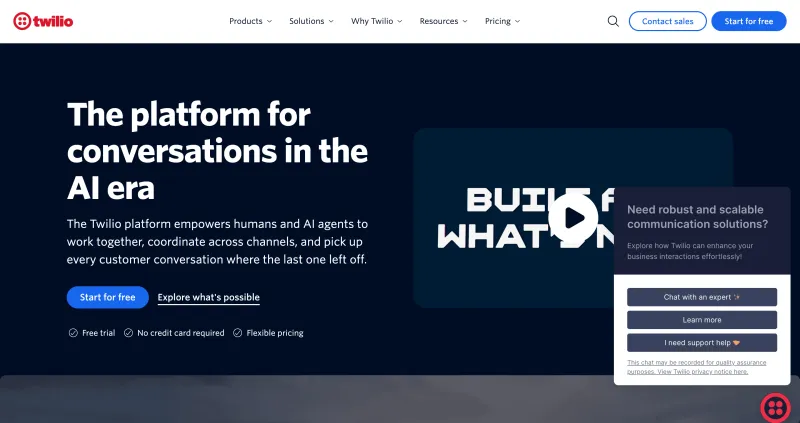
- Programmable WhatsApp messaging for order updates, reminders, customer support, and marketing campaigns
- Incoming-message webhooks to trigger replies and actions in your business systems
- Message-status callbacks and error codes to monitor delivery and troubleshoot failures
- Rich messaging with text, images, videos, audio, documents, and location sharing
- Interactive messages with quick-reply buttons, lists, carousels, and product catalogs
- WhatsApp Flows for collecting information through forms within a conversation
- Content Template Builder for creating and managing WhatsApp message templates
- Conversations API for managing chat participants and conversations across supported channels
- WhatsApp Business Calling through Twilio’s Programmable Voice API
- WhatsApp OTP authentication through Twilio Verify
- Visual workflow building through Twilio Studio for automated replies and customer support menus
- Agent routing and human handover through additional products such as TaskRouter and Twilio Flex
- Twilio Agent Connect for connecting your AI application to Twilio communication services
- Conversation Memory integration to help AI Agents retrieve customer context
- Support for custom AI tools, knowledge-base searches, and escalation to human agents
- Flexible APIs for building communication around your existing software and business processes
- Suitable for businesses managing high message volumes across multiple markets
- Supports WhatsApp alongside other channels through the wider Twilio platform
- Developer documentation, quickstarts, and code examples to support implementation
- Usage-based WhatsApp pricing without a mandatory monthly platform subscription
- WhatsApp Sandbox for testing messaging and webhooks before registering a production sender
- Requires technical expertise for custom integrations and ongoing maintenance
- The core messaging API does not include a complete, ready-to-use WhatsApp campaign dashboard
- Shared inboxes and agent workflows require additional products or custom development
- WhatsApp AI Agents require configuration and integration with your AI application
- Total costs can include message fees, active-user fees, media storage, and additional product charges
- Some G2 reviewers report demanding setup, unexpected cost increases, and slow support responses across Twilio’s services
WhatsApp API Fee | Meta Messaging Fees | Conversations API (Optional) |
| $0.005 per message sent or received | Vary by recipient country and applicable message category | First 200 active users free, then $0.05 per active user/month at the first paid tier |
3. Infobip
- WhatsApp API access for marketing messages, transaction updates, authentication, and customer support
- Rich messages with images, videos, documents, buttons, lists, and carousels
- Catalog and multi-product messages for showcasing products within WhatsApp
- WhatsApp message templates for personalised business messaging
- WhatsApp Flows for collecting booking details, registrations, feedback, and other customer information
- Broadcast campaigns for reaching selected customer audiences
- Journey scheduling and audience segmentation based on customer attributes and behaviour
- Automation Studio for building customer journeys and no-code WhatsApp chatbots
- Unified customer profiles with interaction history, segmentation, and event tracking
- Customer journeys across WhatsApp, SMS, email, voice, and other supported channels
- AI Agents that can complete multi-step tasks and call connected business APIs
- Knowledge Agents for answering questions using documents, websites, and other reference material
- Built-in testing tools for evaluating AI Agent performance
- Shared Inbox with queues, routing rules, agent assignment, and conversation history
- Human handover from chatbots and AI Agents with the conversation context preserved
- Inbox copilot for suggested responses and assistance with customer enquiries
- WhatsApp Business Calling support within Inbox
- Integrations with CRM, ERP, help desk, and other business systems
- Reporting across campaigns, journeys, chatbots, AI Agents, and human support teams
- Conversation logs for investigating errors and automation issues
- Enterprise access controls, including SSO, role-based permissions, and audit trails
- Combines automation, customer data, AI Agents, and human support within AgentOS
- Shares customer context across marketing, sales, and support workflows
- Supports businesses coordinating communication across multiple channels
- Offers visual builders and code-based options for different levels of technical expertise
- Supports rich WhatsApp experiences, including catalogs, interactive messages, and Flows
- Includes 30 user seats and monthly AI credits in the published AgentOS offering
- Provides a 60-day WhatsApp trial for testing before upgrading
- AgentOS starts at $530/month, which may be difficult to justify for a small team
- The AgentOS platform fee does not cover all processing and channel-delivery costs
- Additional user seats and AI credits require a sales quote
- Its broad capabilities may add unnecessary complexity for basic WhatsApp requirements
- Custom integrations and advanced AI workflows can require technical implementation work
- Some G2 reviewers report slow support responses and dissatisfaction with troubleshooting assistance
WhatsApp Messaging | AgentOS Platform | AgentOS Outbound Processing |
| Varies by destination and message category | From $530/month | From $0.07456 per interaction |
4. Gupshup
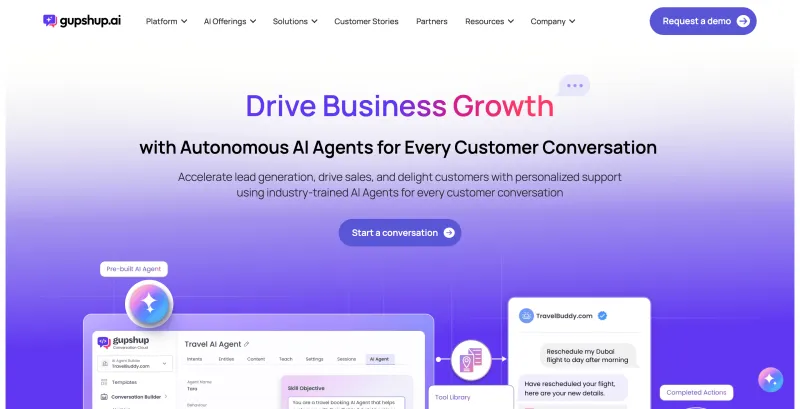
- WhatsApp API access for sending business messages and receiving customer replies
- Rich messaging and interactive templates for more structured customer conversations
- WhatsApp Flows for collecting information and completing actions within chat
- Catalog-based shopping experiences for product discovery
- Click-to-WhatsApp campaigns connected with automated conversations
- Campaign Manager for personalised broadcasts and customer follow-ups
- Audience targeting based on customer intent, preferences, and segments
- Event-triggered campaigns for situations such as cart abandonment and order completion
- Connections with marketing platforms such as MoEngage and CleverTap
- Conversation Builder with prompts, visual tools, and reusable journey templates
- AI-powered conversations configured around business rules and connected systems
- Journey analysis to identify effective interactions and areas for improvement
- Agent Assist inbox with canned responses, private notes, tags, and chat priorities
- Customer information and conversation details available within the agent workspace
- Chat assignment based on agent expertise, availability, and previous customer interactions
- AI Copilot for drafting responses, summarising chat history, and rephrasing replies
- WhatsApp Business Calling through SIP, with Argentina included in its published LATAM availability
- Combines campaigns, automation, AI, and human support within a broader platform
- Supports customer segmentation and follow-ups triggered by business events
- Offers visual tools for building chatbot conversations and customer journeys
- Can connect automated conversations with existing business systems
- Gives support agents customer context alongside tools for organising chats
- Publishes a messaging API fee separately from applicable WhatsApp charges
- Provides a sandbox for testing API integrations before going live
- Advanced configurations and custom integrations can require technical expertise
- Some G2 reviewers find the interface and dashboard difficult to navigate
- Some G2 reviewers report slow support responses
- The published messaging API fee does not represent the cost of the full Conversation Cloud platform
- Enterprise features require a separate pricing enquiry
- Sandbox testing can incur usage charges, so access should not be treated as a free trial
WhatsApp API (Self-Serve Fee) | WhatsApp Messaging Fees | Conversation Cloud / Enterprise Features |
| $0.001 per message | Vary by destination and applicable message category | Request a quote |
5. 360Dialog
- Direct WhatsApp Business API access for connecting messaging with your business software
- Webhooks for receiving customer messages, delivery updates, and error notifications
- Support for text, media, templates, and interactive WhatsApp messages
- WhatsApp Flows for appointment bookings, lead collection, registrations, and feedback
- Standard messaging throughput of up to 80 messages per second
- Higher Throughput upgrade supporting up to 1,000 messages per second for eligible numbers
- WhatsApp Business App Coexistence for eligible accounts
- Partner Platform for onboarding and managing multiple customer accounts
- Partner support and Meta escalation assistance based on the selected package
- Connections with workflow tools such as Zapier, Make, and n8n
- Marketplace access for finding compatible WhatsApp software
- Premium add-ons covering inbox, sendout, automation, and measurement
- Plan-based support response targets, including under four hours for Regular and under 30 minutes for Premium
- Sandbox for testing messages, predefined templates, and webhooks
- 360Pilot for tracking campaign sources, conversions, and revenue attribution, subject to availability and package terms
- Direct API access for businesses that want to retain their existing software
- No markup on Meta’s WhatsApp messaging fees
- Choice of custom integrations or compatible Marketplace tools
- Dedicated Partner Platform for SaaS companies, agencies, and resellers
- Higher throughput available for businesses meeting the eligibility requirements
- Sandbox access for initial integration testing
- Recent G2 reviewers praise technical support and flexibility when connecting custom systems
- Direct API implementation requires development skills or an integration partner
- Inbox and automation add-ons are not listed as included with Regular
- Monthly licence costs apply separately to each WhatsApp number
- Meta messaging and calling charges are additional to the licence fee
- Higher Throughput access requires eligibility checks and approval
- Some G2 reviewers report onboarding retries, unclear dashboard status, and limited error details
Regular | Premium | Higher Throughput | Scale |
| €49/number/month | €99/number/month | €249/number/month | €500/number/month |
6. Wati
- Shared team inbox with conversation assignment, contact tags, and customer chat history
- Separate teams for sales, support, and different shifts
- Contact management with CSV imports and exports
- Personalized WhatsApp broadcasts with campaign scheduling
- Audience segmentation for targeted campaigns
- WhatsApp templates, rich media, and product carousels
- Click-to-WhatsApp Ads lead capture and campaign attribution
- WhatsApp Catalog for sharing products within conversations
- Shopify automation for abandoned-cart reminders and order updates
- Ecommerce reporting for tracking cart recovery and campaign results
- Drag-and-drop WhatsApp chatbot builder for FAQs, lead capture, and automated responses
- Keyword-based automation and pre-built chatbot templates
- Integrations with tools such as Google Sheets, HubSpot, and Zapier
- AI Copilot for suggested replies, chat summaries, and message translation
- Astra WhatsApp AI agents for customer queries and lead qualification, with human handover
- Astra deployment across WhatsApp, web, and voice through a separately priced add-on
- WhatsApp Business Calling for voice conversations
- Developer APIs and webhooks, with access and usage limits depending on the plan
- Multiple WhatsApp numbers, round-robin assignment, and number masking on the Business plan
- No-code chatbot builder makes routine automation accessible to non-technical teams
- Native integrations reduce the work involved in connecting common business tools
- Shared inbox keeps customer history and team responsibilities organized
- Supports marketing, sales, and support conversations across connected channels
- Useful ecommerce workflows for cart recovery and order communication
- AI assistance supports both human agents and automated customer conversations
- Seven-day free trial without a credit card
- Growth includes three users and does not support additional seats
- Astra AI Agents carry a separate charge
- Growth does not include webhooks, and API allowances vary by plan
- Advanced routing, operator reports, and CTWA insights require higher-tier plans
- Message charges, extra users, and automation add-ons increase the total cost
- Trial restrictions limit testing with real customers and prevent saving automation workflows
Growth | Pro | Business |
| $69/month | $149/month | $349/month |
7. Respond.io
- Official WhatsApp Business API access with no markup on Meta’s messaging fees
- WhatsApp Business Calling for making and receiving customer calls
- Native CRM integrations with HubSpot and Salesforce
- Connections to additional business tools through Zapier, Make, and n8n
- Omnichannel shared inbox with customer conversation history and integrated CRM information
- Team collaboration and conversation transfers between agents
- Canned responses and AI-generated reply drafts
- Meta product catalog sharing within customer chats
- Mobile app for managing conversations away from your desk
- WhatsApp broadcast campaigns with audience segmentation and scheduling
- Calendar and table views for managing planned and completed broadcasts
- Visual workflow builder for chatbot menus, automated replies, and lead routing
- Round-robin assignment and routing based on agent availability
- Pre-built workflows for business hours, escalations, surveys, and follow-ups
- Workflow testing before publishing customer-facing automation
- AI agents for lead qualification, product recommendations, and appointment booking
- AI processing of customer text, images, PDFs, and voice notes
- Basic and advanced reporting, depending on the selected plan
- Developer API, with webhooks and HTTP workflow requests available on higher-tier plans
- Phone-number and email masking, multiple workspaces, and single sign-on on Advanced and above
- Brings conversations from multiple channels into one shared workspace
- Keeps customer history accessible when conversations move between teams
- Flexible visual workflows for lead routing, follow-ups, and customer support
- Pre-built automation templates reduce the work needed to configure common processes
- No markup on Meta’s WhatsApp messaging fees
- Offers native CRM connections and integrations with automation platforms
- AI Agents are included from Growth, subject to AI credit allowances
- Recent G2 reviewers praise its interface and customer support
- Starter does not include broadcasts, workflow automation, or AI Agents
- Webhooks, HTTP workflow requests, and advanced security controls require Advanced or Enterprise
- Growth and Advanced costs increase as monthly active contact requirements grow
- Exceeding included AI credits can trigger additional usage charges
- WhatsApp messaging and calling fees are separate from the platform subscription
- A G2 reviewer notes a learning curve when configuring complex workflows and integrations
Starter | Growth | Advanced | Enterprise |
| $79/month | From $159/month | From $279/month | Custom pricing |
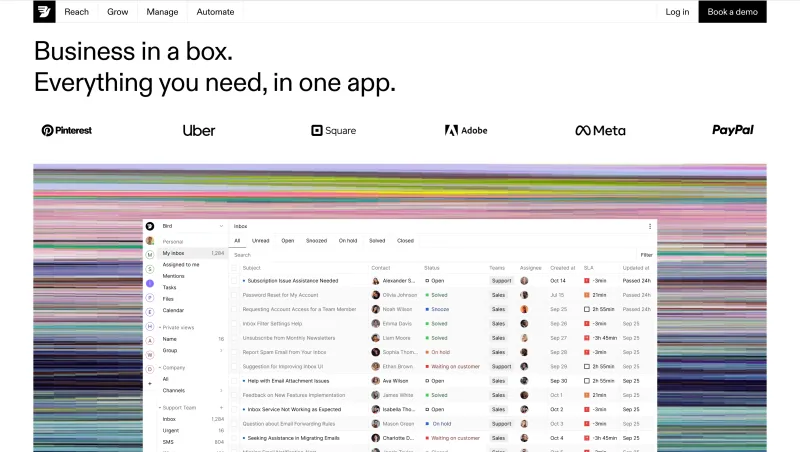
8. Bird
- WhatsApp API for sending templates and receiving customer replies
- Rich messaging support for images, videos, audio, documents, locations, and interactive content
- Delivery-status updates and inbound-message webhooks
- WhatsApp broadcast campaigns using approved marketing templates
- Customer segmentation using contact properties, preferences, and synced business data
- Automated follow-ups triggered by campaign replies
- WhatsApp Flows for collecting customer choices within conversations
- Coordination of WhatsApp campaigns with email and SMS communication
- Shared omnichannel inbox for WhatsApp, SMS, email, and other connected channels
- Centralized conversations and collaboration for customer-facing teams
- Visual no-code workflow builder with pre-built chatbot templates
- WhatsApp chatbots for FAQs, customer information collection, and appointment-related requests
- Bot-to-agent handover for enquiries requiring human assistance
- Integrations with Salesforce, HubSpot, Shopify, and OpenAI
- WhatsApp AI assistants built around business knowledge, permitted actions, and human handover
- WhatsApp analytics for monitoring delivery, reads, and message failures
- Workspace controls, API permissions, and audit logs
- Developer APIs, webhooks, and SDKs for TypeScript, Python, and Go
- Supports WhatsApp campaigns and customer replies within connected workflows
- Shared customer data helps coordinate communication across WhatsApp, email, and SMS
- Visual tools make common chatbot workflows accessible without coding
- Connects automation with established CRM and ecommerce platforms
- Programmable APIs provide flexibility for custom integrations
- Shared inbox software is free, with channel usage billed separately
- Pay-as-you-go billing is available for WhatsApp messaging
- Total costs can include messaging, workflow invocations, number rentals, and other product charges
- Workflow invocation rates require a custom quote
- No universal free automation allowance is published
- Bird’s processing charge can remain payable when message delivery subsequently fails
- RCS and push notifications are currently listed as private-beta products with restricted access
- Some G2 reviewers report platform bugs, support delays, and billing concerns
WhatsApp Marketing | WhatsApp Utility | WhatsApp Authentication | Workflow Automation | Shared Inbox |
| $0.0668/message | $0.031/message | $0.031/message | Custom quote per invocation | Free software |
9. AiSensy
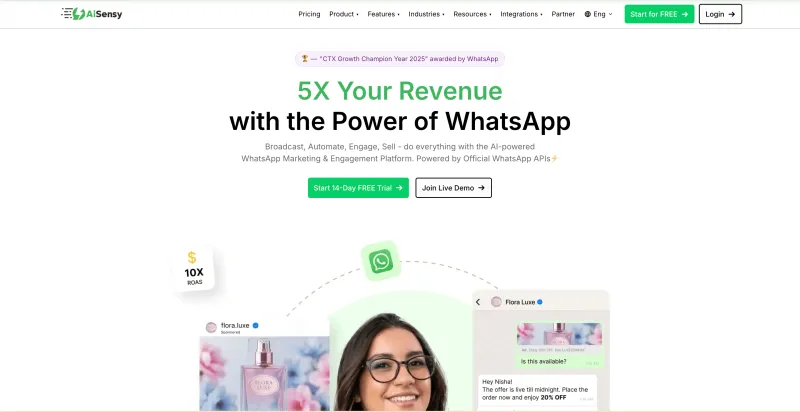
- WhatsApp broadcasts with personalized template messages
- Audience segmentation using tags, attributes, and customer filters
- Campaign scheduling for future dates and times
- Click tracking and retargeting based on customer engagement
- Multi-agent live chat on a single WhatsApp number
- Conversation assignment, agent rules, and chatbot-to-human handover
- Built-in contact records with chat history, tags, and custom attributes
- Contact imports and exports
- Template submission and approval-status tracking
- Carousel messages for showcasing multiple products
- Click-to-WhatsApp Ads tools for acquiring leads
- WhatsApp Forms for lead capture, bookings, and feedback
- Drag-and-drop WhatsApp chatbot builder, available as a paid add-on
- Chatbot triggers through keywords, templates, QR codes, and Meta ads
- WhatsApp AI agents trained on websites, PDFs, and business documents
- AI tool calling for order lookups, appointment booking, and customer-record updates
- Intent-based AI routing to relevant workflows and business actions
- Shopify automation for abandoned carts, order confirmations, shipping updates, and feedback requests
- Connections to CRM and business tools, including HubSpot, Zoho, and Google Sheets
- Campaign analytics for reviewing messaging performance
- No-code interface makes everyday campaigns and customer support accessible to non-technical teams
- Free Forever plan provides a starting point for basic platform use
- Combines broadcasts, contact management, and team conversations in one platform
- Shopify integration supports several stages of the ecommerce customer journey
- AI agents can use business knowledge and connected APIs to handle customer requests
- Offers a 14-day Pro trial and 500 AI messages for testing
- G2 reviewers frequently mention ease of use and helpful onboarding support
- Its AI Agent page currently states that responses are English-only, which limits Spanish-language automation
- Chatbot Flows and the AI Agent builder are separately priced add-ons
- WhatsApp message charges are separate from subscription and AI usage fees
- Plans advertised as “Unlimited” still have fair-use limits
- Free Forever excludes broadcasts, retargeting, integrations, and multi-agent support
- Campaign scheduling and click tracking require Pro or above
- Some G2 reviewers mention support response delays and room for improvement in advanced analytics
Free Forever | Basic | Pro | Premium | Unlimited | Enterprise |
| $0 | $45/month | $99/month | $299/month | $899/month | Custom pricing |
10. Gallabox
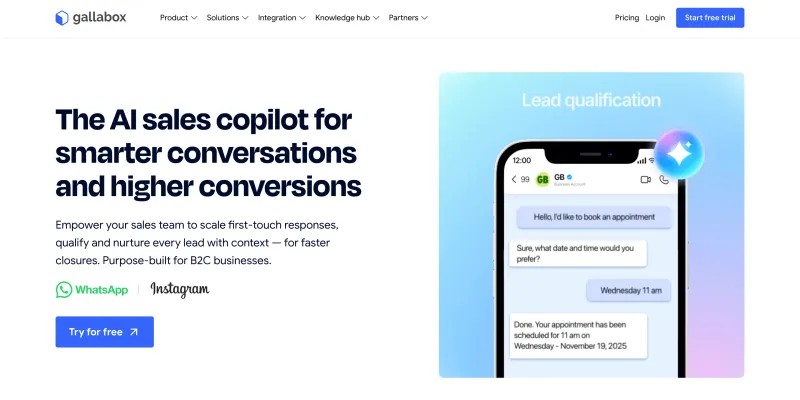
- WhatsApp Business API access for customer messaging and automation
- Unified inbox for WhatsApp, Instagram, and website conversations
- WhatsApp AI agents for answering questions and qualifying leads
- Bot-to-agent handover with conversation history and customer context
- Shared team inbox with individual logins and conversation assignment
- Internal notes, customer tags, and team mentions for collaboration
- Automated routing and workload distribution across agents
- AI-assisted reply rewriting, translation, and reusable responses
- Agent-performance analytics for monitoring team activity
- Targeted WhatsApp broadcasts using imported contacts and audience filters
- Personalized message templates for campaigns, notifications, and updates
- Broadcast scheduling, sample-message testing, and retries for undelivered messages
- Campaign dashboards for tracking messaging performance
- Drag-and-drop WhatsApp chatbot builder for FAQs and customer journeys
- WhatsApp Flows for registrations, bookings, and feedback collection
- Product catalogs and rich media messages for sharing products and information
- Drip campaigns for automated follow-up sequences
- Click-to-WhatsApp Ads tools for capturing and following up with leads
- CRM and ecommerce integrations, including HubSpot, Zoho, and Shopify
- APIs for connecting messaging workflows with existing business systems
- AI voice agents for WhatsApp and phone conversations
- Visual workflow builder makes routine automation accessible to non-technical teams
- Combines campaigns, chatbots, and live conversations in one platform
- Shared conversation history helps teams maintain context during handovers
- Supports lead qualification and follow-ups alongside customer support
- Connects WhatsApp workflows with existing CRM and ecommerce tools
- Offers multilingual chatbot and inbox capabilities
- Provides campaign testing and scheduling tools before sending broadcasts
- Basic is capped at three users, with an upgrade required to expand the team
- WhatsApp AI agents and inbox AI Copilot require Essential or higher
- AI voice agents require Advanced or Enterprise
- Chatbot flows, broadcast volumes, and AI usage have plan-based limits
- Meta messaging fees carry a Gallabox markup
- Additional users, channels, AI credits, and voice usage can increase costs
Basic | Essential | Advanced | Enterprise |
| $112/month | $248/month | $474/month | Custom pricing |
Note: Pricing and G2 ratings of these WhatsApp API providers may change over time. For the most accurate and up-to-date information, please visit their official websites.
10 Checks Before Choosing a WhatsApp API Provider in Argentina
1. Official WhatsApp API Access
2. Features That Fit Your Daily Work
- Targeted broadcasts and scheduled campaigns
- Shared inbox with chat assignment
- No-code WhatsApp chatbot and automation
- WhatsApp AI Agent with human handover
- Campaign and agent-performance reports
3. Integrations That Handle Your Workflows
4. Customer Data Protection
5. Spanish Support and Brand Consistency
6. Capacity to Handle Growth
7. Clear Setup and Account Control
8. Support During Your Working Hours
- Support channels and response times
- Escalation procedures for messaging failures
- Onboarding and integration assistance
- Dedicated account management and its cost
9. The Full Monthly Cost
- Platform subscription and setup fees
- Meta messaging charges and provider markups
- Additional agents, numbers, and integrations
- Chatbot, AI credit, and automation charges
- Billing currency, applicable taxes, and contract terms
10. Evidence From Similar Businesses
How to Shortlist a WhatsApp Business API Provider in 5 Steps
1. Ask for a Demo of Your Actual Workflow
- What the customer sees on WhatsApp
- How the chatbot or AI Agent handles the conversation
- When a human agent takes over
- What your team can track afterward
2. Compare the Plans You Would Actually Buy
- Included in the subscription
- Available through a paid add-on
- Dependent on custom development
- Unavailable on that plan
3. Request a Quote Based on Your Usage
4. Look for Results From Comparable Businesses
5. Run a Small Pilot With Your Team
- Message delivery and integration reliability
- Spanish chatbot and AI response quality
- Agent handover and ease of use
- Support responsiveness
- Actual cost against the estimate
How To Get YCloud?
How to Get YCloud for FREE?
Wrapping Up!
Frequently Asked Questions
Is there a free WhatsApp API provider in Argentina?
Can I build a WhatsApp chatbot without coding?
Can a WhatsApp AI chatbot respond in Spanish?
What is the difference between a WhatsApp chatbot and a WhatsApp AI Agent?
Can I keep my WhatsApp number when switching providers?
Can WhatsApp API integrate with CRM and ecommerce platforms?

Make your business communications much easier!


Trusted by




