Customer Support

English

How to Send 1000 Messages at Once in WhatsApp Without Getting Banned

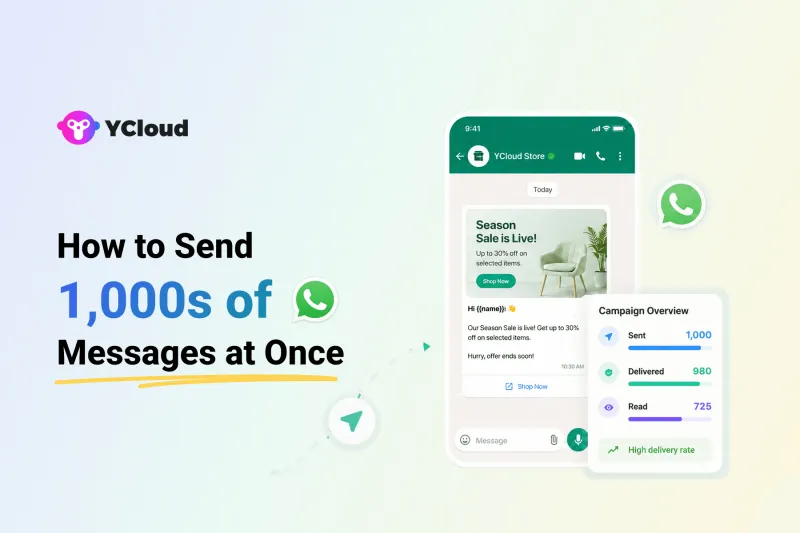
Businesses use WhatsApp because customers actually read the messages. But when you try to send 1,000 messages at once, your number can get blocked, flagged, or banned.
This usually happens when businesses use personal WhatsApp, unofficial bulk tools, or send messages without proper opt-ins.
The good news? You can send bulk WhatsApp messages safely if you use approved methods like the WhatsApp Business API.
In this guide, we’ll explain how to send 1000 messages at once in WhatsApp without getting banned, what methods to avoid, and how YCloud helps businesses send UNLIMITED WhatsApp messages safely in seconds.
Before we get into the full process, here’s a quick TL;DR for busy teams.
TL;DR
- Yes, you can send 1,000 WhatsApp messages at once.
- Don’t use personal WhatsApp for bulk messaging.
- Avoid unofficial bulk sender tools.
- Use WhatsApp Business API for safe sending.
- Message only opted-in customers.
- Use approved templates for campaigns.
- With YCloud, you can send bulk WhatsApp messages.
Next, let’s see if it’s actually possible to send 1000 messages at once in WhatsApp without getting blocked.
Is It Possible To Send 1000 Messages At Once in WhatsApp Without Getting Blocked?
Yes, but only if you use the right method…!
Sending 1,000 messages from personal WhatsApp or unofficial bulk tools can trigger spam checks and get your number blocked.
WhatsApp Broadcast can work for small lists, but it is not built for serious business campaigns or large-scale messaging.
For sending 1,000+ messages safely, the better option is the WhatsApp Business API with proper opt-ins and approved message templates.
Next, let’s answer another important question: Is it legal to send bulk WhatsApp messages?
Is It Legal To Send 10000s of WhatsApp Messages At Once?
Yes, bulk WhatsApp messaging is legal when you use the official WhatsApp Business API and message only opted-in users.
The risk starts when businesses use personal WhatsApp, browser extensions, bots, or unofficial bulk sender tools to message people without consent.
For high-volume messaging, the safer option is WhatsApp Business API. It lets you send approved message templates, personalize messages, reach large opted-in audiences, and track delivery, reads, replies, and failures.
This is where YCloud helps. As an official WhatsApp API provider, YCloud helps businesses send bulk WhatsApp messages safely using broadcasts, automation, shared inbox, segmentation, campaign analytics, and much more.
Next, let’s see why personal WhatsApp and unofficial bulk sender tools are risky.
Why You Shouldn’t Use Regular or Unofficial WhatsApp Tools To Send 1000 Messages At Once in WhatsApp
Regular WhatsApp is not built for sending 1,000 messages at once.
Many businesses try to use personal WhatsApp, modified apps, browser extensions, or unofficial bulk sender tools. That may work for a short time, but it can quickly lead to message blocks, number bans, and poor customer trust.
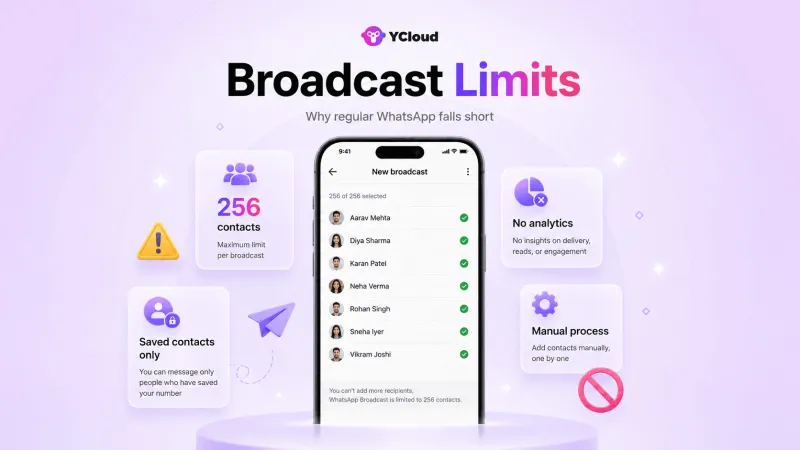
WhatsApp Broadcast is safer than unofficial tools, but it still has limits:
- You can send to only 256 contacts per list.
- Messages are delivered only if users have saved your number.
- There is no proper campaign tracking.
- There is no automation or chatbot flow.
- Team collaboration is limited.
- Everything becomes manual as your audience grows.
So, if you want to send bulk WhatsApp messages safely, regular WhatsApp is not enough.
Next, let’s see how YCloud helps businesses send 1,000+ WhatsApp messages the right way.
How YCloud Helps You Send 1,000 WhatsApp Messages At Once
YCloud helps businesses send 1,000+ WhatsApp messages safely through the official WhatsApp Business API.
You can upload your contact list, create approved message templates, schedule broadcasts, automate follow-ups, and track campaign performance from one dashboard.
No coding. No unofficial tools. No manual sending.
With YCloud, your team can send bulk WhatsApp messages to opted-in customers, manage replies in a shared inbox, and use automation to move conversations faster.
Next, let’s see the step-by-step process to send 1,000 WhatsApp messages safely with YCloud.
How To Send 1,000 WhatsApp Messages At Once With YCloud
Want to see YCloud in action first? Watch this quick walkthrough:
Next, let’s look at the YCloud features that make it a reliable bulk WhatsApp message sender for businesses.
Features of YCloud
YCloud helps businesses send bulk WhatsApp messages safely through the official WhatsApp Business API.
It is built for teams that want to run WhatsApp campaigns, automate replies, manage conversations, and track performance without using risky third-party tools.
With YCloud, you can:
- Send broadcasts to large opted-in audiences
- Store and manage unlimited contacts
- Use AI to generate message templates faster
- Schedule campaigns for the right time
- Segment audiences for better targeting
- Track delivery, reads, replies, and failures
- Manage all customer chats from a shared team inbox
- Automate FAQs, reminders, alerts, and lead qualification with AI-Agents
- Build customer journeys using Journey Builder
- Connect WhatsApp with Shopify, Zapier, CRMs, and other tools
- Retarget WhatsApp-engaged users through Meta Ads
YCloud also offers a free lifetime plan, zero markup on WhatsApp conversation charges, unlimited contact storage, and support across WhatsApp, email, and phone.
In short, it gives your team everything needed to send, automate, track, and manage WhatsApp messages at scale.
Next, let’s look at how to get YCloud.
How to Get YCloud?
Kindly click on the Below Banner to book a FREE DEMO and learn more about our product offering, features and pricing plans.

Built with AI at its core, YCloud is the ultimate WhatsApp marketing and automation solution, giving you everything you need in one powerful platform.
Now market, sell, support, and scale your business by 10X with YCloud!
Ready to try? Explore How to Get YCloud for FREE next!
How to Get YCloud for FREE?
It's Simple!
Subscribe to our FREE plan and get a free lifetime experience of YCloud with unlimited messaging API.
Book a FREE Demo and see how YCloud can power up your WhatsApp strategy!
Final Thoughts
Sending 1,000 WhatsApp messages at once is possible, but only when you use the right method.
Personal WhatsApp, browser extensions, and unofficial bulk tools can put your number and customer trust at risk.
For business messaging, the safer route is the official WhatsApp Business API.
With YCloud, you can send bulk WhatsApp messages to opted-in customers, automate campaigns, manage replies, and track performance from one dashboard.
So, if you want to send 1,000 WhatsApp messages safely without getting banned, YCloud gives you the tools to do it the right way.
Frequently Asked Questions
Is it possible to send 1000 WhatsApp messages for free?
Not fully.
You can use WhatsApp Broadcast for free, but each list supports only 256 contacts and messages are delivered only to users who have saved your number.
For sending 1,000+ messages properly, use WhatsApp Business API. With YCloud, you can start with a free plan, but WhatsApp messaging charges may apply.
Is it legal and safe to send 1,000 WhatsApp messages?
Yes, if you use the official WhatsApp Business API and message only opted-in users.
It becomes risky when you use personal WhatsApp, unofficial tools, bots, or scraped contact lists.
Do I need user consent before sending bulk WhatsApp messages?
Yes.
You should send WhatsApp messages only to users who have agreed to receive updates from your business.
How long does it take to send 1,000 WhatsApp messages?
It depends on your WhatsApp messaging limit, account quality, audience size, and campaign setup.
With YCloud, you can set up and send bulk campaigns quickly, but final delivery depends on WhatsApp’s sending and quality checks.
What is the free limit on WhatsApp Broadcast?
WhatsApp Broadcast supports up to 256 contacts per list.
Also, the message is delivered only if the user has saved your number in their phone contacts.
Can I send bulk WhatsApp messages without saving contacts to my phone?
Yes, but only through the WhatsApp Business API.
Regular WhatsApp Broadcast needs contacts to be saved and has a 256-contact limit. With YCloud, you can upload opted-in contacts and send bulk WhatsApp messages through the official API.
Related Articles

Make your business communications much easier!


Trusted by




