Customer Support

English

How to Get WhatsApp Cloud API: Your One-Stop Guide

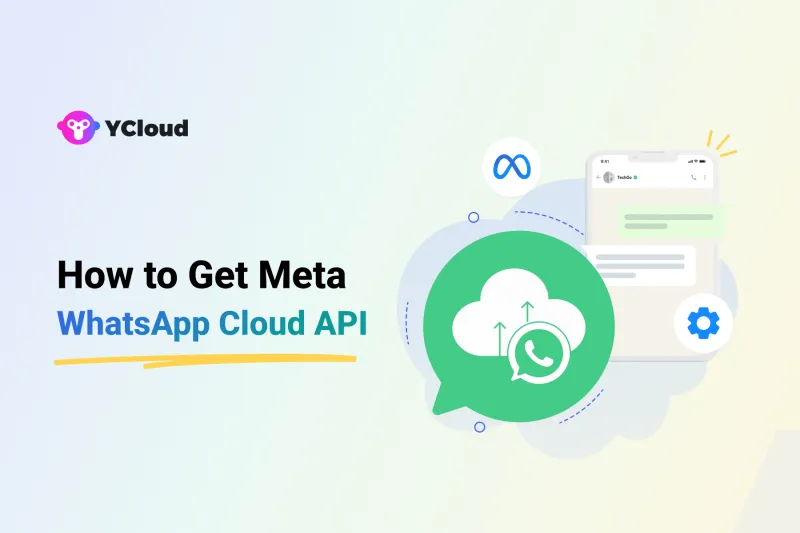
Earlier, businesses usually had to work with a Business Solution Provider to access the WhatsApp Business API.
But Meta WhatsApp Cloud API changed that…!
With WhatsApp Cloud API, businesses can access the API directly through Meta. Since Meta hosts the API on its own cloud servers, businesses don’t need to host or maintain the API on their own infrastructure.
In this guide, we’ll cover what the WhatsApp Cloud API is, how it differs from the On-Premise API, its features, benefits, limitations, pricing, and how to get the WhatsApp Cloud API for your business.
First, let’s understand what the WhatsApp Cloud API actually is.
TL;DR:
- WhatsApp Cloud API is Meta’s cloud-hosted version of the WhatsApp Business API. It lets businesses access the API directly through Meta or via a Business Solution Provider like YCloud.
- On-Premise API is no longer available: Meta has already sunset the On-Premise API, so businesses now need to move to the Cloud API.
- Is WhatsApp Cloud API free? API access is free, but businesses still pay Meta’s messaging/calling charges. If you use a BSP, platform or usage fees may also apply.
- What can businesses do with it? Send messages at scale, automate conversations, connect WhatsApp with business tools, manage alerts, and apply for business verification where eligible.
- How to get WhatsApp Cloud API? You can get it directly through Meta’s self-serve process or use embedded signup via a BSP like YCloud.
Next, let’s understand what WhatsApp Cloud API actually is.
What is WhatsApp Cloud API?
WhatsApp Cloud API is Meta’s cloud-hosted version of the WhatsApp Business Platform.
It allows businesses to send and receive WhatsApp messages at scale without hosting the API on their own servers. Since the API runs on Meta’s cloud infrastructure, businesses don’t have to manage server setup, maintenance, or manual upgrades.
Businesses can access the WhatsApp Cloud API directly through Meta or through a Business Solution Provider like YCloud, depending on how much technical support, setup help, and platform features they need.
Next, let’s look at what happened to the older On-Premise API and why Cloud API is now the main path forward.
WhatsApp On-Premise API Has Been Sunset
Meta has officially moved the WhatsApp Business Platform to the Cloud API.
The final supported version of the WhatsApp On-Premise API expired on October 23, 2025. This means businesses can no longer use the On-Premise API to send or receive WhatsApp messages.
Earlier, the On-Premise API required businesses or BSP to host and maintain the API on private servers. That involved infrastructure setup, manual upgrades, maintenance work, and higher technical effort.
With WhatsApp Cloud API, Meta hosts the API on its own cloud servers. This makes the platform easier to scale, more reliable, and faster to access for businesses that want to use WhatsApp for customer communication.
Meta also confirmed that new feature updates are now released only for the Cloud API. So, if a business wants to use the WhatsApp API today, the Cloud API is the main path forward.
Next, let’s look at the key features that make WhatsApp Cloud API useful for businesses.
Source: https://developers.facebook.com/docs/whatsapp/on-premises/sunset/
Key Features of WhatsApp Cloud API
WhatsApp Cloud API gives businesses the core tools they need to use WhatsApp for customer communication at scale.
Here are the key features:
1. Cloud-hosted by Meta
The API runs on Meta’s cloud servers, so businesses don’t need to manage hosting, server maintenance, or manual infrastructure updates.
2. Send and receive WhatsApp messages
Businesses can send and receive text messages, images, videos, documents, audio files, location details, and other supported message formats.
3. Message templates
Businesses can use approved message templates to send important updates like order alerts, payment reminders, shipping updates, appointment reminders, and account notifications.
4. Interactive messages
WhatsApp Cloud API supports interactive message formats like buttons, lists, and product messages, helping customers take action faster inside the chat.
5. Automation and integrations
Businesses can connect WhatsApp with CRMs, eCommerce platforms, support tools, chatbots, and internal systems to automate workflows and reduce manual work.
6. Team inbox support through a platform
When connected with a platform like YCloud, multiple agents can manage customer conversations from one shared inbox instead of handling everything manually.
7. Business verification support
Eligible businesses can apply for Meta business verification and the WhatsApp Blue Tick to build stronger trust with customers.
In simple terms, WhatsApp Cloud API gives businesses the foundation.
A platform like YCloud makes it easier to use that foundation for marketing, sales, support, and automation.
Next, let’s look at the main benefits of using WhatsApp Cloud API.
Benefits of WhatsApp Cloud API
WhatsApp Cloud API makes it easier for businesses to start and scale WhatsApp communication without managing heavy backend infrastructure.
Here are the main benefits:
1. No self-hosting required
The API is hosted on Meta’s cloud servers, so businesses don’t need to set up, manage, or maintain their own API infrastructure.
2. Easier access to WhatsApp API
Businesses can access WhatsApp Cloud API directly through Meta or through a Business Solution Provider like YCloud. This gives businesses more flexibility in how they get started.
3. Lower technical overhead
Since Meta manages the cloud infrastructure, businesses and developers can focus more on building customer journeys, automations, and integrations instead of handling server updates or maintenance.
4. Faster access to new features
New WhatsApp Business Platform features are now focused on Cloud API, which means businesses using Cloud API can access updates faster than the older On-Premise model.
5. Built for scale
WhatsApp Cloud API supports large-scale business messaging, making it suitable for sending alerts, notifications, support replies, and customer updates across high conversation volumes.
6. Works with business tools
Businesses can connect WhatsApp with CRMs, eCommerce platforms, support tools, chatbots, and automation systems to manage communication more efficiently.
In short, WhatsApp Cloud API reduces infrastructure complexity and gives businesses a faster way to use WhatsApp at scale.
Next, let’s look at the limitations of WhatsApp Cloud API that businesses should know before getting started.
Limitations of WhatsApp Cloud API
WhatsApp Cloud API makes access easier, but it is still an API, not a complete business messaging platform by itself.
Here are a few limitations to know:
1. No ready-made platform from Meta
Meta gives you API access, but it does not provide a full platform to manage chats, agents, broadcasts, chatbots, automation, templates, and reports in one place. For that, businesses usually need a platform like YCloud.
2. Technical setup is still required
If you get WhatsApp Cloud API directly from Meta, you may still need developer support to configure webhooks, APIs, message flows, templates, and integrations.
3. No built-in campaign or automation tools
The API allows you to send and receive messages, but features like bulk campaigns, chatbot flows, CRM sync, shared inbox, and analytics need to be built separately or accessed through a BSP platform.
4. Number migration needs care
Businesses moving from older WhatsApp API setups need to migrate their phone number properly to Cloud API. A number cannot be used across two WhatsApp API setups at the same time.
5. Meta messaging rules still apply
Businesses must follow WhatsApp’s template approval, opt-in, quality rating, and messaging policy rules. Cloud API access does not remove these requirements.
In short, WhatsApp Cloud API gives you the infrastructure. A platform like YCloud helps you actually use it for marketing, sales, support, automation, and customer engagement.
Next, let’s compare WhatsApp Cloud API with the older WhatsApp Business API model.
WhatsApp Cloud API vs On-Premise API: What’s the Difference?
WhatsApp Cloud API and On-Premise API were both ways to use the WhatsApp Business Platform. The main difference was how the API was hosted and managed.
- With the On-Premise API, the API had to be hosted on private servers, either by a business or through a provider. This required more infrastructure, maintenance, updates, and technical management.
- With WhatsApp Cloud API, Meta hosts the API on its own cloud servers. Businesses can access it directly through Meta or through a Business Solution Provider like YCloud.
Here’s a quick comparison:
Factor | On-Premise API | WhatsApp Cloud API |
| Hosting | Private or provider-managed servers | Meta’s cloud servers |
| Maintenance | Managed manually by business/provider | Managed by Meta |
| Access | Previously through BSPs | Directly through Meta or via BSPs |
| Updates | Manual updates required | New updates handled by Meta |
| Infrastructure cost | Higher hosting and maintenance effort | No self-hosting required |
| Current status | Sunset by Meta | Main API path going forward |
So, it is not really about choosing between the two anymore.
The On-Premise API has already been sunset, and WhatsApp Cloud API is now the primary way to access the WhatsApp Business Platform.
Next, let’s look at how to get WhatsApp Cloud API for your business.
How to Get WhatsApp Cloud API
There are two main ways to get WhatsApp Cloud API access:
- Directly through Meta self-serve
- Through embedded signup with a Business Solution Provider like YCloud
Both routes give access to WhatsApp Cloud API. The difference is how much technical work, platform support, and ready-to-use business features you need.
Option 1: Get WhatsApp Cloud API Directly Through Meta
This route is useful if you have an in-house technical team and want direct control over the API setup.
Refer Here if you want to get started yourself: https://developers.facebook.com/documentation/business-messaging/whatsapp/get-started
Advantages:
- Direct access through Meta
- More control over API, tokens, webhooks, and configurations
- Good for businesses with developers building a custom messaging system
- No need to depend on a third-party platform for basic API access
Limitations:
- Requires technical knowledge
- No ready-made inbox, chatbot, broadcast, or analytics platform from Meta
- You may need developers to build and maintain messaging workflows
- Setup can take longer if your team is not familiar with APIs and webhooks
Option 2: Get WhatsApp Cloud API Through a BSP Like YCloud
This route is better if you want a faster and simpler way to start using WhatsApp Cloud API with business-ready tools.
Advantages:
- Faster onboarding
- Less technical work
- Shared inbox, broadcasts, chatbots, automation, templates, reports, and integrations in one platform
- Support during setup, verification, templates, and messaging issues
- Easier for marketing, sales, and support teams to use WhatsApp at scale
Limitations:
- Platform fees may apply depending on the BSP
- Some features depend on the platform you choose
- Less low-level technical control compared to building directly on Meta
In simple terms, choose Meta self-serve if you have developers and want to build everything yourself.
Choose a BSP like YCloud if you want faster setup, support, and ready-to-use tools for WhatsApp marketing, sales, support, and automation.
Next, let’s look at WhatsApp Cloud API pricing and what businesses actually need to pay for.
WhatsApp Cloud API Pricing
WhatsApp Cloud API access is free. But WhatsApp messaging is not completely free.
Businesses pay Meta’s message charges based on the recipient’s country and message category.
From July 2025, WhatsApp moved to per-message pricing, which means businesses are charged for each delivered business message instead of the older conversation-based model.
Here’s the simple breakdown:
Message Category | Used For | Pricing |
Marketing | Offers, promotions, product updates | Paid per delivered message |
Utility | Order updates, payment alerts, delivery updates | Paid per delivered message |
Authentication | OTPs, login codes, verification messages | Paid per delivered message |
Service | Replies inside the 24-hour customer service window | Free |
So, the real cost depends on three things:
- The country you are messaging
- The message category
- The platform or BSP you use to manage WhatsApp Cloud API
For a detailed pricing breakdown, read this guide:

https://www.ycloud.com/blog/whatsapp-api-pricing
To check country-wise WhatsApp API pricing, visit:
https://www.ycloud.com/pricingNext, let’s see how YCloud helps businesses scale faster with WhatsApp Cloud API.
Scale Your Business by 10X with YCloud WhatsApp API
Getting WhatsApp Cloud API is only the first step. To use it for real business growth, you need the right platform on top of it.
YCloud helps businesses use WhatsApp Cloud API for marketing, sales, support, and automation without building everything from scratch.
With YCloud, you can:
- Manage customer chats from a shared team inbox
- Send scalable WhatsApp campaigns and broadcasts
- Automate replies, follow-ups, and customer journeys with smart AI-Agents
- Create and manage message templates with AI message template generator
- Connect WhatsApp with your CRM, eCommerce, and business tools
- Track campaign and conversation performance
- Get support for setup, verification, and scaling
Whether you want to generate leads, recover carts, send order updates, or support customers faster, YCloud gives your team the tools to do it from one platform.
Next, let’s wrap up the key points and help you decide the best way to get started.
Wrapping Up
WhatsApp Cloud API has made WhatsApp API access more flexible, scalable, and easier to manage.
Businesses can now access the API directly through Meta or use a Business Solution Provider like YCloud to get a faster setup, ready-to-use tools, and support for daily operations.
If you have a technical team, Meta self-serve gives you more control. If you want to start faster with shared inbox, broadcasts, automation, integrations, and reporting, YCloud is the easier route.
Frequently Asked Questions
Is WhatsApp Cloud API free?
WhatsApp Cloud API access is free. But businesses still need to pay Meta’s message charges based on the country and message category. If you use a BSP platform like YCloud, platform charges may also apply.
How can I get WhatsApp Cloud API?
You can get WhatsApp Cloud API in two ways: directly through Meta self-serve or through embedded signup with a Business Solution Provider like YCloud.
What effect will WhatsApp Cloud API have on businesses already using WhatsApp Business API?
If you are already using WhatsApp Cloud API through a platform like YCloud, nothing changes. If you are still using the older On-Premise API, you need to move to Cloud API because the On-Premise API has been sunset.
How does WhatsApp Cloud API help new businesses?
It makes WhatsApp API access easier. New businesses can start through Meta directly or use a BSP like YCloud to complete onboarding faster and get ready-to-use tools for campaigns, inbox, automation, templates, and reporting.
What is the difference between WhatsApp Cloud API and WhatsApp Business API?
WhatsApp Cloud API is the cloud-hosted version of the WhatsApp Business Platform. Earlier, WhatsApp API also had an On-Premise version, but Meta has now moved the platform to Cloud API.
Can I send bulk messages using WhatsApp Cloud API?
Yes. Businesses can send bulk messages using approved WhatsApp message templates. However, they must follow Meta’s opt-in, template approval, quality rating, and messaging policy rules.
Do I need a platform to use WhatsApp Cloud API?
Yes, in most cases. Meta gives API access, but not a complete business platform. To manage chats, broadcasts, automations, templates, integrations, and reports easily, businesses usually use a platform like YCloud.
Can I use the same number for WhatsApp Business App and Cloud API?
Yes, eligible businesses can use WhatsApp Coexistence to use the WhatsApp Business App and WhatsApp Cloud API on the same number. However, some app features may work differently on the API side.
Which is better: Meta self-serve or a BSP like YCloud?
Meta self-serve is better if you have developers and want full technical control. A BSP like YCloud is better if you want faster onboarding, support, and ready-to-use tools for marketing, sales, support, and automation.
Related Articles

Make your business communications much easier!


Trusted by




