

How to Get WhatsApp API for Developers: Exclusive Guide

Getting WhatsApp API may look like a simple developer task.
But once you start building, the real questions begin.
Should you use Meta’s Cloud API directly?
Should you go through a WhatsApp Business Solution Provider?
How do you handle setup, webhooks, message templates, scaling, compliance, and support?
For developers and technical teams, the wrong setup can slow down integration, create extra maintenance work, and make WhatsApp harder to manage as message volume grows.
That is why choosing the right way to get WhatsApp API matters.
In this guide, we’ll explain what WhatsApp API is, how developers can get access, the pros and cons of each method, and why using YCloud can make WhatsApp API integration faster, cleaner, and easier to scale.
Next, let’s first understand what WhatsApp API actually means.
What Is WhatsApp API?
WhatsApp API is Meta’s official solution for businesses that want to use WhatsApp at scale.
It is not the regular WhatsApp app.
It is not the WhatsApp Business App either.
It is an API that lets developers connect WhatsApp with business systems, CRMs, chatbots, support tools, ecommerce platforms, and custom workflows.
With WhatsApp API, businesses can send approved message templates, receive customer replies, automate conversations, manage multiple agents, trigger notifications, and build WhatsApp directly into their backend systems.
For developers, this means more control.
You can use webhooks, APIs, integrations, automation logic, and customer data to build WhatsApp experiences that go beyond manual messaging.
Next, let’s understand how developers can get WhatsApp API and what setup options are available.
How to Get WhatsApp API for Developers
Developers can get WhatsApp API in two main ways.
One is the official WhatsApp Business Platform by Meta.
The other is through an official WhatsApp Business Solution Provider, like YCloud.
Let's explore each of them in details.
1. Official WhatsApp Business Platform by Meta
This is the direct route.
Developers can access WhatsApp API from Meta and build the setup themselves.
There are two important options to understand here:
| Option | What it means | Current status |
|---|---|---|
| Cloud API | Hosted by Meta. Fastest to start. No server maintenance. Supports messages, contacts, templates, media, and webhooks. | Available and recommended |
| On-Premises API | Earlier self-hosted option for teams that wanted full infrastructure control. | Sunset on October 23, 2025 |
So, for new developer setups, Cloud API is the practical Meta route.
To get started with Cloud API, developers usually need:
A Meta Business account
Business verification for production use
A phone number that can receive SMS or voice verification
A number that shouldn't be tied to another active WhatsApp account
Facebook App set up in Meta for Developers
WhatsApp product added to the app
Access token setup
Webhooks configured
Message templates created and submitted
The basic Cloud API flow looks like this:
Create or verify your Meta Business account
Go to Meta for Developers and create an app
Add the WhatsApp product
Connect or request a phone number
Configure your display name and business profile
Generate access tokens
Set up webhooks for inbound messages and status updates
Submit message templates for business-initiated messages
Test the setup first
Move to production once approvals and verification are complete
This option gives developers the most direct control.
You can build your own backend logic, CRM integration, chatbot flow, order notification system, support workflow, and internal dashboard.
But it also means your team owns the technical work.
Tokens.
Webhooks.
Templates.
Message status.
Rate limits.
Security.
Monitoring.
Compliance.
So, Meta Cloud API is best when your team has the technical bandwidth to build and maintain the setup properly.
2. WhatsApp Business Solution Provider
The second option is using an official WhatsApp Business Solution Provider like YCloud.
This is the quickest and easiest route.
A BSP helps businesses get WhatsApp API access without handling every setup and operational detail from scratch.
With a BSP, developers usually get:
Guided onboarding
WhatsApp Business Account setup support
Phone number connection
REST APIs or SDKs
Template creation and management
Webhook and message routing support
Analytics and reporting
Team inbox or conversation tools
Automation and chatbot features
Support for scaling WhatsApp communication
The typical BSP setup looks like this:
Choose a provider
Sign up and share business details
Connect or verify your WhatsApp number
Complete business verification if needed
Create and approve message templates
Use the provider’s API, SDK, or dashboard
Connect WhatsApp with your CRM, website, app, or backend
Start testing and then go live
The main benefit is speed.
Developers still get WhatsApp API access, but they do not have to build every operational layer from zero.
The trade-off is provider dependency.
So before choosing a BSP, check the API documentation, uptime, pricing, template support, SLA, analytics, scalability, support quality, and whether the provider gives enough flexibility for your use case.
3. Development Workflow and Best Practices
Getting API access is only the first step.
For a production-ready WhatsApp Developers API setup, developers should follow the right workflow.
Use a test setup first
Start with a sandbox or test number before going live. Build and test your webhooks, message flows, error handling, and delivery logic before real customer communication.
Use approved message templates
For business-initiated messages outside the customer service window, developers need approved message templates. Meta also states that template messages are the only type of message that can be sent outside the customer service window.
Localize templates properly
If your business serves users in multiple markets, create localized templates. Use variables carefully and keep the message clear to reduce template rejection chances.
Set up secure webhooks
Webhooks are used to receive inbound messages, delivery status, read receipts, and other events. Meta defines webhooks as HTTP requests with JSON payloads sent from Meta servers to your server.
Your webhook endpoint should use HTTPS, validate signatures, handle duplicate events safely, and process message status events like sent, delivered, read, and failed.
Respect the 24-hour customer service window
When a user messages your business, you can reply with free-form messages inside the open customer service window. After that window closes, you need approved templates for outbound business messages.
Plan for rate limits and throughput
Meta applies messaging limits, and Cloud API also has throughput rules. For each registered business phone number, Cloud API supports up to 80 messages per second by default and up to 1,000 messages per second through automatic upgrade.
Track pricing carefully
Message pricing depends on template type, message category, region, and whether you are using Meta directly or a BSP. Developers should track pricing early so costs do not surprise the business later.
Protect tokens and customer data
Access tokens, webhook secrets, logs, backups, and customer data should be handled carefully. Store only what is needed, rotate secrets when required, and follow local privacy laws such as GDPR, TCPA, or other applicable regulations.
4. Quick Choice by Scenario
Here is the simple way to decide.
| Scenario | Best option |
|---|---|
| Prototype or small internal test | Meta Cloud API |
| Developer team wants full control | Meta Cloud API |
| Business wants faster launch with less setup work | BSP like YCloud |
| Need templates, inbox, analytics, automation, and support | BSP like YCloud |
| Complex enterprise setup with strict compliance needs | Cloud API or a compliant BSP setup |
| Self-hosted On-Premises API requirement | Not available for new setup due to sunset |
In simple words:
Use Cloud API if you want direct access and can manage the technical setup.
Use a BSP like YCloud if you want WhatsApp API access with ready business tools, faster onboarding, and less operational complexity.
5. Minimal Go-Live Checklist for Developers
Before moving to production, make sure these basics are ready:
Meta Business account is created and verified
Cloud API or BSP setup is selected
Phone number is verified through SMS or voice
WhatsApp Business profile is configured
Access tokens are generated and secured
Webhooks are connected and tested
Message templates are submitted and approved
Customer service window rules are handled
Opt-in and opt-out flows are ready
Message status tracking is working
Error handling and retry logic are tested
CRM, backend, or support integrations are connected
Pricing, limits, and quality rating are monitored
Logs, tokens, and customer data are protected
So, getting WhatsApp API for developers is not just about access.
It is about choosing the right setup, building the right workflow, and making sure your WhatsApp messaging system is stable, secure, and ready to scale.
Next, let’s understand the benefits of getting WhatsApp API from YCloud.
Benefits of Getting the WhatsApp API from YCloud
Getting WhatsApp API directly gives developers access.
But YCloud gives developers API access with ready tools to manage WhatsApp communication faster and more easily.
With YCloud, you can:
1. Send and receive WhatsApp messages using API
Developers can connect WhatsApp with their app, website, CRM, backend, ecommerce system, or support tool.
2. Use real-time webhooks
Get instant updates for incoming messages, customer replies, delivery status, read status, and other WhatsApp events.
3. Manage message templates easily
Create, manage, and use WhatsApp templates for alerts, reminders, OTPs, order updates, offers, and other business messages.
4. Add simple opt-out buttons
You can add Stop or Unsubscribe buttons to message templates, so users can opt out anytime without manual follow-up.
5. Run bulk broadcasts
Send WhatsApp campaigns to selected customer groups for product updates, offers, announcements, and re-engagement.
6. Automate conversations with AI agents and chatbots
Use automation to answer common questions, qualify leads, route chats, and reduce manual support work.
7. Manage chats from a shared team inbox
Sales, support, and operations teams can manage customer conversations from one place.
8. Track performance with analytics
Monitor campaign performance, message delivery, customer replies, and conversation activity.
9. Connect WhatsApp with business tools
Integrate WhatsApp with your CRM, website, app, backend, or internal workflows.
In short, YCloud helps developers build faster without managing every WhatsApp layer from scratch.
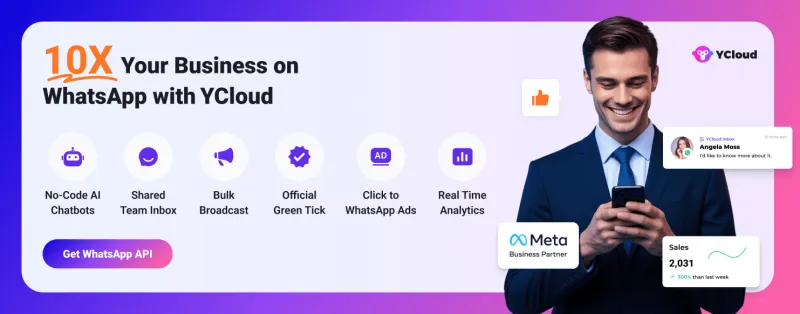
You get the API, webhooks, templates, automation, inbox, broadcasts, analytics, and opt-out management in one platform.
Next, let’s wrap up the guide with a quick final takeaway.
Wrapping Up!
Getting WhatsApp API for developers is not just about access.
It is about choosing the right setup for your business.
If you want full control and have the technical bandwidth, Meta Cloud API is a good option.
But if you want faster setup, easier template management, real-time webhooks, broadcasts, automation, analytics, team inbox, and opt-out handling, YCloud makes the process simpler.
The right choice depends on what your team needs more:
Control.
Speed.
Support.
Scalability.
Choose the setup that helps you build faster without making WhatsApp communication harder to manage later.
Frequently Asked Questions
How can developers get WhatsApp API?
Developers can get WhatsApp API in two ways: directly through Meta Cloud API or through an official WhatsApp Business Solution Provider like YCloud.
Is WhatsApp Cloud API free for developers?
Meta provides access to WhatsApp Cloud API, but businesses still pay for WhatsApp messaging based on Meta’s pricing rules. Additional costs may depend on setup, usage, or the provider you choose.
What is the easiest way to get WhatsApp API for developers?
The easiest way is to use a WhatsApp Business Solution Provider like YCloud because it gives developers API access along with templates, webhooks, inbox, automation, analytics, and support.
Do developers need a Meta Business account for WhatsApp API?
Yes. For direct Cloud API setup, developers need a Meta Business account, a verified phone number, and a Meta for Developers app.
Is the WhatsApp On-Premises API still available?
No. Meta sunset the WhatsApp On-Premises API on October 23, 2025. Developers should now use Cloud API or a BSP-led setup.
Why are webhooks important for WhatsApp Developers API?
Webhooks help developers receive real-time updates for incoming messages, delivery status, read receipts, failed messages, and customer replies.

Make your business communications much easier!


Trusted by




